Skip to content
| Marketplace
Sign in
Visual Studio Code>Other>Excel GrepperNew to Visual Studio Code? Get it now.
Excel Grepper

Excel Grepper

hanagechan

|
3 installs
| (0) | Free
Search inside Excel (.xlsx/.xlsm) files using VS Code.
Installation
Launch VS Code Quick Open (Ctrl+P), paste the following command, and press enter.
Copied to clipboard
More Info

Excel Grepper

Search inside Excel files (.xlsx / .xlsm) directly from VS Code.


✨ Features
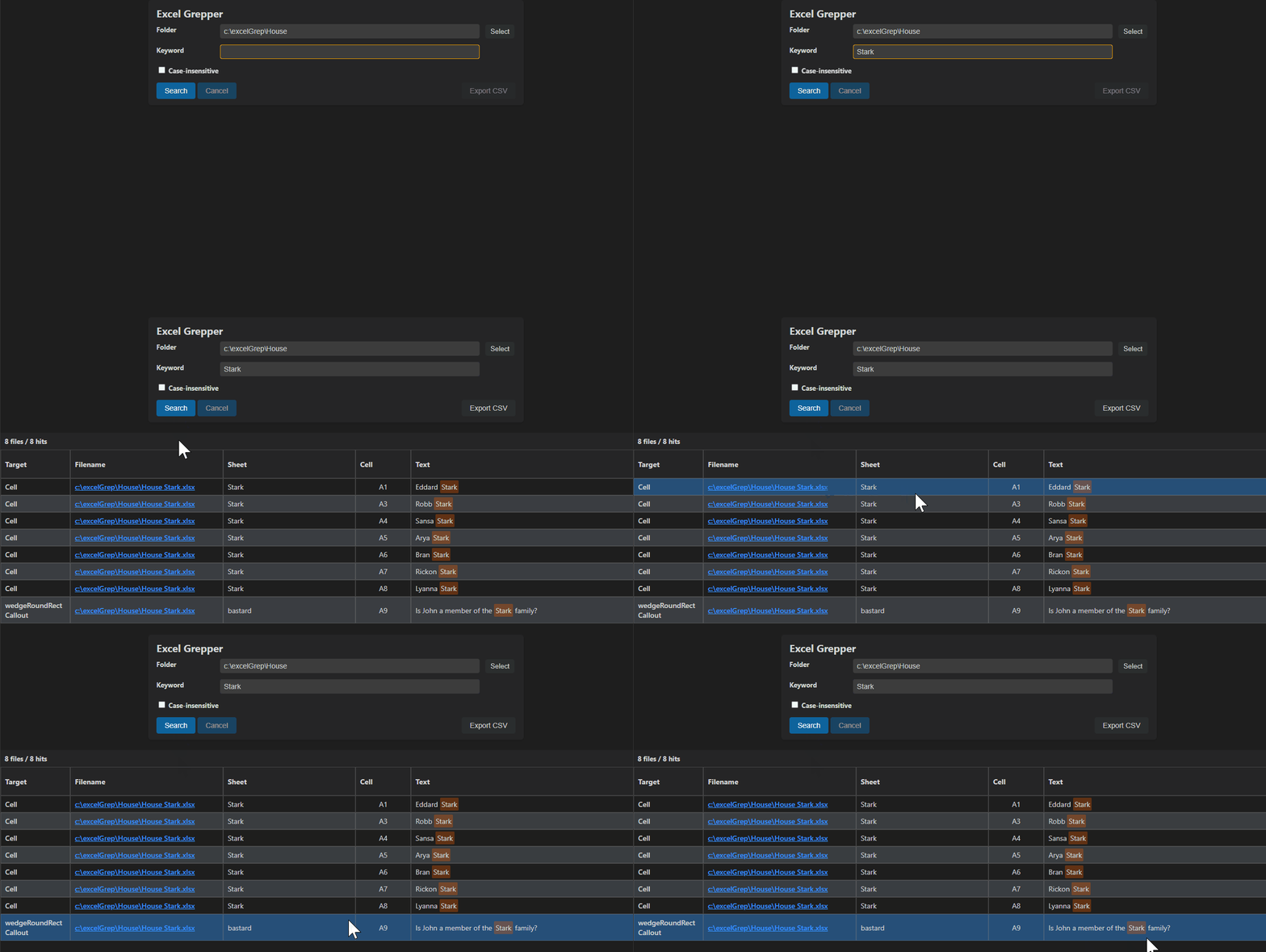
Excel Grepper Demo

  • 🔍 Search text inside Excel files (cells & shapes)
  • 📁 Recursive search in folders
  • 🔡 Case-insensitive search option
  • 📊 Results displayed in a table view
  • 🔗 Click to open Excel file
  • 📤 Export results to CSV (with hyperlinks)
  • 🌐 Multi-language support (English / Japanese)

📦 Usage

  1. Run command:
Excel Grep: Run
  1. Enter:

    • Folder path
    • Keyword
    • Case sensitivity option
  2. Click Search


🔍 Result View

  • Displays:

    • File name
    • Sheet name
    • Cell address
    • Matched text
    • Shape number (if applicable)
  • Click a result → Opens the Excel file


📤 Export CSV

  • Export search results as CSV
  • Includes clickable Excel hyperlinks

⚠️ Notes

  • Supports:

    • .xlsx
    • .xlsm
  • Does NOT support:

    • .xls (legacy format)
  • Large folders may take time to process


🧪 Known Limitations

  • Direct cell jump in Excel is not implemented yet
  • Very large Excel files may impact performance

🛠 Development

Built with:

  • TypeScript
  • VS Code Extension API
  • JSZip

📄 License

MIT License

  • Contact us
  • Jobs
  • Privacy
  • Manage cookies
  • Terms of use
  • Trademarks
© 2026 Microsoft
