LLM Tokens: Token Counter for GPT, Claude, GeminiCount tokens for GPT, Claude, Gemini, Grok, DeepSeek, Kimi and Qwen at once, with the share of each context window. Exact where the maker publishes its tokenizer, with every estimate marked. Runs on your computer, no API key, no network. Installation Launch VS Code Quick Open ( Ctrl+P), paste the following command, and press enter.Copied to clipboard |

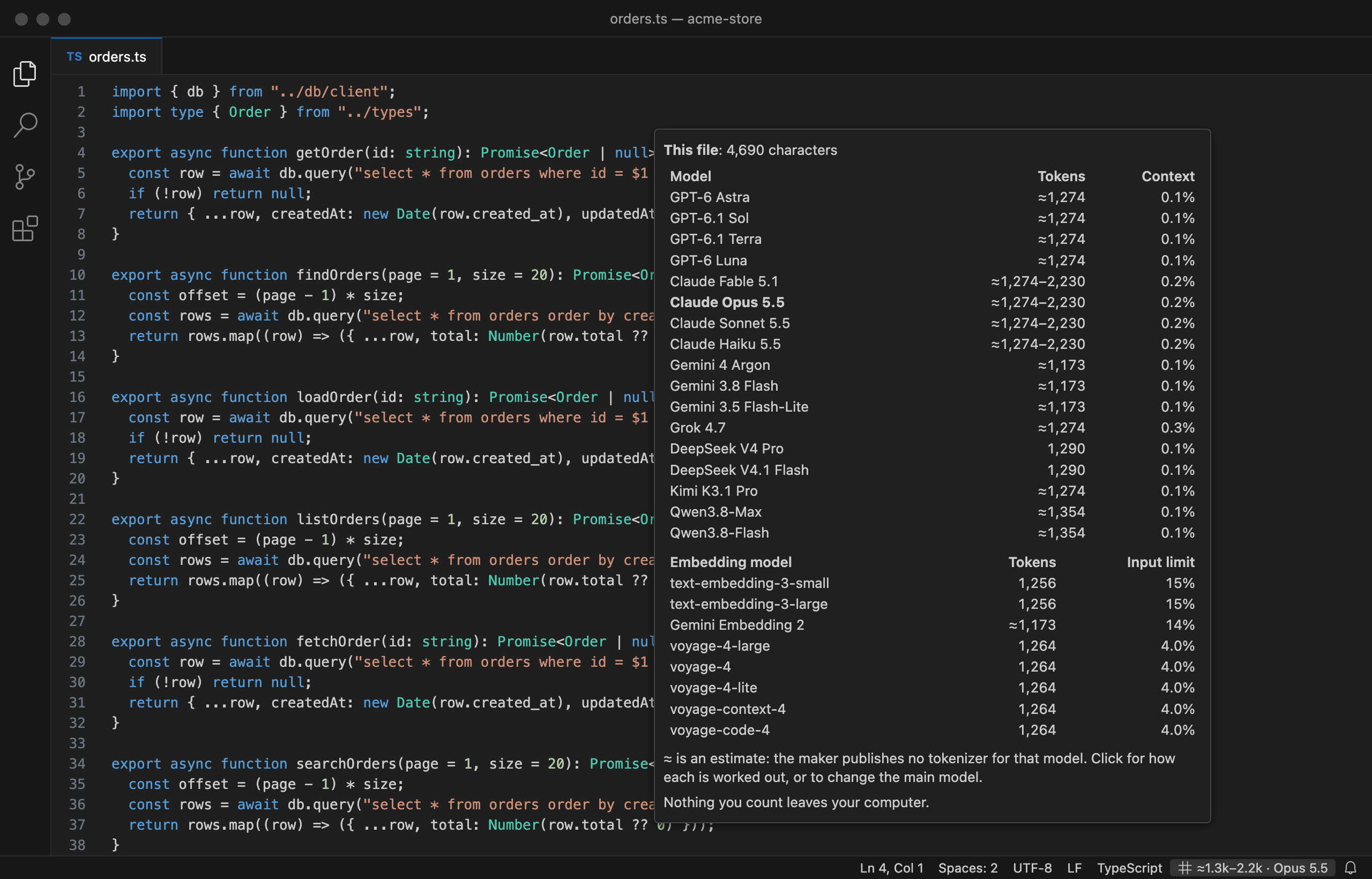
LLM Tokens: token counter for GPT, Claude, Gemini and embedding modelsLLM Tokens shows how many tokens your open file or selection is for the current models of OpenAI, Anthropic, Google, xAI, DeepSeek, Kimi and Qwen, all at once. Next to each count it shows how much of the model's context window the text fills. Embedding models from OpenAI, Google and Voyage AI get their own table: tokens, and whether the text fits in one input. It counts on your computer, needs no API key and makes no network requests.
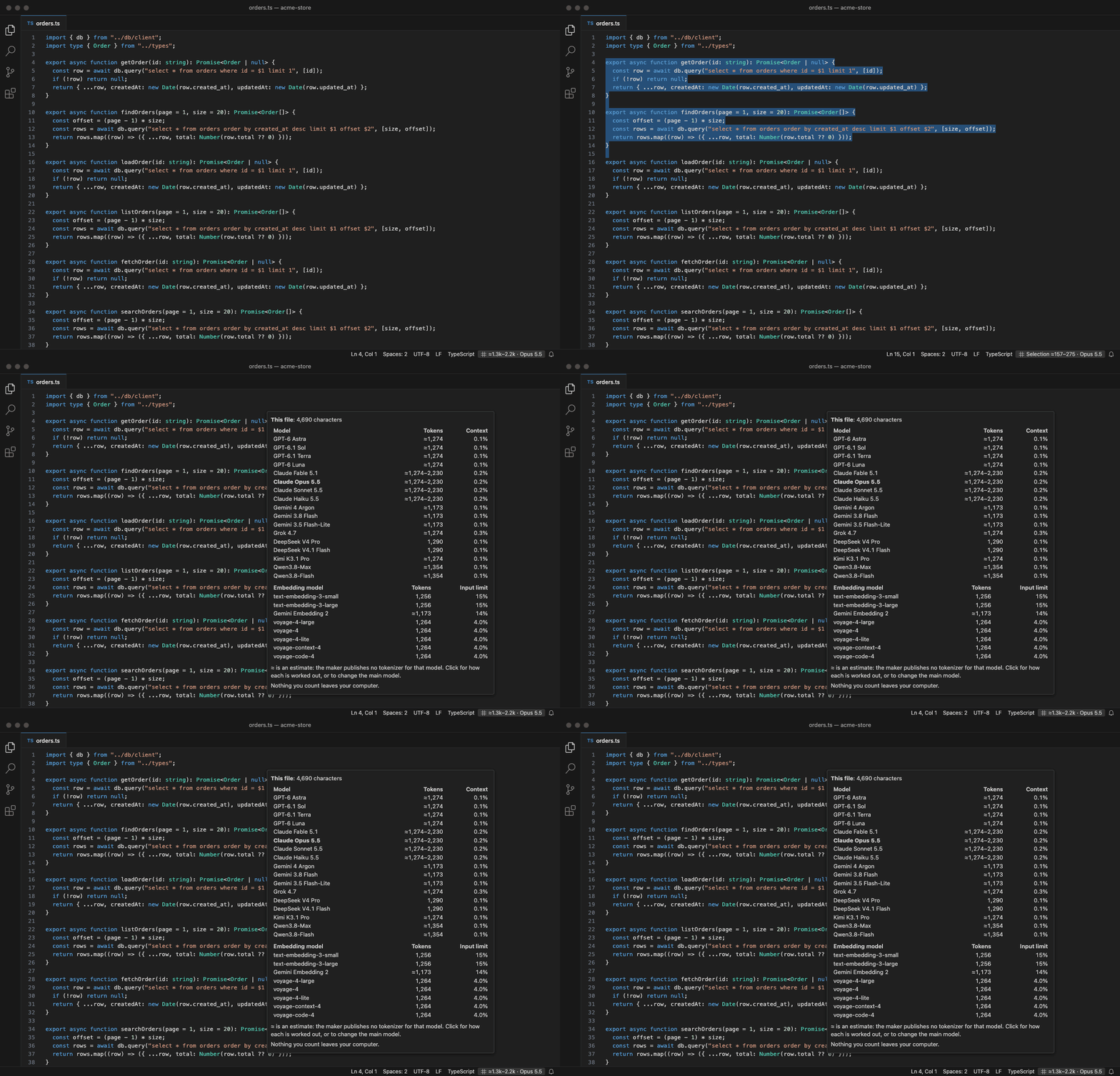
How do I use it?Install it and open a file. The status bar shows the count for your main model, such as
Which token counts are exact?A count is exact when the maker publishes the tokenizer of that model. Others are marked
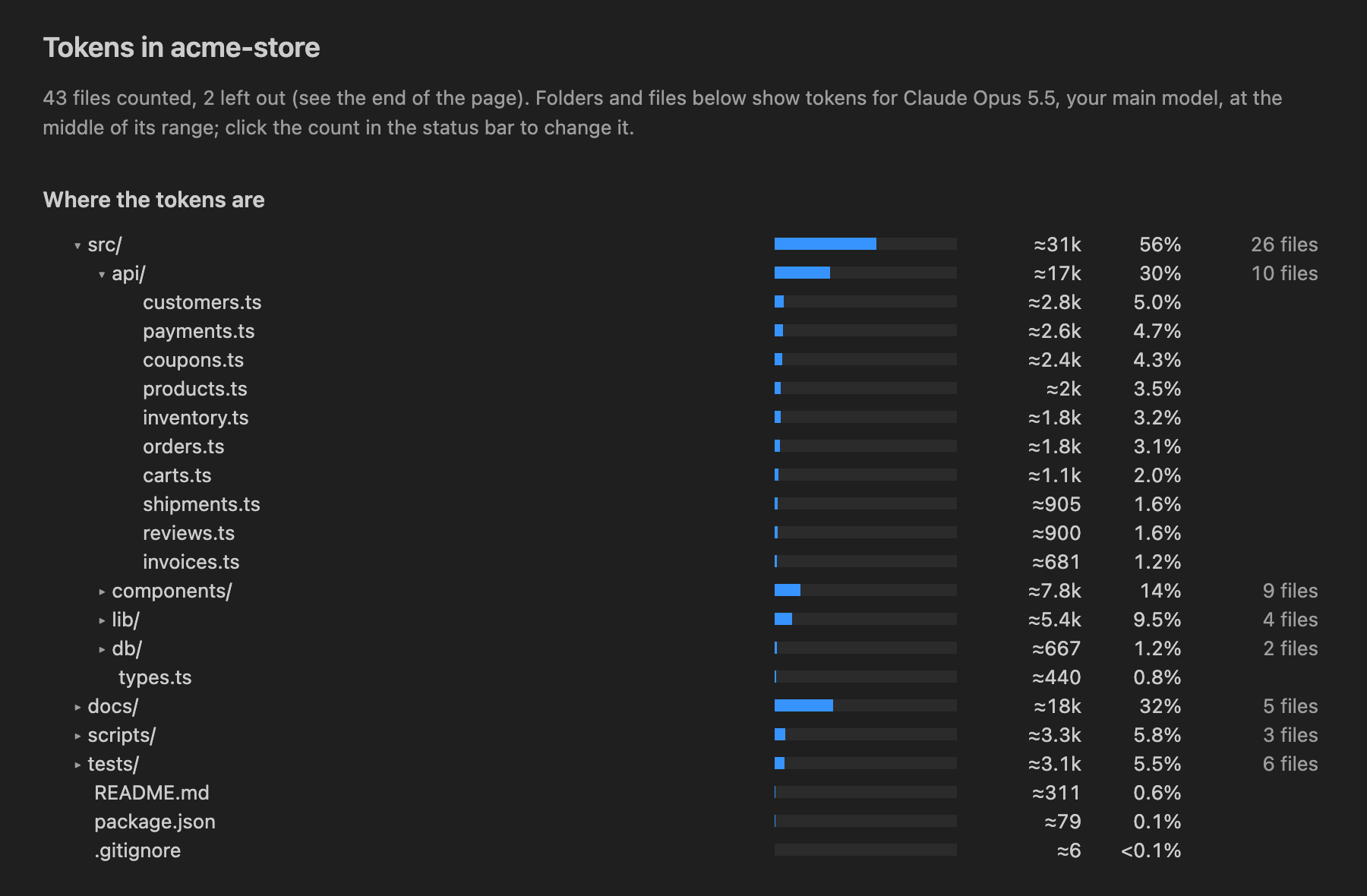
By default the hover shows each maker's current models, so DeepSeek is exact there; add older models such as GPT-5.6 or Kimi K3 with Does it count tokens for embedding models?Yes. Under the chat models, the hover table lists the current embedding models from OpenAI, Google and Voyage AI. It shows the tokens and how much of the model's input limit they fill. Over 100% means the model cannot embed it in one input, so split it into chunks first. The Count Tokens report shows, for each model, how many files are over its limit. OpenAI's embedding models (text-embedding-3-small, text-embedding-3-large) use Will it slow my editor down?No. Counting runs in a separate background process, never in the editor itself, on one CPU core at low priority, so the editor and your other programs come first. As you type it counts only after you pause, and never again for text it has just counted; a typical file takes a few milliseconds for every tokenizer together. The process holds about 100 MB while you work and closes itself after one idle minute, which gives that memory back. Count Tokens on a 3,300-file project took about 12 seconds and peaked at about 190 MB; a small project takes under a second. Files larger than 512 KB are not counted as you type; use Count Tokens on them instead. Which files does Count Tokens leave out?Files that rarely belong in a prompt: anything your Does it send my code anywhere?No. LLM Tokens makes no network requests at all. The tokenizers and the model list ship inside the extension, and everything is counted on your computer. New models arrive with extension updates. Settings
QuestionsWhy are Claude counts a range?Anthropic does not publish the tokenizer of its current models, so no tool outside Anthropic can count Claude tokens exactly offline. LLM Tokens shows a range from OpenAI's count to 1.75 times it. Anthropic says Claude 4.7 and later produce about 30 percent more tokens than earlier models, and a test reported by The Register counted TypeScript at 1.73 times OpenAI's figure. For an exact figure, use Anthropic's token counting API. Does the count include the system prompt or chat format?No. It counts the text itself. A real request adds a few tokens for the message format, plus any system prompt and tools you send. How much will my prompt cost?LLM Tokens counts tokens only. To turn a count into a cost, multiply it by the model's input price, or use Tecyfy's price list and cost calculator. Can I count tokens without installing anything?Yes: the token counter on tecyfy.com counts pasted text in your browser. Does it work in Cursor, Windsurf and VSCodium?Yes. It is on the VS Code Marketplace and on Open VSX, and needs VS Code 1.90 or later or an editor built on it. Is it an official OpenAI, Anthropic or Google tool?No. LLM Tokens is an independent tool by Hamperpick Ventures LLP, the company behind Tecyfy. Where do I report a problem or ask for a model?Write to contact@hamperpick.in. More about the extension is on its page on hamperpick.in. LicencesMIT. The tokenizer files are the makers' own, under their licences ( |