| AGT — Multi-Agent BridgeVS Code client for the local agt server: daemons, agent runtimes, chat, SOP and goal orchestration. Installation Launch VS Code Quick Open ( Ctrl+P), paste the following command, and press enter.Copied to clipboard |

AGT — Multi-Agent Bridge for VS Code
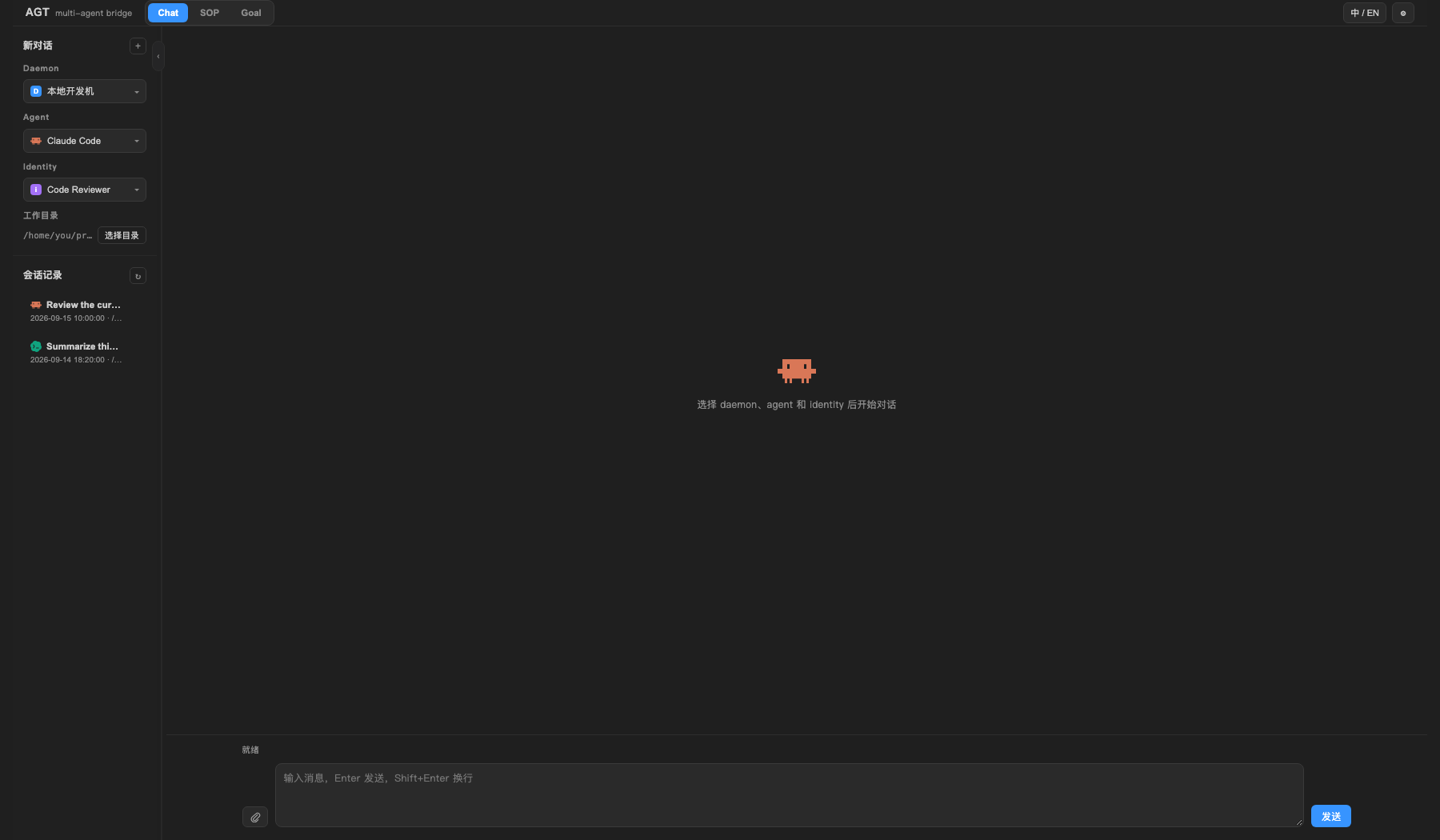
AGT brings the local What you can doChat with any registered agentPick a daemon, agent runtime, and optional identity, then start or resume a persisted conversation. Chat supports file attachments, Markdown responses, session history, and task controls alongside the normal streaming response.
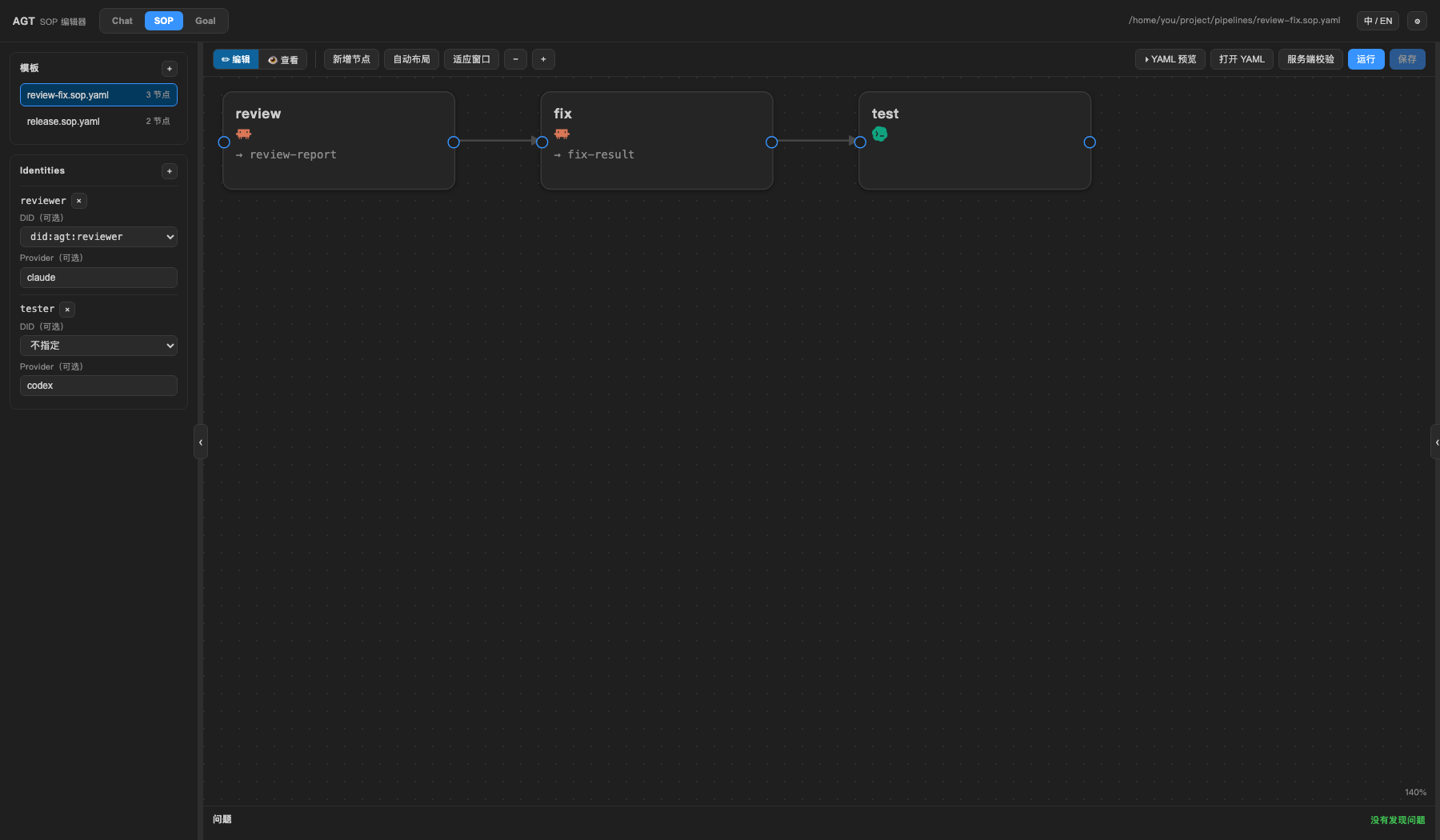
Build and run SOP workflowsCreate SOPs from a template or open an existing YAML file with the visual editor. Arrange tasks as a DAG, connect outputs to downstream inputs, select identities and execution directories, validate against the server, then run the workflow and inspect per-node status and logs without switching to a terminal.
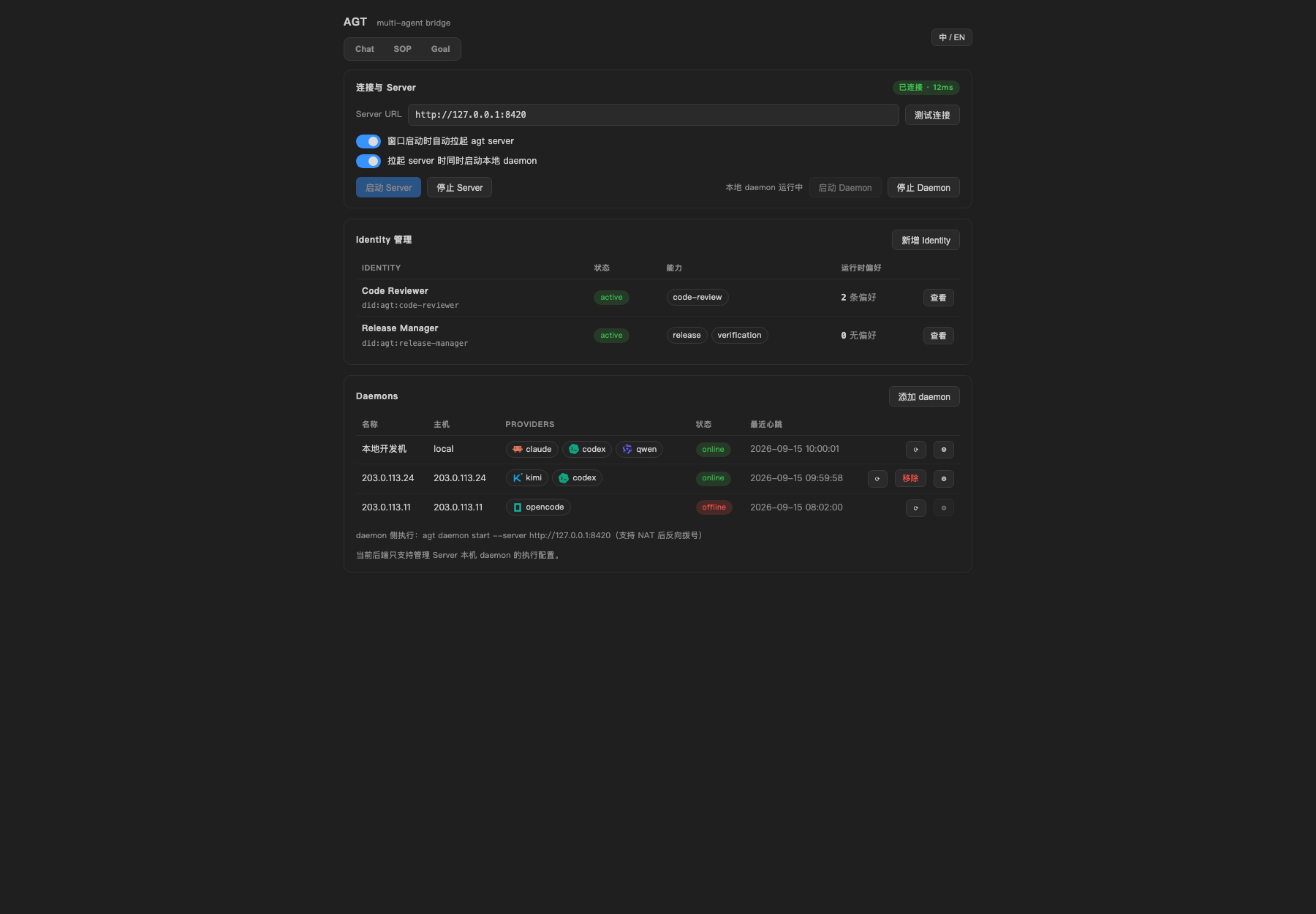
Orchestrate goal-driven workSubmit an objective to Goal mode and follow its job tree as the root agent delegates work to child agents. AGT records artifacts, job state, and run history so you can review what each agent produced. Manage daemons and agent runtimesSee which daemons and coding-agent runtimes are online, refresh targets, and route work to the machine or provider you want. Remote daemons can connect back to the server through NAT-friendly reverse-dial WebSocket connections. Track token usageThe Usage view sits below the daemon tree. It summarizes input, output, cache-read tokens and request counts for the selected agent and time range, with a daemon × agent × model breakdown, so you can see where a workspace's usage comes from without leaving the editor. Configure everything from the editorThe settings view exposes server and daemon lifecycle controls, startup commands, remote-daemon pairing, daemon execution settings, identity management, and optional daemon/provider routing preferences.
Highlights
Requirements
On first activation the extension looks for Commands can be overridden with NotesAGT is under active development. The VS Code extension is an early client for an AGT server running on your machine; it does not bundle agent CLIs or their credentials. Agent execution always uses the providers and daemons configured in your local AGT environment. FeedbackIssues and contributions are welcome in the agent-team repository. LicenseMIT — see LICENSE. |