JSON to ENV Converter
Easily convert JSON files to ENV format with a single right-click in VS Code.
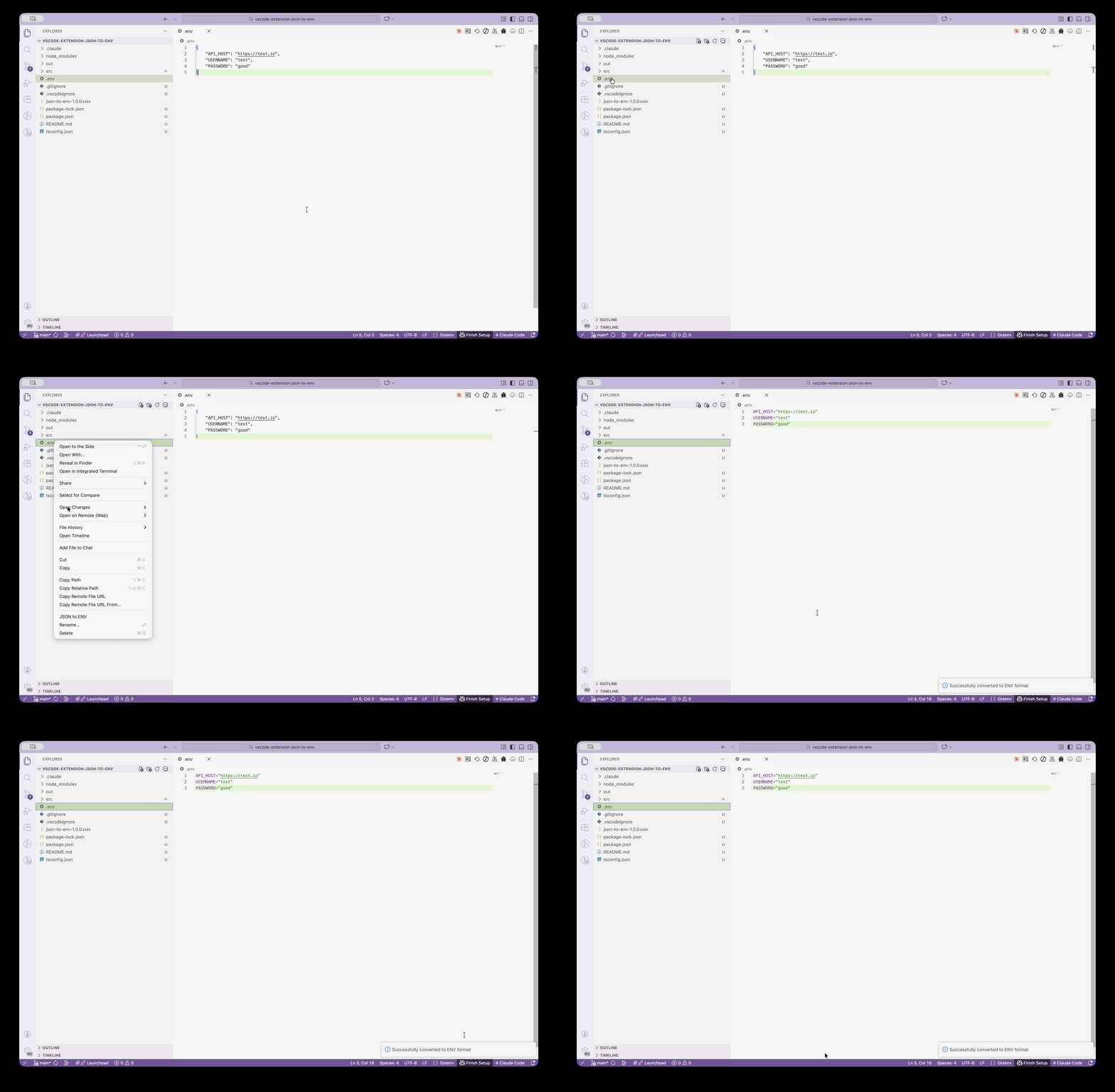
Features
- One-click Conversion: Right-click on any JSON file to generate an ENV file
- Auto Key Transformation: Automatically converts camelCase, kebab-case to UPPER_SNAKE_CASE
- Comment Handling: Ignores comments in JSON files
- Error Handling: Detects and notifies about nested objects, non-string values, and invalid JSON
Usage
- Right-click on a
.json file in the VS Code Explorer
- Select "JSON to ENV" from the context menu
- A
.env file will be created in the same directory
Example
input.json
{
  "apiKey": "your-api-key",
  "databaseUrl": "localhost:5432",
  "debugMode": "true"
}
output.env
API_KEY=your-api-key
DATABASE_URL=localhost:5432
DEBUG_MODE=true
Requirements
Limitations
- Only supports flat JSON objects (no nested objects)
- Only supports string values
- Comments in JSON are ignored during conversion
Release Notes
1.0.0
- Initial release
- JSON to ENV conversion
- Right-click context menu support
License
MIT
Enjoy!
| |

