An enhanced, smart VS Code extension to manage Flutter and Dart build_runner tasks with active status indicators, quick controls, and auto-detecting FVM.
Installation
Launch VS Code Quick Open (Ctrl+P), paste the following command, and press enter.
Smart Flutter Build Runner is a premium, lightweight, and modern VS Code extension designed to simplify Dart and Flutter code-generation tasks (build_runner). It provides a dedicated sidebar view with live status indicators, quick command trigger buttons, instant file-level compilation, and automatic FVM detection.
⚡ Key Features
📂 Auto-detect Packages: Scans your workspace for any package containing pubspec.yaml with build_runner configured (perfect for monorepos or multi-package workspaces).
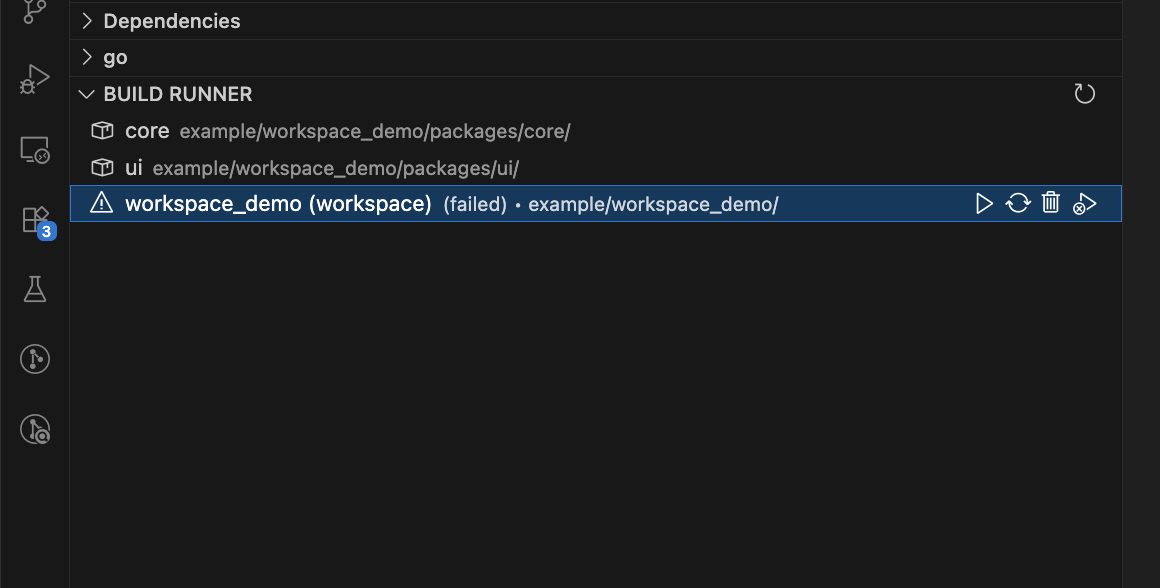
🚀 Dynamic Status Indicators: Real-time animated icons showing if a package task is idle, building (blue spinning loader), watching (green broadcasting status), or failed (red warning icon).
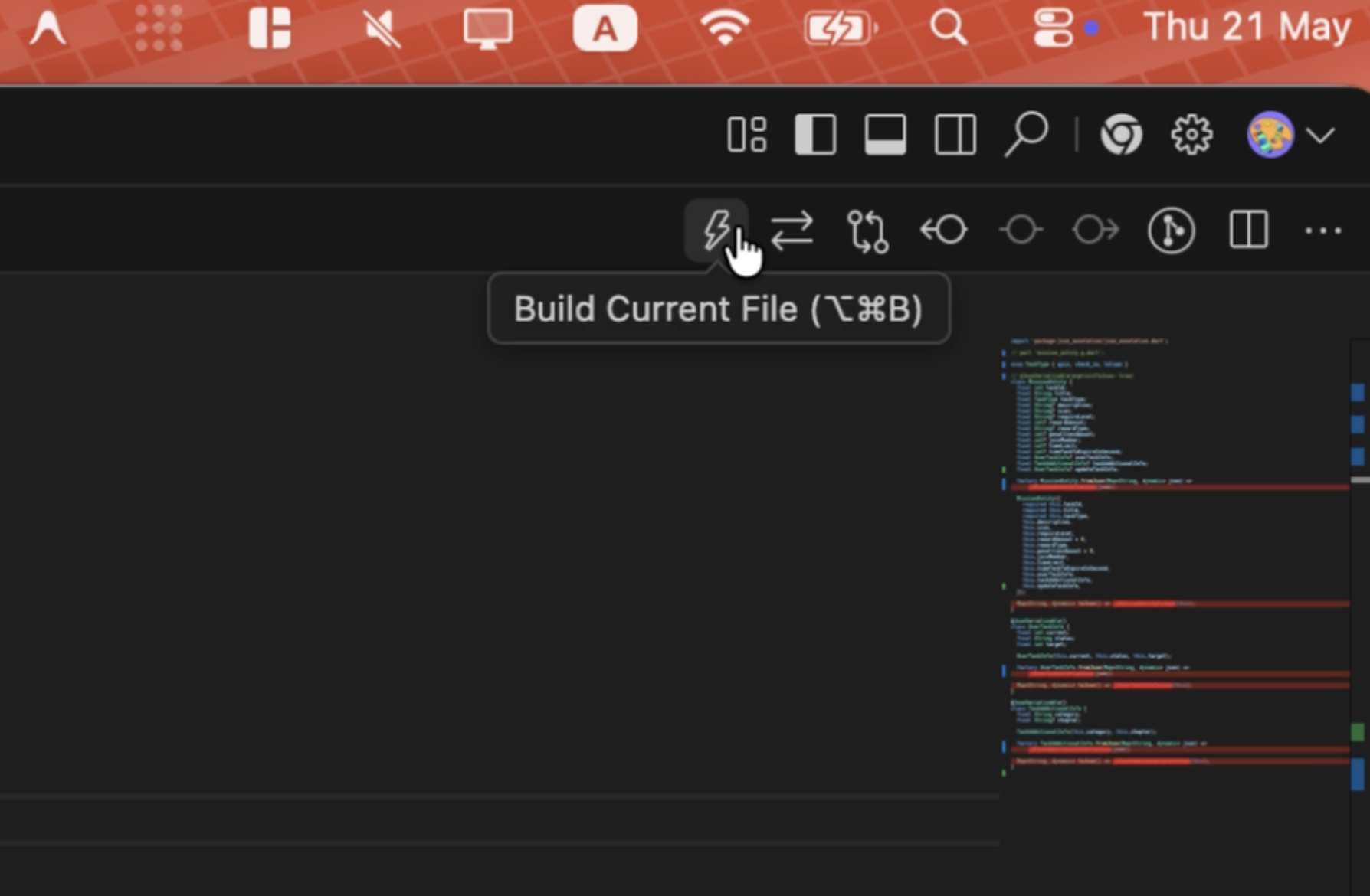
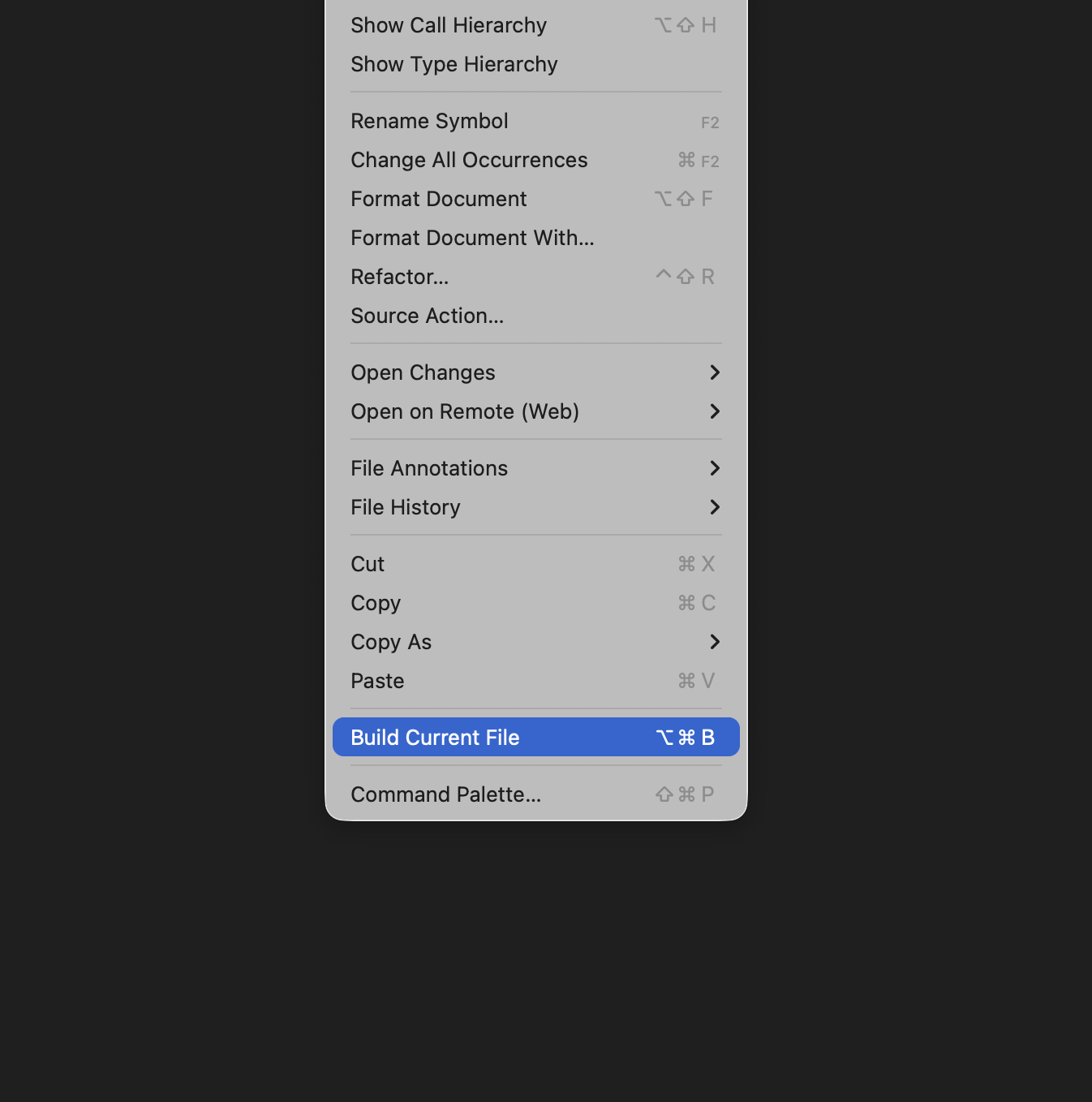
⚡ Build Current File: Compile only the active Dart file using --build-filter to save massive amounts of time (triggered via editor title button, context menus, or hotkeys).
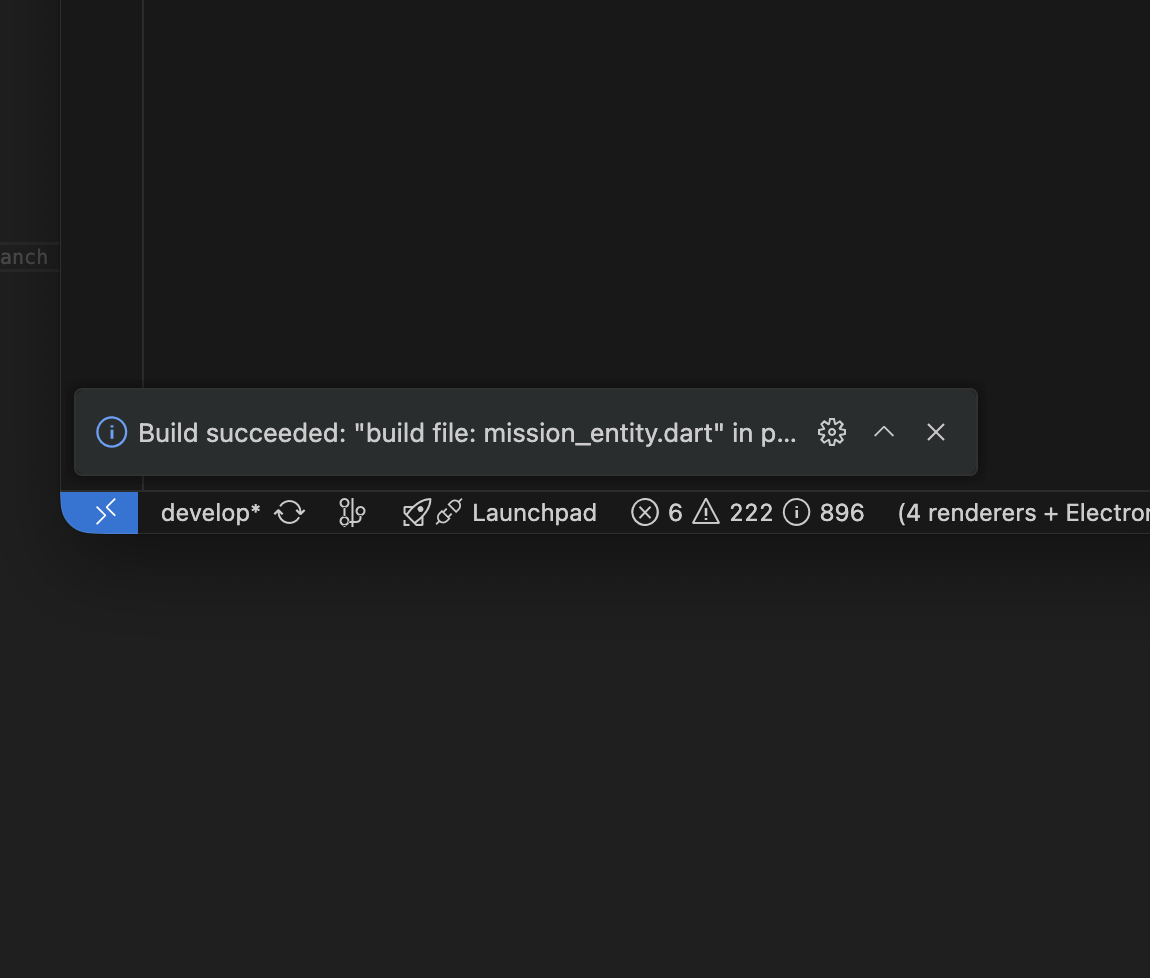
🔔 Toast Notifications & Actions: Displays toast alerts upon completion:
Success Toast: Shown for one-shot builds.
Interactive Failure Toast: Shows error warnings with "Show Terminal" (focuses console) and "Retry" (re-runs task) buttons.
⚙️ Smart FVM Auto-detection: Automatically checks if a package uses FVM (checks for local .fvm folder) and prefixes command runs with fvm, falling back gracefully to global configurations.
🧹 Quick Clean Commands: Easily run clean or combined clean && build commands from the sidebar.
⌨️ Keyboard Shortcuts
Speed up your workflow using default hotkeys when editing any Dart file:
Action
macOS
Windows / Linux
Build Current File
Cmd + Option + B
Ctrl + Alt + B
📸 Visual Guides
Here is how the extension looks in action:
1. Sidebar Panel & Status Icons
2. Editor Title Action (Zap Button)
3. Editor Context Menu
4. Build Toast Notification
⚙️ Extension Settings
This extension contributes the following settings:
smart_build_runner.fvm: Force using FVM globally for all packages (boolean, default: false).
smart_build_runner.excludes: Glob patterns to exclude specific directories from workspace scans (array of strings, default: []).
smart_build_runner.args: Additional arguments appended to build and watch tasks (string, default: "--delete-conflicting-outputs").
📦 Installation & Setup
Open your VS Code editor.
Search for Smart Flutter Build Runner in the Extension marketplace and install it.
Once installed, if your workspace contains Flutter/Dart projects with build_runner in their pubspec.yaml, the BUILD RUNNER panel will automatically appear in the Explorer sidebar view.