Jiscribe (Beta)
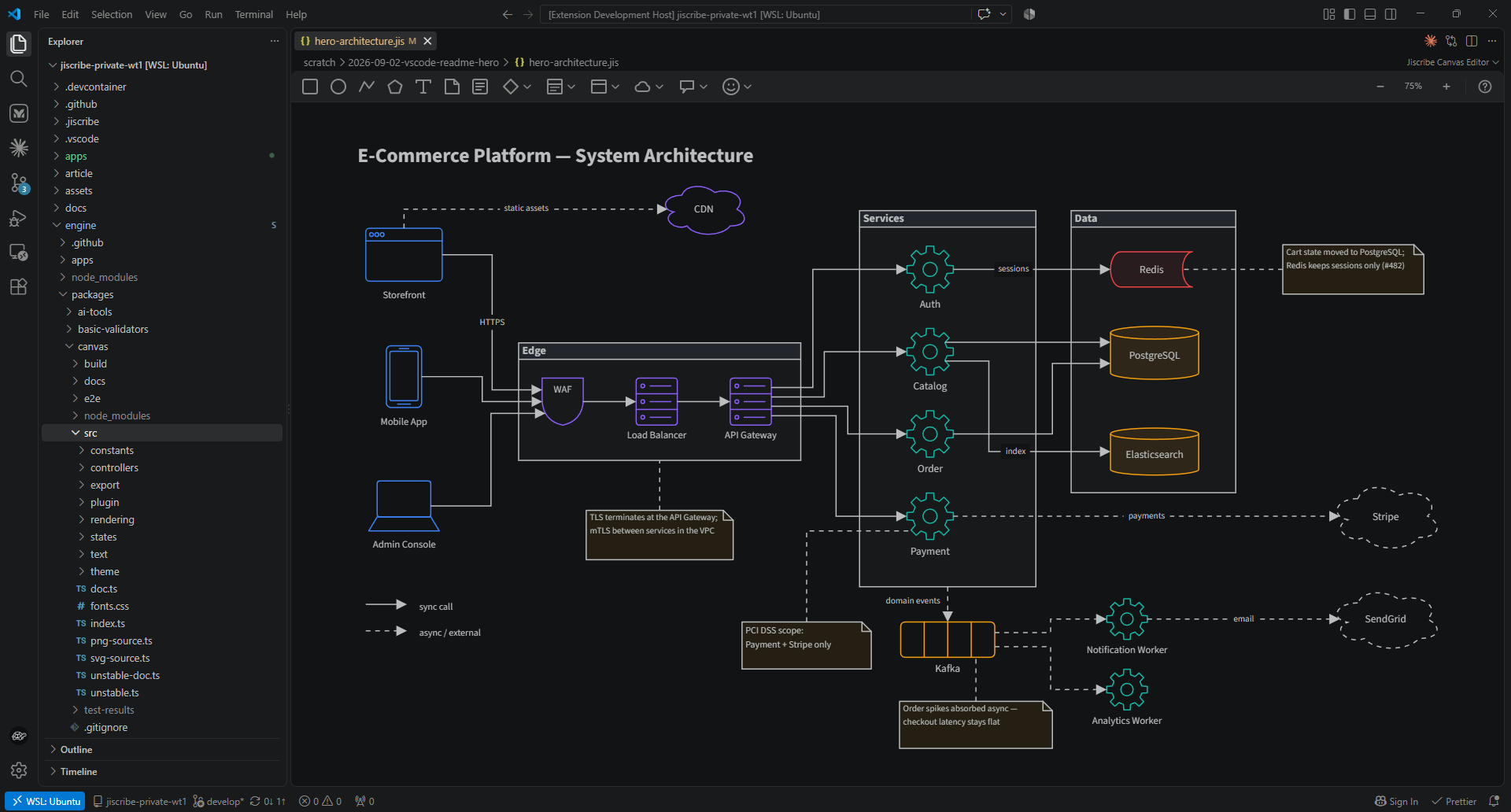
A VS Code-native canvas editor for visual communication between AI and humans.
🌐 beta.jiscribe.dev
Your AI explains an architecture—and you get a wall of text. You sketch an idea—and your AI can't see it.
Jiscribe gives humans and AI a canvas both can read and write: diagrams are saved as simple, AI-friendly JSON (.jis), and edited visually in an integrated SVG canvas editor.
It all stays local in VS Code—no external web tools, no account, no cloud. Your diagrams are plain text files in your repo: AI assistants read them as-is, they show up in grep and code search like any other source file, and Jiscribe itself never sends them anywhere.
💡 Why Jiscribe?
🤖 1. AI-Friendly Data Structure
Instead of image formats (PNG) or complex XML (SVG), Jiscribe uses a semantically organized, schema-backed JSON format. This makes it trivial for Large Language Models (LLMs) to read a diagram and act on it, or to write one from a text prompt.
(Our public JSON schema that powers this is available at: https://schema.jiscribe.dev/v1/jiscribe.schema.json)
🤝 2. Visual Communication with AI
Run Jiscribe: Set up AI once, and your AI assistant (Claude Code, Cursor, GitHub Copilot) learns to read and write .jis files:
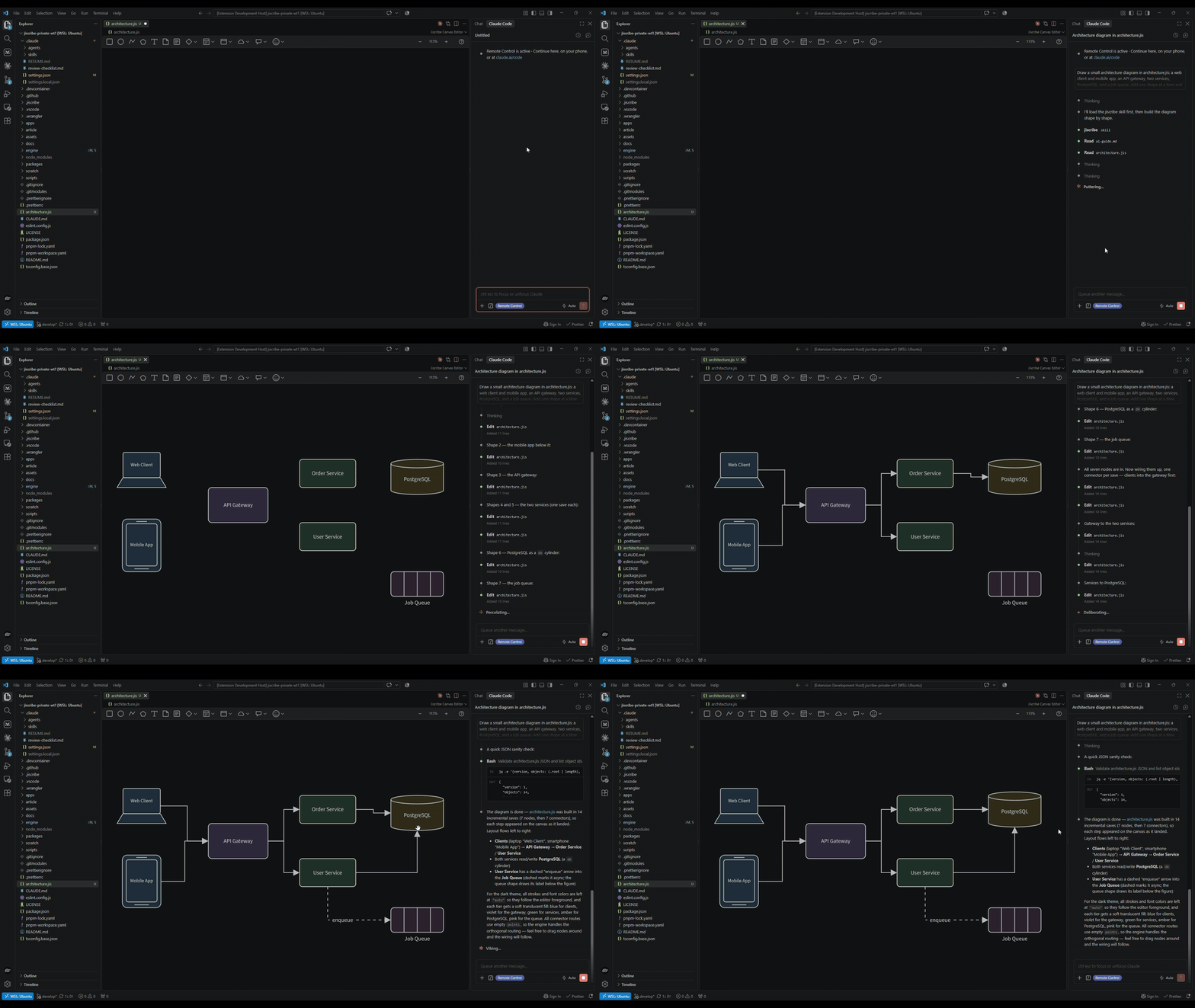
- Ask the AI for an architecture diagram and watch it take shape on the open canvas, then tweak the layout by hand.
- Sketch a rough layout on the canvas and have the AI write the specifications based on it.
🎨 What You Can Draw
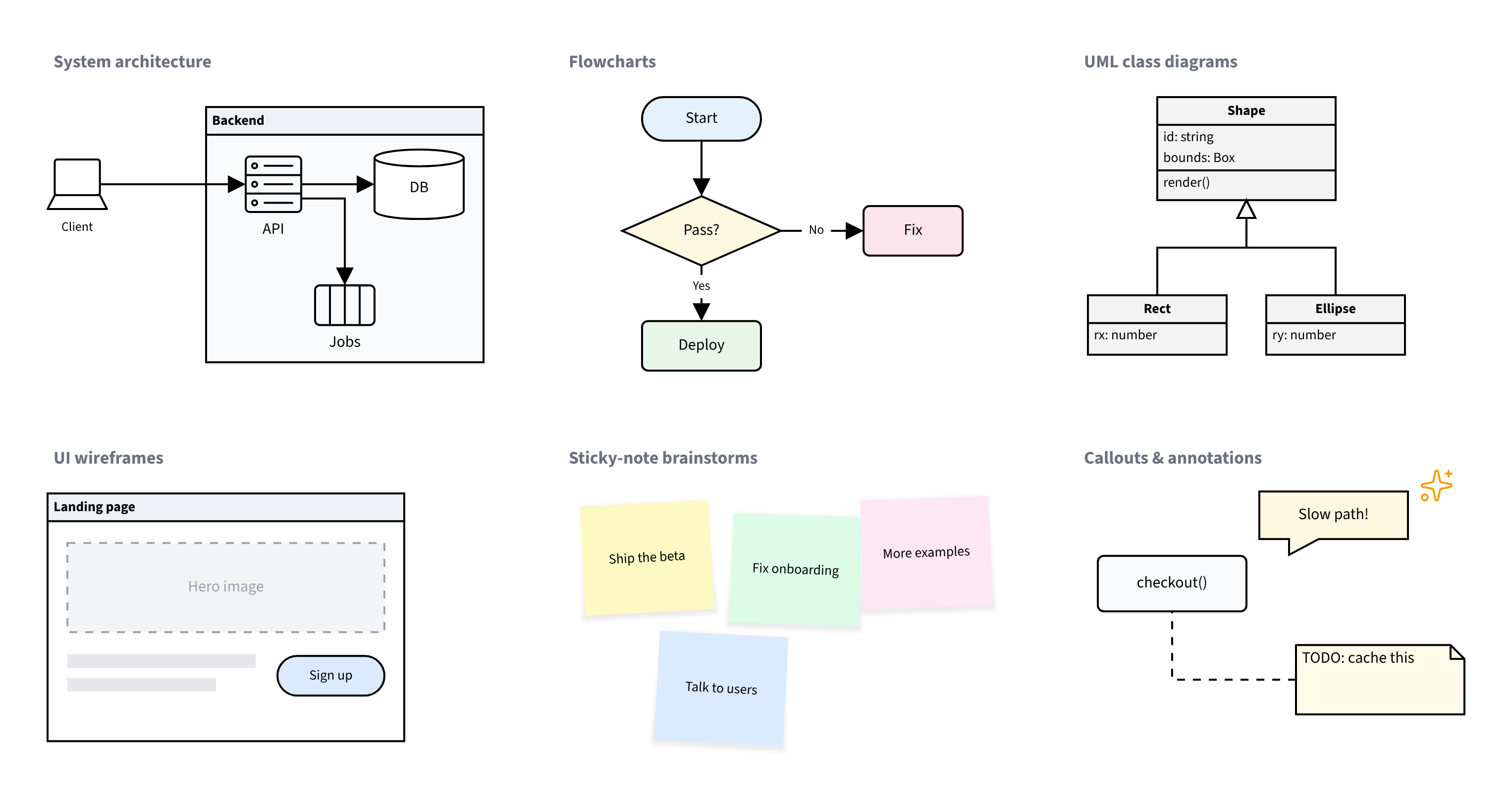
The bundled shape sets cover the diagrams a software team actually needs:
- System architecture diagrams — servers, databases, queues, clients, clouds, and titled containers for boundaries.
- Flowcharts — the classic shape set: terminators, decisions, documents, delays, and more.
- UML class diagrams — record shapes with title bands and compartments, plus the standard relationship arrows.
- UI wireframes — rough layouts from primitives, ready for an AI to turn into specs.
- Sticky-note boards — brainstorms and retros.
- Annotated diagrams — callouts, notes, Markdown blocks, and Lucide icons.
🛠 Key Features
- The Canvas Follows the File
- When your AI agent—or anything else—edits a
.jis file, the open canvas re-renders instantly.
- Visual modifications on the canvas save back to the same JSON.
- Editable Images (
.jis.png / .jis.svg)
- Save a diagram as a real PNG or SVG with its source embedded: paste it into a README or wiki, and open the very same file later to continue editing.
- Intuitive Canvas Operations
- Draw shapes, wire them with connectors that stay attached as you rearrange, and group what belongs together.
- Style everything in place—fills, strokes, fonts, z-order—from the floating object menu.
- Top-tier Developer Experience
- Powerful auto-completion via the integrated JSON schema.
- Find syntax errors and broken connections at a glance (integrated with the Problems panel).
- The canvas blends with your editor theme—Dark, Light, and High Contrast all look native.
Usage
Creating a New Canvas
Create an empty file with a .jis extension (e.g. diagram.jis) — from the Explorer's New File..., the File > New File... menu, or touch in a terminal. Opening it shows a blank canvas, ready to draw.
The same works for .jis.png / .jis.svg: you get the same blank canvas, and saving writes an actual image with the diagram source embedded.
Letting AI Generate a Canvas
Because .jis is schema-backed JSON, you can have an AI assistant generate a diagram from a text prompt:
- Run the Command Palette command Jiscribe: Set up AI and pick your agents (Claude Code, Cursor, GitHub Copilot).
This places an authoring guide and schema under .jiscribe/ plus a small adapter for each selected agent, so your AI assistant knows how to write .jis files.
- Ask your AI assistant to create a
.jis diagram from your description.
- Open the generated file — it opens in the canvas editor automatically.
To open a .jis file as plain text, right-click the tab and select Open With... → Text Editor.
.jis (short for .jiscribe) is essentially a JSON representation of an SVG canvas.
The JSON Schema is published at:
https://schema.jiscribe.dev/v1/jiscribe.schema.json
Top-level Structure
{
	"$schema": "https://schema.jiscribe.dev/v1/jiscribe.schema.json",
	"version": 1,
	"root": []
}
version: The schema version of the file format (currently 1).root: Contains all canvas objects and connectors in z-order (back to front). Objects can be nested within groups; connectors ("type": "connector") sit at the top level among the objects, and the array order is the stacking order.
The extension also opens .jiscribe and the legacy .jis.json / .jiscribe.json extensions — existing files keep working as-is.
License
MIT © 2026 gznnk. The source lives at
github.com/gznnk/jiscribe.
This extension bundles third-party open-source software and, for the AWS
shapes, the AWS Architecture Icons, which are not open source and are
redistributed unmodified under AWS's terms. See the bundled
THIRD-PARTY-NOTICES.txt for the license texts and those terms.

