Go String Highlighter
Adds syntax highlighting inside Go string literals when you tag them with a comment marker on the line above.
It only affects the string contents; the surrounding Go code stays highlighted normally.
Rules (kept intentionally simple):
- Applies only to Go files (
source.go).
- Only the first string literal on the next line after the marker is injected.
- If the next line has no string literal, nothing happens.
Usage
Add a standalone line comment (case-insensitive) immediately above a line that contains a Go string literal:
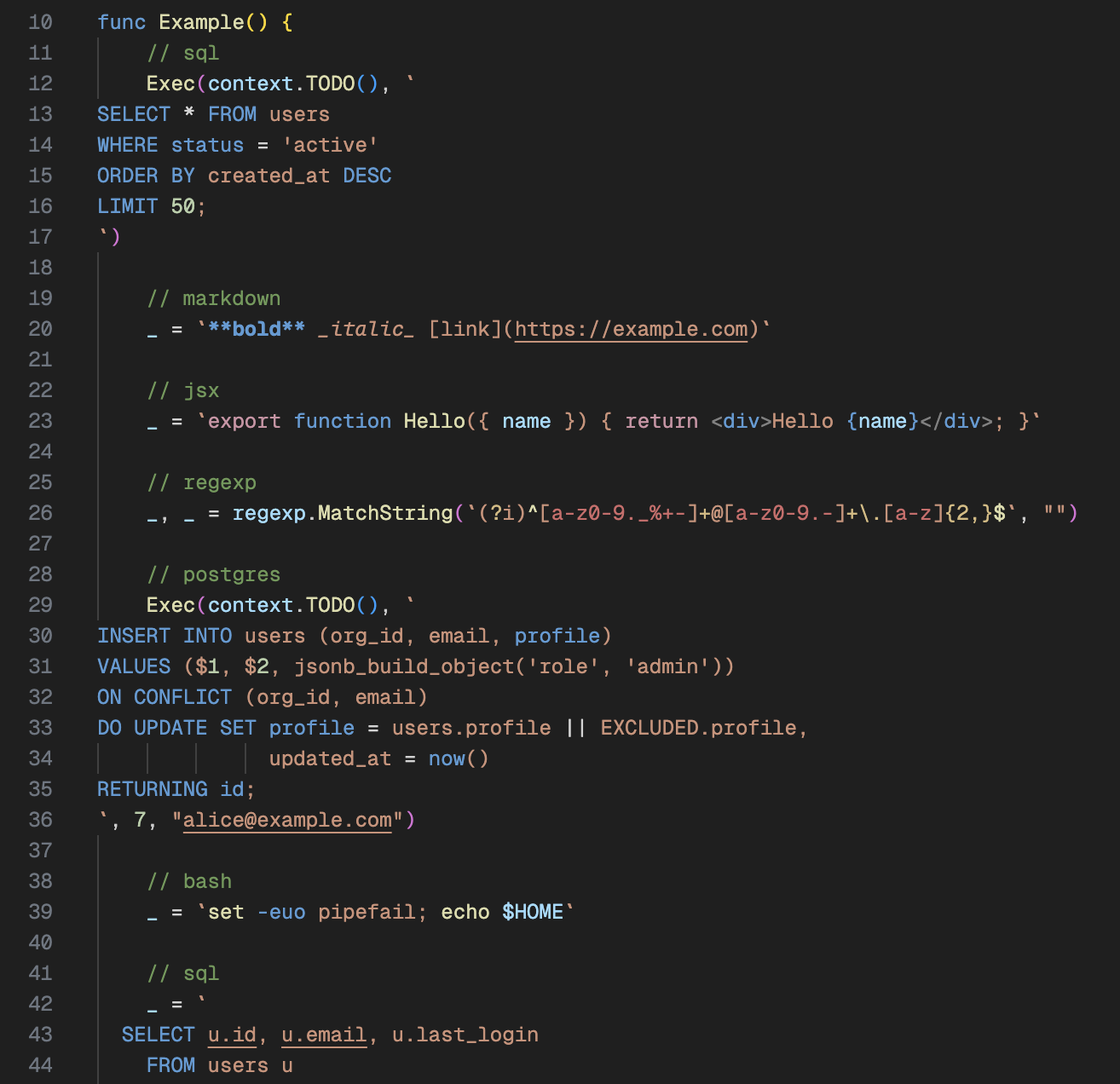
// sql
query := "SELECT * FROM users;"

// regexp
_, _ = regexp.MatchString(`(?i)^[a-z0-9._%+-]+@[a-z0-9.-]+\.[a-z]{2,}$`, "")

// javascript
js := `function greet(name) {
  return "Hi " + name;
}`

// For compatibility with JetBrains IDEs, `// language=<tag>` is also accepted:
// language=postgres
q := `SELECT now() RETURNING 1;`
See example.go for a bunch of copy-pasteable examples across all supported tags.
Install
VS Code Marketplace
Search for Go String Highlighter in VS Code Extensions and click Install.
Local (VSIX)
If you want to install a .vsix locally:
- Build one with
vsce package.
- Install it:
- VS Code: “Extensions” → “⋯” → “Install from VSIX…”
- Or CLI:
code --install-extension go-string-highlighter-*.vsix
- Reload VS Code.
SQL (generic + dialects)
- Generic:
sql, ddl, dml
- PostgreSQL:
postgres, postgresql, pgsql
- PL/pgSQL:
plpgsql, pl/pgsql
- MySQL / MariaDB:
mysql, mariadb
- SQLite:
sqlite
- SQL Server (T-SQL):
tsql, mssql
- Oracle (PL/SQL):
plsql, oracle
- BigQuery:
bigquery
Config / IaC
tomlhcl, hcl2terraform, tfnomadcuejsonnet
APIs / schemas
proto, protobuf, proto2, proto3graphql, gql
Policy / auth
Observability
Templates
- Go templates:
gotmpl, go-template, gotemplate, tmpl, tpl
templjinja, jinja2, j2
Data / config
json, jsonc, json5, jsonl, jsonlinesyaml, ymlini, confxml
Web / templating
html, htm, xhtmlcss, scss, lessjs, javascript, jsx, mjs, cjsts, typescript, tsx
Shell / ops
sh, bash, zsh, shell, fishdockerfile, Dockerfile
Scripting
Docs / misc
md, markdownregexp, regex, re
Known broken examples
Some languages still break Go highlighting because their grammars can stay in an “open” state and swallow the Go delimiter. Their example.go entries are commented out until a safer injection can be found:
toml, cue, jsonnet, graphql, gql, rego, opa, cel, promql
Dialect Notes
Dialect-specific highlighting depends on having a VS Code extension installed that contributes a matching TextMate grammar.
- For
postgres|postgresql|pgsql: if you have ms-ossdata.vscode-pgsql installed, this extension uses its pgsql.injection grammar to add Postgres keywords (e.g. RETURNING, ON CONFLICT) on top of generic SQL.
- For other dialects: this extension tries common scope names (e.g.
source.sql.mysql, source.sql.tsql) and falls back to generic source.sql if no dialect grammar is available.
Troubleshooting
- Use “Developer: Inspect Editor Tokens and Scopes” inside the annotated string to confirm the injected scopes.
- If a dialect keyword isn’t highlighted, you likely don’t have a dialect grammar installed (or its
scopeName doesn’t match what this extension tries); in that case it will correctly fall back to generic SQL.
About
MIT Licensed. See LICENSE.
Created by Gurpartap Singh.
| |

