Skip to content
| Marketplace
Sign in
Visual Studio Code>Themes>Starlight DriftNew to Visual Studio Code? Get it now.
Starlight Drift

Starlight Drift

Gre

|
7 installs
| (1) | Free
| Sponsor
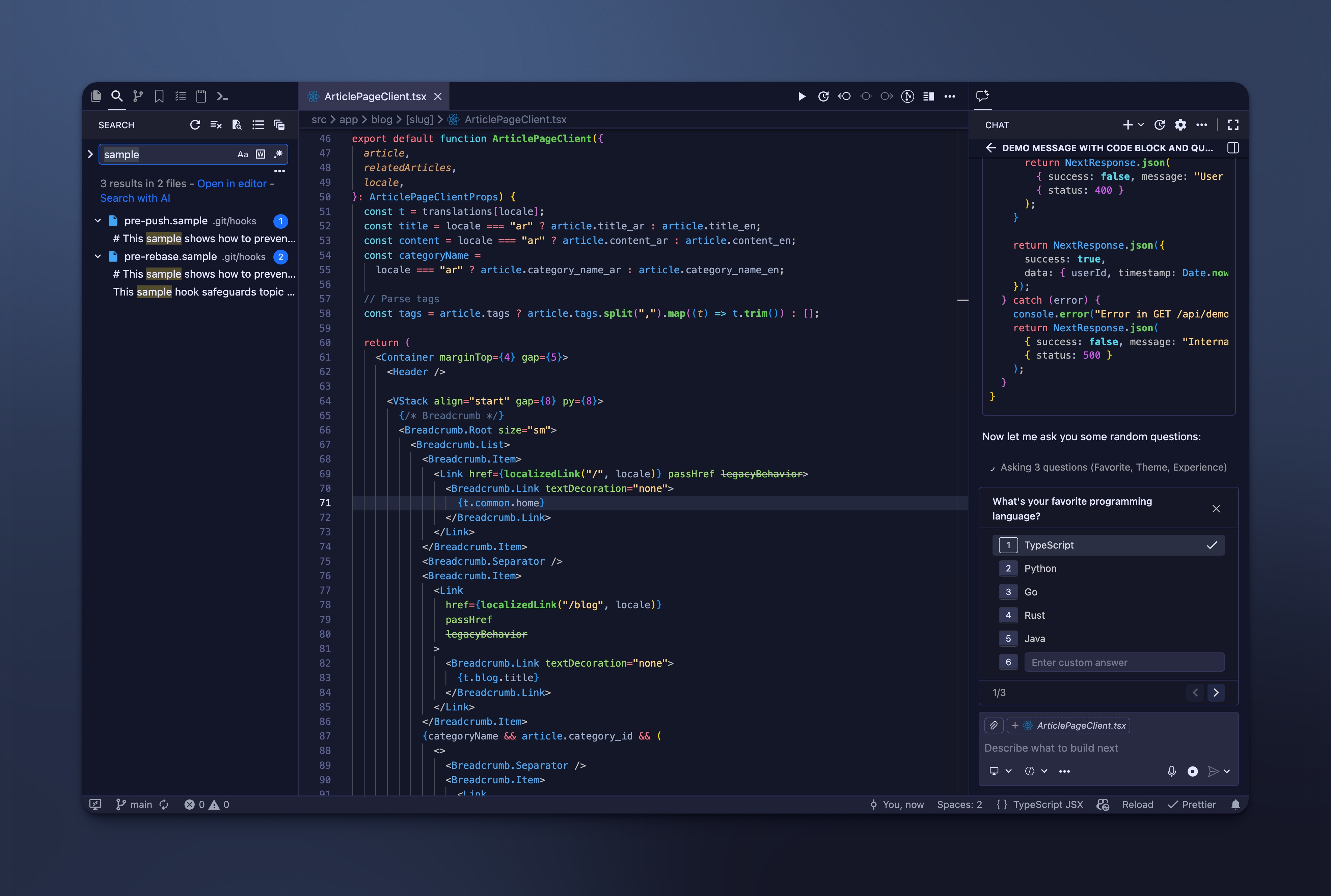
A sleek VS Code theme collection inspired by cosmic nights. Available in dark and light variants, featuring carefully crafted colors for comfortable coding sessions. Perfect balance of elegance and readability with a touch of interstellar style.
Installation
Launch VS Code Quick Open (Ctrl+P), paste the following command, and press enter.
Copied to clipboard
More Info

Starlight Drift VS Code Theme

A cosmic dark VS Code color theme with indigo backgrounds, starry highlights, and nebula gradients for comfortable, elegant coding.

ScreenShot

Features

  • Three theme variations: Dark, Legacy Dark, and Light versions to suit your preference.
  • Cosmic-inspired color palette designed for reduced eye strain during long coding sessions.
  • Carefully crafted syntax highlighting with excellent readability.
  • Elegant UI colors with subtle contrasts for comfortable viewing.

Installation

  1. Open VS Code.
  2. Go to Extensions (⌘+Shift+X or Ctrl+Shift+X).
  3. Search for "Starlight Drift".
  4. Click Install and select the theme from Color Theme picker.

Congrats 🎉

Override this theme

To override this (or any other) theme in your personal config file, please follow the guide in the color theme documentation. This is handy for small tweaks to the theme without having to fork and maintain your own theme.

Contribution

  1. Clone and open this repository.
  2. Press F5 to open a new window with your extension loaded.
  3. Open Code > Preferences > Color Theme [⌘k ⌘t] and pick the "Starlight Drift Dark" theme to debug.
  4. Make changes to the files in the themes folder and reload the window to see your changes.
  5. Reload (⌘+R or Ctrl+R) to test changes.
  6. Use "Developer: Inspect Editor Tokens and Scopes" for debugging.
  7. Once you're happy, commit your changes and open a PR.

Change Log

CHANGELOG.MD

License

This project is licensed under the MIT License, see the LICENSE file for details.

  • Contact us
  • Jobs
  • Privacy
  • Manage cookies
  • Terms of use
  • Trademarks
© 2026 Microsoft