IT-Office-3D for VS Code
Shows the IT-Office-3D scene inside VS Code, so you do not need a browser.
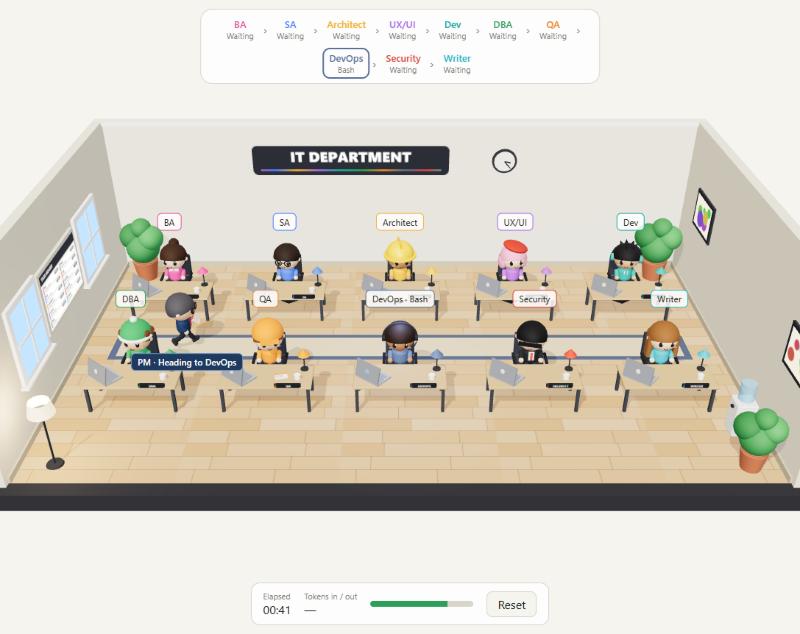
- Panel: an IT-Office-3D tab sits next to Terminal and Problems. Drag it to the sidebar if you prefer it there.
- Status bar: shows who is working on what (
Dev · Edit), or the token total when the turn ends. Hover for the busy desks, the time and the tokens; click to open the panel.
- Sessions: each window follows the newest Claude Code chat in its own workspace folders. Use Choose Session on the panel toolbar to pin one chat instead.
- Toolbar on the panel: choose the session, reset the view.
- Command Palette:
IT-Office-3D: Open, Choose Session, Reset.
The scene moves only when the IT-Office-3D plugin is installed in Claude Code, because the plugin's hooks are what report Claude's work. Install it once from a terminal:
claude plugin marketplace add gotanel1/it-office-3d
claude plugin install it-office-3d@it-office-3d
If the plugin is missing, the status bar shows a warning sign and VS Code offers to install it for you. Then start a new Claude Code conversation (in the terminal or the Claude Code extension).
Local VS Code only: remote windows (SSH, WSL, containers) are not supported yet.
Install
Search for IT-Office-3D in the Extensions view, or run code --install-extension gotanel1.claude-code-3d. VS Code keeps it up to date.
For editors without the VS Code Marketplace (Cursor, Antigravity), download the .vsix from the latest release and run Extensions: Install from VSIX....
Build the .vsix yourself
cd vscode
npm test
npm run package
code --install-extension claude-code-3d-0.3.2.vsix
Release a new version
- Raise
version in vscode/package.json (the Marketplace refuses a version it already has), then build: cd vscode && npm test && npm run package.
- Open https://marketplace.visualstudio.com/manage/publishers/gotanel1, click ... next to the extension, choose Update, and upload the new
.vsix. VS Code users get the update by themselves.
- Attach the same
.vsix to a new GitHub release for editors without the Marketplace: gh release create v<version> claude-code-3d-<version>.vsix.

