GitExt for Visual Studio Code
Git Extensions inside VS Code: browse history as a graph, see a commit's message and changed files side by side, and run the everyday git actions safely. All git work is done by @gitext/core, the same engine as the GitExt desktop app.
What you get
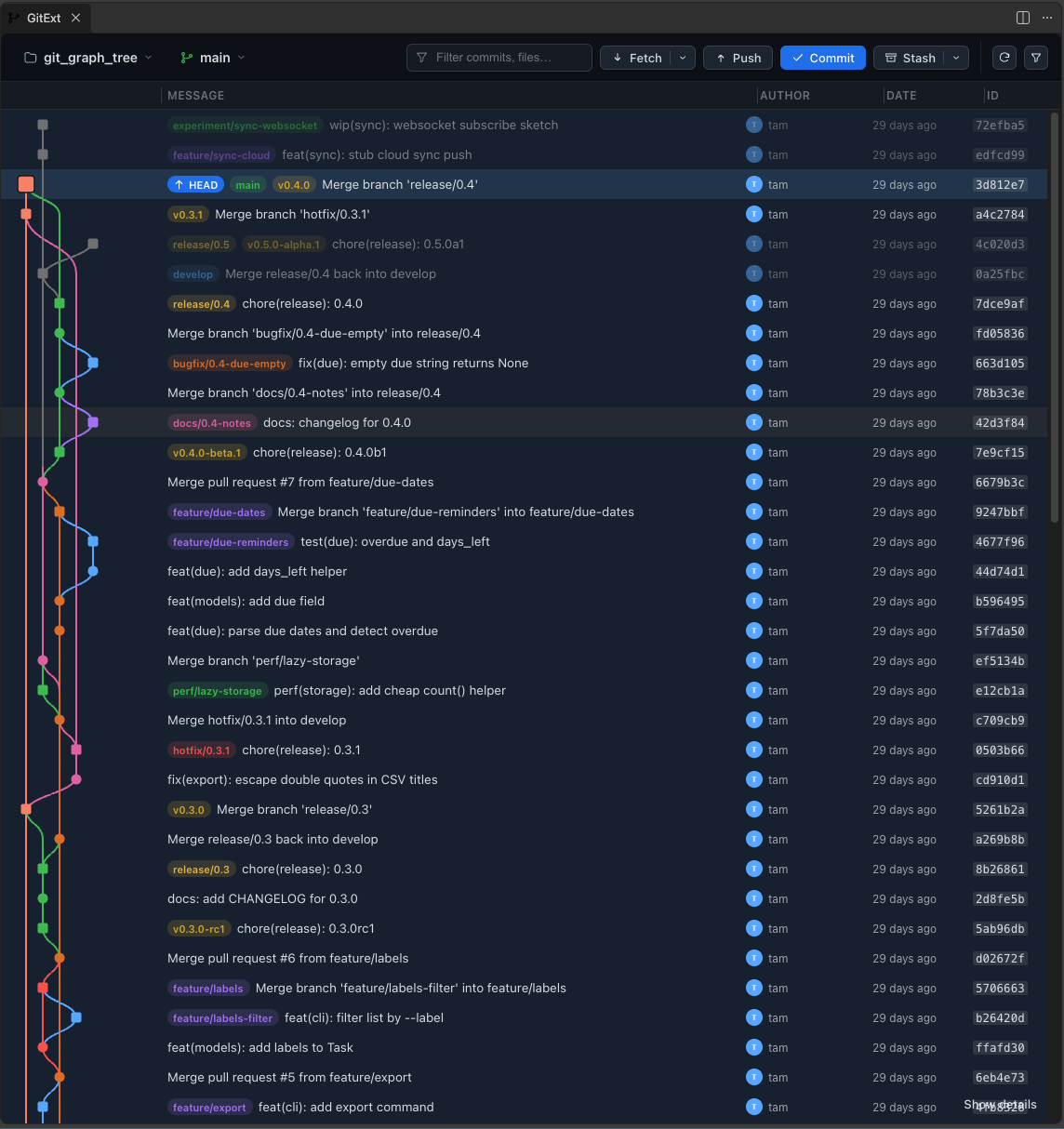
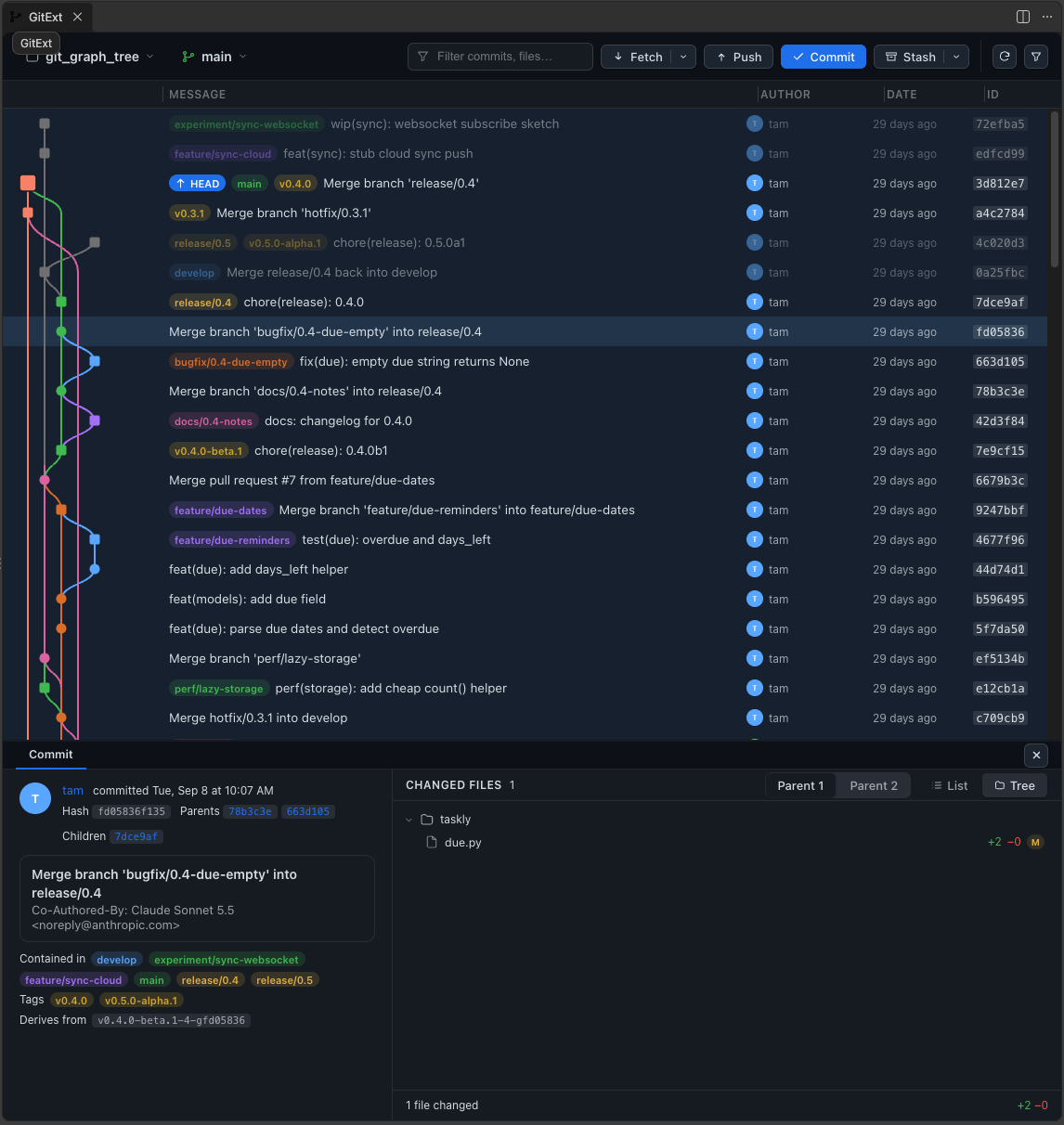
GitExt: Browse (Ctrl/Cmd+Alt+G B): one panel, laid out like the GitExt design system's VS Code screen.
- Toolbar: repository, branch (with ↑ ahead / ↓ behind), commit filter, Fetch (arrow for fetch all, prune, pull), Push, Commit (with the number of changed files), Refresh, filter options, Settings.
- Revision grid: commit graph, branch/tag badges, avatar, author, date and id. The first row is your uncommitted changes.
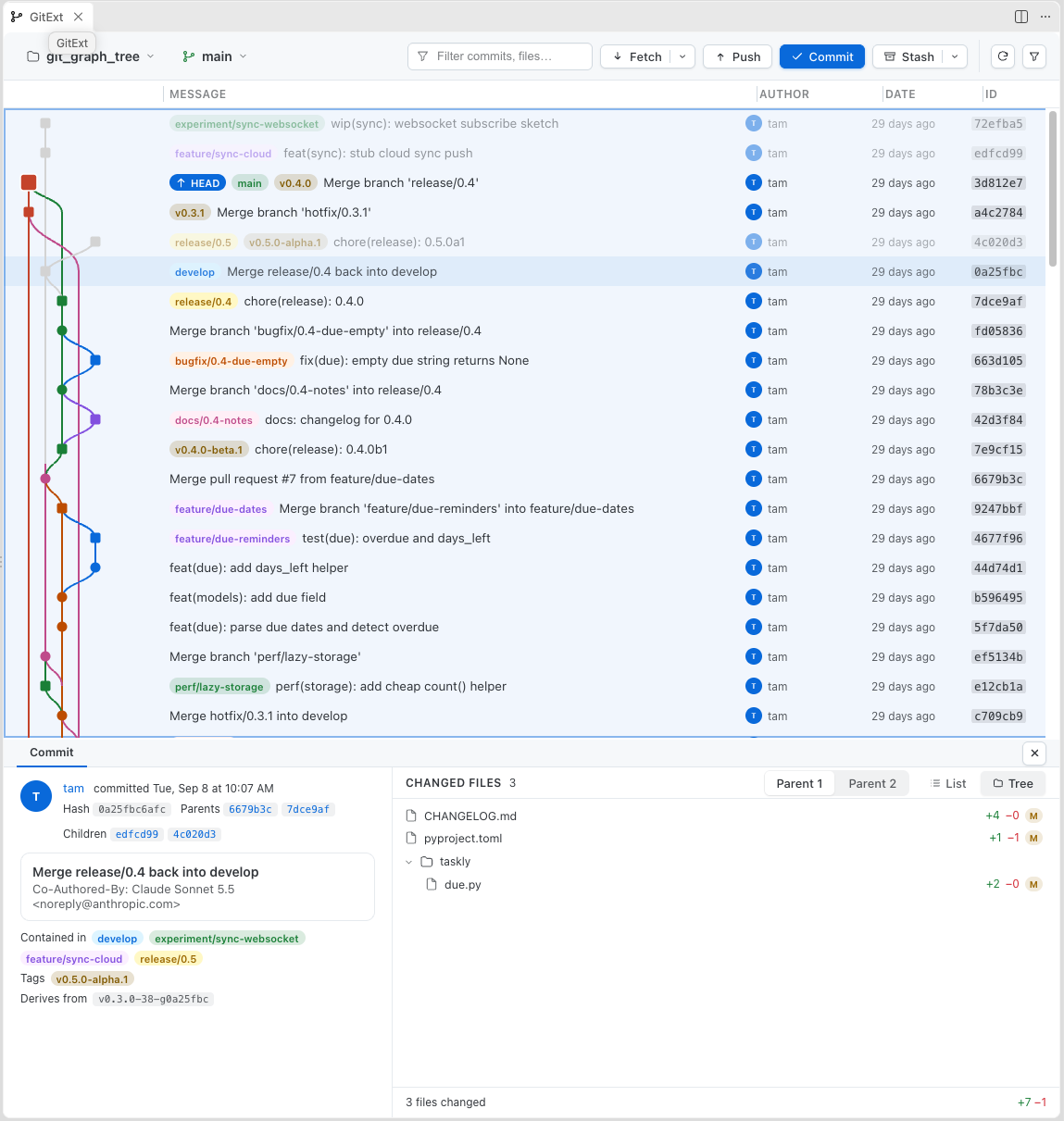
- Commit details: message and metadata on the left, changed files on the right as a List or a Tree, with a draggable splitter between them. Click a commit to show them, and a file to open VS Code's diff editor.
- Opens on your current commit (HEAD) and jumps back to it after a branch switch or Refresh.
- Filter by message, author, committer or diff content from the funnel menu; the funnel lights up while a filter is active.
Open it from Source Control. A Git Extensions button sits on every repository in the Source Control view (and in its Repositories list); it opens Browse on that repository.
Safe by default. Hard reset, force push (with lease only) and aborting an operation always ask first. Pulling with rebase auto-stashes your local changes instead of refusing.
Right-click a commit (native context menu): copy hash or subject, checkout, create branch or tag, cherry-pick, revert, reset, merge.
Credentials are asked through VS Code and can be remembered in Secret Storage. GitExt does not need Node on your PATH.
Status bar shows the active repository and branch; an extra item appears while a merge, rebase or similar operation is in progress.
Multi-root workspaces and nested repositories are supported: pick the active one from the repository pill or the GitExt view.
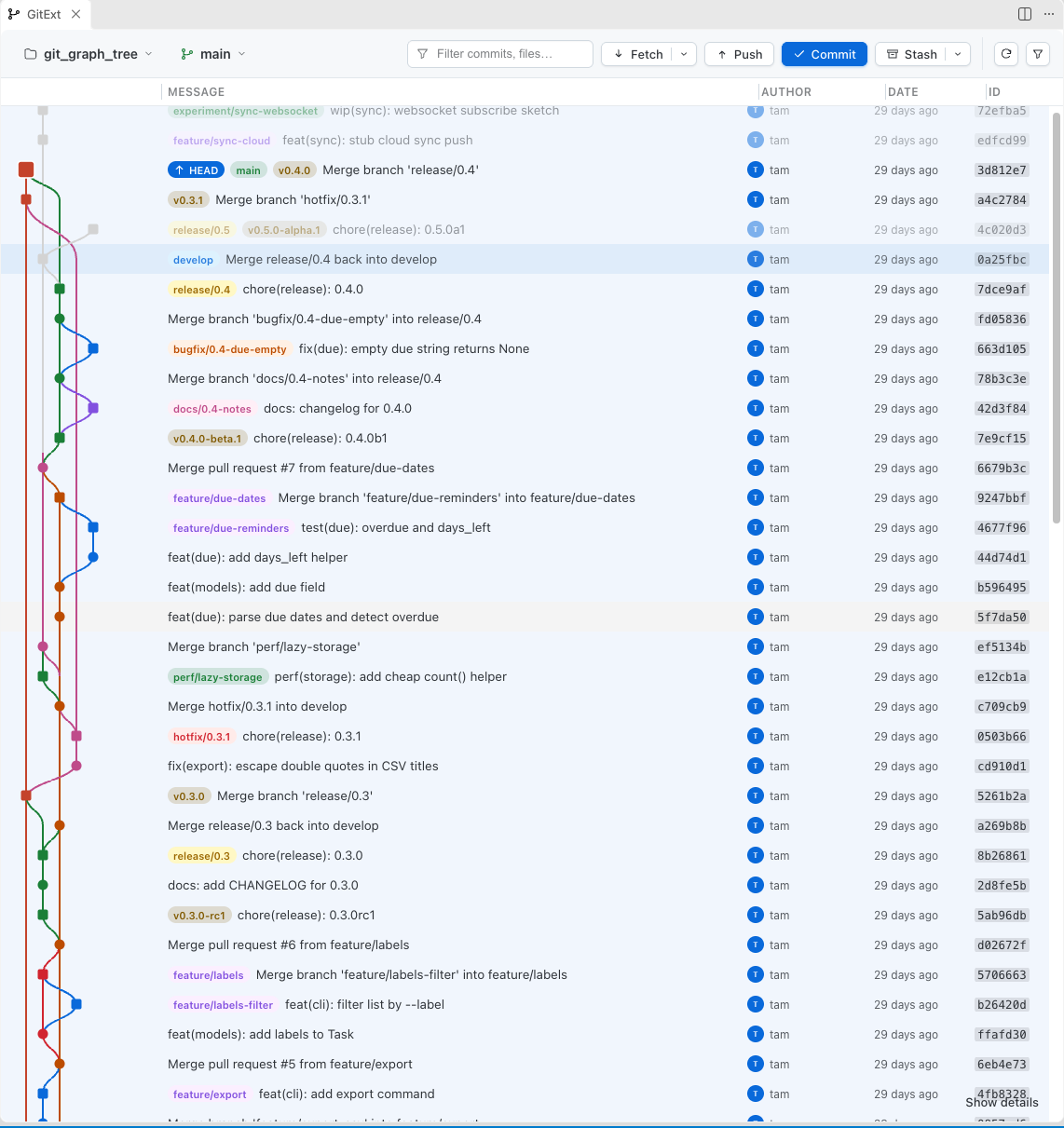
Light and dark themes
GitExt follows your VS Code theme.
Requirements
git 2.43 or newer (found on PATH or in the usual install folders, or set gitext.git.path). VS Code 1.101 or newer. A trusted workspace: git hooks and configuration can run code, so GitExt stays idle in Restricted Mode.
Settings
| Setting |
Default |
Meaning |
gitext.git.path |
"" |
Explicit git executable |
gitext.repositoryScanMaxDepth |
1 |
Folder levels searched for nested repositories |
gitext.repositoryScanIgnoredFolders |
["node_modules"] |
Folders skipped by the search |
gitext.browse.openOnStartup |
false |
Open Browse when a repository is found |
gitext.statusBar.enabled |
true |
Show the branch in the status bar |
gitext.outputChannel.showOnError |
true |
Reveal the output when an operation fails |
License: GPL-3.0.
| |

