Usher
A Markdown preview with a table of contents, reading themes, and Mermaid diagrams that stay readable.
Features
Open it with Ctrl+Shift+U (Cmd+Shift+U on macOS), or Usher: Open Preview to the Side from the Command Palette.
- Table of contents — a sidebar that follows the heading you are reading.
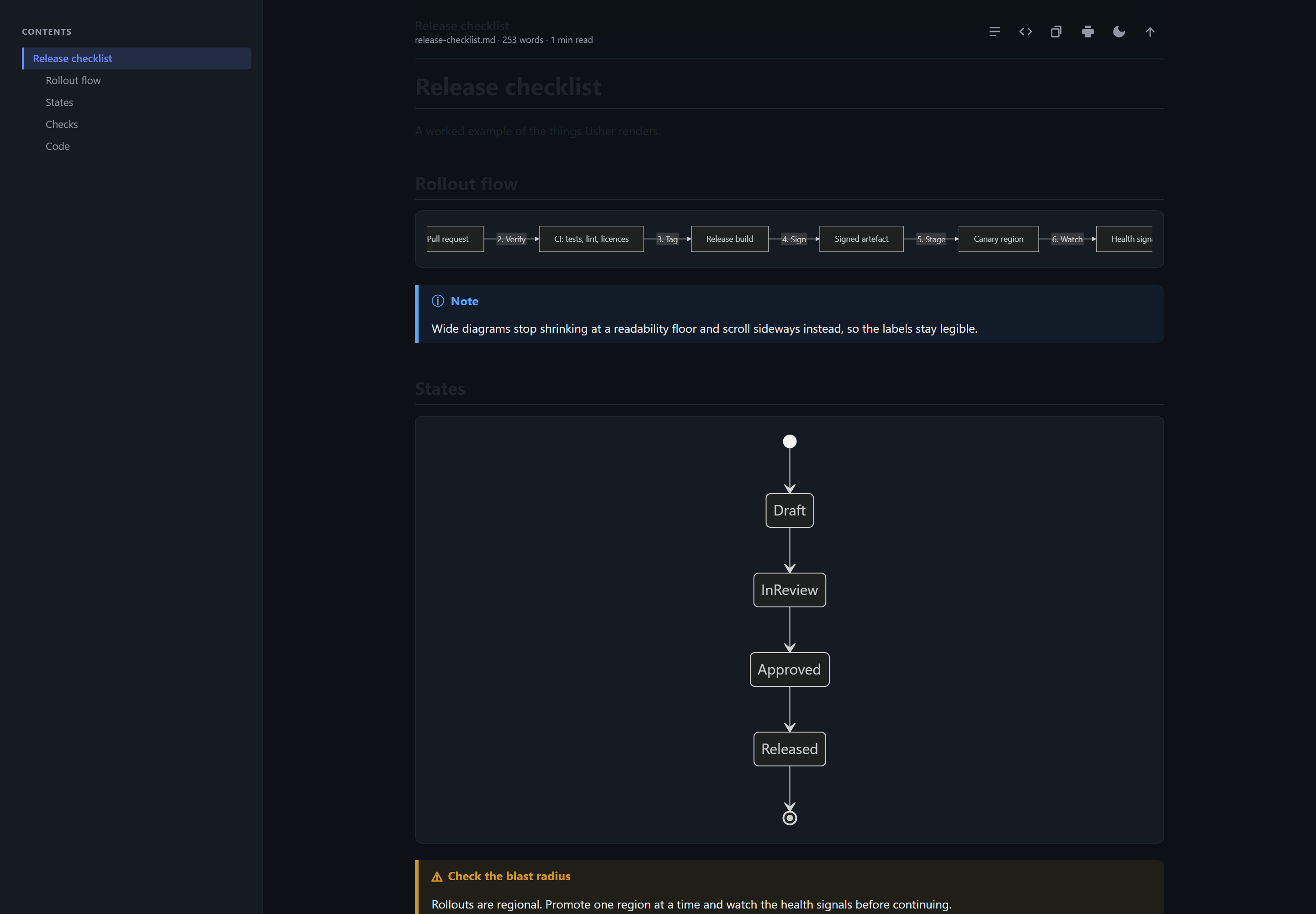
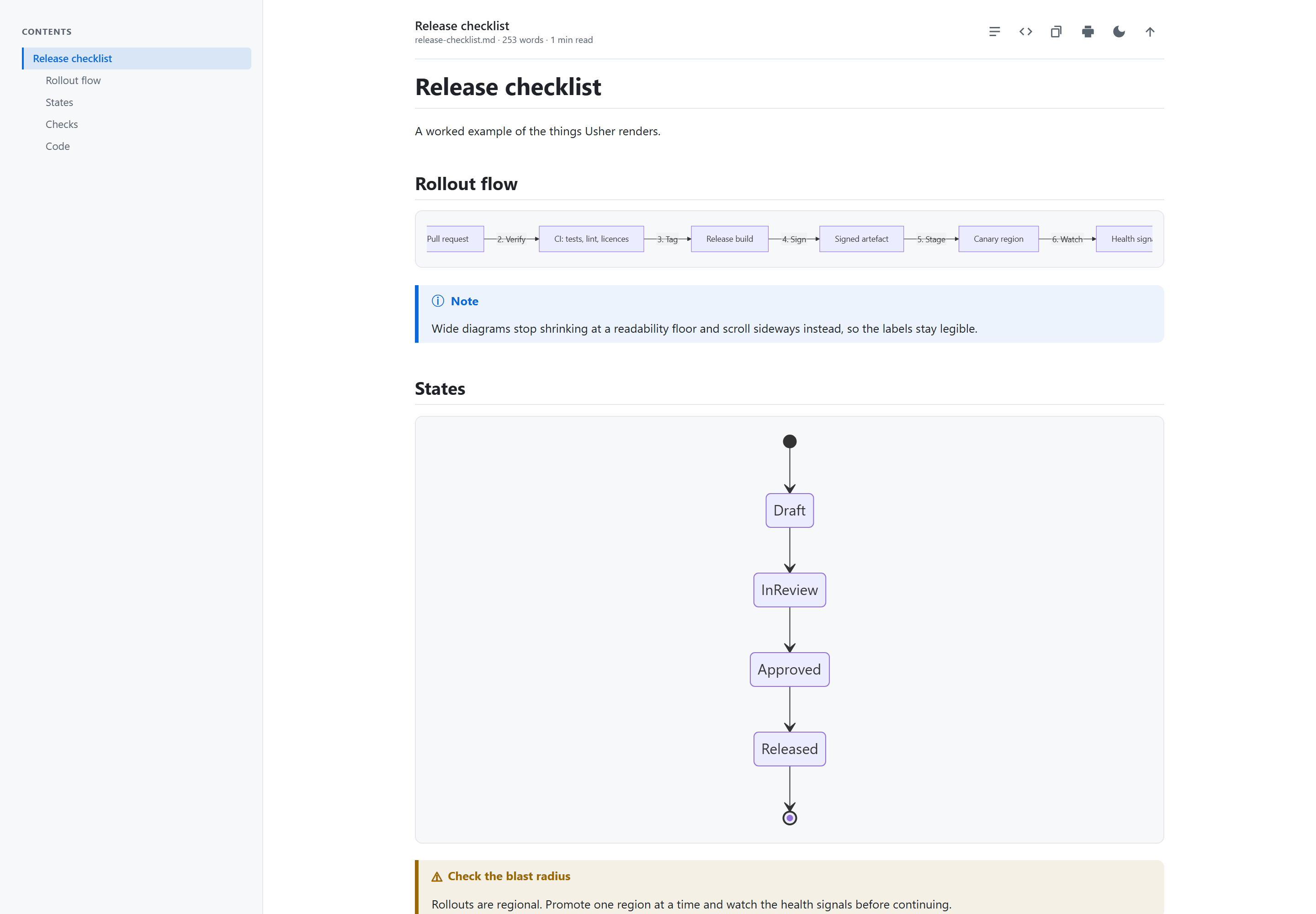
- Readable diagrams — wide Mermaid diagrams are fitted to the column, and once they would shrink past legibility they scroll sideways instead.
- Reading themes — auto, light, dark, GitHub, sepia and high contrast, independent of your editor theme.
- Live — the preview follows the document as you type.
- Word count and reading time in the header.
- Copy as rich HTML — paste into Word, Outlook or a wiki with formatting intact.
- Print, or save as PDF.
- Toggle the source in place without opening another editor.
Everything renders locally. Nothing is uploaded, and the extension makes no network requests.
Markdown support
GitHub alerts, ::: containers, tables, footnotes, definition lists, task lists,
emoji, KaTeX maths, syntax highlighting for 36 languages, YAML front
matter, and Mermaid diagrams.
Azure DevOps wiki and Docusaurus callouts
::: blocks render as callouts, which VS Code otherwise prints as literal text:
:::warning Check the blast radius
Rollouts are regional.
:::
note, info, tip, hint, important, warning, caution, danger and
error are recognised. Text after the name becomes the title, and they nest.
Also improves VS Code's built-in preview
You do not have to use the Usher panel to get these.
Wide Mermaid diagrams stay readable. VS Code fits diagrams to the column
width, which on a wide flowchart LR shrinks the labels past reading. Usher
stops shrinking at a floor and scrolls instead.
|
Diagram width |
Rendered at |
Scale |
| VS Code alone |
2263px |
1044px |
0.46x |
| With Usher |
2263px |
1245px |
0.55x, scrolls |
::: callouts render in the built-in preview too.
Settings
| Setting |
Default |
|
usher.preview.theme |
auto |
Reading theme for the panel. |
usher.preview.contentWidth |
normal |
narrow, normal, wide or full. |
usher.preview.fontSize |
16 |
Base font size in pixels. |
usher.preview.showToc |
true |
Show the contents sidebar. |
usher.preview.mermaidTheme |
auto |
Mermaid theme. |
usher.preview.math |
true |
Render $...$ with KaTeX. |
usher.preview.lineNumbers |
false |
Line numbers on code blocks. |
usher.preview.showFrontMatter |
true |
Show YAML front matter as a table. |
usher.preview.customCss |
"" |
Extra CSS for the panel. |
usher.diagrams.fitToWidth |
true |
Resize wide diagrams in the built-in preview. |
usher.diagrams.minimumScale |
0.55 |
Scale at which they scroll instead of shrinking. |
usher.admonitions.enabled |
true |
Render ::: callouts in the built-in preview. |
Troubleshooting
Mermaid diagrams are blank in VS Code's built-in preview. This happens when
another extension also renders Mermaid there: two Mermaid runtimes race in the
same preview and leave the diagrams empty. VS Code has rendered Mermaid itself
since 1.121, so disabling any other Mermaid preview extension fixes it.
Usher never adds a second Mermaid renderer to the built-in preview. It only
resizes diagrams the built-in renderer has already drawn, and leaves
:::mermaid, :::math, :::katex, :::latex and :::tex alone. The Usher
panel is a separate view, so it renders Mermaid without conflicting.
A ::: block is not rendering. Only the callout names listed above are
claimed. Anything else, such as :::video, is deliberately left for other
extensions.
Requirements
VS Code 1.121 or later. No other extensions or tools are needed.
The same renderer is available for the browser as
Usher for Microsoft Edge.
Release notes
See the changelog.
Licence
MIT. Source at github.com/girishkvs/usher.

