Terrain Code MapPreviewA fast, deterministic map of your codebase: where you are, what holds it up, and what really belongs together. Installation Launch VS Code Quick Open ( Ctrl+P), paste the following command, and press enter.Copied to clipboard |

TerrainA map of your codebase inside VS Code: where everything is, what holds it up, what changes together, and what your branch touches. Offline, deterministic, fast on large repositories.
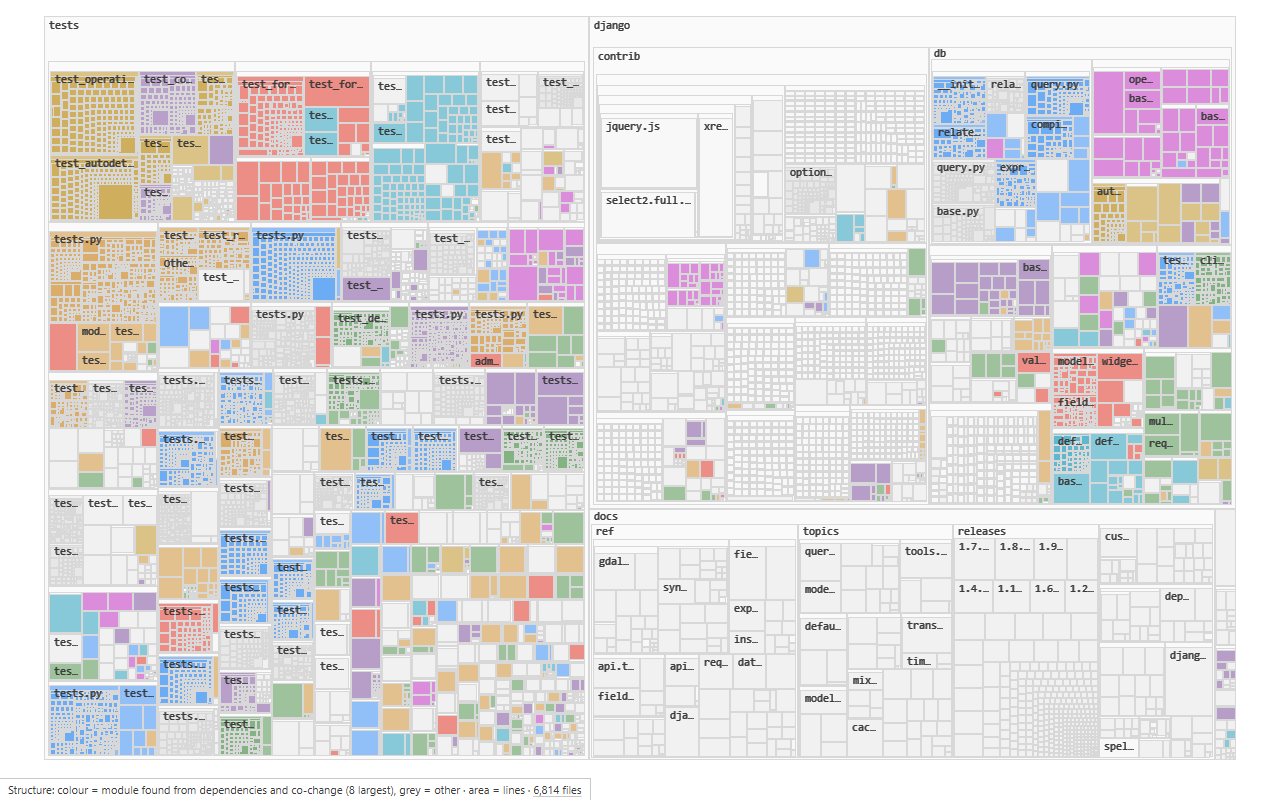
What it showsThe map. Every folder and file of the workspace as nested rectangles, sized by lines of code. Positions only change when files are added, moved or deleted, so you learn where things are. Zoom in and files open up into their classes and functions. Click to select, double-click to open. The map follows the editor: what you are looking at is marked on it. Lenses. Number keys colour the map by one measure at a time. The legend always says what colour means.
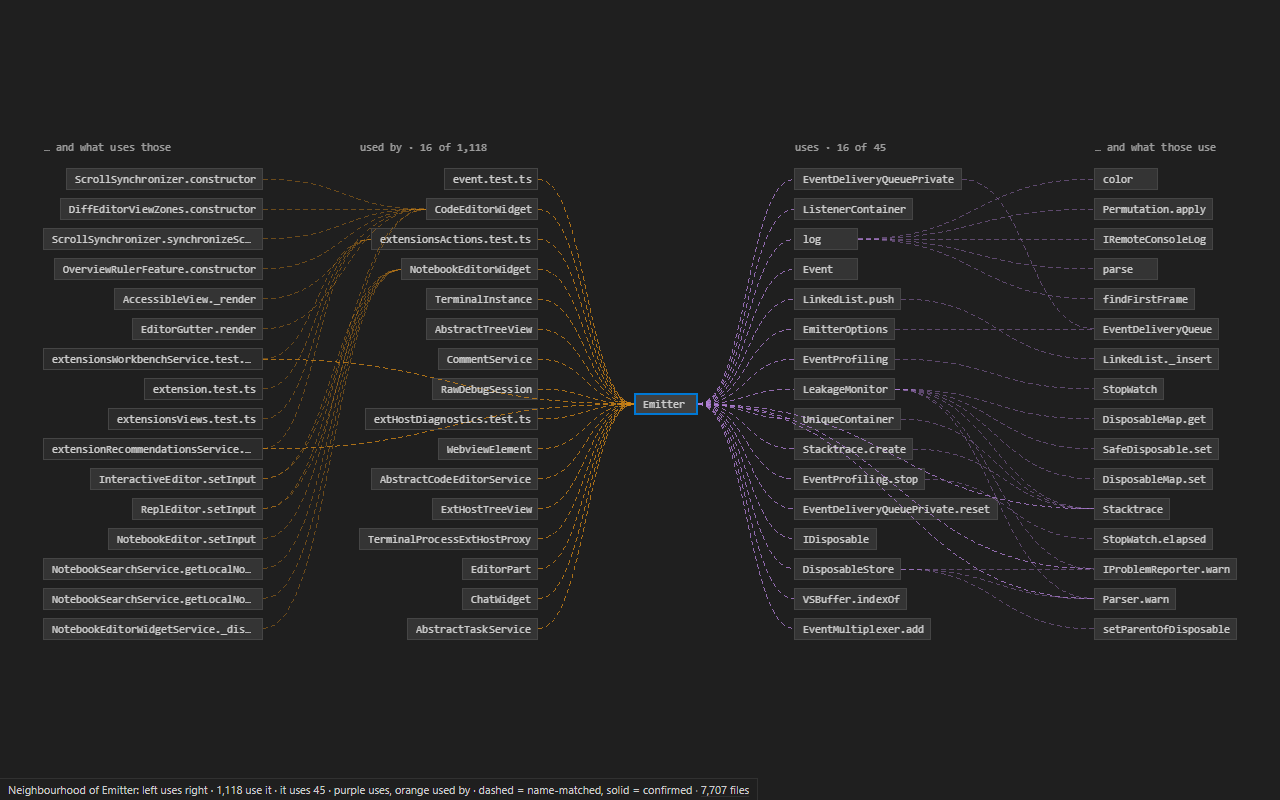
Neighbourhood (N, Ctrl+Alt+N in the editor, or click a CodeLens). The selected function or file in the middle, what uses it on the left, what it uses on the right, two steps each. Reads left to right: "A uses B uses C".
Path (P, or Terrain: Find Path Between…). The shortest dependency chains between two things, up to three. Answers "why does this module end up importing that one?" Review (Ctrl+Alt+R, or the status bar). On a branch, the files it changed (committed or not) ranked by how much depends on them: read these first. The map switches to the Change lens. Next to the code. The Context view in the activity bar shows, for the symbol under the cursor: callers, callees, importers, tests that reach it, blast radius, churn, owner, and the files that change with it. CodeLens above functions: Lists. Terrain: Show Cycles (import cycles, with the edge that breaks the most of each), Show Dead-Code Candidates, Show Hidden Dependencies, Show Misplaced Files. How sure it isTerrain reads code with tree-sitter and resolves names itself, so most edges are well-founded guesses. It says so: dashed lines are name-matched, solid lines are confirmed. For the symbol you are looking at, Terrain asks VS Code's own language server (the call hierarchy of whatever language extension you have installed) and turns confirmed calls solid and drops the guesses it contradicts. Dotted lines come from git history. Getting startedOpen a folder and run Terrain: Open Map (Ctrl+Alt+M, Cmd+Alt+M on macOS). There is nothing to configure. The first index of a large repository takes seconds to a minute and the map fills in while it runs; after that it opens in under half a second and updates as you save. The walkthrough on the Welcome page shows the three things worth trying first. Keyboard (in the map)
Settings
LanguagesDefinitions, imports, calls and references for TypeScript, JavaScript (and TSX/JSX), Python, Go, Rust, Java, C, C++, C#, Kotlin, Ruby, PHP and Swift. Lua through its grammar's tags. Every other text file is on the map, and paths mentioned in Markdown, Dockerfiles and configuration files become edges. SpeedMeasured on a 4-core laptop (i5-1135G7, 8 GB):
PrivacyTerrain runs locally. It sends nothing anywhere: no telemetry, no network calls. The index lives in VS Code's workspace storage. Sourcehttps://github.com/Gigi-Didberidze/terrain LicenseMIT |