DuckCSV
High-performance CSV/TSV/Parquet viewer powered by DuckDB. Edit, query, filter, and profile your data directly in VS Code.
Features
View & Navigate
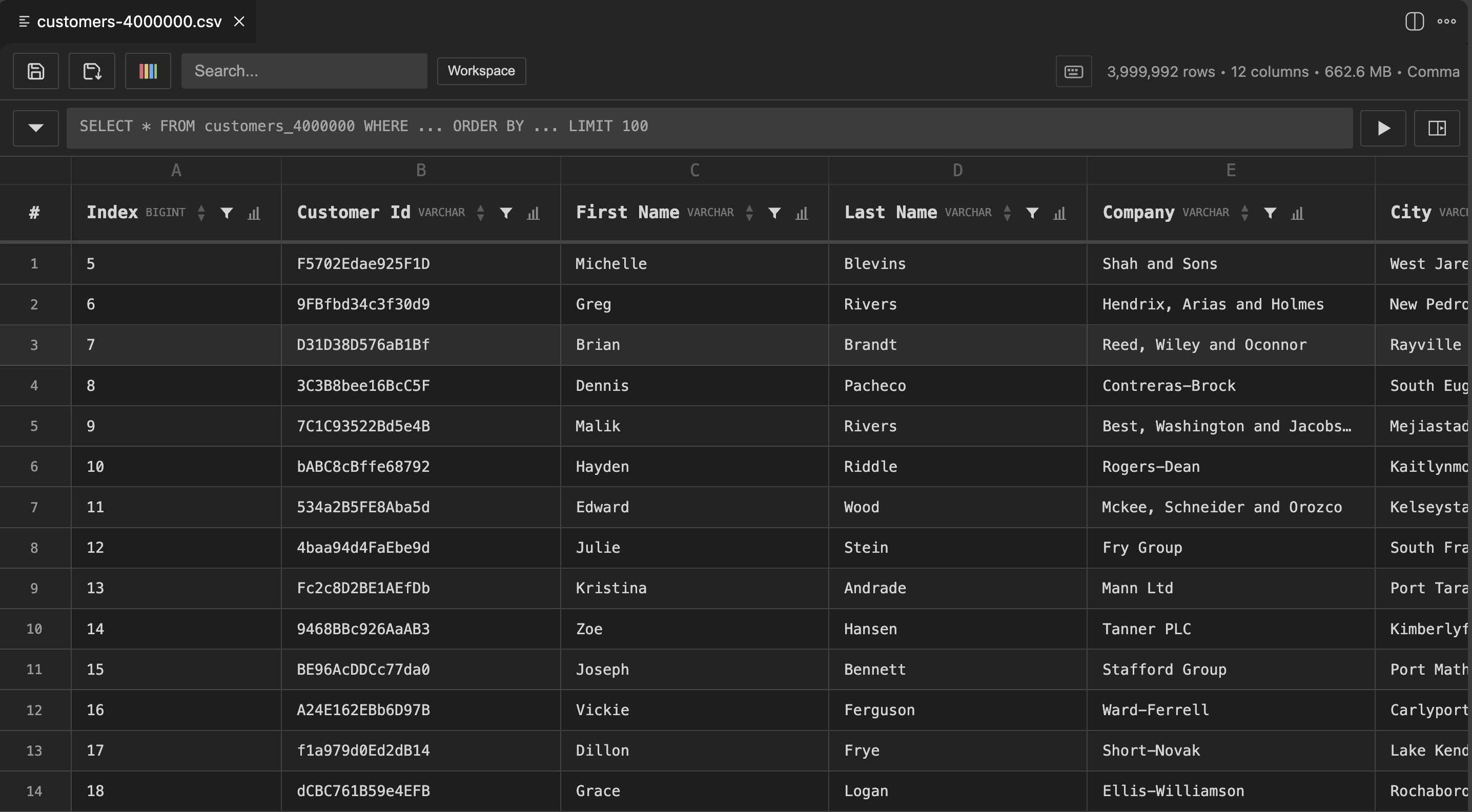
- Instant rendering — Open files with millions of rows. Virtual scrolling keeps it smooth.
- Parquet support — Open
.parquet files alongside CSV/TSV.
- Auto-delimiter detection — Comma, semicolon, tab, pipe — detected automatically.
- Sticky headers — Column headers stay visible as you scroll.
- Column types — DuckDB infers types (INTEGER, VARCHAR, DATE, etc.) and displays them in the header.
Edit
- Cell editing — Double-click any cell to edit. Type changes are handled automatically.
- Row operations — Insert rows above/below, delete single or multiple rows via right-click.
- Undo/Redo — Full undo history with Cmd+Z / Cmd+Shift+Z.
- Save — Cmd+S writes back to the original file. Save As for a new file.
Sort, Filter & Search
- Column sort — Click header arrows for ascending/descending sort.
- Column filters — Funnel icon opens a dropdown with unique values. Multi-select to filter.
- Global search — Search across all columns with highlighting. Debounced for performance.
SQL Queries
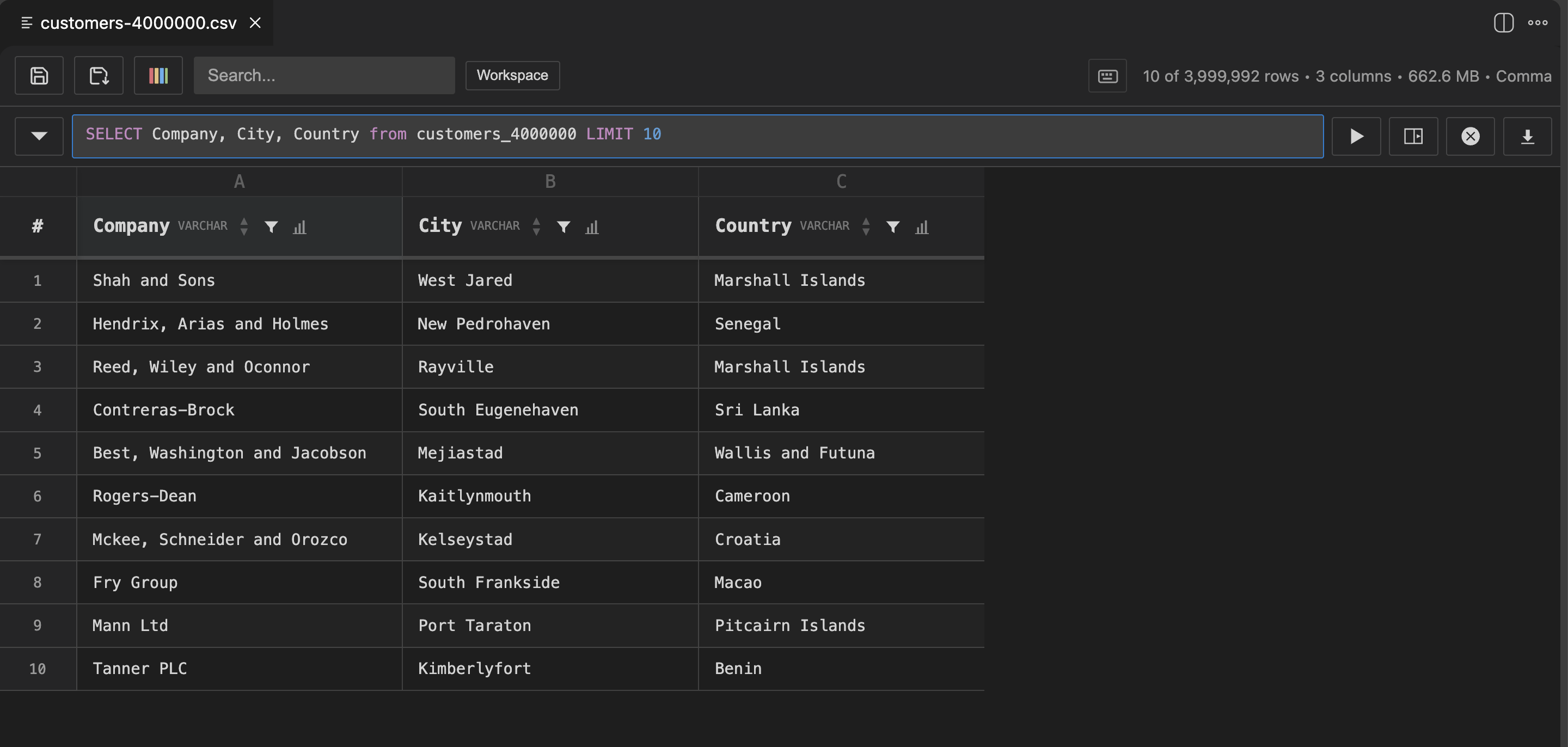
- DuckDB SQL — Write queries in the built-in query bar. Full DuckDB SQL support.
- Inline or side panel — Run queries inline (replaces current view) or in a separate panel.
- Autocomplete — Column names and table names autocomplete as you type.
- Query history — Access previous queries from the history dropdown.
Multi-Table Workspace
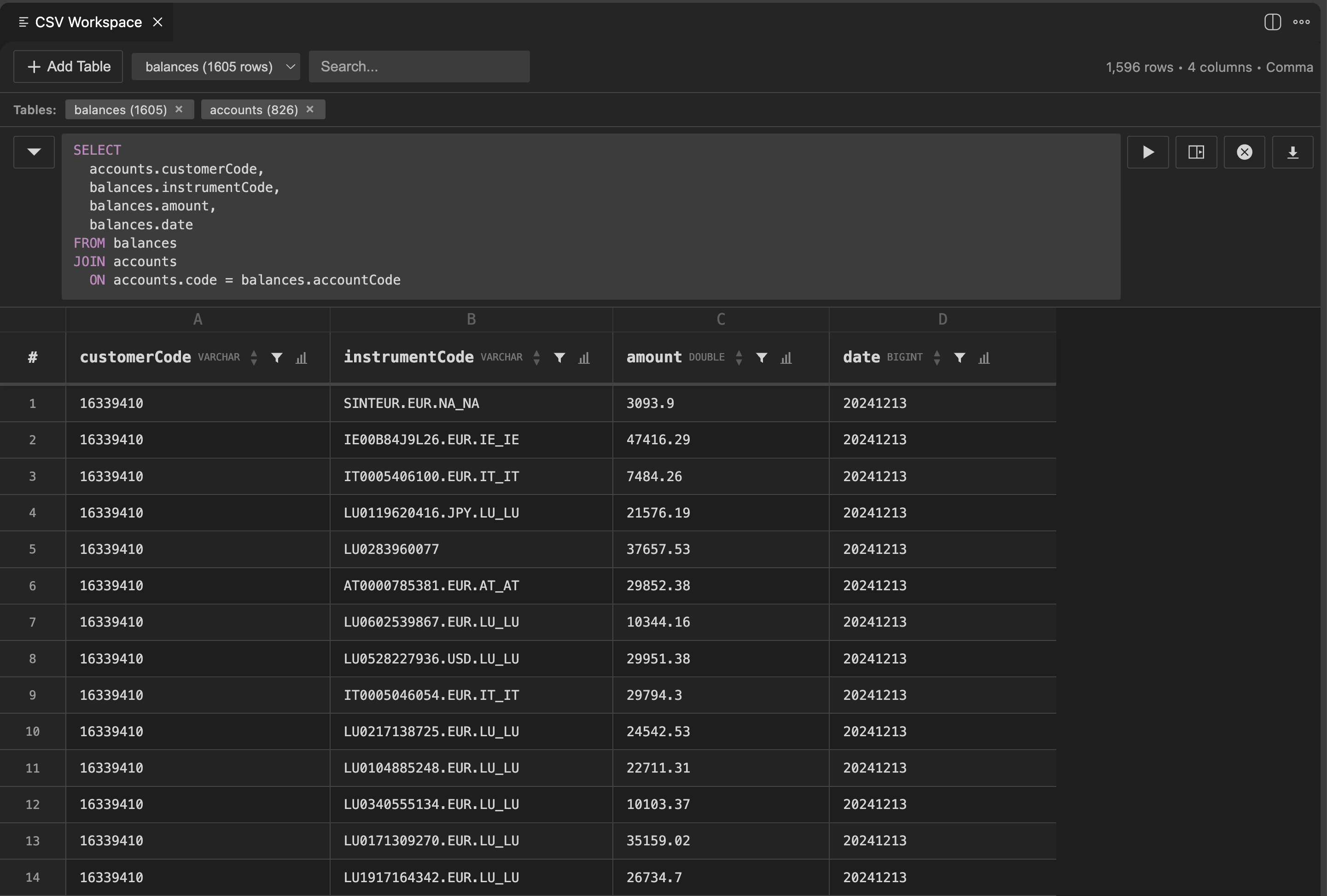
- Load multiple files — Open the workspace and load multiple CSV/TSV/Parquet files.
- JOIN across files — Run SQL JOINs between tables like a local database.
- Table switching — Switch between loaded tables with the dropdown.
Data Profiling
- Column stats — Click the 📊 button on any column header to see: total rows, non-null count, unique values, null %, min, max, mean, median, std dev.
- Selection stats — Select cells in a single column to see count, sum, avg, min, max in the status bar. Calculated via SQL on the full dataset.
Copy & Export
- Excel-like selection — Click cells, drag rows/columns, Shift+click for ranges.
- Copy with headers — Cmd+C copies selection with headers and file delimiter.
- Export — Export query results or filtered data to CSV/TSV/Parquet.
Getting Started
- Open any
.csv, .tsv, or .parquet file
- Click the table icon in the top-right corner of the editor
- That's it — you're in
Commands:
DuckCSV: Open Preview — open the current file as an interactive tableDuckCSV: Open Workspace — load multiple files and query across them
Keyboard shortcuts:
Cmd+K V — Open preview for the current fileCmd+S — Save changesCmd+Shift+S — Save As (choose format)Cmd+Z / Cmd+Shift+Z — Undo / RedoCmd+C — Copy selectionCmd+Enter — Run query inlineCmd+Shift+Enter — Run query in side panel- Arrow keys / Tab — Navigate between cells
- Double-click cell — Edit cell
Requirements
- VS Code 1.106.0+
- No external tools needed — DuckDB WASM is bundled
License
Apache 2.0 — see LICENSE
Acknowledgments
Thanks to Christophe Ricco for the support and feedback during development.
| |

