q2lsp VS Code Extension
This extension launches the q2lsp language server via python -m q2lsp --transport stdio when you open shell scripts.
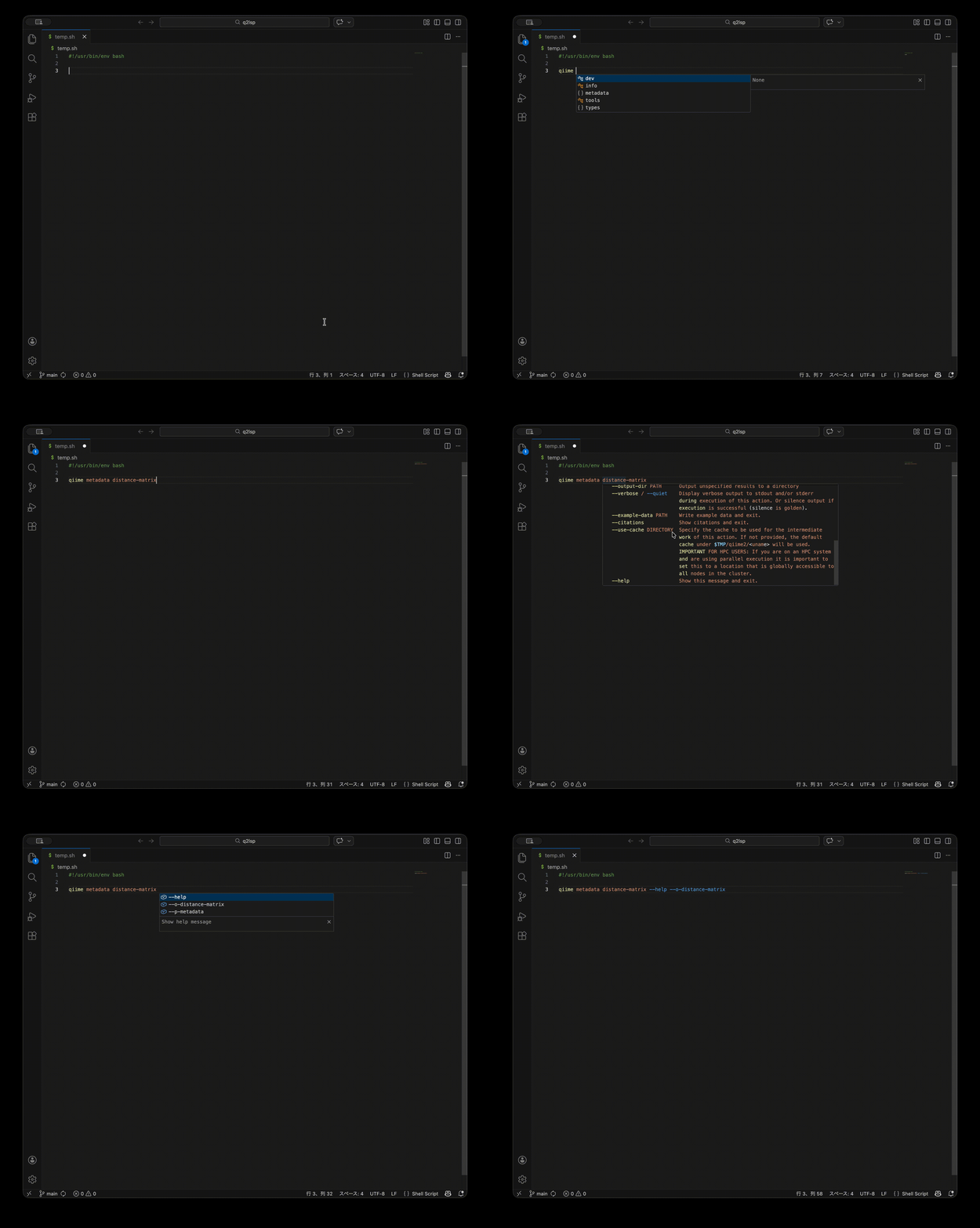
- Linux
- macOS
- WSL (via VS Code Remote - WSL)
Native Windows is not supported. Use WSL or a remote Linux/macOS environment.
Setup
- Create or choose a Python environment that has
q2lsp and q2cli installed.
- (Optional) Set
q2lsp.interpreterPath to the absolute path of that interpreter.
- Open a shell script to activate the extension.
The Python extension is optional. If it is installed and q2lsp.interpreterPath is not set, the extension will use the active Python interpreter (falling back to python3/python on PATH).
The language server inherits the VS Code extension-host environment by default (including PATH). If you rely on an activated environment, launch VS Code from that environment or set q2lsp.interpreterPath explicitly.
Settings
q2lsp.interpreterPath (string, optional): Absolute path to the Python interpreter used to launch q2lsp.q2lsp.serverEnv (object): Environment variable overrides applied to the language server process. These values override the inherited extension-host environment; they do not replace it. Changing this setting restarts the q2lsp server.
Example:
{
  "q2lsp.interpreterPath": "/opt/qiime2/bin/python",
  "q2lsp.serverEnv": {
    "PATH": "/opt/qiime2/bin:${env:PATH}"
  }
}
Troubleshooting
Run the q2lsp: Setup / Diagnose Environment command from the Command Palette to validate your Python environment. The command reports details in the q2lsp output channel and suggests next steps if modules are missing.
If you see errors about importing q2lsp, verify the interpreter directly:
/path/to/python -c "import q2lsp"
If that fails, install q2lsp into that environment and confirm the same command succeeds.
WSL notes
- Run VS Code in WSL (Remote - WSL).
- Set
q2lsp.interpreterPath to the Linux path inside WSL (for example /usr/bin/python3).
- Do not use Windows paths; the extension host runs in the WSL environment.


