Ticketpane — Jira for VS Code, Cursor and Windsurf
Your Jira Cloud issues in the editor sidebar. Sign in once with an Atlassian API token and it stays signed in: no OAuth pop-up every morning, no "authentication needed" every time you open a folder.
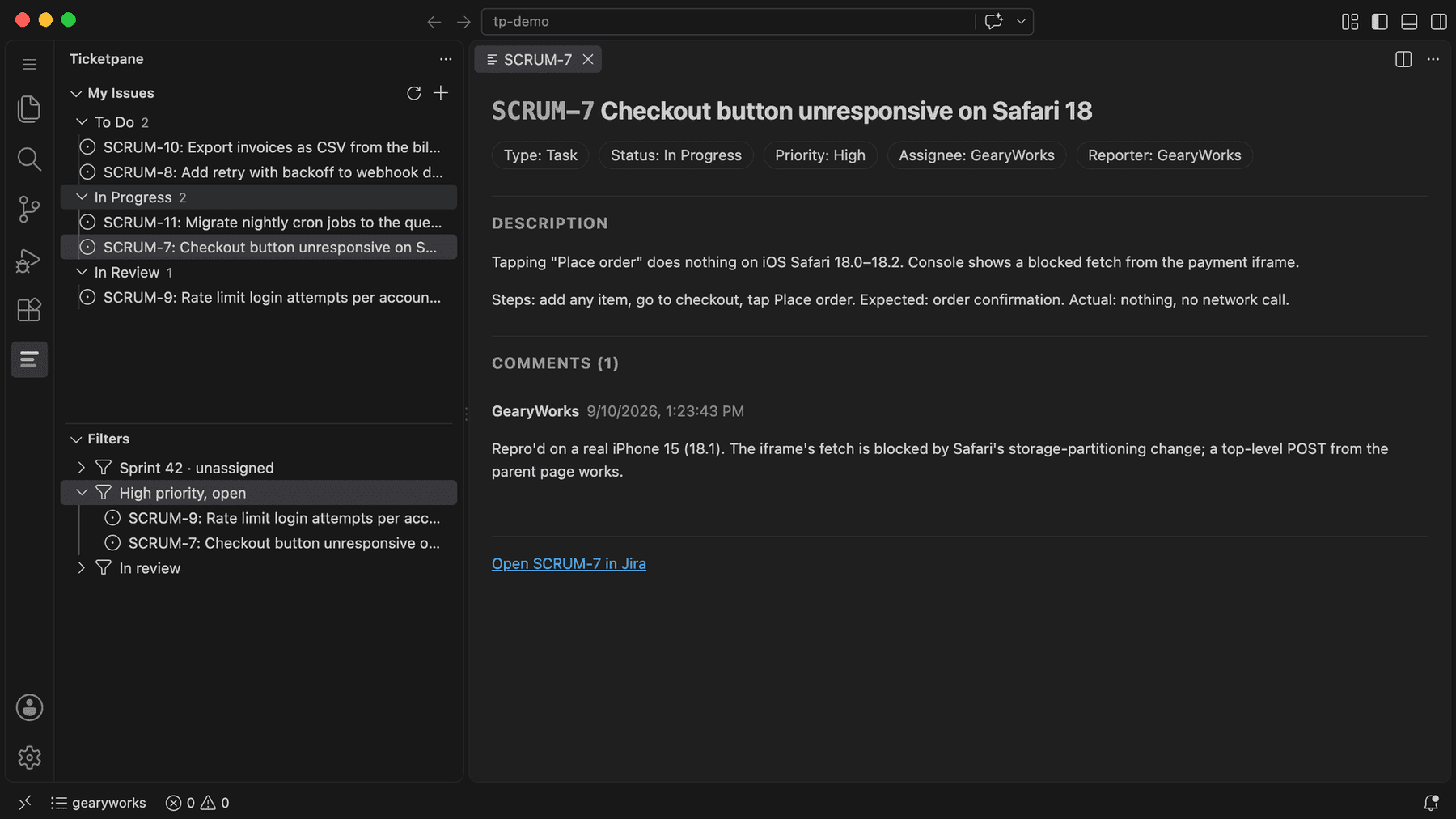
Three things it does
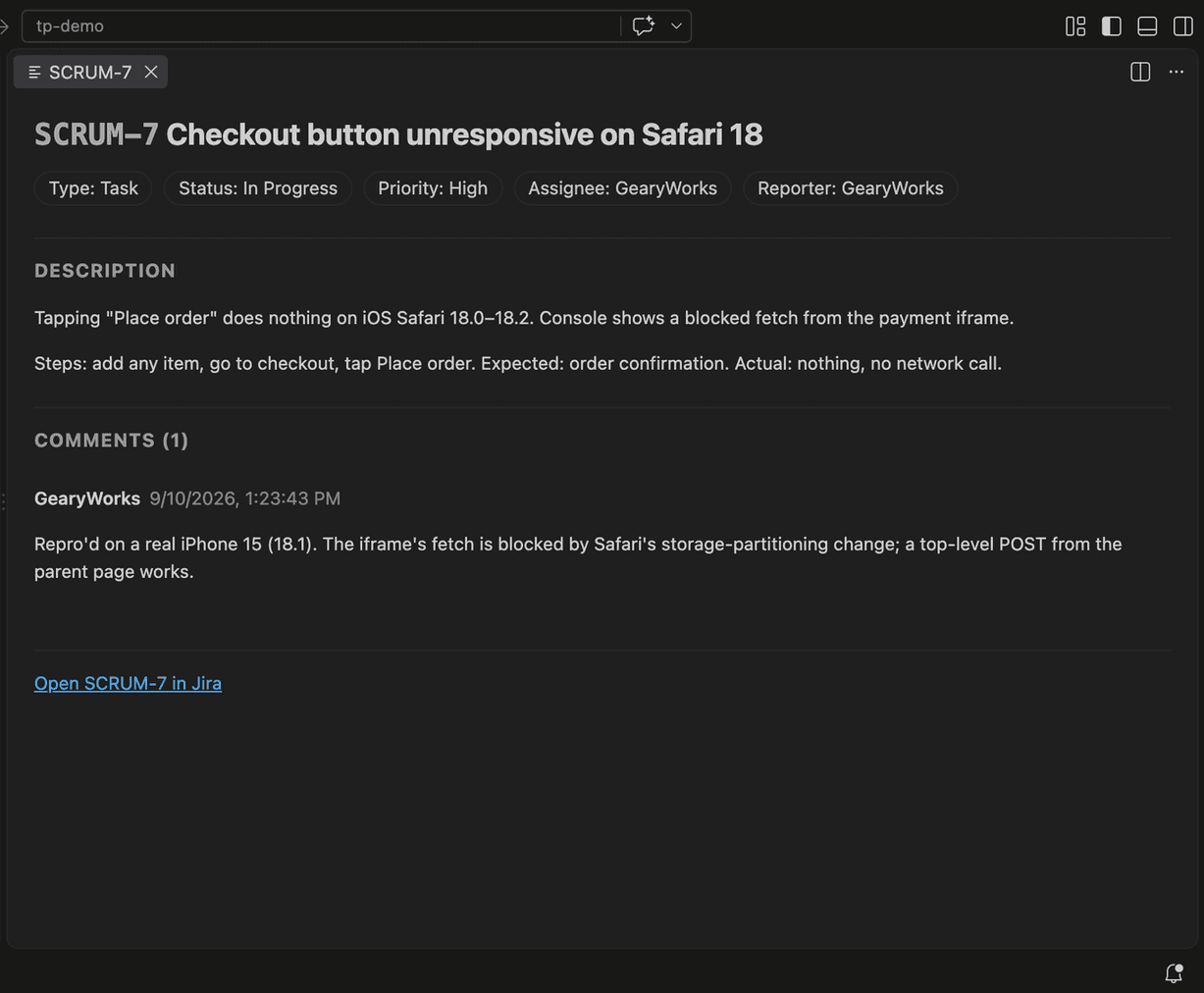
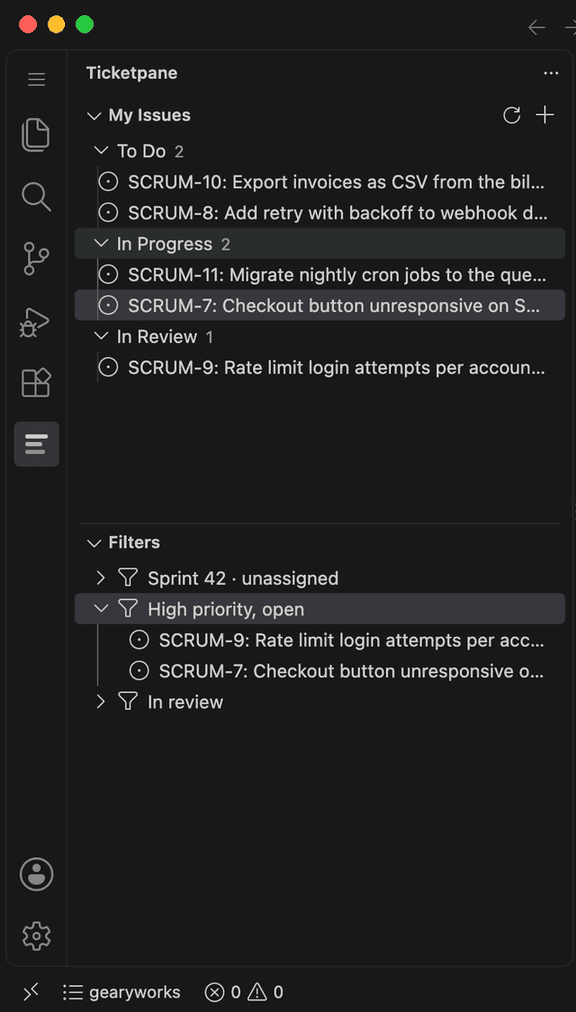
- See your issues without a browser tab. My Issues lists everything assigned to you and unresolved, grouped by status, with priority at a glance. Click one for the summary, status, assignee, priority, sprint, full description and every comment, rendered inside the editor.
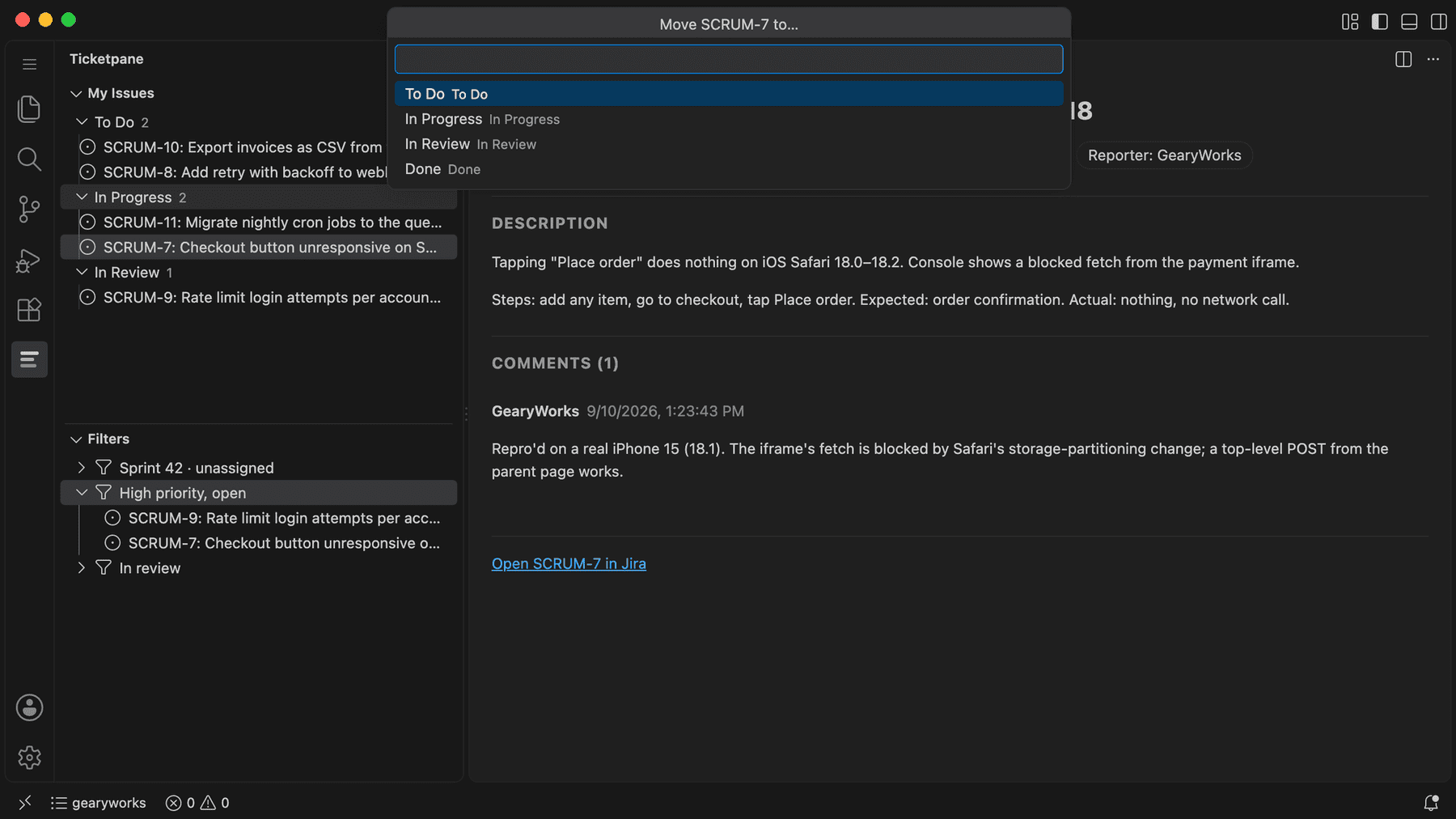
- Move work forward from the sidebar. Change status using the transitions your workflow actually offers, add a comment, or file a new issue. (Pro)
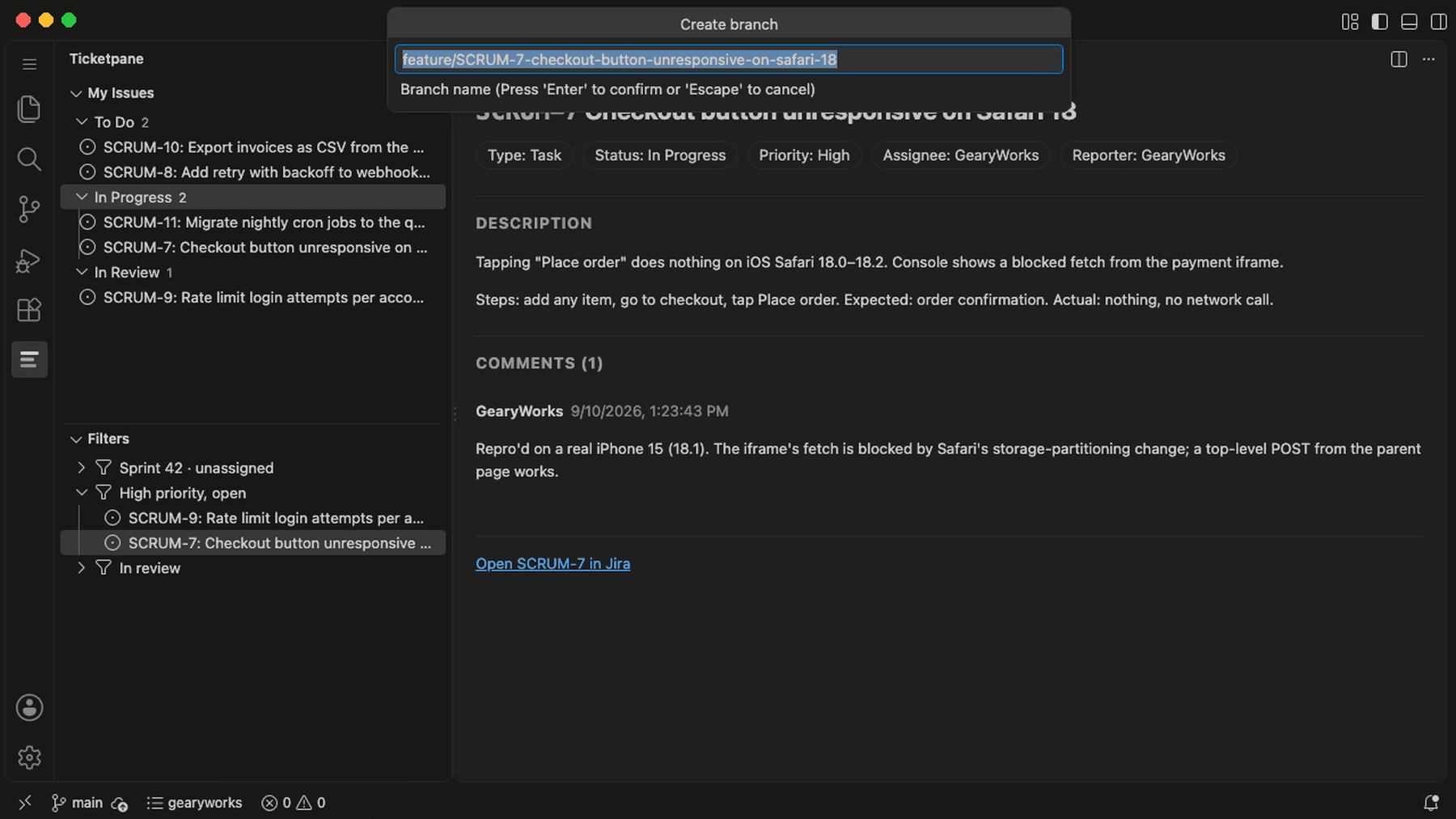
- Start the branch from the ticket. Right-click an issue → Branch from issue →
feature/APP-412-checkout-button-broken is created and checked out. Template is yours to change. (Pro)
Also: saved JQL filters and more than one Jira site (Pro), open in browser, copy issue key / URL.
Signing in
- Create an Atlassian API token at https://id.atlassian.com/manage-profile/security/api-tokens. Either kind works; if you pick "with scopes", choose Jira and tick
read:jira-work, write:jira-work and read:jira-user.
- Run Ticketpane: Sign in to Jira from the Command Palette, or click Sign in in the Ticketpane sidebar.
- Enter your site (
acme, acme.atlassian.net or the full URL), your Atlassian email, and paste the token.
The token is stored in your editor's encrypted secret storage, never in a settings file and never in a log.
Editors
- VS Code: in a folder still in Restricted Mode (Workspace Trust), Branch from issue cannot run Git until you click Manage → Trust on the banner. Everything else works untrusted.
- Cursor: the default Agents window hides the Command Palette. Open an IDE window (Cursor → New Window, or
cursor -n <folder>) to use Ticketpane commands. Cursor installs extensions from its own mirror of Open VSX, which can lag a new version by some hours.
- Windsurf / VSCodium: install from Open VSX; no special steps.
Pricing
|
Free |
Pro — $19 one-time |
| My Issues list, grouped by status |
✅ |
✅ |
| Read any issue, description and comments |
✅ |
✅ |
| Open in browser, copy issue key / URL |
✅ |
✅ |
| Jira sites connected |
1 |
unlimited |
| Change status (transitions) |
— |
✅ |
| Add comments |
— |
✅ |
| Create issues |
— |
✅ |
| Create a git branch from an issue |
— |
✅ |
| Saved JQL filters |
— |
✅ |
Every Pro feature works free for 14 days from first run, no card needed. After that, buy a license at https://ticketpane.com/?utm_source=vscode-marketplace&utm_medium=readme#pricing, open the Polar customer portal linked from your receipt, and run Ticketpane: Activate Pro to paste the TPANE- key. One license covers one developer on up to 3 machines. Refunds within 14 days of purchase, any reason: email support@ticketpane.com.
Settings
| Setting |
Default |
What it does |
ticketpane.branchTemplate |
feature/{key}-{slug} |
Branch name template. {key} = issue key, {slug} = summary, lowercased, non-alphanumerics turned into dashes, capped at 50 characters. |
ticketpane.filters |
[] |
Saved JQL filters, e.g. [{ "name": "Sprint 42", "jql": "sprint in openSprints() AND assignee = currentUser()" }]. |
ticketpane.errorReports |
false |
Send anonymous crash reports. Off by default, and ignored entirely when your editor's telemetry is off. |
Privacy
Ticketpane has no server. Your issues, comments and credentials go from your editor only to Atlassian, over HTTPS. The single other outside call is the license check to Polar (our payment provider) when you activate or re-validate Pro; it sends the license key and nothing else. Crash reports are off unless you turn them on, and never include your token, your site name or issue content. Full policy: https://ticketpane.com/privacy.
Support
support@ticketpane.com for bugs, refunds and questions.
Limitations (0.1.0)
- Jira Cloud only (
*.atlassian.net or a Jira Cloud custom domain). Jira Server and Data Center use different authentication and are not supported.
- My Issues and filters show the first 100 results, most recently updated first. There is no paging yet.
- Creating an issue fills project, type, summary and description, assigned to you. A type with extra required fields is handed to Jira's own New Issue form with your text filled in.
- Comments: the 50 most recent are shown; no editing or deleting. Attachments are listed and open in the browser.
- No worklogs, no issue editing beyond status and comments, no offline cache.
- Tested against one Jira Cloud site with a small project. Very large projects, unusual custom fields and non-English content have not been exercised yet; if something looks wrong, email support and it gets fixed or documented.
Made by Geary Works · 1380 Rio Rancho Blvd SE #470 · Rio Rancho, New Mexico 87124 · https://ticketpane.com
Jira and Atlassian are trademarks of Atlassian Pty Ltd. Ticketpane is an independent product and is not affiliated with, endorsed by, or sponsored by Atlassian.
| |

