Skip to content
| Marketplace
Sign in
Visual Studio Code>Other>CharmBits: Coding CharmsNew to Visual Studio Code? Get it now.
CharmBits: Coding Charms

CharmBits: Coding Charms

CharmBits

|
1 install
| (1) | Free
Free VS Code companions with Cali, photo lockets, charm bracelets, focus sessions and a daily garden.
Installation
Launch VS Code Quick Open (Ctrl+P), paste the following command, and press enter.
Copied to clipboard
More Info

Install

FREE for VS Code: all 241 charms and every editor feature. No account, payment or trial timer.

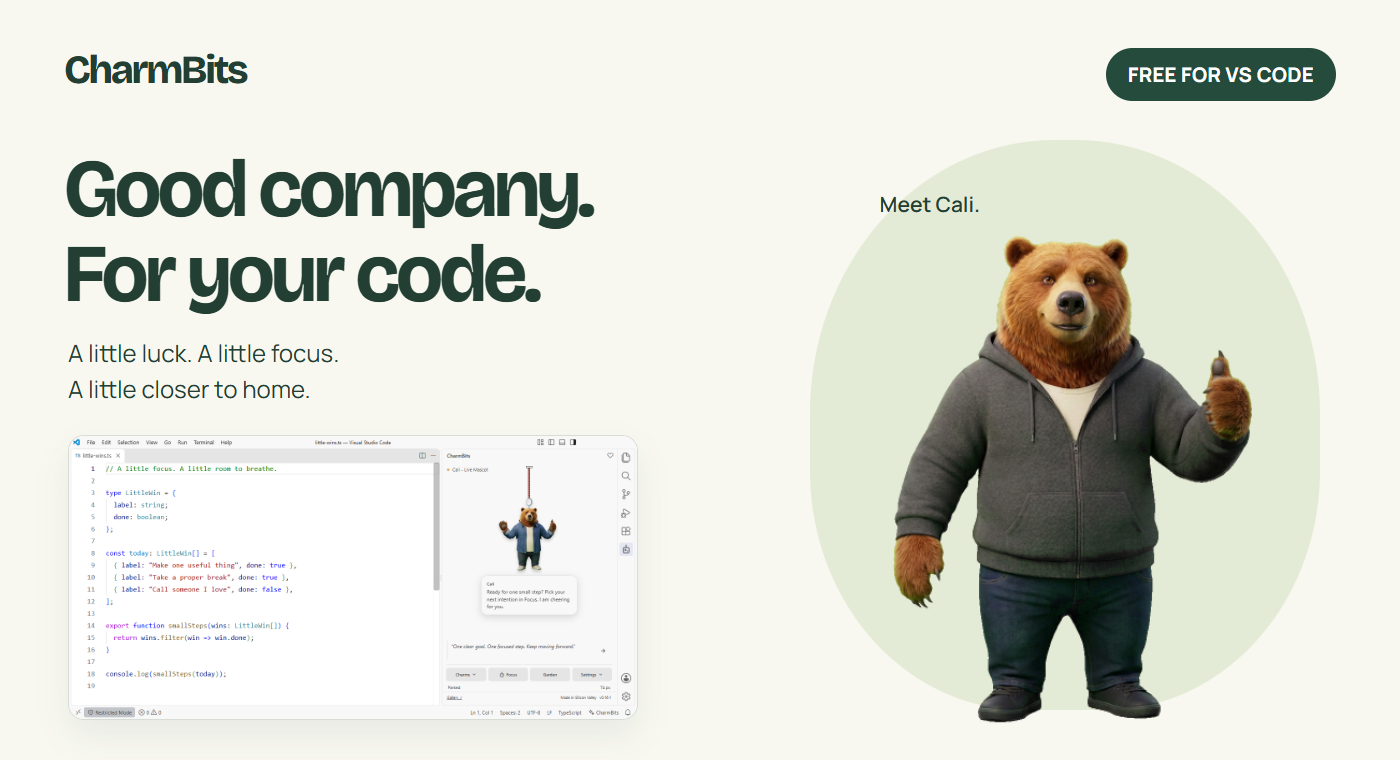
Meet Cali, the friendly bear companion beside your code. CharmBits is free for VS Code.

  1. Click Install above.
  2. Open the Command Palette with Ctrl+Shift+P or ⌘+Shift+P and run CharmBits: Show Charm.
  3. Open Charms to choose a favourite. Use Settings → Photo charms to add your own keepsake.

Desktop Pro is a separate paid edition. Windows and macOS are in beta; Linux is planned. Desktop plans and availability.

Features

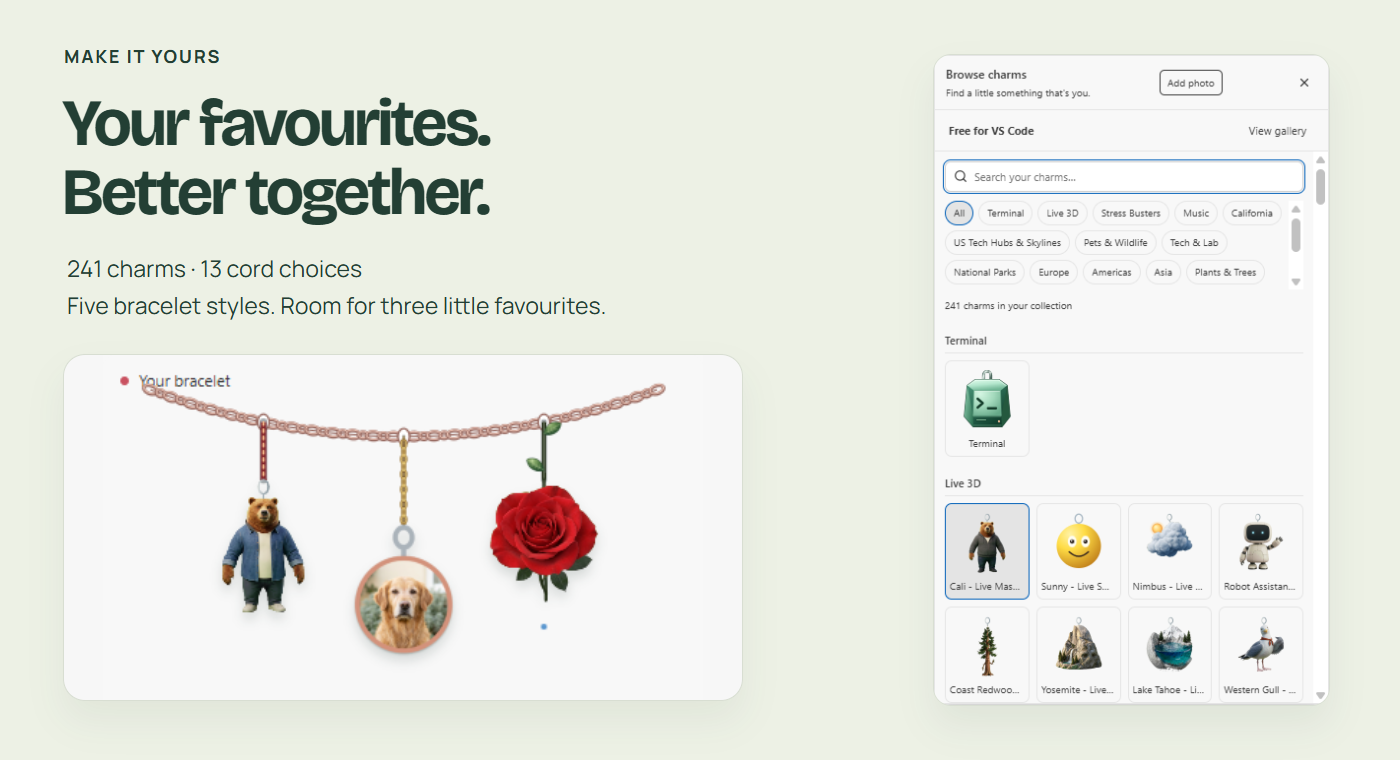
Make it yours. Live companions, pets, places and little lucky things, with 13 cord choices and five bracelet styles.

The real charm picker and a three-charm bracelet with Cali, a dog locket and a rose.

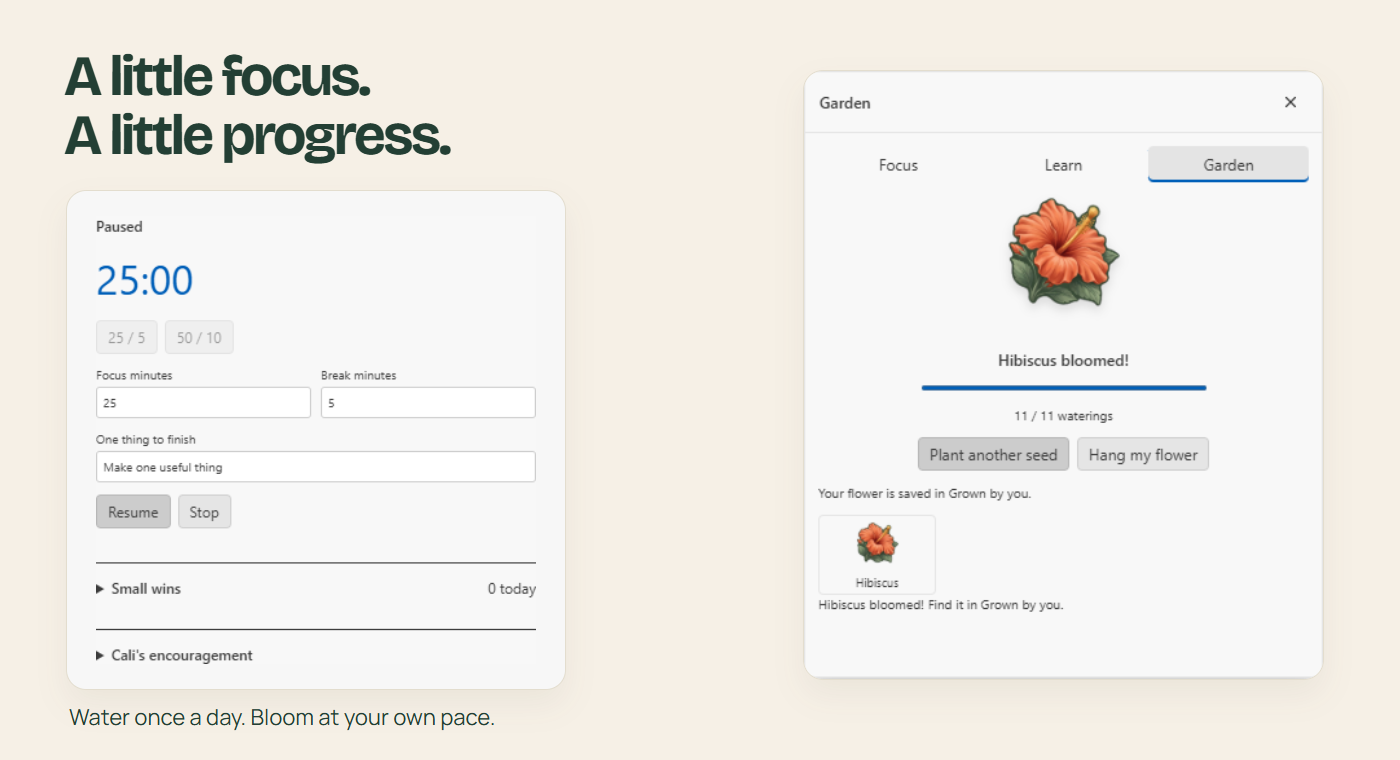
Find your rhythm. Focus sessions, small wins and a garden that grows one watering at a time.

A hibiscus blooms in the CharmBits garden after eleven daily waterings, ready to hang as a charm.

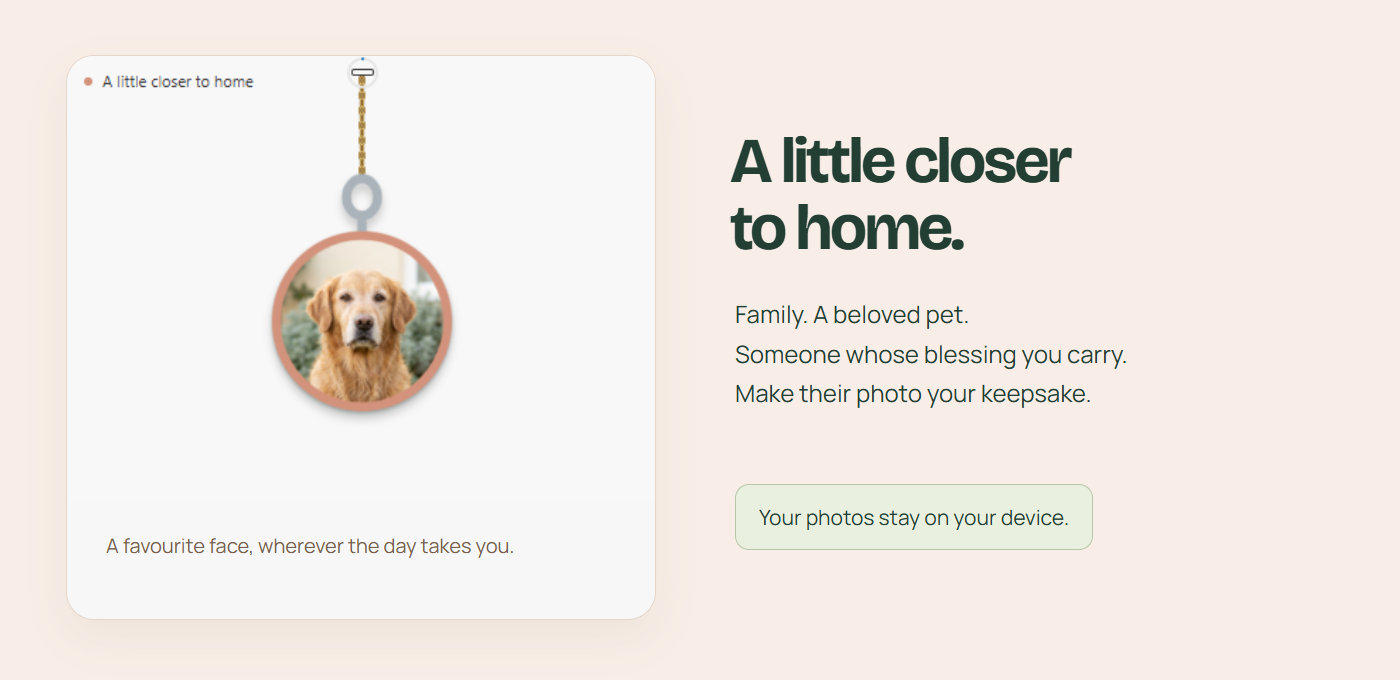
Keep someone close. Turn a favourite photo into a locket. Your photos stay on your device.

A golden retriever portrait in a personal locket, created with the app's local photo controls.

Gentle pet reactions, quiet puzzles, keyboard controls and Reduced Motion help you take a break at your own pace.

Terms and conditions

Free editor use includes personal, educational and internal business use. Software and artwork have separate licences; redistribution and resale need permission. Your photos remain yours, and you need permission for images you import or share.

Software licence · Artwork terms · Terms · Privacy · Support

  • Contact us
  • Jobs
  • Privacy
  • Manage cookies
  • Terms of use
  • Trademarks
  • Your Privacy Choices
  • Consumer Health Privacy
© 2026 Microsoft