MCAP Explorer
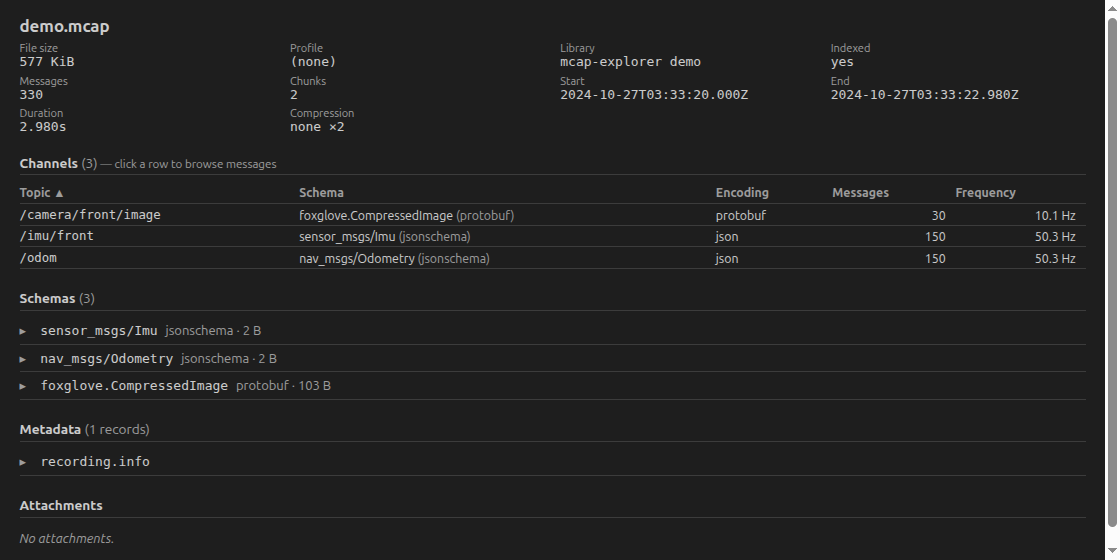
Explore MCAP robotics log files directly in VS Code: open a .mcap file and instantly see its topics, schemas, statistics, metadata records and attachments — even for multi-GB files, local or over Remote SSH.
Status: summary explorer + message browsing + image/video preview + time-series plots.
Demo
Instant summary of a recording
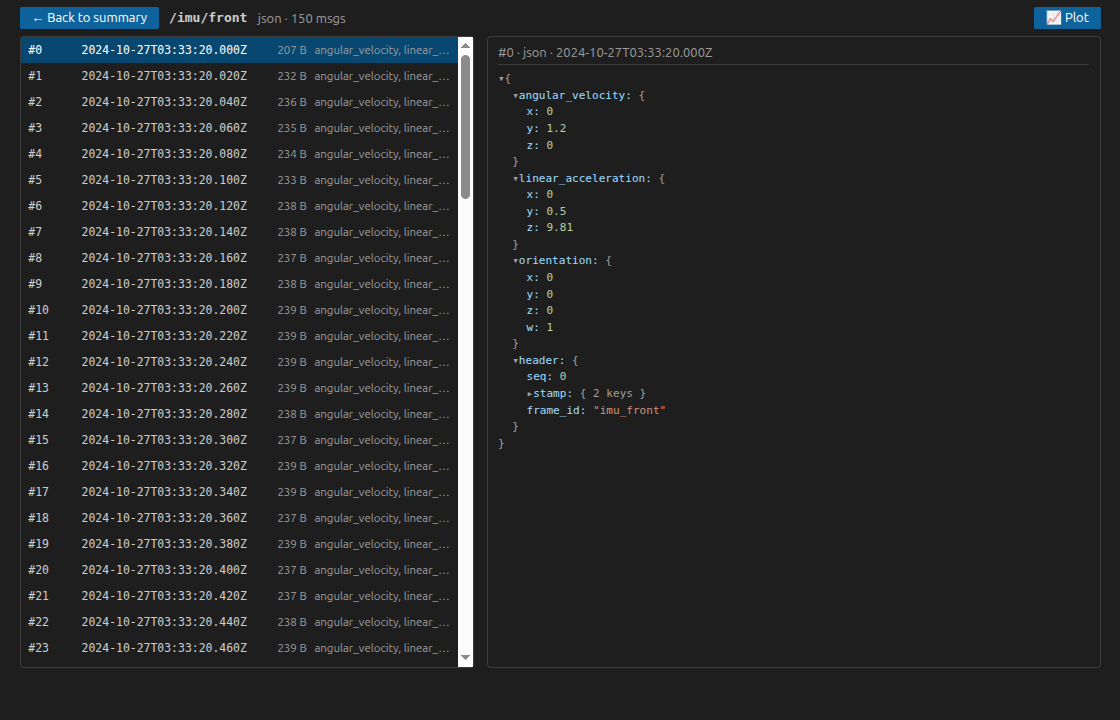
Browse and decode messages (JSON / Protobuf / ROS 1 / ROS 2)
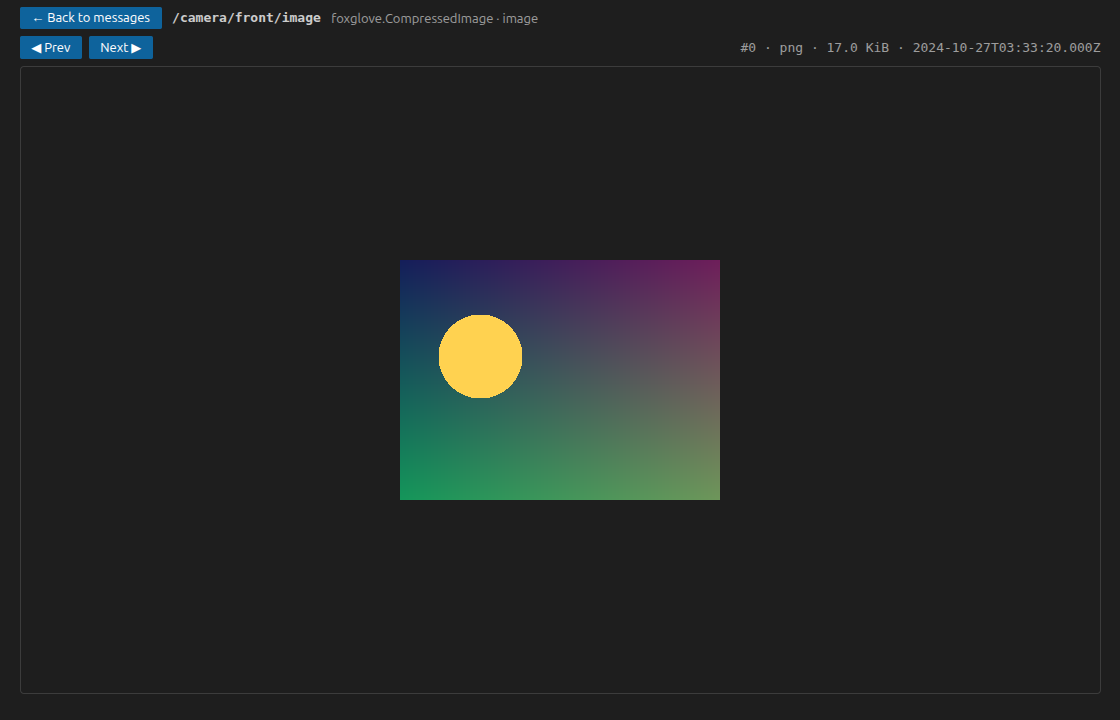
Preview image and video frames
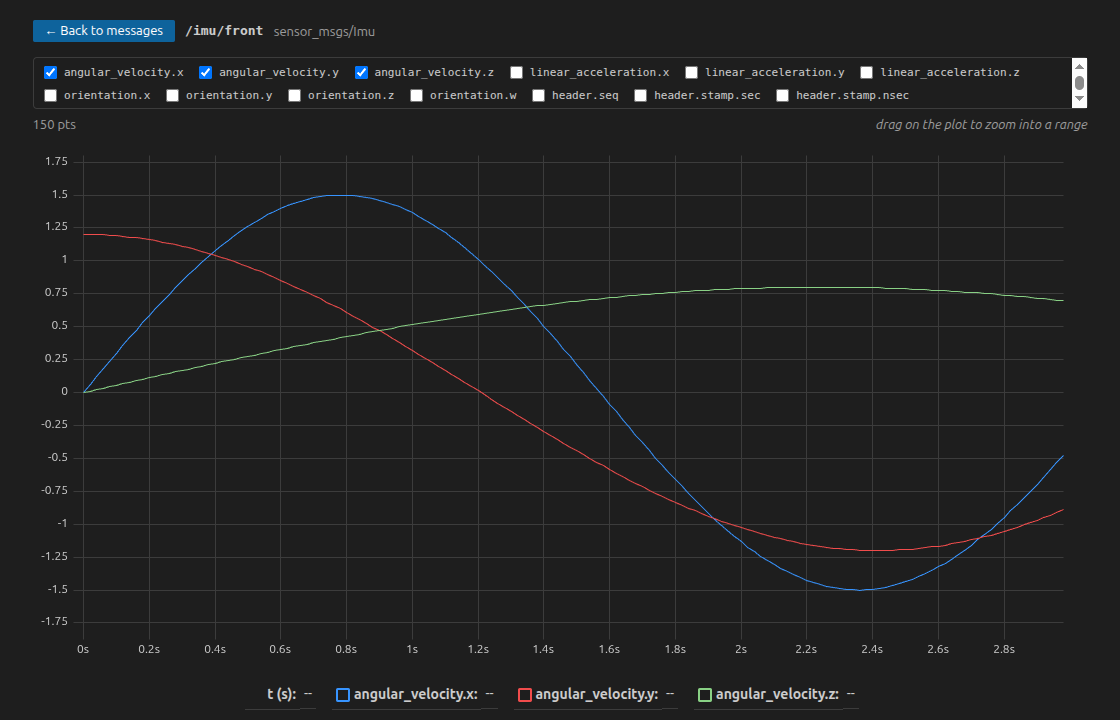
Plot numeric fields over time
Features
- Instant summary — opens the index (footer + summary section) only, never scanning message data. A 2.7 GB production recording opens in ~20 ms reading ~400 KiB.
- Channels table — topic, schema, encoding, message count, average frequency; sortable.
- Schemas — lazy-loaded schema source (text schemas rendered as-is, binary schemas as a hex dump).
- Metadata records — browse key/value metadata by name.
- Attachments — list and save to disk (streamed in 4 MB windows, never held in memory).
- Unindexed files — graceful fallback with an explicit, cancellable full scan with progress; truncated files (e.g. still being recorded) are handled without crashing.
MCAP: Show Info — right-click a .mcap file in the explorer for a plain-text summary in the output channel.- Message browsing — click a channel to page through its messages in a virtualized list and inspect each one as a collapsible JSON tree, decoded from JSON, Protobuf, ROS 1 or ROS 2 (CDR). Binary fields are shown as bytes previews (length + hex), never shipped whole to the UI.
- Image & video preview — preview image and video channels directly. Images (
CompressedImage JPEG/PNG, RawImage rgb8/bgr8/mono8) render everywhere. Video (CompressedVideo: H.264/H.265/VP9/AV1) decodes via WebCodecs with keyframe-aligned seeking, play/pause/step and a time scrub. Only the frames you preview cross to the UI (on demand, as base64) — never bulk video. Where the host can't decode a codec in hardware (notably HEVC on headless/NVIDIA Linux), the preview degrades with a clear message and a frame-download fallback.
- Time-series plots — click 📈 Plot on a channel to chart its numeric fields over time (uPlot). Fields are auto-discovered from a sample message; drag across the plot to zoom into a range for finer detail. Sampling is downsampled server-side (one decode per time bucket) and the bytes decompressed per query are bounded, so plotting a multi-GB recording stays responsive.
Large files & Remote SSH
MCAP Explorer runs entirely on the machine where the file lives (extensionKind: workspace). Over Remote SSH only compact, JSON-safe summaries cross the wire — raw file bytes never do. Opening a huge recording on a training server is as fast as opening it locally.
Safety rails:
- Summary, schema, metadata and attachment reads are always index-based random access.
- Chunks that would inflate beyond
mcapExplorer.maxChunkUncompressedSize (default 256 MB) are refused rather than risking OOM.
- Full scans of unindexed files above
mcapExplorer.unindexedScanConfirmSize require explicit confirmation, report progress, and can be cancelled.
Install
- Marketplace / Open VSX: search for MCAP Explorer (
gagalo123.mcap-explorer).
- Build a
.vsix from source: npm ci && npm run vsix → produces mcap-explorer.vsix; install it via Extensions: Install from VSIX… (or code --install-extension mcap-explorer.vsix).
- One-step local install (requires the
code CLI on PATH): npm run install-local builds the vsix and installs it into VS Code.
Roadmap
| Phase |
Scope |
Status |
| 1 |
Summary explorer (topics/schemas/stats/metadata/attachments) |
✅ |
| 2 |
Message browsing with decoders (json, protobuf, ros1/ros2, cdr) |
✅ |
| 3 |
Image / video frame preview (WebCodecs) + basic playback |
✅ |
| 4 |
Time-series plots for numeric topics |
✅ |
| 3.5 |
WASM software HEVC decode for headless/NVIDIA Linux |
deferred — no single-threaded HEVC WASM decoder runs in a VS Code webview (no SharedArrayBuffer) |
Contributing
npm ci          # install
npm run watch   # rebuild on change (launch with F5 in VS Code)
npm test        # unit tests (vitest, in-memory MCAP fixtures)
npm run smoke -- /path/to/file.mcap   # acceptance metrics against a real file
The core reader (src/extension/readerService.ts) has no dependency on the VS Code API and is fully covered by unit tests against generated fixtures — including unindexed, truncated, zstd-compressed and oversized-chunk files.
License
MIT

