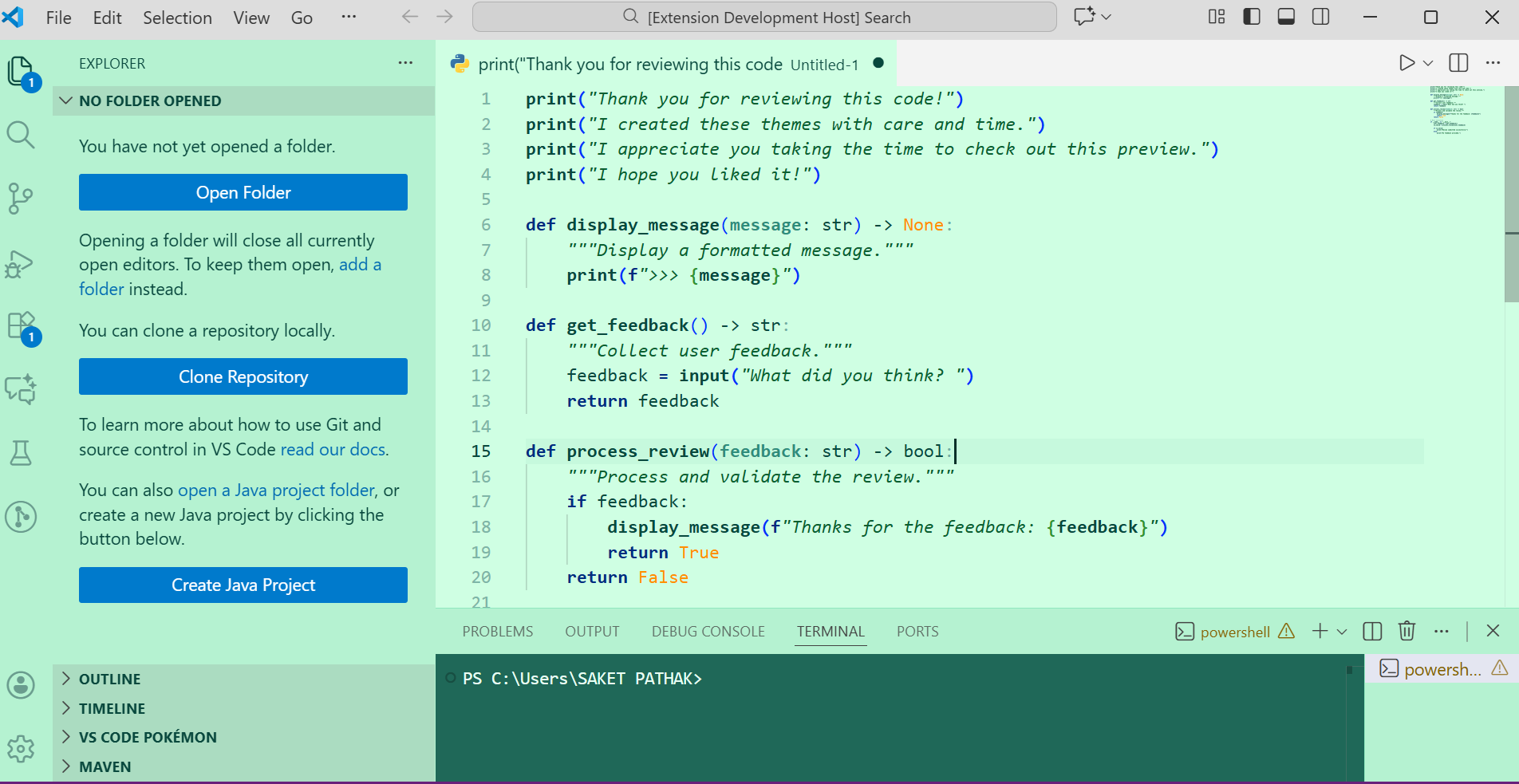
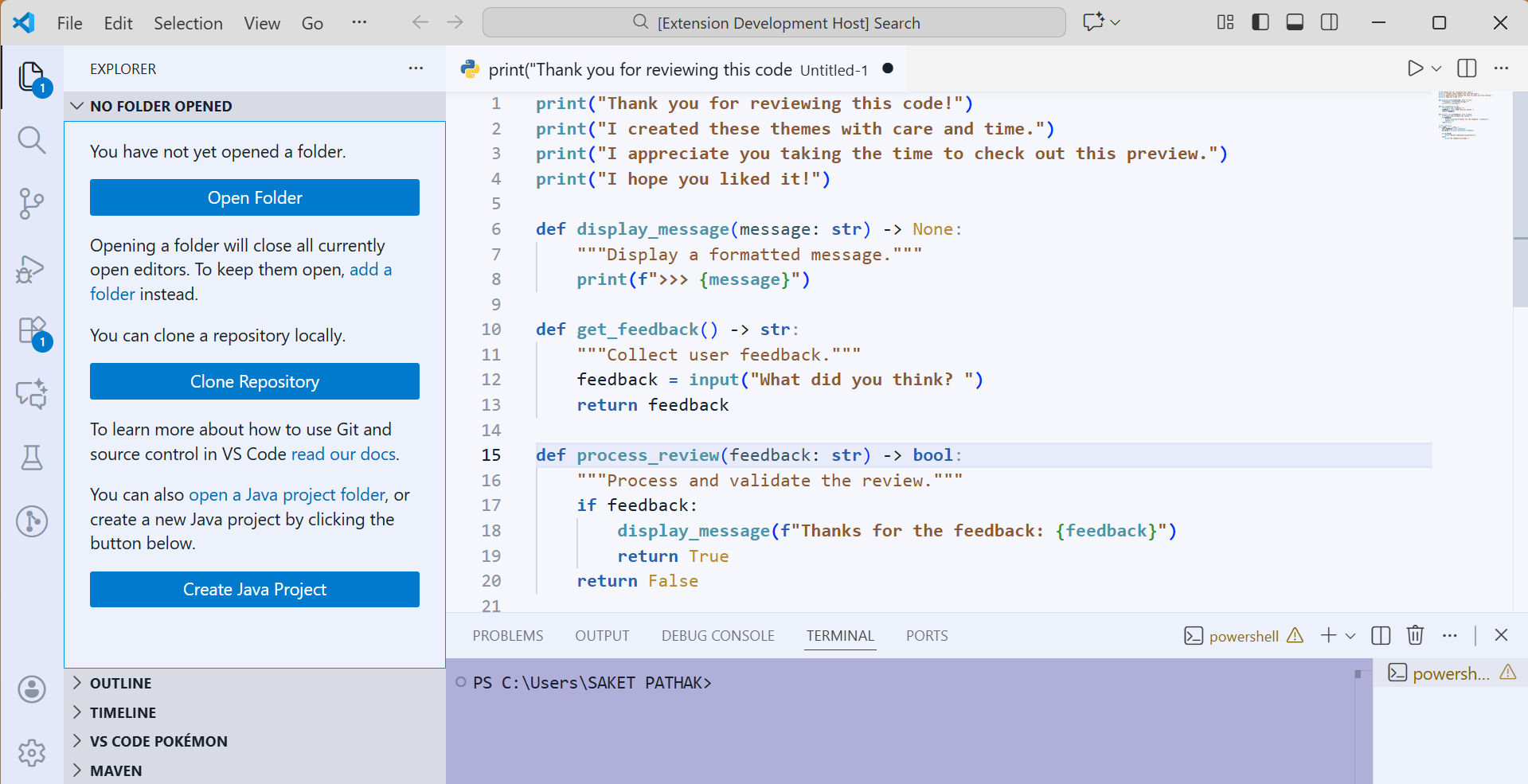
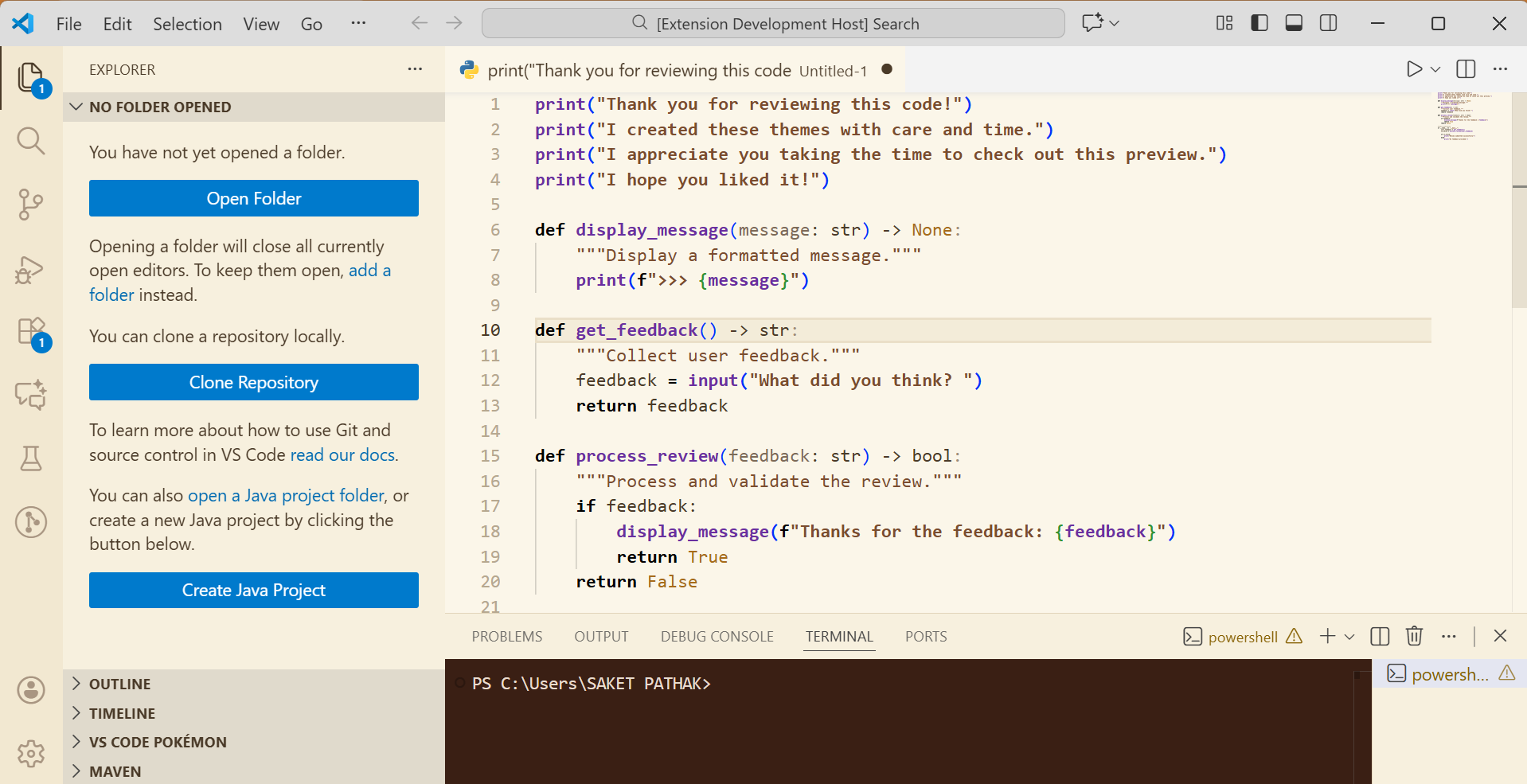
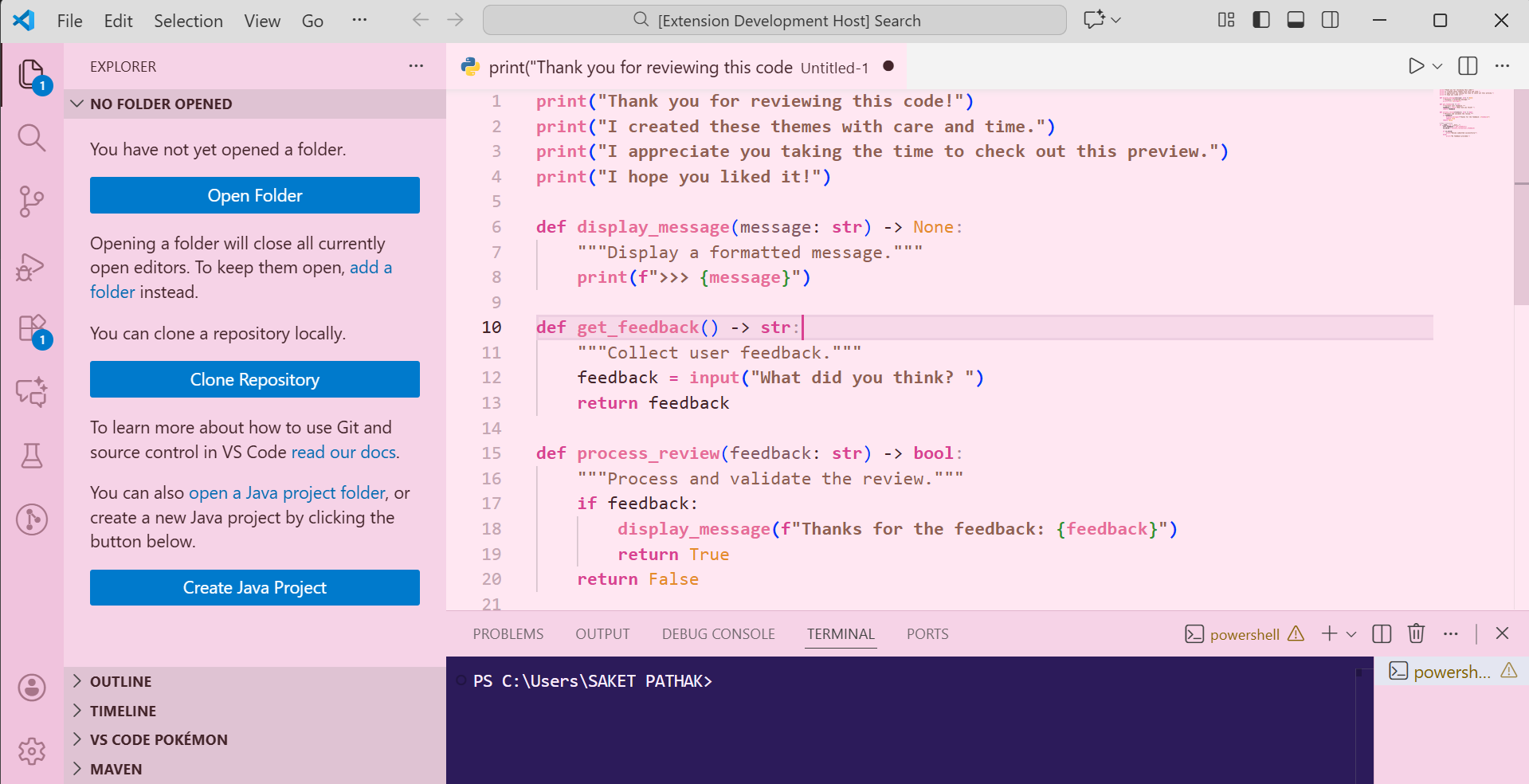
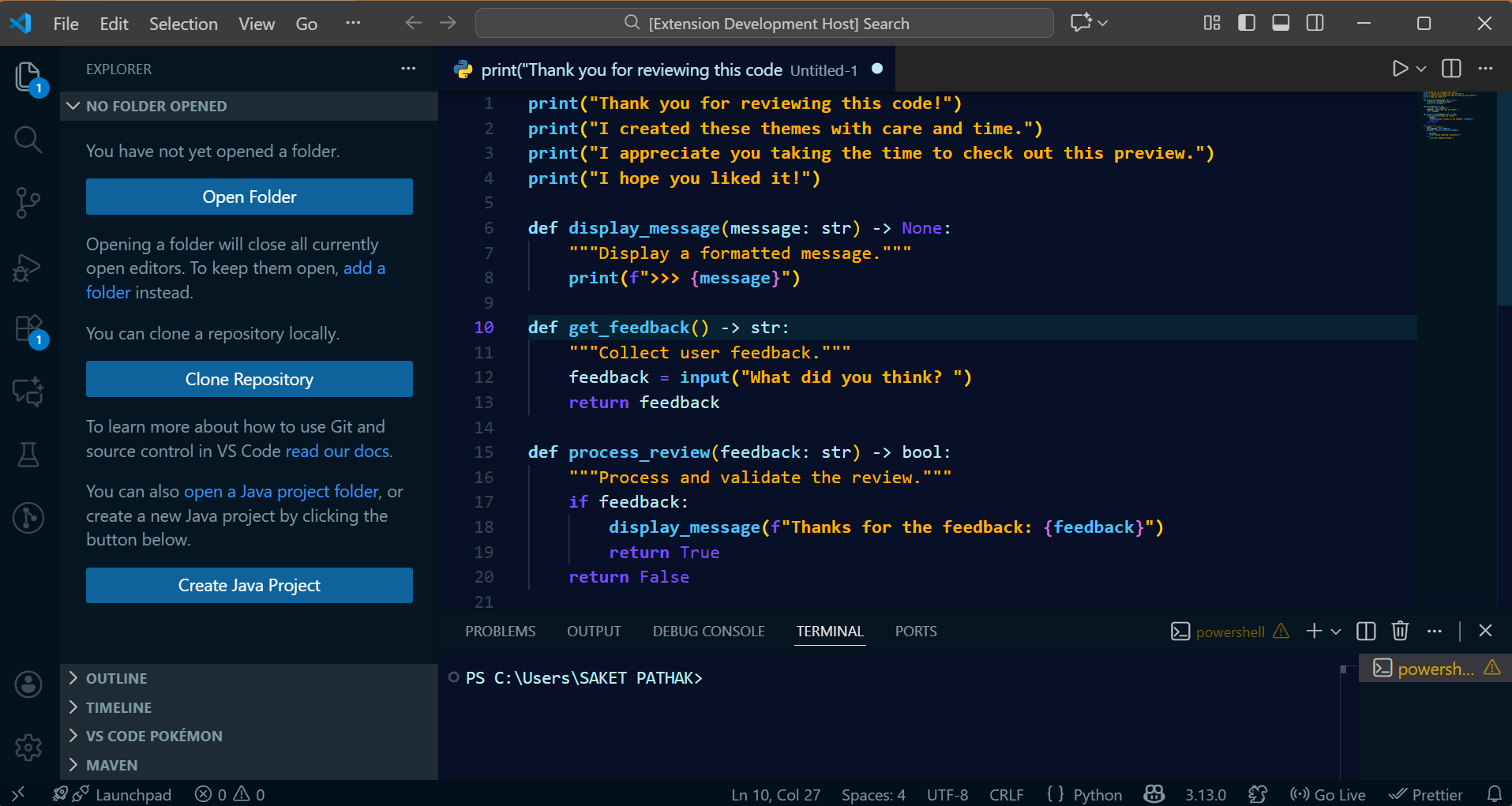
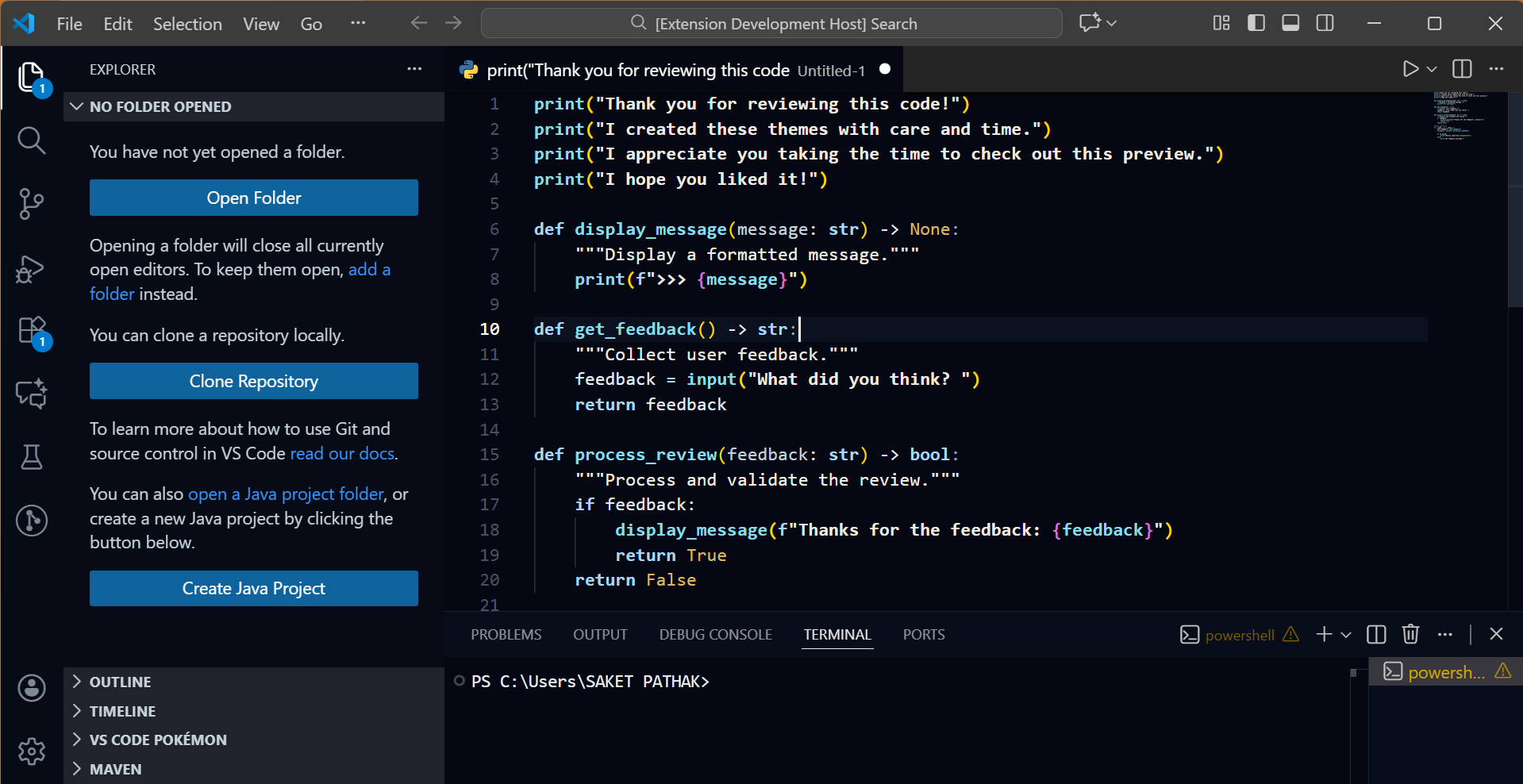
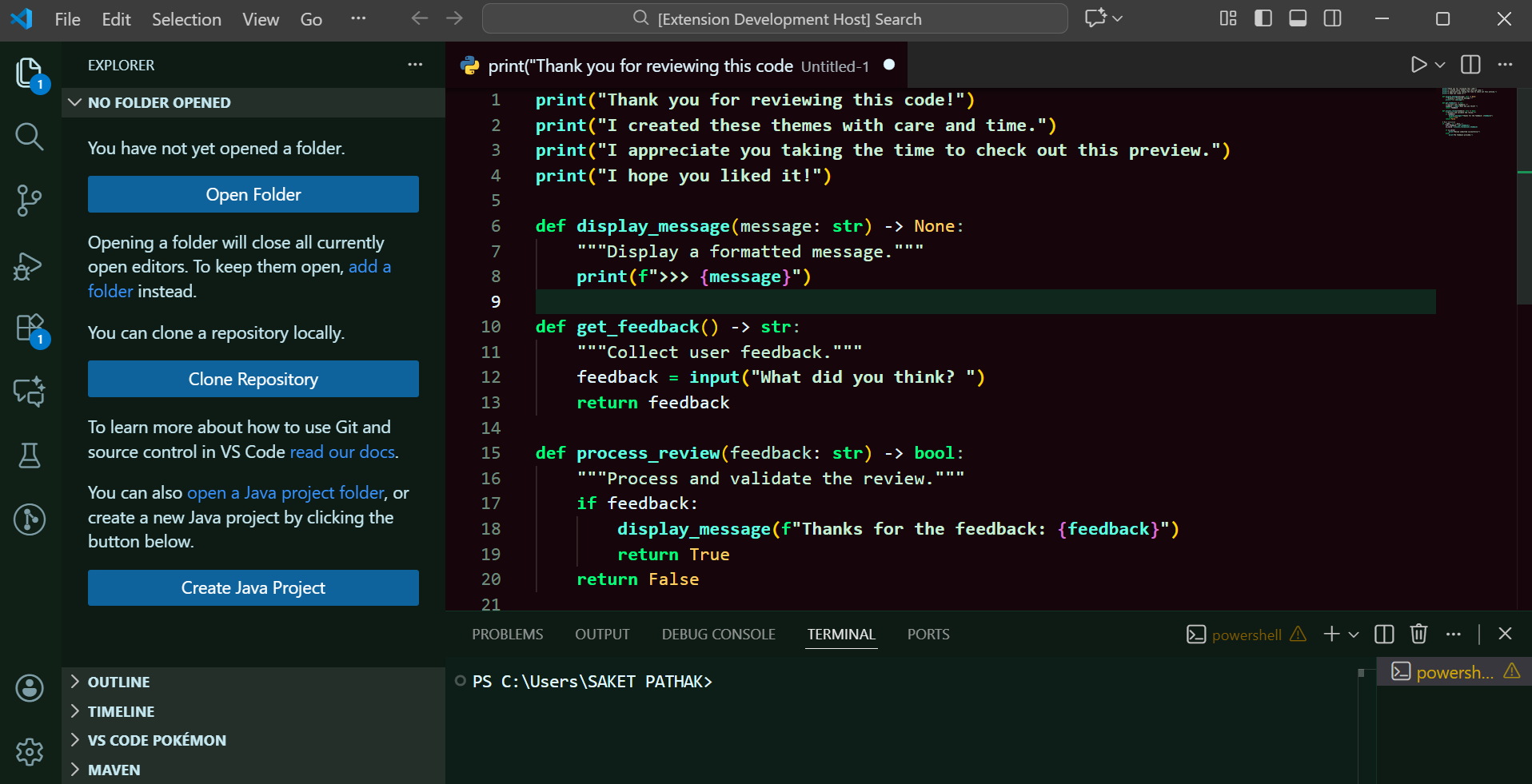
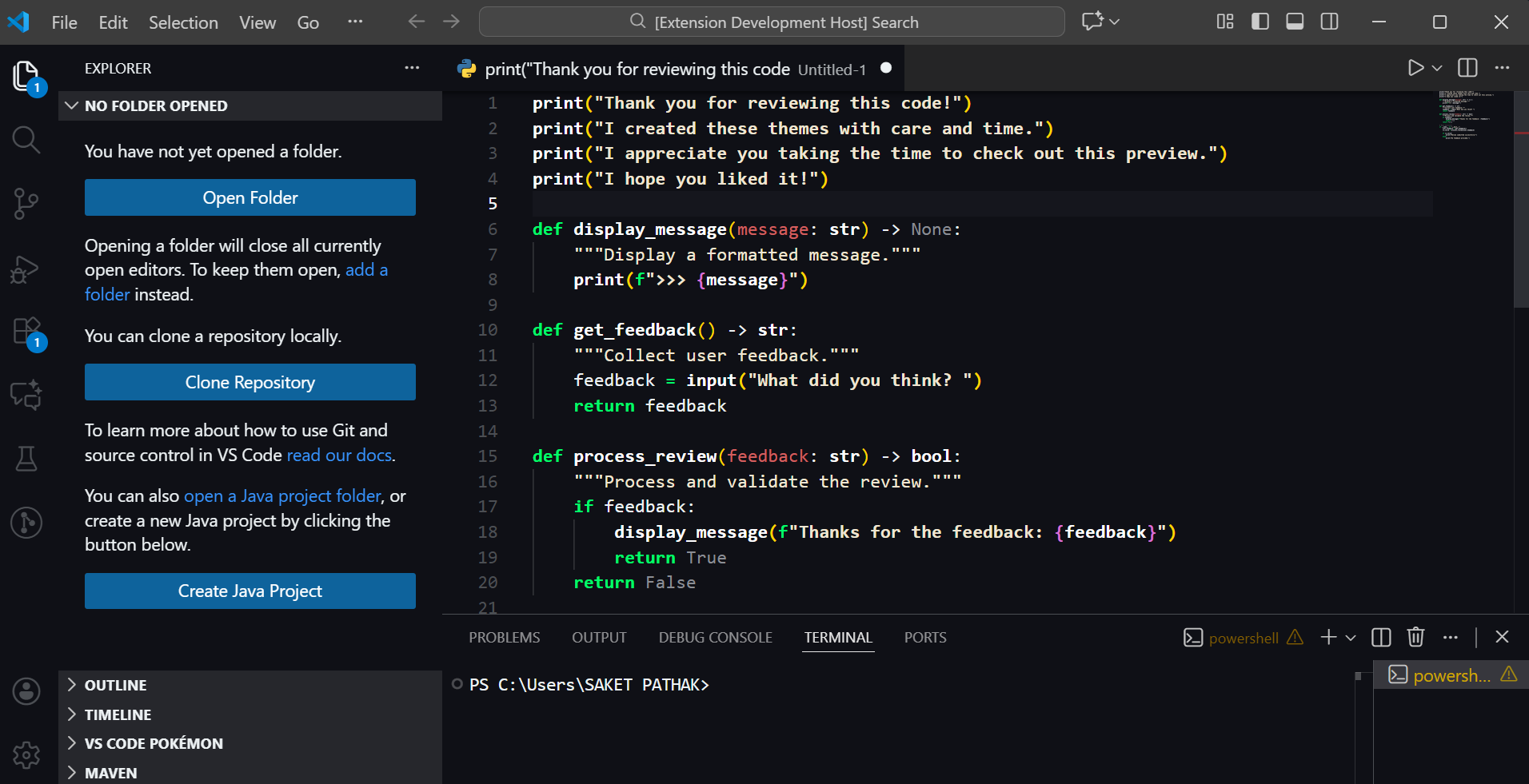
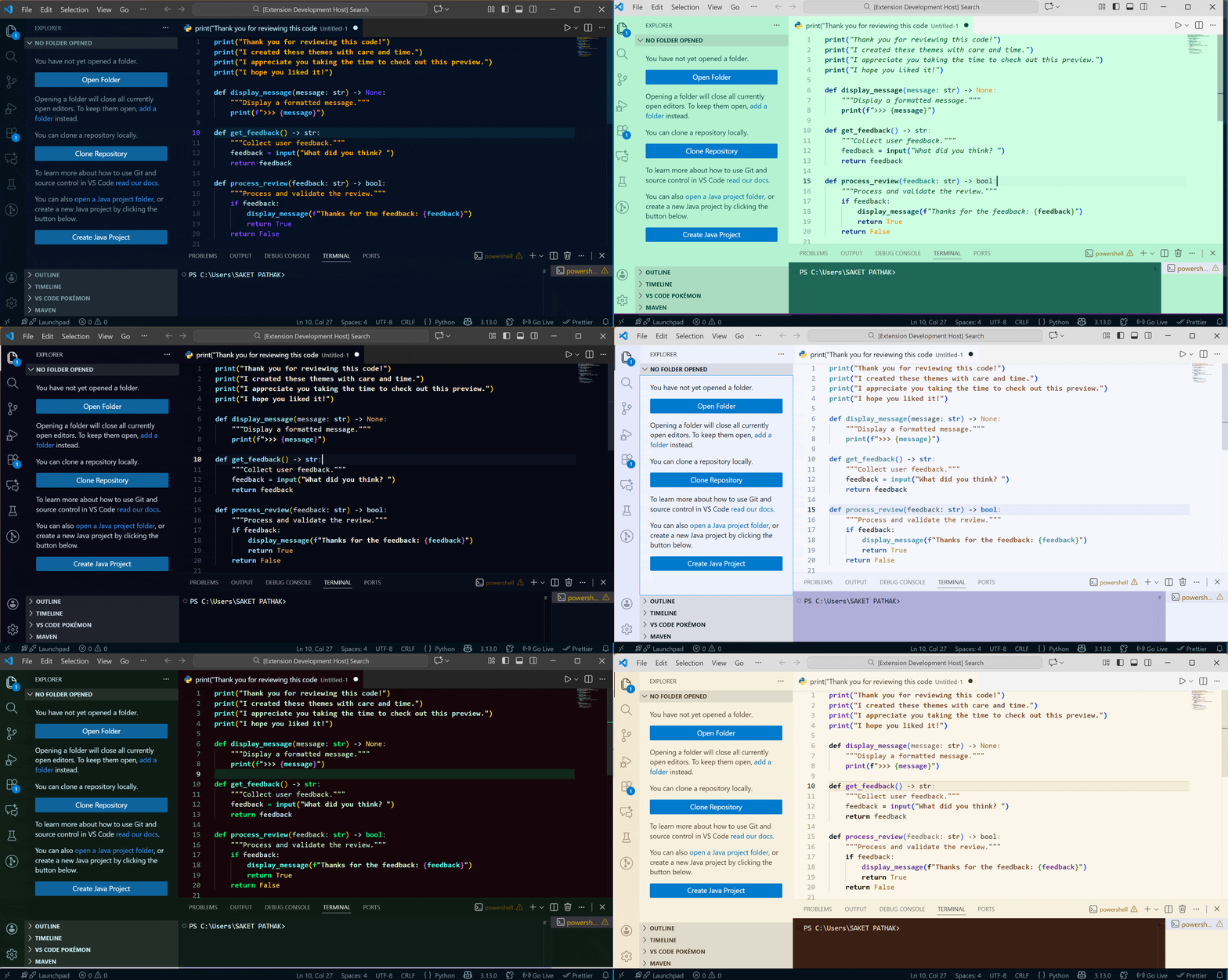
A handcrafted 8-theme VS Code collection designed for developers who value elegance, focus, calmness, and visual flow.
With soft, readable light modes and deep, immersive dark modes, this pack enhances both comfort and concentration during long coding sessions.
🏷 Extension Information
Property
Value
Publisher
FunInnate
Developer
Saket Pathak
Themes Included
8 total
Modes
Light + Dark
License
MIT
Category
Themes
Versioning
Semantic Versioning (SemVer)
🎨 Included Themes
☀️ Light Themes
Theme
Mood
Description
Serene Mint
Refreshing
Calm pastel mint with fresh readability
Sattva
Peaceful
Minimal and balance-focused with pure clarity
Matte Saffron
Warm
Earth-tone amber for relaxed visual focus
Lotus Blush
Gentle
Soft rose-tinted palette for creative thinking
🌙 Dark Themes
Theme
Mood
Description
Azuryn
Deep
Oceanic blue glow with cool cyber highlights
Blue Ominence
Futuristic
Midnight dream-blue ambiance
Emerald Eclipse
Vivid
Green-neon contrast for visual precision
Verdant Onyx
Nature-dark
Woodland noir look with natural depth
🔠 Recommended Fonts & Pairing
Theme
Best Match Font
Alternate Choices
Ideal Feel
Serene Mint
Fira Code
IBM Plex Mono
Clean & refreshing
Sattva
Iosevka
Recursive
Minimal & mindful
Matte Saffron
Cascadia Code
Source Code Pro
Warm & focused
Lotus Blush
JetBrains Mono
Operator Mono
Creative & elegant
Azuryn
Monaspace Neon
Space Mono
Digital / aquatic
Blue Ominence
Hack
Fantasque Sans Mono
Late-night deep work
Emerald Eclipse
JetBrains Mono
Victor Mono
Sharp neon clarity
Verdant Onyx
Monaspace Argon
Ubuntu Mono
Natural long sessions
Enable "editor.fontLigatures": true for supported fonts.
📸 Theme Preview Gallery
☀️ Light Mode
Serene Mint
Sattva
Matte Saffron
Lotus Blush
🌙 Dark Mode
Azuryn
Blue Ominence
Emerald Eclipse
Verdant Onyx
🎞 Animated Theme Carousel
Fast visual demonstration of all variants
🌙 Dark Mode
Azuryn
Blue Ominence
Emerald Eclipse
Verdant Onyx
🎞 Animated Theme Carousel
Fast visual demonstration of all variants
🚀 Installation
1️⃣ Open Extensions sidebar: Ctrl + Shift + X
2️⃣ Search Feels Kinda Elegant
3️⃣ Click Install
4️⃣ Change theme → Ctrl + K, then Ctrl + T
5️⃣ Pick your preferred variant & enjoy coding