
MATCHA CEREMONY
2026 Edition
Focus. Clean contrast. Only nature-inspired, neutral tones.
Neutral core
•
Precise, calm contrast
•
No gaudy colors
•
Accessible for hours of work
“Simply earthy. Simply focused. Code at peace.”
Nothing flashy. Nothing extra. Only true matcha vibes.
🌸 Screenshots Gallery
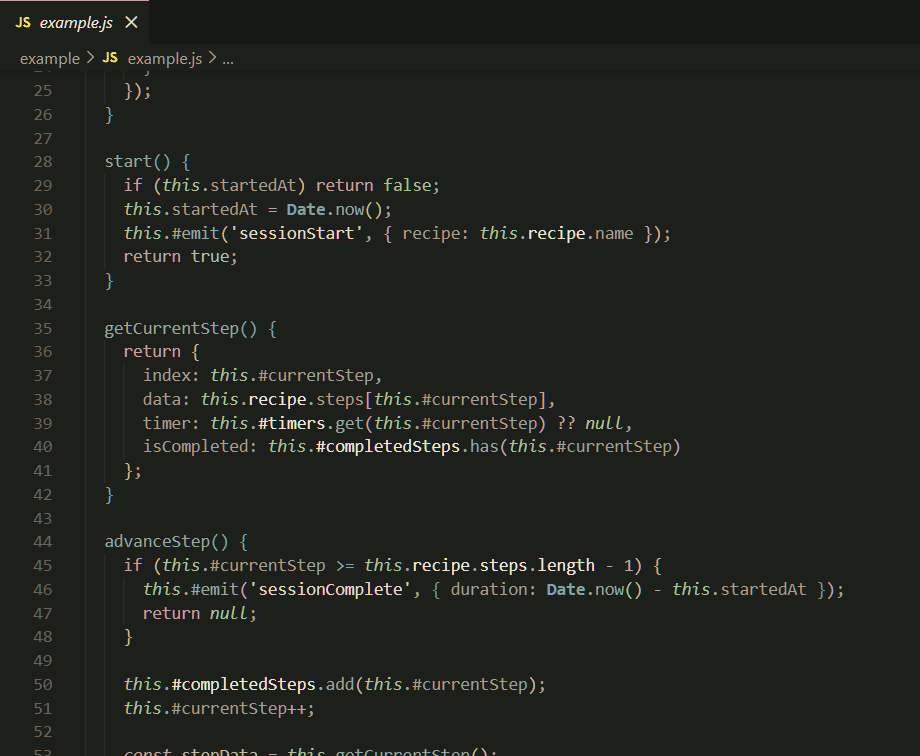
JavaScript
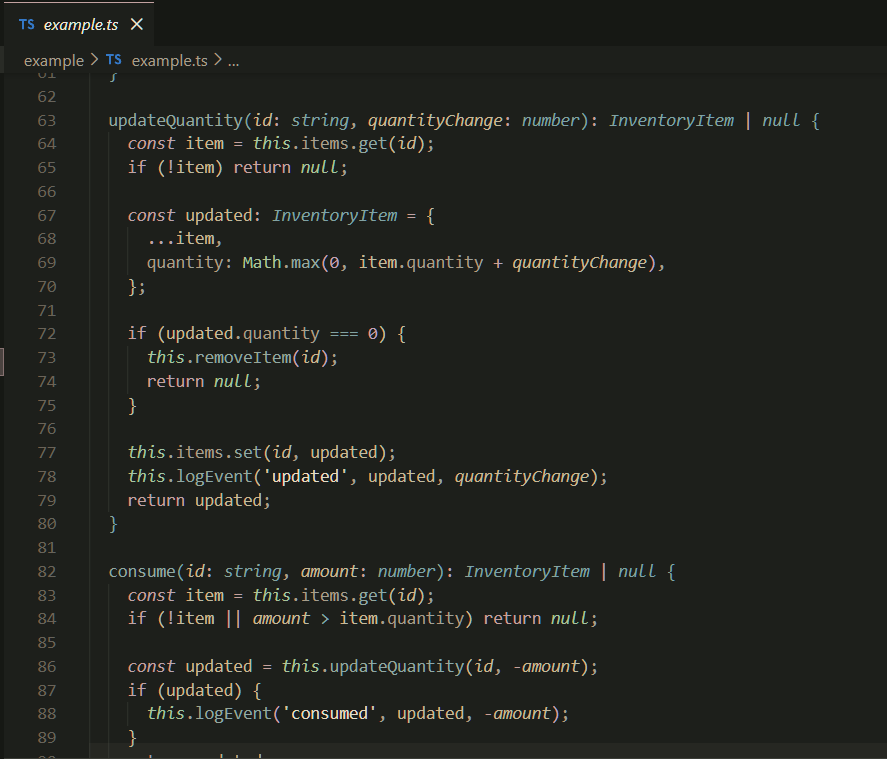
TypeScript
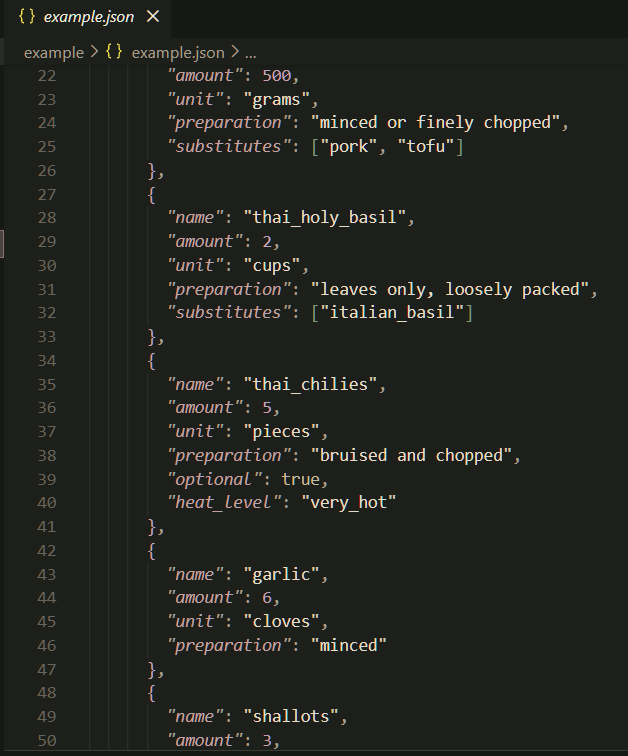
JSON
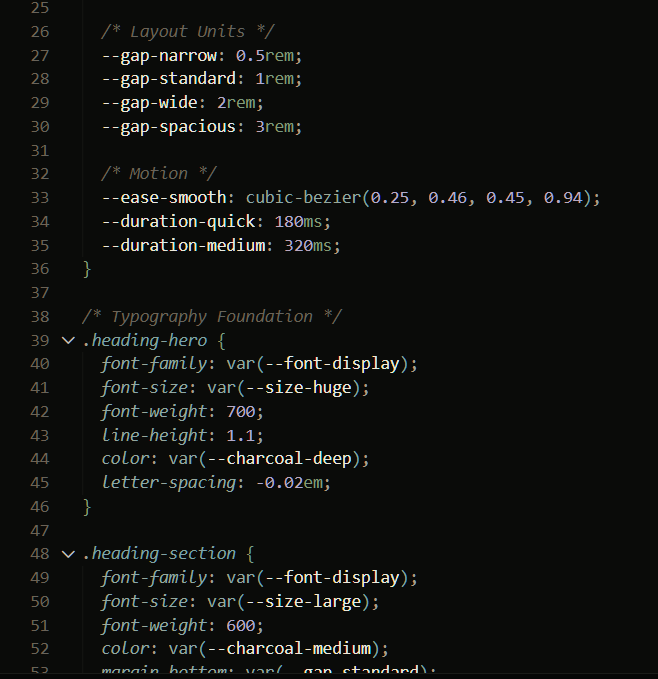
CSS
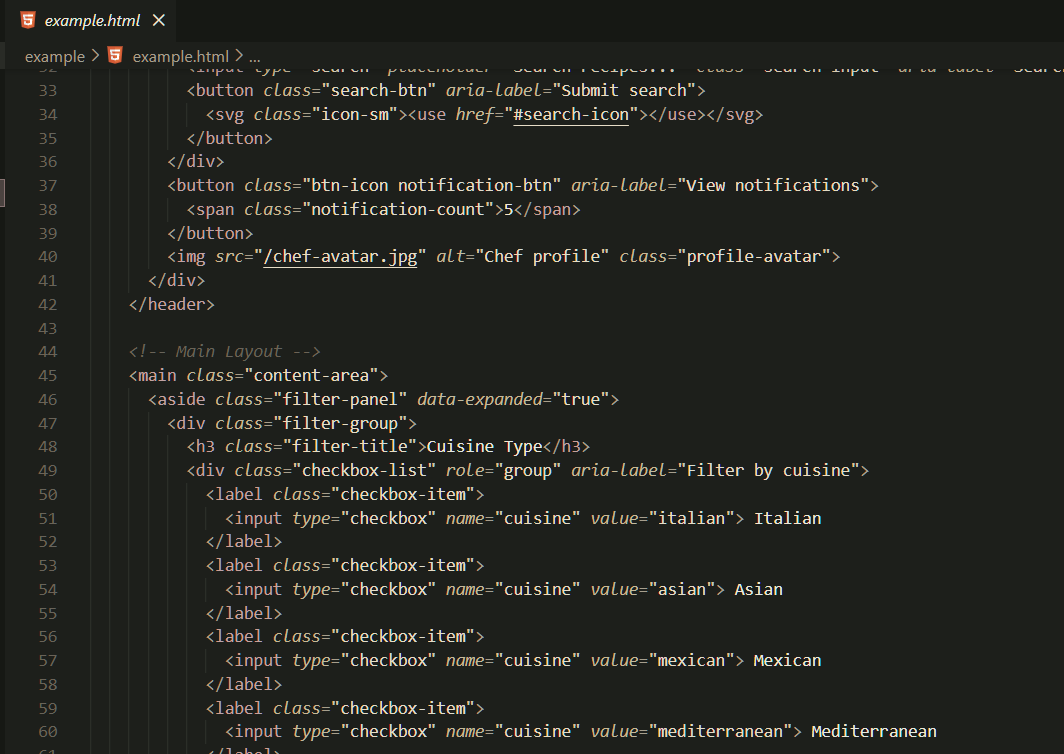
HTML Sakura
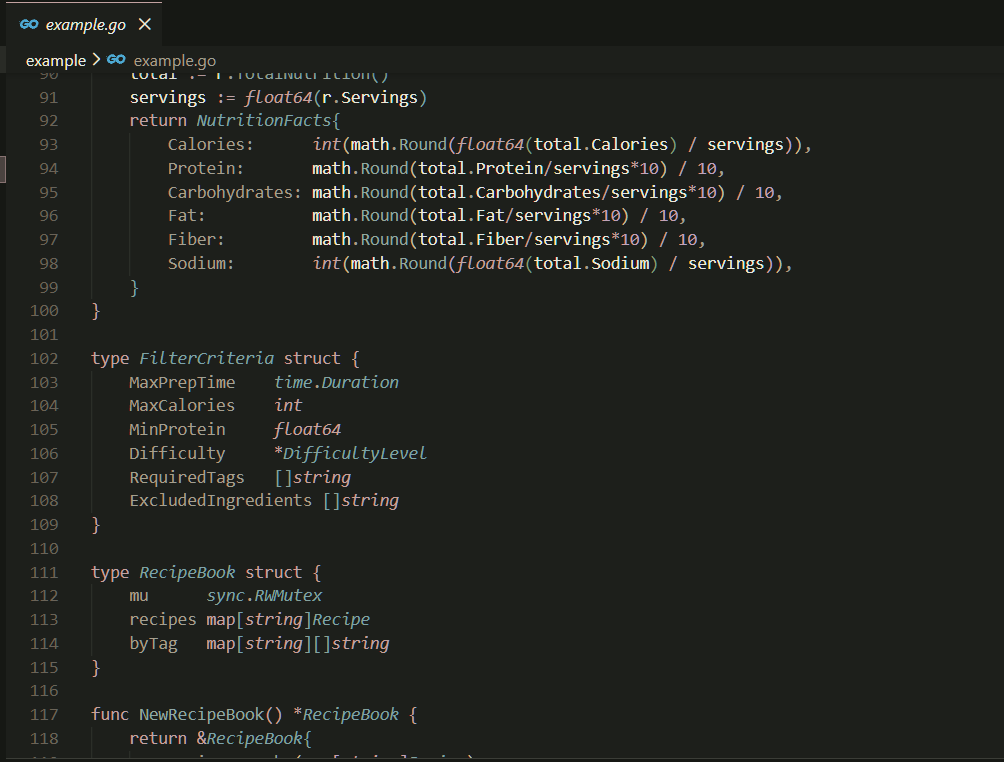
Go Sakura
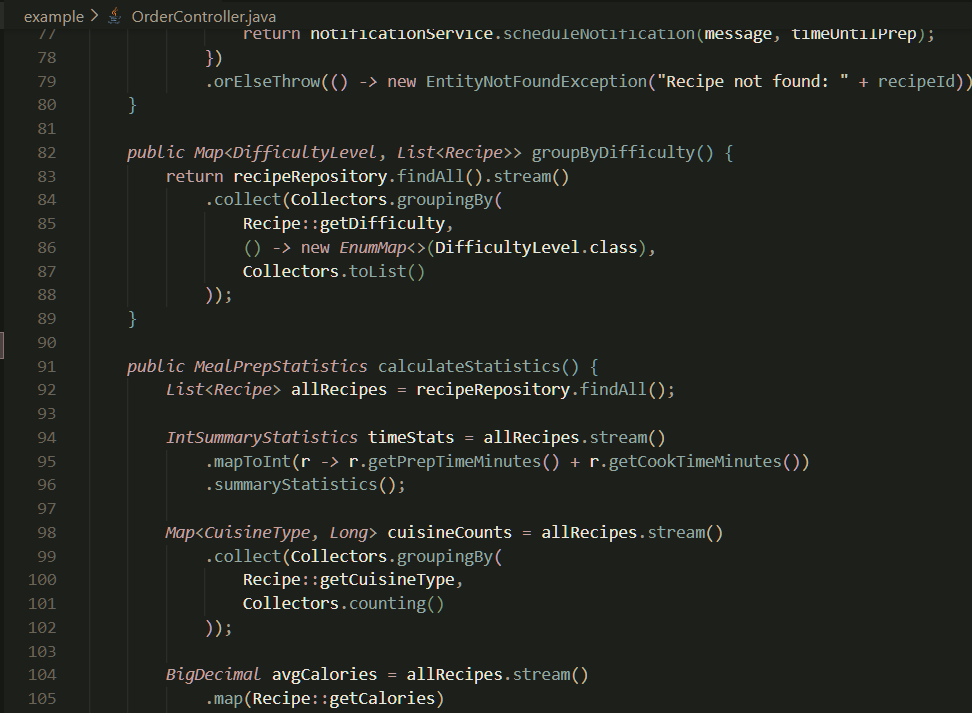
Java
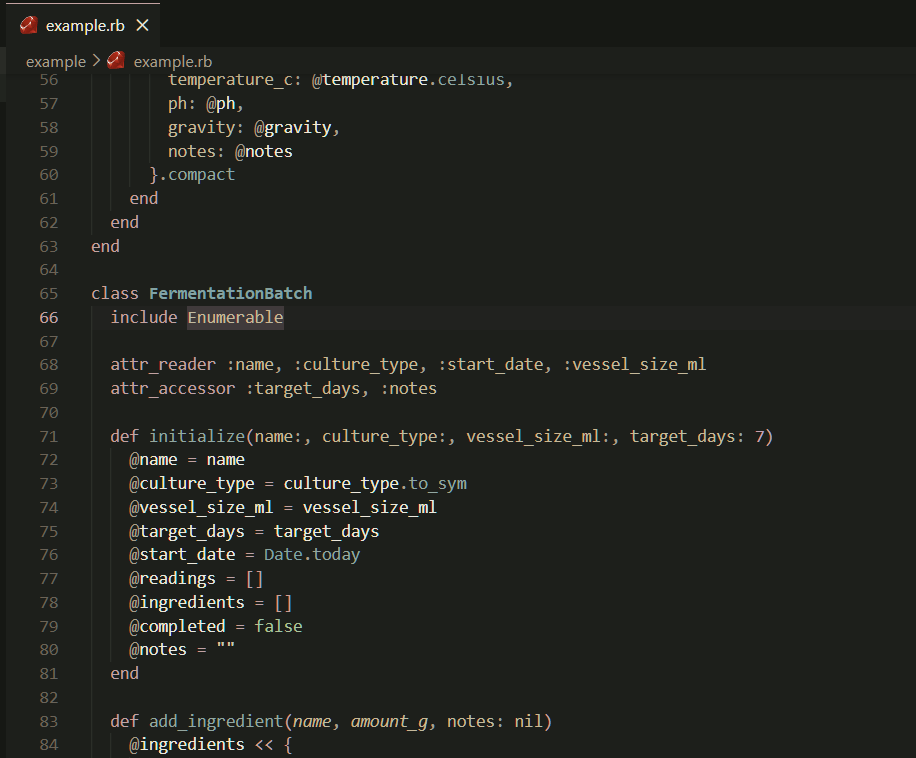
Ruby
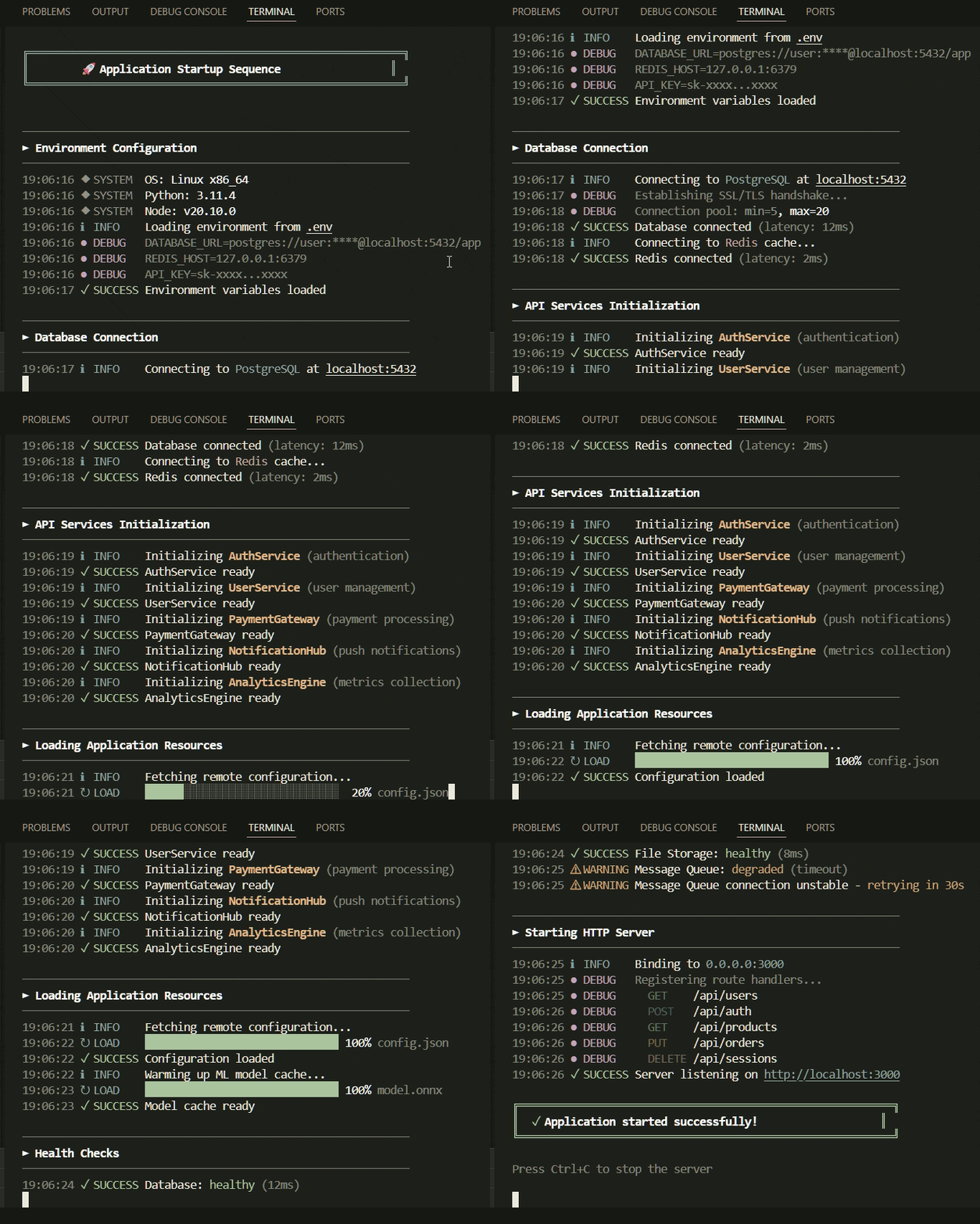
Log Colors
🍵 Description
Matcha Ceremony is a collection of 6 dark themes with earthy matcha greens and warm washi paper textures. Soft yet crisp accents on dark backgrounds create a unique atmosphere for productive work.
Inspired by Japanese tea ceremony aesthetics, wabi-sabi philosophy, and tatami rooms.
🎨 Theme Variants
| Theme |
Description |
| Matcha Ceremony |
Main theme — balanced and universal |
| Matcha Ceremony Dawn |
Morning — warmer and softer |
| Matcha Ceremony Dusk |
Evening — saturated and deep |
| Matcha Ceremony Midnight |
Night — deep and high contrast |
| Matcha Ceremony Zen |
Minimal — ultra-muted, low contrast |
| Matcha Ceremony Sakura |
Spring — with cherry blossom pink accents |
📦 Installation
From VS Code Marketplace
- Open VS Code
- Go to Extensions (
Ctrl+Shift+X)
- Search for
Matcha Ceremony
- Click Install
- Go to File → Preferences → Color Theme
- Select one of the Matcha Ceremony themes
Manual Installation
- Download or clone the repository
- Copy the
matcha-ceremony-theme folder to:
- Windows:
%USERPROFILE%\.vscode\extensions\
- macOS/Linux:
~/.vscode/extensions/
- Restart VS Code
- Select the theme in settings
🎭 Color Palette
Main Colors
| Color |
Hex |
Usage |
| 🍵 Matcha |
#7D9B76 |
Keywords, accents |
| 🎋 Young Bamboo |
#A4C49B |
Booleans, success |
| 📜 Rice Paper |
#E8DCC4 |
Strings |
| 💜 Wisteria |
#B8A9C9 |
Numbers, decorators |
| 🌊 Sea Foam |
#8FA8A0 |
Functions |
| 🏺 Celadon |
#7BA3A3 |
Types, classes |
| ✨ Kintsugi |
#C9B896 |
Constants, parameters |
Background Colors
| Theme |
Main Background |
Sidebar |
| Main |
#1D1F1B |
#161814 |
| Dawn |
#242721 |
#1D201A |
| Dusk |
#141613 |
#0F110E |
| Midnight |
#0A0B09 |
#060706 |
✨ Features
- ✅ Semantic highlighting — smart highlighting for variables, functions, and types
- ✅ Bracket colorization — 6 colors for nested brackets
- ✅ Git integration — colors for modified, deleted, and new files
- ✅ Full terminal support — 16 ANSI colors
- ✅ Eye comfort — comfortable contrast for long coding sessions
🖥️ Supported Languages
The theme is optimized for:
- JavaScript / TypeScript
- Python
- Rust
- Go
- HTML / CSS / SCSS
- JSON / YAML
- Markdown
- C / C++
- Java
- PHP
- Ruby
- And many more...
📸 Screenshots
🔧 Recommended Settings
{
    "editor.fontFamily": "'JetBrains Mono', 'Fira Code', Consolas, monospace",
    "editor.fontLigatures": true,
    "editor.fontSize": 14,
    "editor.lineHeight": 1.6,
    "editor.semanticHighlighting.enabled": true,
    "editor.bracketPairColorization.enabled": true
}
🤝 Contributing
Found an issue or have an improvement idea?
- Create an Issue with description
- Or submit a Pull Request
👤 Author & Publisher
fullstacklabXD
📄 License
MIT License — see LICENSE.txt file
Copyright (c) 2026 fullstacklabXD
💖 Acknowledgments
Inspired by Japanese tea ceremony aesthetics, wabi-sabi philosophy, and tatami rooms.
The color palette draws from:
- 🍵 Ceremonial matcha powder
- 🎋 Bamboo whisks and tea utensils
- 📜 Traditional washi paper
- 🌸 Cherry blossoms in spring
- 🏯 Tatami room interiors
Made with 🍵 and ❤️
"In tea ceremony, harmony (wa), respect (kei), purity (sei), and tranquility (jaku) guide every movement."

