
Nouto



Repository ·
Issues ·
Marketplace ·
Documentation
An open source API client for VS Code. Send HTTP, GraphQL, WebSocket, SSE, and gRPC requests, organize collections, chain responses, and test APIs without leaving your editor.
"Nouto" is Finnish for "pickup", from noutaa, "to fetch."
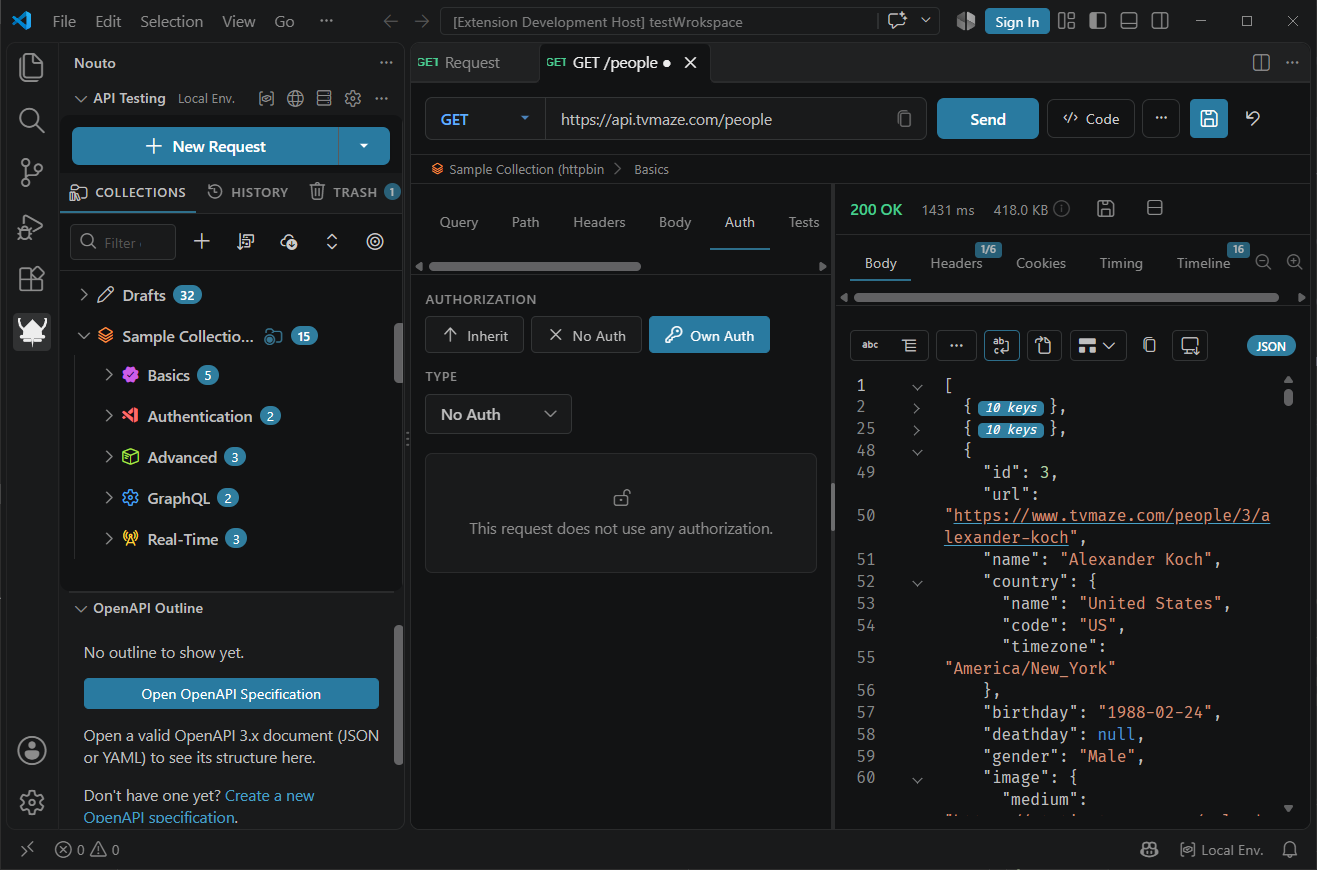
Get started
- Install Nouto: search for Nouto in the Extensions view, or run
code --install-extension frostybee-dev.nouto.
- Click the Nouto icon in the activity bar.
- Click New Request, then choose a collection to save it in, or No Collection (Quick Request).
- Enter a URL and click Send, or press
Ctrl+Enter (Cmd+Enter on macOS).
Features
HTTP requests
Send requests with any standard method or a custom one. Body types are JSON, Text, XML, Form Data, URL Encoded, Binary, and GraphQL. Header names autocomplete with descriptions, and typing {{ in the URL, params, headers, or the JSON, Text, and XML body editors lists your variables. Ctrl+Enter (Cmd+Enter on macOS) sends the request from anywhere in the request panel.
Authentication types are Basic, Bearer, API Key, OAuth 2.0 (Authorization Code with optional PKCE, Client Credentials, Implicit, and Password), AWS Signature v4, Digest, and NTLM. A request inside a collection inherits auth from its folders and collection unless it sets its own.
Collections
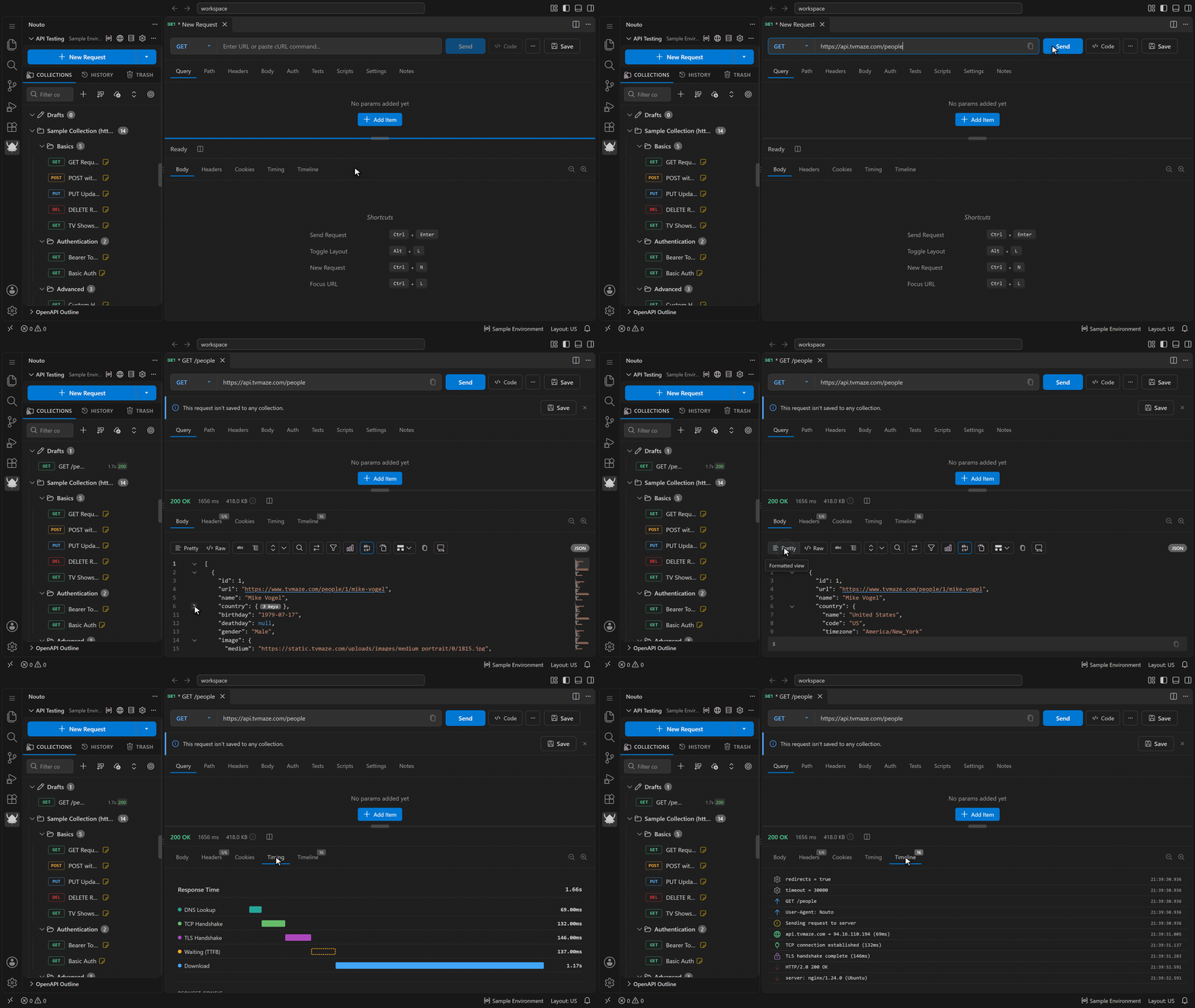
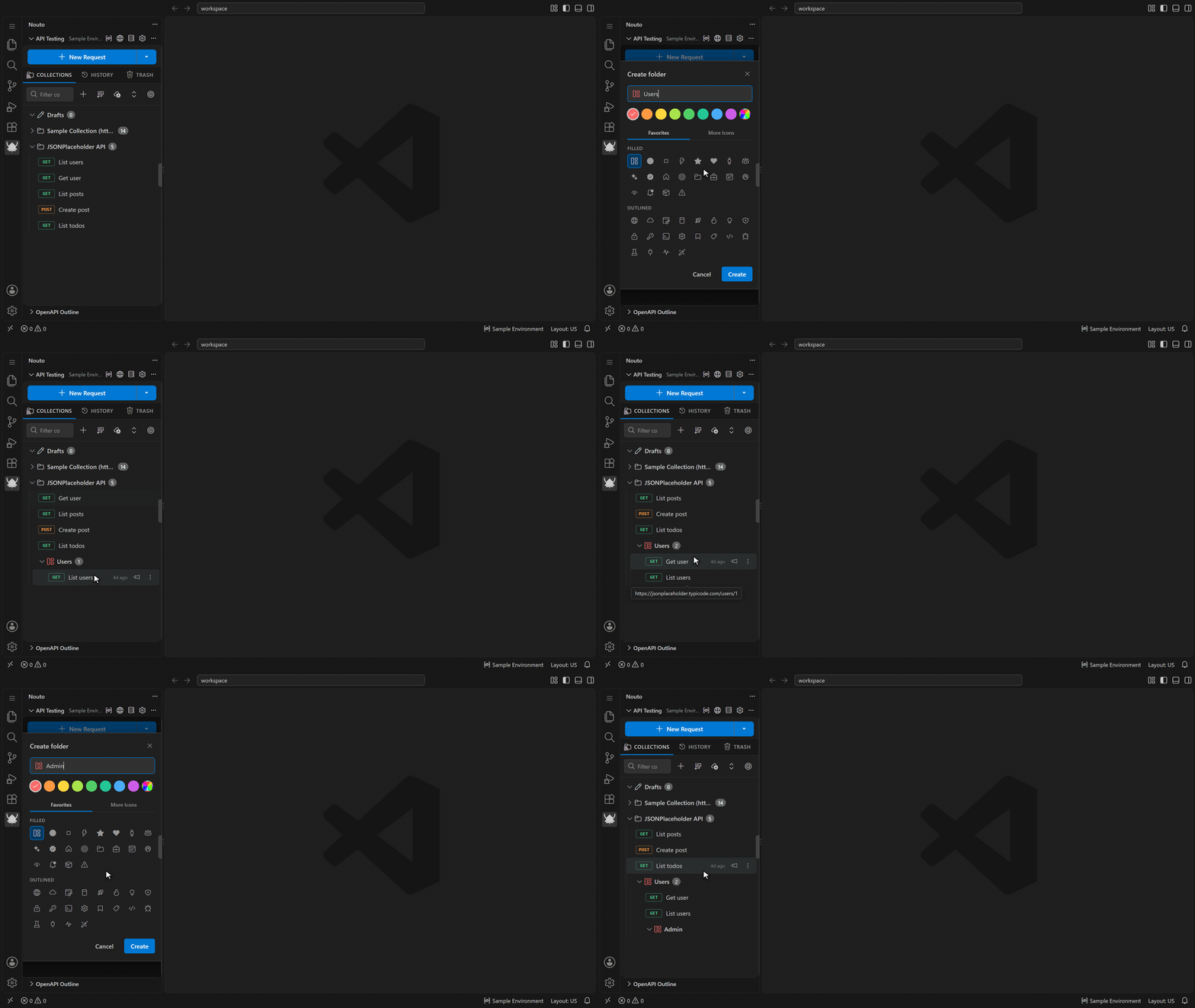
Collections nest folders to any depth, and you can drag and drop requests and folders to reorganize them. Collections and folders define variables, headers, auth, scripts, and assertions that the requests inside them inherit.
Collections use one of two storage modes: global (VS Code global storage) or workspace, which saves each request as its own file under .nouto/ for clean git diffs. Environments stay in global storage in both modes. Undo and redo cover request edits and collection tree changes. Deleted items go to the trash, which keeps them for 30 days.
Environment variables
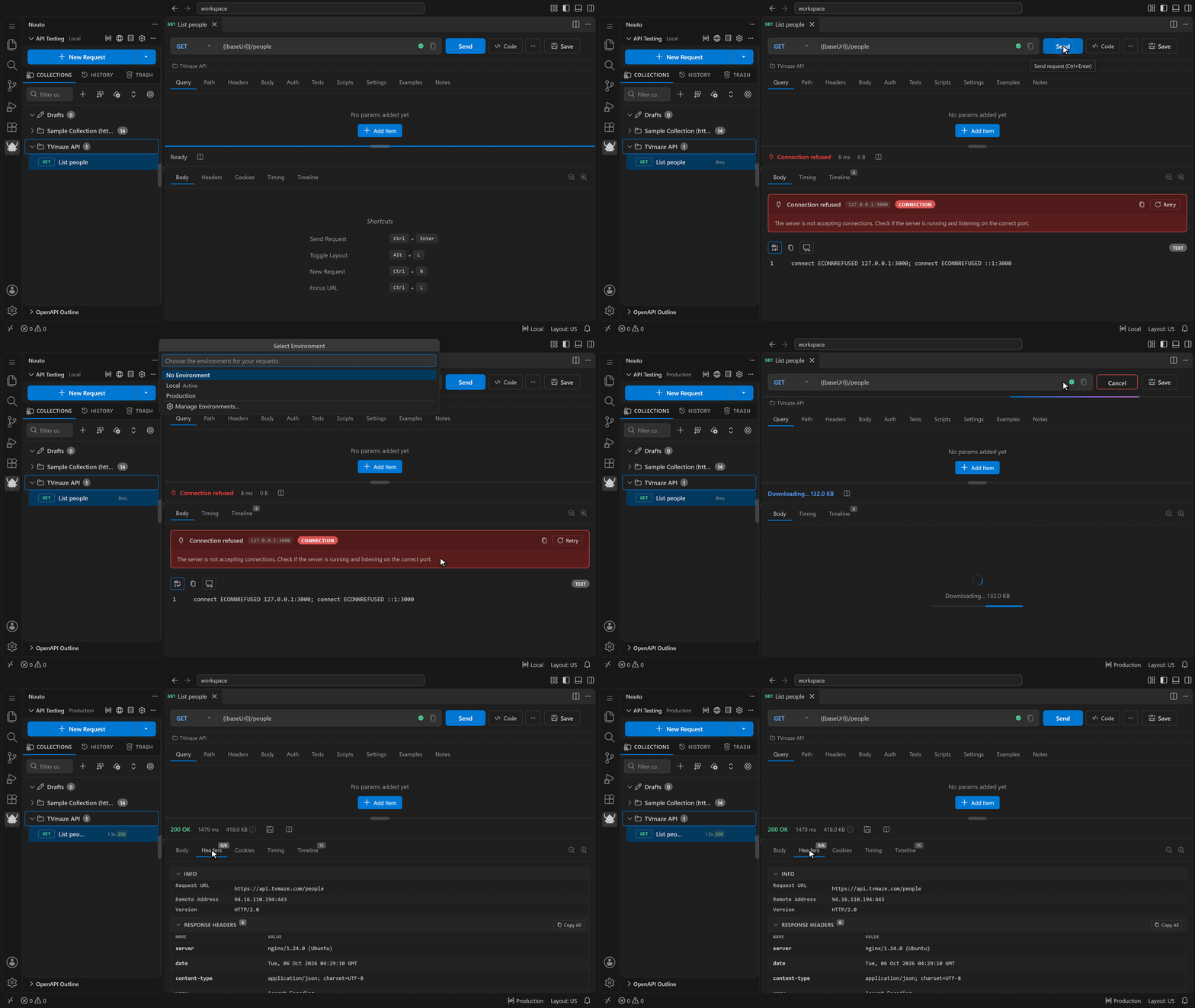
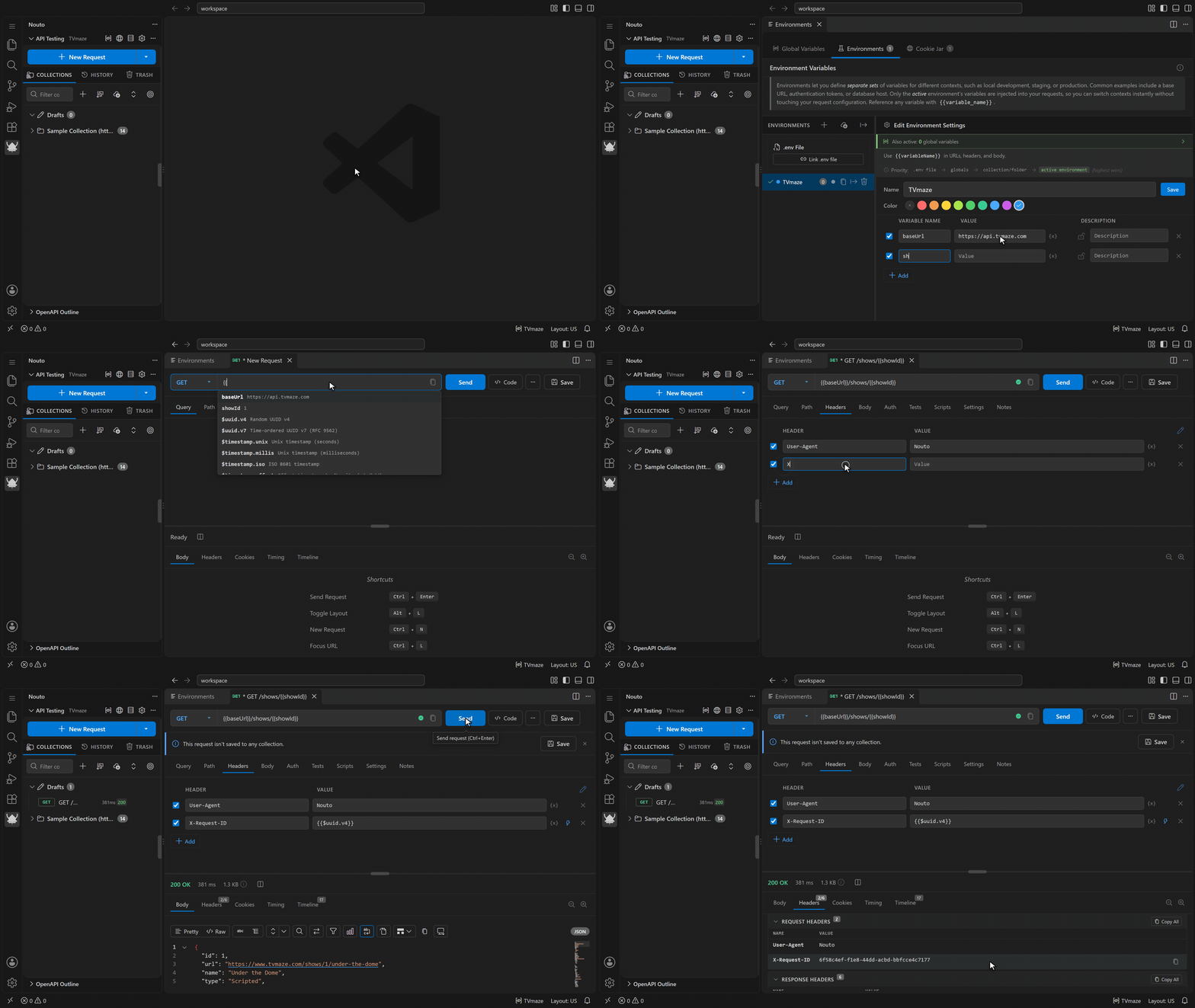
Use {{variableName}} in URLs, params, headers, and bodies. When a name is defined in more than one place, the active environment takes precedence, then folder and collection variables, then global variables, then a linked .env file. Secret values are stored in VS Code SecretStorage. The status bar shows the active environment; click it to switch.
Dynamic variables generate a value when the request is sent: {{$uuid.v4}}, {{$timestamp.unix}}, {{$random.int, 0, 100}}, more than 60 {{$faker.*}} generators for mock data, hashing and encoding helpers, {{$prompt.keyName}} to ask for a value before sending, and {{$file.read, /path}} to insert a file's content. {{$response.body.token}} reads a value from the previous response in the same tab, and the collection runner passes values between the requests it runs. Link a .env file to use its variables; Nouto reloads them when the file changes.
Real-time protocols
Besides HTTP, Nouto connects over these protocols:
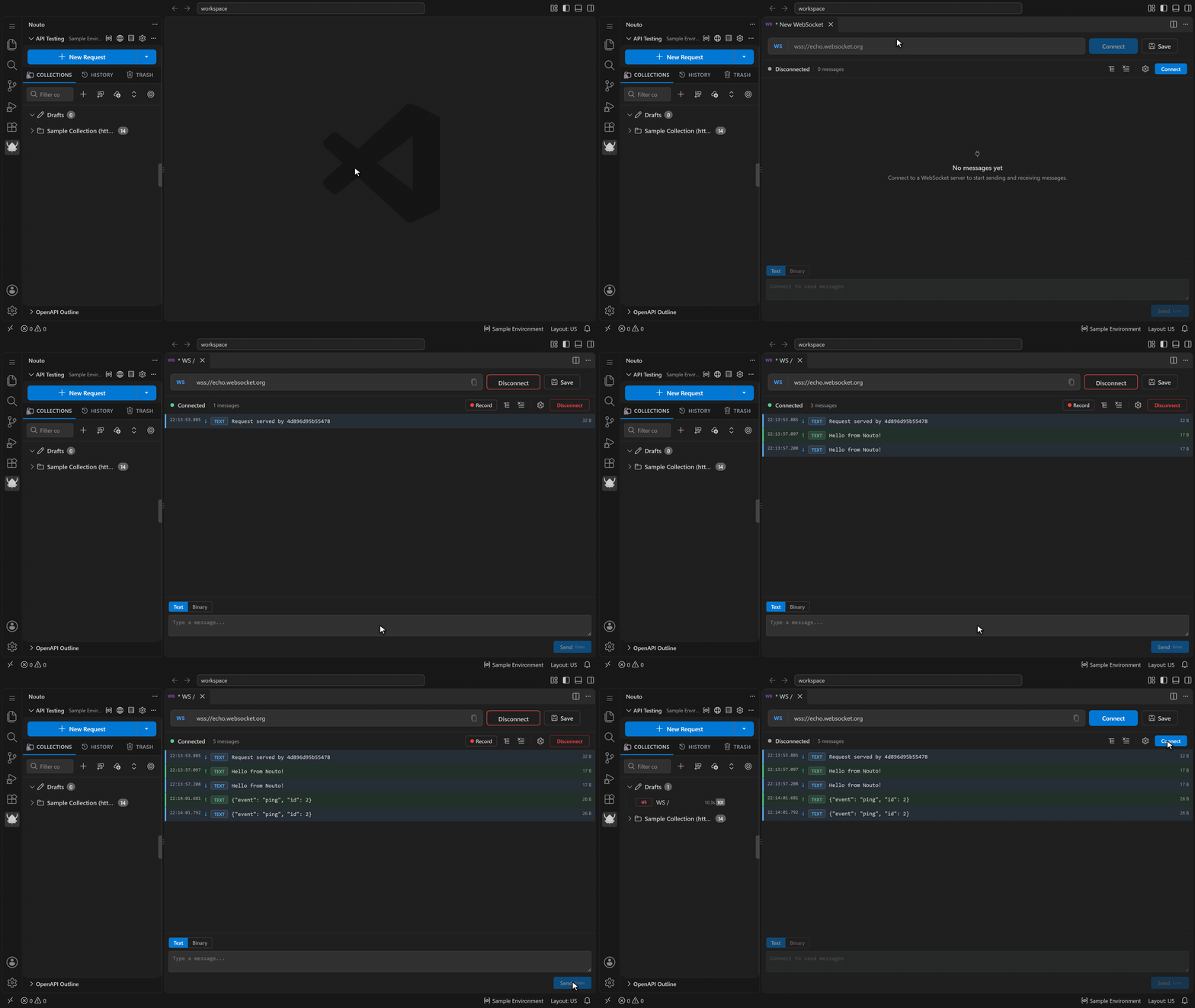
- WebSocket with text and binary messages, auto-reconnect, and session recording and replay
- Server-Sent Events with event type filtering and auto-reconnect
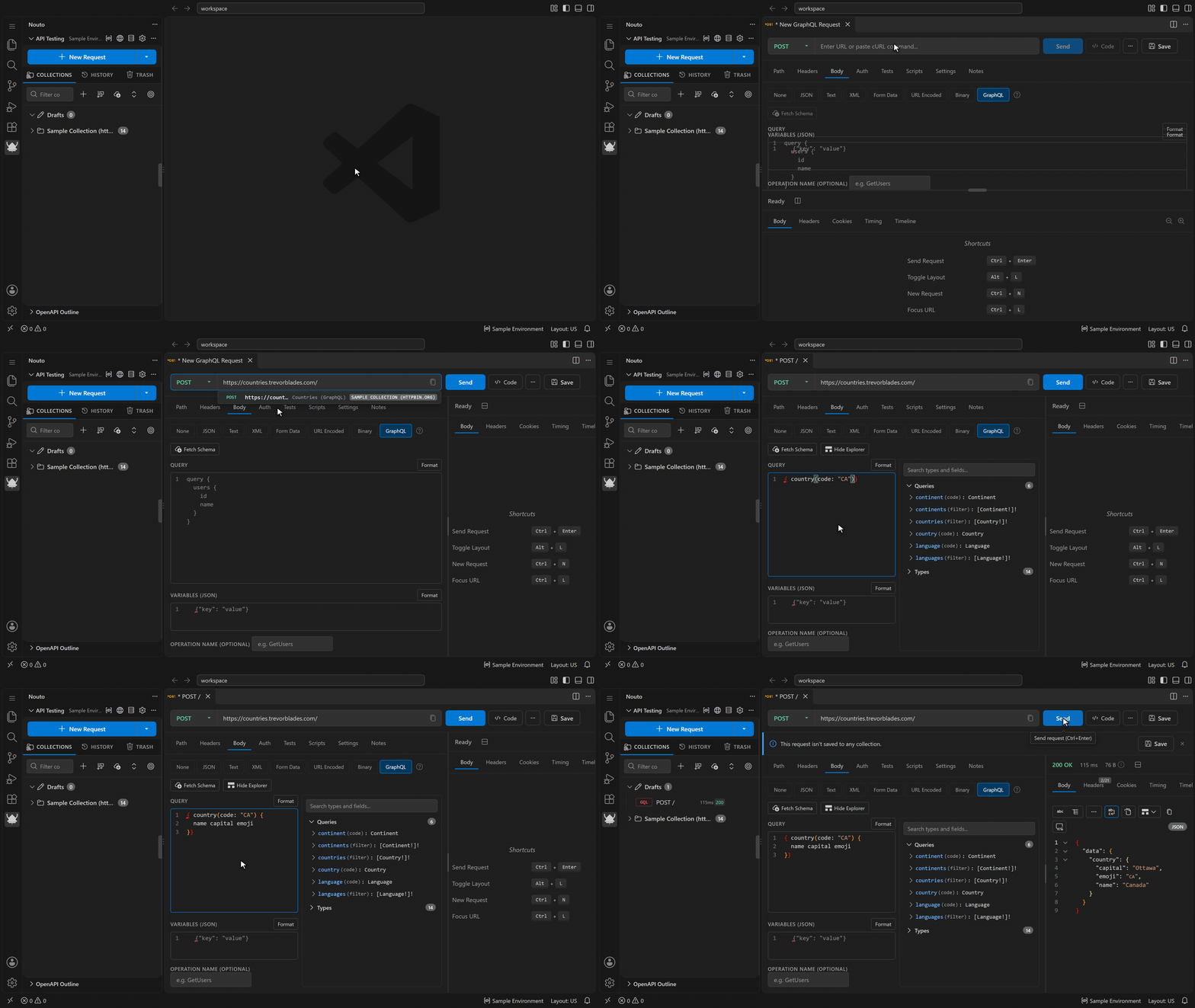
- GraphQL over HTTP with variables, operation names, and schema introspection
- GraphQL subscriptions over WebSocket, using the
graphql-transport-ws protocol of the graphql-ws library
- gRPC with server reflection, proto file loading, all four call types, and TLS/mTLS
Testing and automation
Pre-request and post-response scripts are written in JavaScript with the nt API, for example nt.setVar() and nt.test(). Scripts set on a collection or folder apply to every request inside it unless a request opts out.
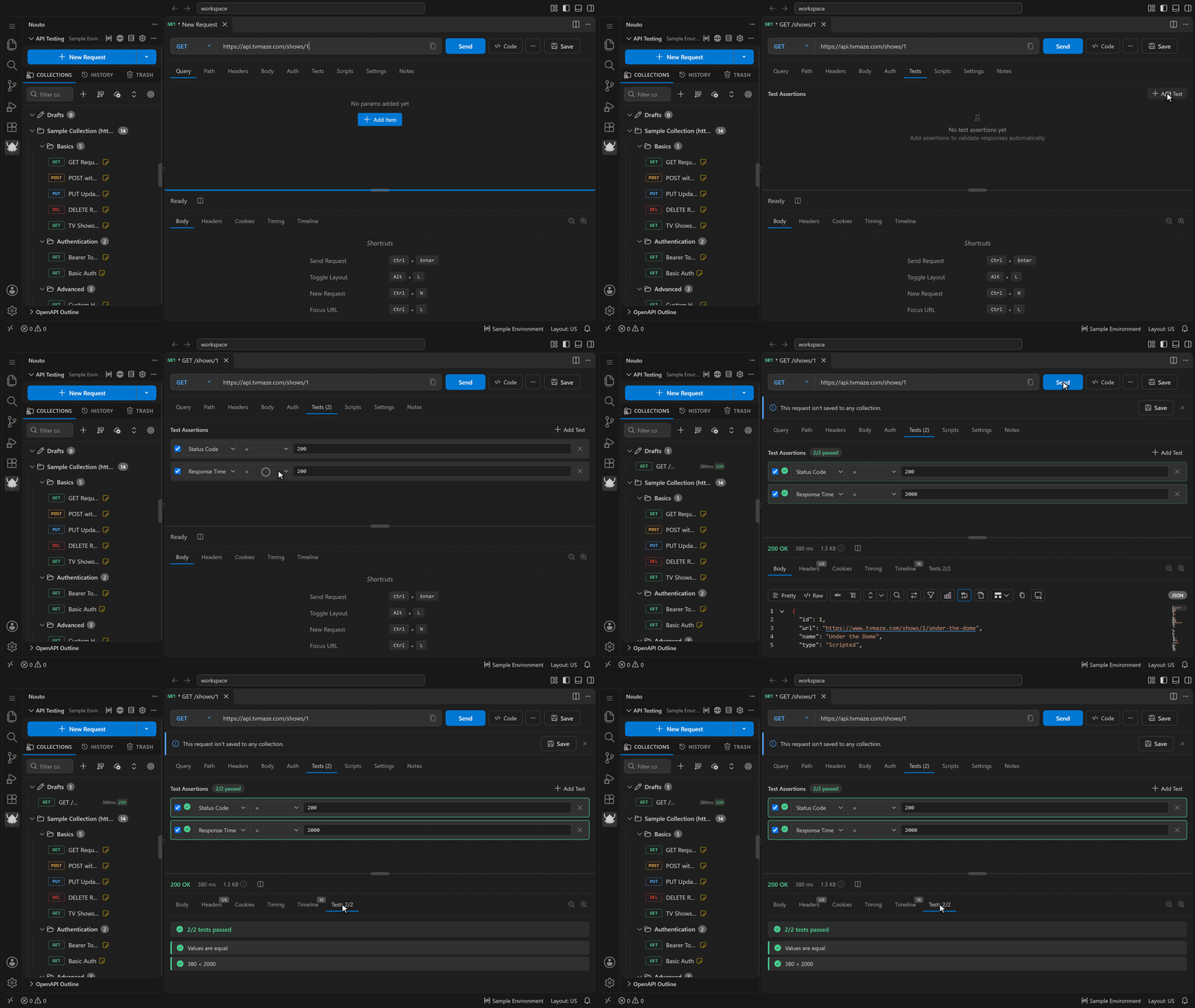
A no-code assertion editor checks the status code, response time, response size, body, headers, content type, JSONPath values, and JSON Schema, and can save a response value to a variable. The collection runner runs every request in a collection, optionally once per row of a CSV or JSON data file. It can stop on the first failure and exports results as JUnit XML, JSON, CSV, or HTML. The benchmarking tool sends a request repeatedly at the concurrency you set and reports requests per second and latency percentiles from p50 to p99.
Response viewer
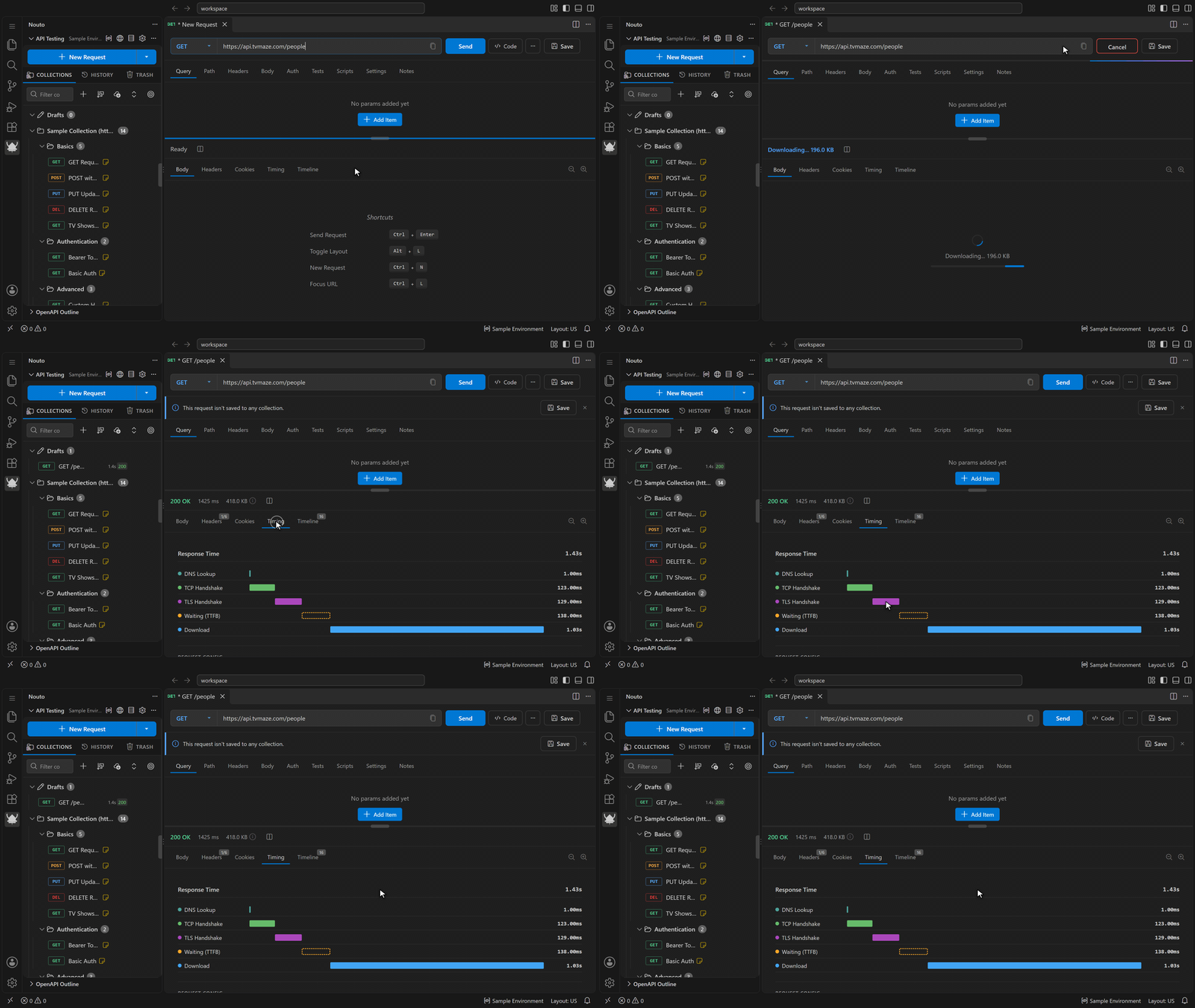
The viewer shows JSON and XML as collapsible trees, renders HTML (with a toggle to view the source), and displays images. PDF and other binary responses show their type and size and can be saved to a file. A progress bar tracks large downloads. Separate tabs show the timing breakdown, the redirect chain, and the request timeline, and you can save a response as an example on its request.
The JSON Explorer opens a JSON response in its own panel. It has:
- Tree and table views; the tree uses virtual scrolling for large documents
- A query filter (
Ctrl+Shift+K) and a JSONPath filter (Ctrl+/); use Cmd instead of Ctrl on macOS
- Comparison with a pasted document or a file
- Type generation for TypeScript, Zod, Rust, Go, Python, and JSON Schema
- A statistics panel, a minimap, bookmarks, and pinned nodes that show live values
- Timestamp detection
- Multi-select with bulk copy and bookmark
- Copy as JSON, YAML, CSV, TypeScript, Python, PHP array, or Markdown table
OpenAPI
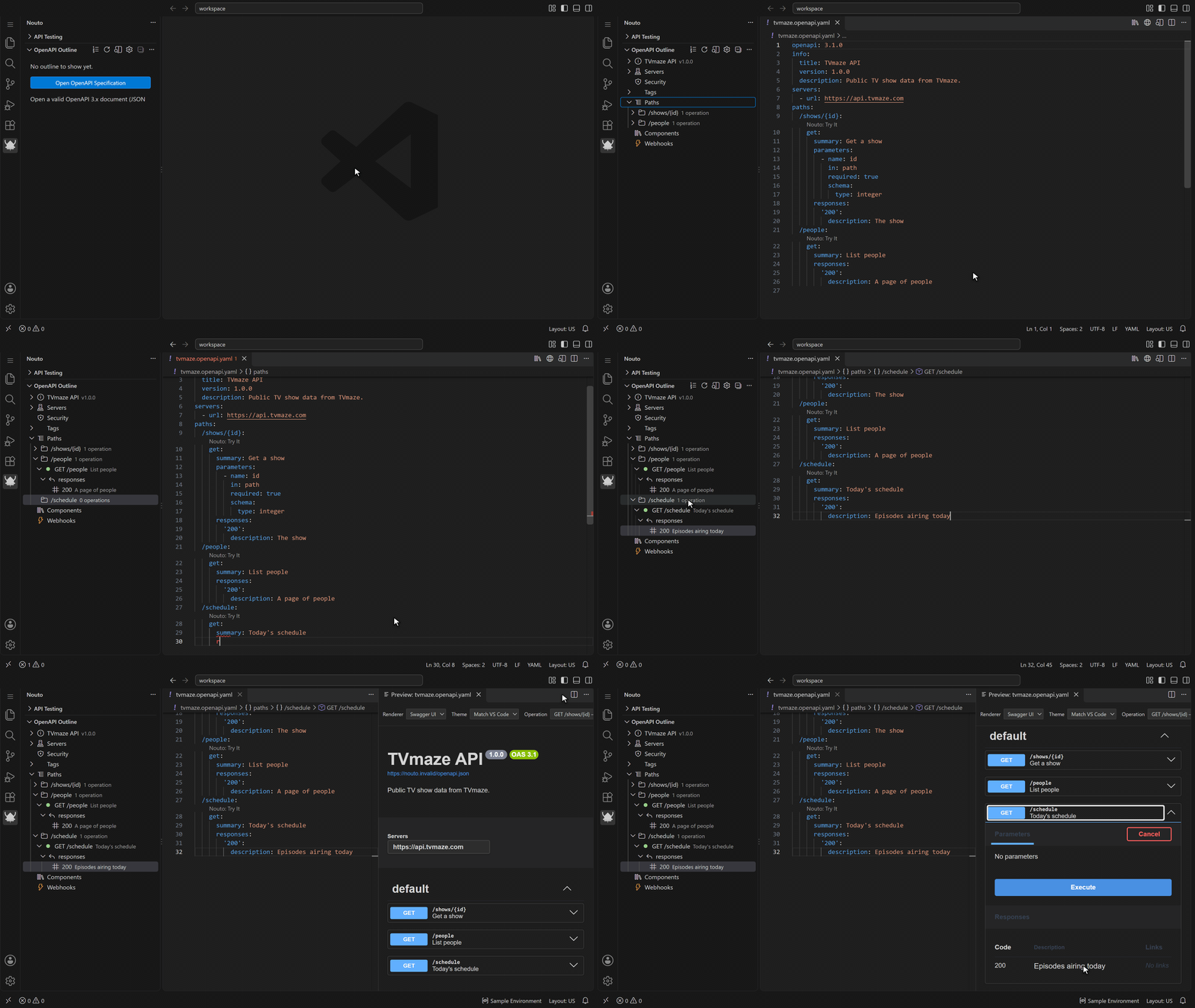
Author and preview OpenAPI 3.0, 3.1, and 3.2 specifications in YAML or JSON:
- Schema-aware autocomplete (in YAML it also fills in required keys), hover documentation, go-to-definition for
$ref across files, and document symbols for Ctrl+Shift+O (Cmd+Shift+O on macOS)
- Diagnostics for YAML syntax, schema validation, semantic checks (duplicate operationId, missing path parameters), and 65 lint rules in eleven groups, including OWASP API security checks. Set each rule's severity in Nouto's Settings; opt-in rules stay off until you give them one
- Quick fixes for missing responses, unbounded parameters, insecure server URLs, unused components, and more
- A Nouto: Try It CodeLens above every operation, which opens the operation as a new request
- An outline view with context-menu editing for paths, operations, servers, tags, security schemes (API Key, HTTP Bearer, HTTP Basic, OAuth2 Authorization Code, and OpenID Connect presets), components, and webhooks. When the spec doesn't parse, the outline explains why and keeps the last valid tree
- A preview panel that renders the spec with Swagger UI or RapiDoc, in a theme that follows VS Code or is set to light or dark. Its Try It requests go through the extension, so browser CORS rules don't block them
- Bundled Swagger Petstore examples (3.0 and 3.2), opened from the Command Palette or the outline
- Generators that create a collection from a spec, a spec from a collection or a HAR file, and a JSON Schema from a response body
Import and export
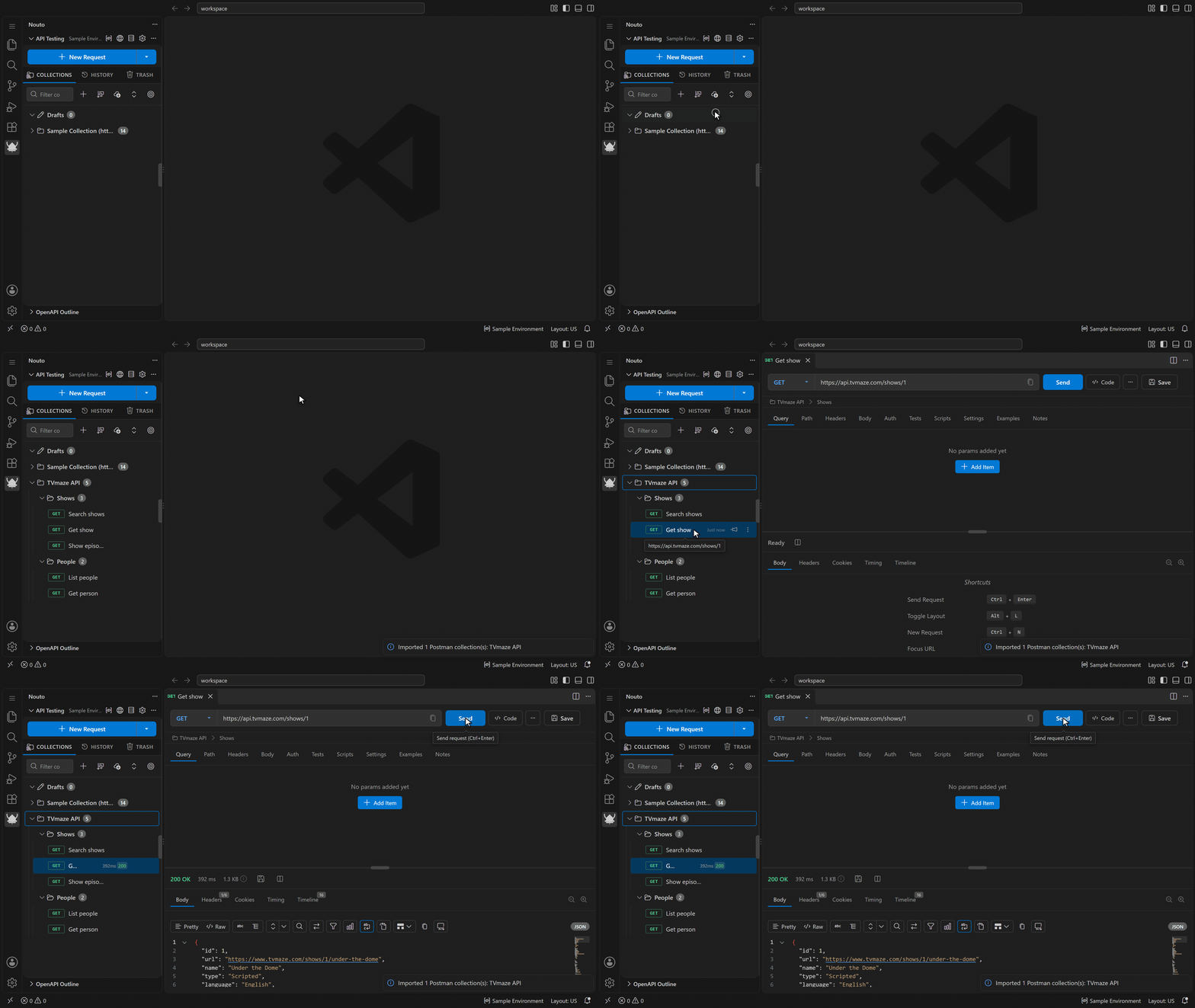
Import collections from Postman, Insomnia, OpenAPI 3, HAR, cURL, Hoppscotch, Thunder Client, Bruno, and Nouto files, or from a URL; Nouto detects the format. Postman environments can be imported too.
Export a collection to Postman, Nouto, or OpenAPI format from its context menu, or as HAR with the Export as HAR command in the Command Palette. Bulk export writes several collections to Postman or Nouto format.
A backup saves collections, environments, cookies, history, settings, drafts, trash, runner history, and mock server routes to one .nouto-backup file, and you choose which parts to include. Secrets in VS Code SecretStorage are not included. History can also be exported (JSON or CSV) and imported (JSON) on its own.
Nouto also includes:
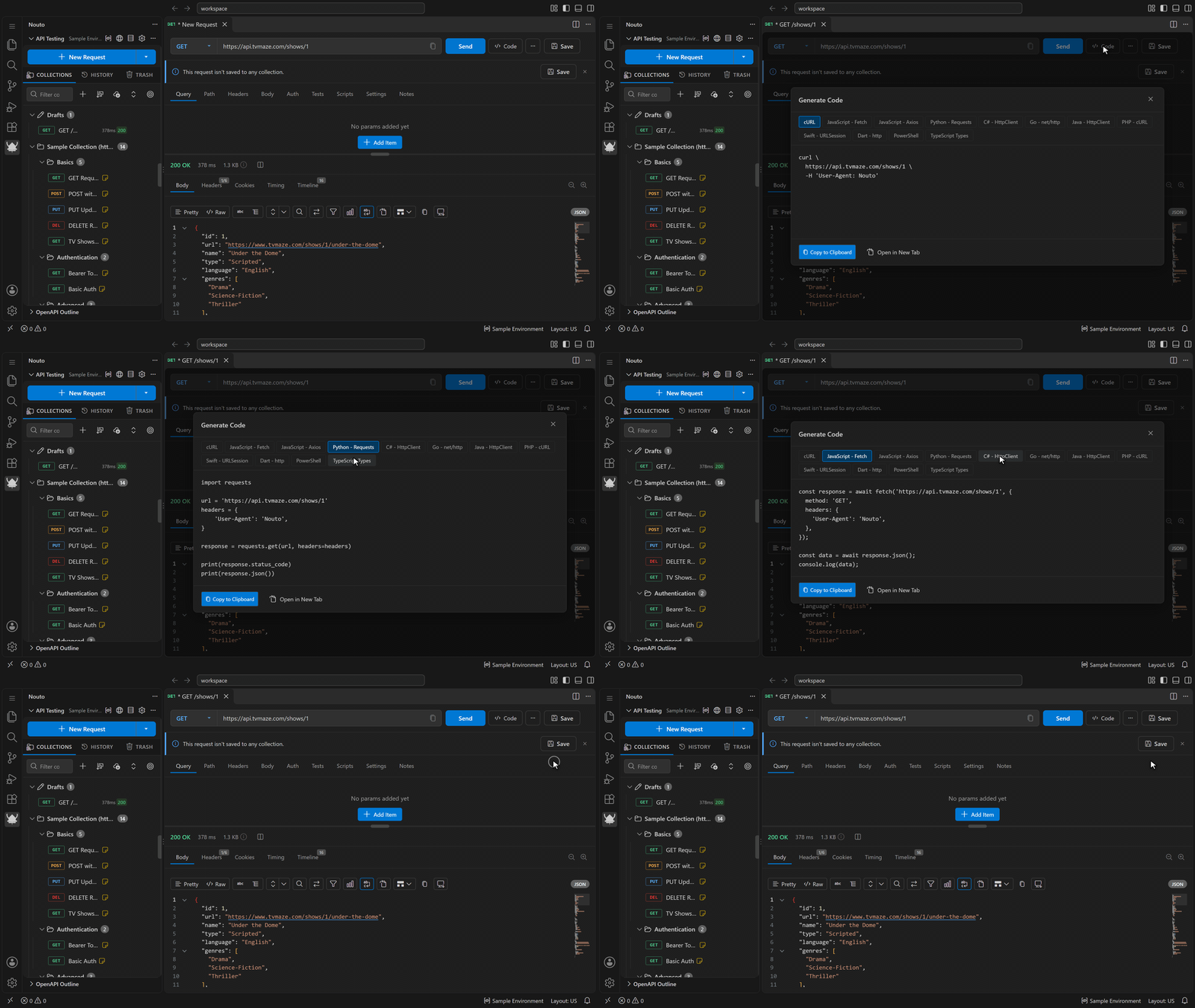
- Code generation for cURL, JavaScript (Fetch and Axios), Python (Requests), C# (HttpClient), Go (net/http), Java (HttpClient), PHP (cURL), Swift (URLSession), Dart (http), PowerShell, and TypeScript types
- A command palette with fuzzy search that ranks items by how often and how recently you use them
- Request history with search, filters, sorting, and export
- Multiple named cookie jars with domain matching
- A mock server with configurable routes, response headers, and simulated latency
- A welcome screen with a sample httpbin.org collection, and contextual hints for first-time use
- Customizable keyboard shortcuts
Configuration
These options live in Nouto's Settings page (the gear icon in the API Testing view's title bar). Each request can override the certificate, proxy, timeout, and redirect settings in its Settings tab.
- Custom CA certificates, client certificates for mTLS, and certificate verification on or off
- HTTP, HTTPS, and SOCKS5 proxies with authentication and a bypass list
- Timeouts, and whether to follow redirects and how many
- URL correction that adds a missing
https:// or fixes http:/, offered as a suggestion unless you turn on automatic correction
Desktop app
Nouto also ships as a standalone desktop app built with Tauri 2.0. Download it for Windows (x64), macOS (Apple Silicon and Intel), or Linux (x64) from the releases page.
License
Copyright (c) 2026 FrostyBee.
Nouto is licensed under the MIT License.

