Pulpo
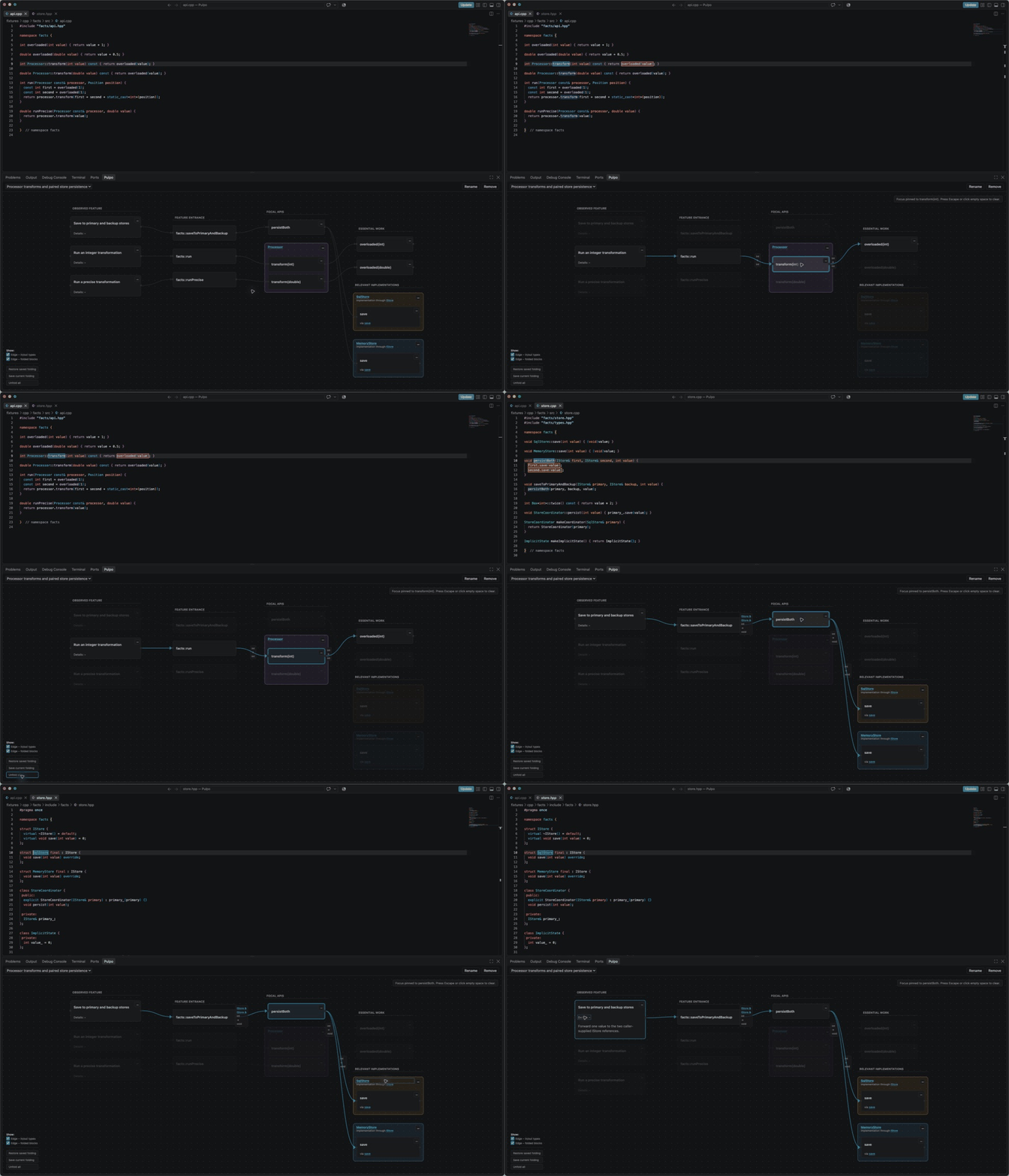
Pulpo creates deep, behavior-focused C++ call graphs around the code you care about. Claude
collaborates with Pulpo's shipped Clang static-analysis tools to find the core implementation paths,
then presents them as a concise graph inside VS Code.
Why Pulpo
- Semantic C++ analysis. Clang resolves declarations, overloads, and direct calls with
compiler-grade C++ understanding. Claude follows harder indirection—such as interfaces,
callbacks, function pointers, lambdas, and functors—and clearly preserves uncertainty.
- Depth without the call-graph clutter. Focus on one user-visible behavior, group methods by
class, hide irrelevant branches, and fold supporting steps without losing the path through them.
- The graph is a code navigator. Click features, classes, methods, folded steps, and parameter
or return types to open exact source locations. Focused methods highlight their visible outgoing
calls in the editor.
- Shape the investigation with Claude. Choose which behavior aspects matter, ask Claude to
expand a path, or simplify the graph as your understanding grows.
Getting started
- Open a C++ repository or workspace in VS Code.
- Open the Pulpo panel or run Pulpo: Open Pulpo.
- Ask Claude Code to read the installation-prompt path shown by the panel and install the bundled
Pulpo skill at a location you choose.
- Ask Claude to investigate a C++ API. It will first confirm the behavior you want to understand,
use Pulpo's local analyzer as it investigates, verify the result, and publish the graph.
The agent may need to find or generate a trustworthy compile_commands.json. Pulpo analyzes source
and headers; it does not need compiled libraries.
Requirements
- VS Code 1.100 or newer.
- Windows x64 or Linux x64.
- A C++ project and Claude Code for the initial agent workflow.
Pulpo bundles its platform-specific local analyzer and agent skill. End users do not install
Node.js, LLVM, or Clang separately.
Local and private by design
Pulpo has no backend, account, telemetry, analytics, or code-upload mechanism. Graphs and view state
stay in local application storage outside your source repository, and the analyzer runs locally.
Claude Code and VS Code remain governed by their own data-handling policies.
Pulpo is MIT licensed. Bundled dependency licenses are included in THIRD_PARTY_NOTICES.md and in
the platform integration package.
Use the Marketplace Q&A page for support. Do not include credentials or proprietary source in a
public report.

