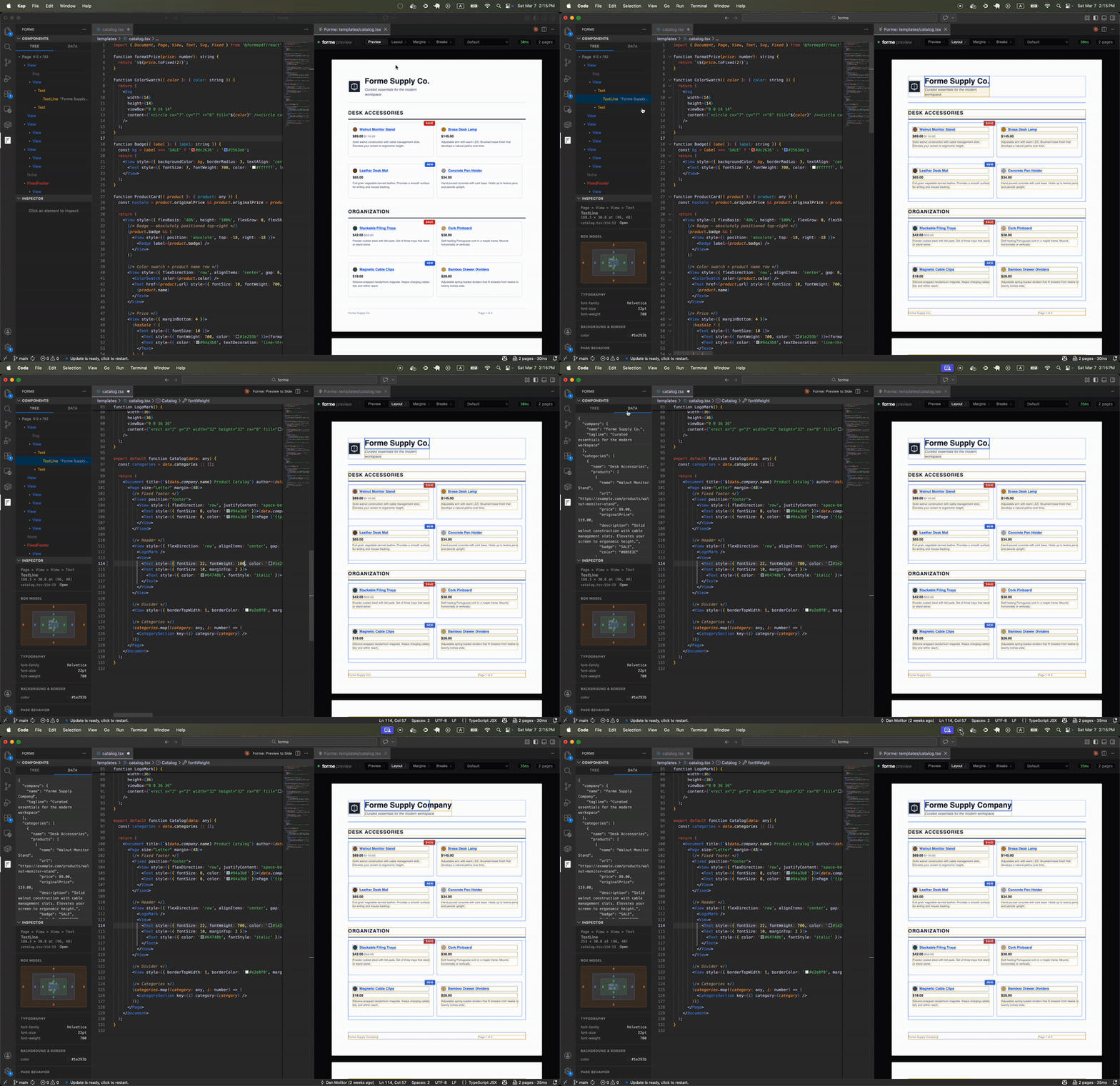
Generate PDFs from React components. Build invoices, reports, certificates, contracts, or any structured document using JSX and see the result live in VS Code.
Requirements
- Node.js 18+
- A project with
@formepdf/react and @formepdf/core installed
Why React for PDFs? Components are reusable across documents. Props drive your templates with real data. TypeScript catches layout bugs before you render. It's the same workflow you already use for UI.
How it compares:
- Puppeteer / wkhtmltopdf - Headless browsers that screenshot HTML; slow, no native page breaks, heavy runtime dependency.
- react-pdf - Lays out on an infinite canvas then slices into pages; flex and tables break at page boundaries.
- Forme - Page-native layout engine in Rust/WASM; flex, grid, and tables work correctly across page breaks.
Quick Start
- In your project directory, install Forme:
npm install @formepdf/react @formepdf/core
- Create a
.tsx file with a Forme template:
import { Document, Page, View, Text } from "@formepdf/react";

export default (
  <Document>
    <Page>
      <View style={{ padding: 40 }}>
        <Text style={{ fontSize: 24, fontWeight: 700 }}>Hello, Forme!</Text>
        <Text style={{ marginTop: 12, color: "#6b7280" }}>
          Edit this file and watch the preview update.
        </Text>
      </View>
    </Page>
  </Document>
);
- Open the file and run Forme: Preview to Side from the command palette (
Cmd+Shift+P)
That's it -you should see a live PDF preview in the side panel.
Features
- Live preview updates as you type (400ms debounce) or on save (immediate)
- Component tree in the VS Code sidebar
- Inspector with box model, layout, spacing, and typography properties
- Click any element to jump to source line
- Click any element in the PDF to select in tree and inspector
- Preview / Layout / Margins / Breaks overlay modes
- Zoom controls
Keyboard Shortcuts
| Key |
Action |
1 |
Preview mode |
2 |
Layout mode |
3 |
Margins mode |
4 |
Breaks mode |
Cmd+ / Cmd- |
Zoom in/out |
Cmd+0 |
Fit to width |
Settings
| Setting |
Default |
Description |
forme.autoOpen |
false |
Automatically open the preview when opening a Forme template file |
Documentation
Full docs at docs.formepdf.com
License
MIT

