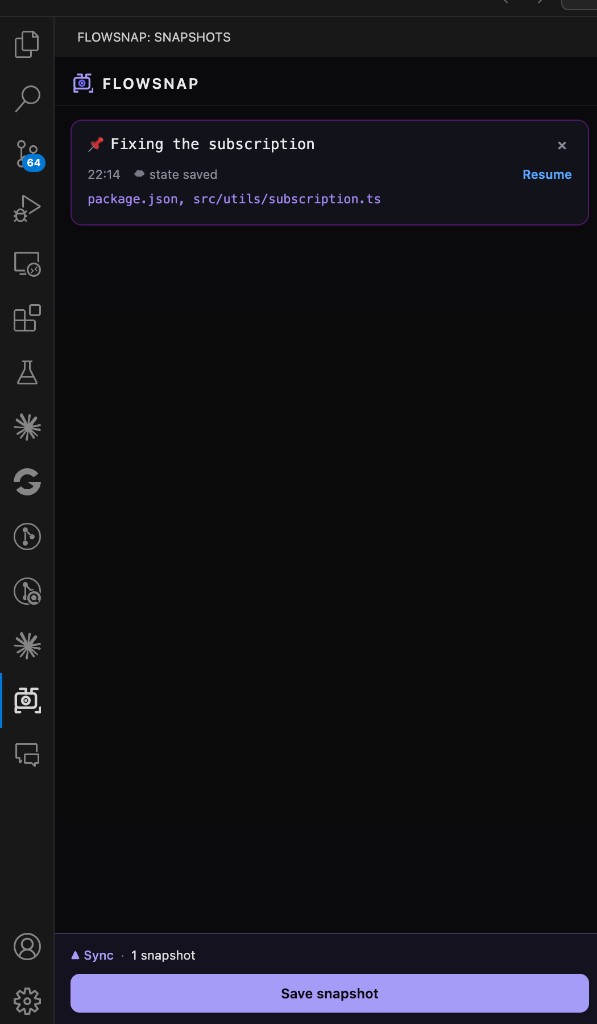
FlowSnap saves your exact editor state — open files, split screens, cursors, and your brain-dump note into persistent snapshots. Stop wasting time re-opening files when switching branches or tasks; sync your workspace state to the cloud and restore it instantly.
🚀 Key Features
One-Click Snapshots: Capture your entire editor context via the Status Bar or Command Palette.
Split Screen Restore: Save and restore your exact split screen layout across sessions.
All Tab Cursors: Cursor positions and selections saved for every open tab — not just the active one.
Cloud Sync: Securely sync snapshots to the cloud using GitHub Authentication.
Privacy First: Your code never leaves your machine — only file paths and cursor metadata are synced.
Secure Storage: Your tokens are protected using VS Code's native Secret Storage, keeping your session safe.
💎 Pro & Pricing
FlowSnap offers a generous 30-day free trial to get you started, followed by a Pro tier for heavy-duty development:
Feature
Free Trial
FlowSnap Pro
Duration
30 Days from profile creation
Permanent while active
Snapshot Limit
Up to 5 snapshots
Up to 50 snapshots
Delete Snapshots
✅ Anytime
✅ Anytime
Snapshot History
15 days
6 months
Same Machine Restore
✅
✅
Pricing
Free
₹199 / month (billed monthly)
Limits are enforced via secure server-side checks to ensure your workflow remains uninterrupted once you upgrade.
📸 How it Works
Snap: Click the Save snapshot button to save your current tabs, split screen layout, and cursor positions across all open files.
Context: Add a quick note to remember exactly what you were working on.
Restore: Browse your snapshots in the Sidebar and click the Resume button on any snapshot to instantly restore your workspace — including split screen layout and cursor positions.
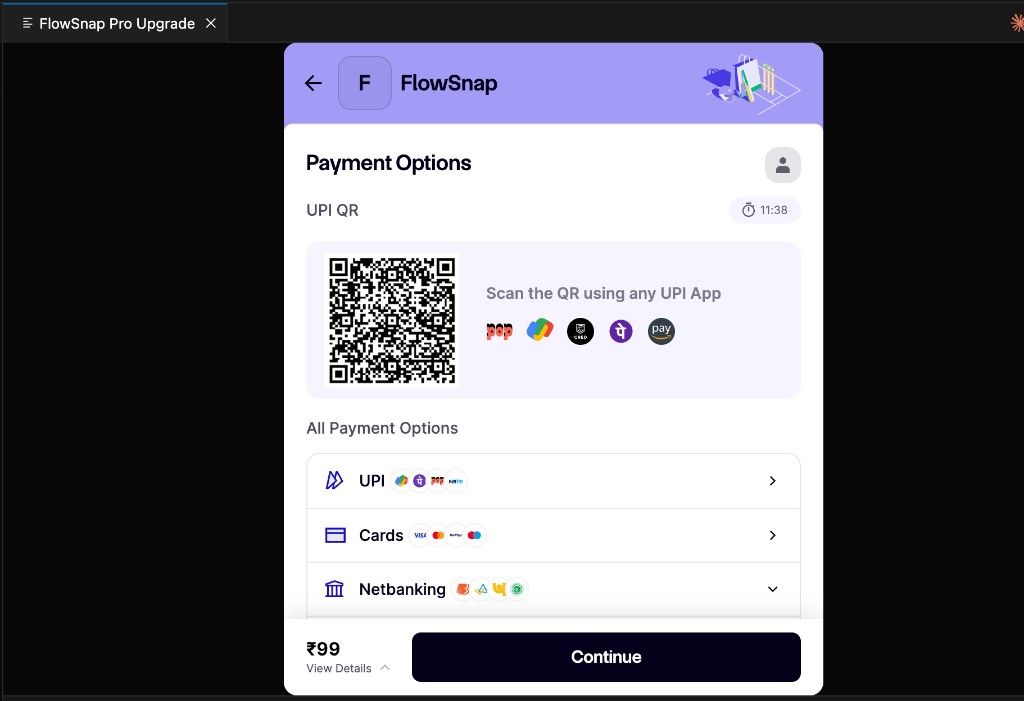
Upgrade: If you hit the trial limit, upgrade securely via the integrated Razorpay widget without leaving VS Code.
🔒 Security & Privacy
Your Code Never Leaves Your Machine: FlowSnap only syncs lightweight metadata — file paths, cursor positions, and split screen layouts. No source code is ever stored or transmitted.
Authentication: We use GitHub OAuth to ensure your snapshots are private to your account.
Secure Payments: All transactions are processed via Razorpay. Order IDs are generated server-side to ensure payment integrity.
Data Minimization: Snapshots contain only file paths and metadata (line/character positions). No source code is ever uploaded.
📄 License
This extension is proprietary software. Licenses for FlowSnap Pro are issued upon successful payment.
Built with 💜 for developers who value their flow state.
Extension updates: Install from the Visual Studio Marketplace and keep Settings → Features → Extensions → Auto Update enabled (default) so new FlowSnap versions install automatically.