Todo Tree Veyra
Every TODO in your project, in one tree.
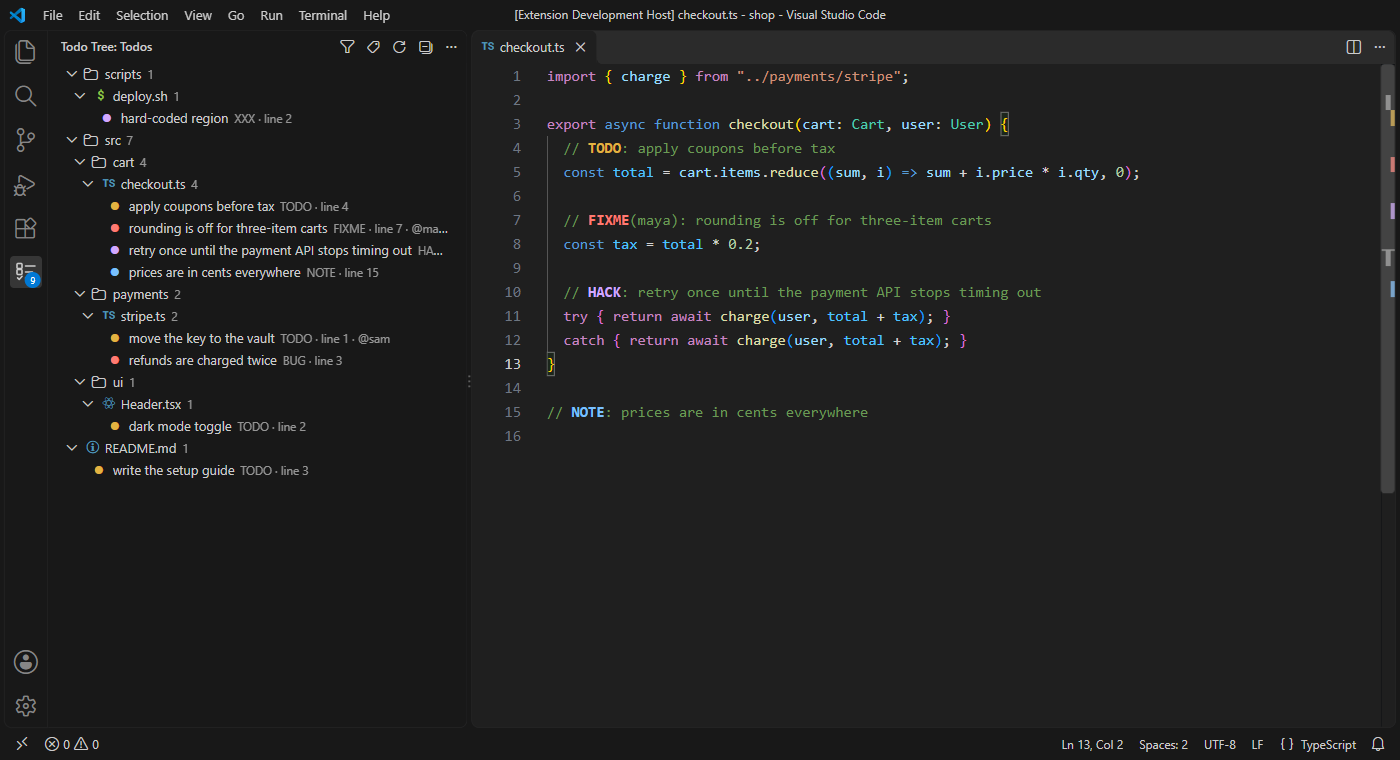
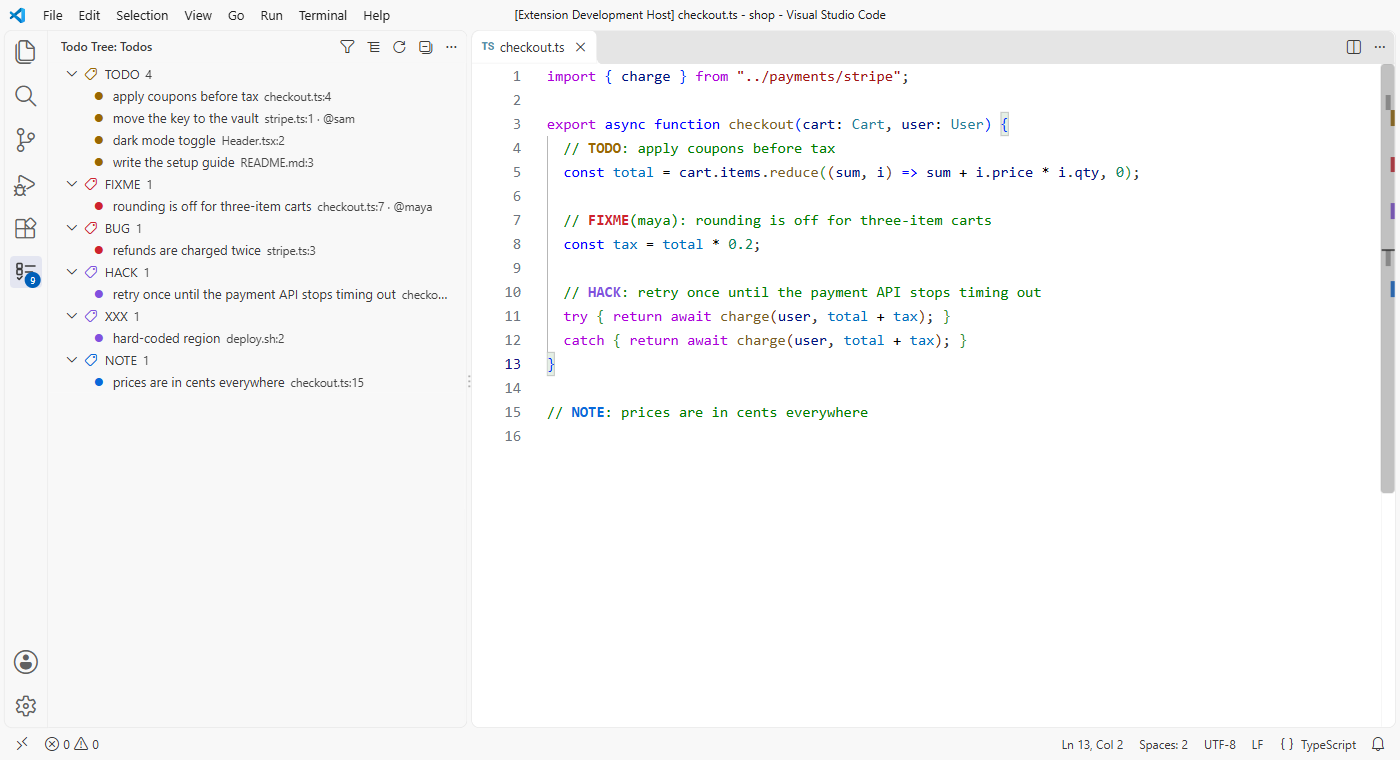
Todo Tree Veyra finds every TODO, FIXME, BUG, HACK, XXX and NOTE in your comments and lists them in their own panel, grouped by folder and file or by tag. Click one to jump to it. Tags are coloured in the editor, too. Free, fast, and nothing to install. By the makers of Veyra Studio.
- 🌳 One tree for everything, with a count on the icon so you always know how many are left.
- 🎨 Colour-coded: TODO in amber, FIXME and BUG in red, HACK and XXX in purple, NOTE in blue, in the tree and in your code.
- 👤 Who it's for:
TODO(@sam): … shows @sam next to it. Filter by name to see your own.
- ⚡ Always current: new tags show up as you type, before you even save.
- 📋 Copy as a Markdown checklist, ready to paste into an issue, a pull request or your notes.
Group by tag
The buttons at the top of the panel:
|
|
| Filter |
Show only tags whose text, tag, owner or file contains what you type, like login, FIXME, @sam or src/api |
| Group by Tag / Group by File |
Switch between the two views |
| Refresh |
Look through the workspace again |
| Collapse All |
Fold every group |
| ⋯ → Copy as Markdown Checklist |
Every tag shown, as - [ ] items grouped by tag, with file and line |
Right-click a tag to copy its text.
What counts as a tag
A tag counts when it's written in capitals at the start of a comment, in any language:
// TODO: remember the user
// FIXME(maya): rounding is off      ← owner "maya"
/* HACK: retry until the API is fixed */
# NOTE: prices are in cents
<!-- TODO: add the footer -->
- [ ] TODO write the setup guide
Words like TODOS, todo_list or "TODO" inside strings are left alone.
Settings
| Setting |
Default |
|
veyraTodo.tags |
TODO, FIXME, BUG, HACK, XXX, NOTE |
The words to look for. Add your own, like REVIEW |
veyraTodo.groupBy |
file |
file or tag |
veyraTodo.highlight |
tag |
tag, text (the tag and the rest of the line) or none |
veyraTodo.include |
**/* |
Files to look in |
veyraTodo.exclude |
node_modules, dist, build, out, minified files… |
Files to skip, as well as your files.exclude and search.exclude |
veyraTodo.maxFiles |
5000 |
The most files to look through |
veyraTodo.showCount |
true |
The count on the Todo Tree icon |
Colours can be changed under workbench.colorCustomizations: veyraTodo.todo, veyraTodo.fixme, veyraTodo.hack and veyraTodo.note.
Good to know
- It reads your files through VS Code, so there's nothing else to install, and it works in remote and web workspaces too.
- Big files (over 1 MB) and binary files are skipped.
- Nothing is sent anywhere.
- Todo Tree Veyra is an independent extension, written from scratch.
- Requires VS Code 1.85 or newer.
More from Veyra
Found a bug or have an idea? Open an issue. MIT licensed.

