Veyra Rewind: Time Travel for Your Code
Every version of every file, without a single commit.
You deleted a function an hour ago and need it back. An experiment went wrong and Ctrl+Z won't go back far enough. A file vanished. Git can't help, because none of it was ever committed.
Rewind keeps a quiet history of every file you open, edit and save. Drag a slider to see the file at any moment, press Play to watch it evolve, and bring back anything in one click. Automatic, offline and private: nothing to set up, and nothing ever leaves your computer. By the makers of Veyra Studio.
- ⏪ Scrub through time. A timeline of every save, every pause in typing and every checkpoint. Use the slider or the arrow keys.
- ▶️ Play the story. Watch the file change step by step, at 1× to 8× speed.
- 🔍 Find deleted code. Search for text that was in any file but isn't there any more, like
calculateTotal, across your whole history.
- ♻️ Restore anything. Restore a whole version (Ctrl+Z undoes it), or compare it in VS Code's diff editor and revert a single block.
- 🗑️ Bring back deleted files. A file you deleted, even outside VS Code, is one command away.
- 🔖 Checkpoints. Name a moment, like "before the refactor", and it's kept forever.
How it works
Open the panel with the ⟲ history button in the editor title bar, the status bar counter, Ctrl+Alt+Z (⌘⌥Z on macOS), or Rewind: Rewind This File in the Command Palette.
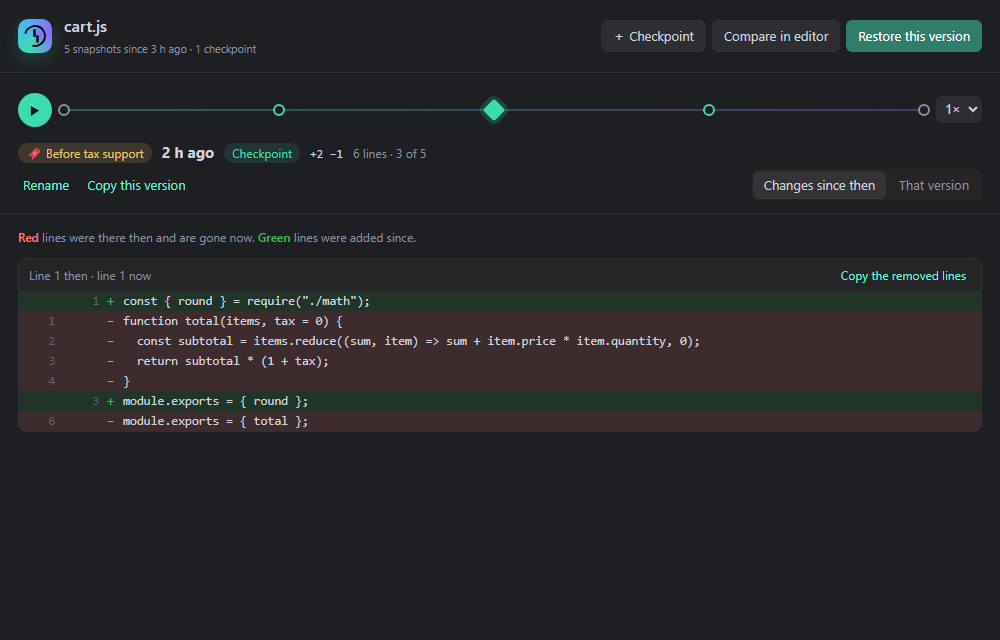
- Changes since then shows what's different between that moment and the file now: red lines were there then and are gone now, green lines were added since. Copy the removed lines grabs a deleted block.
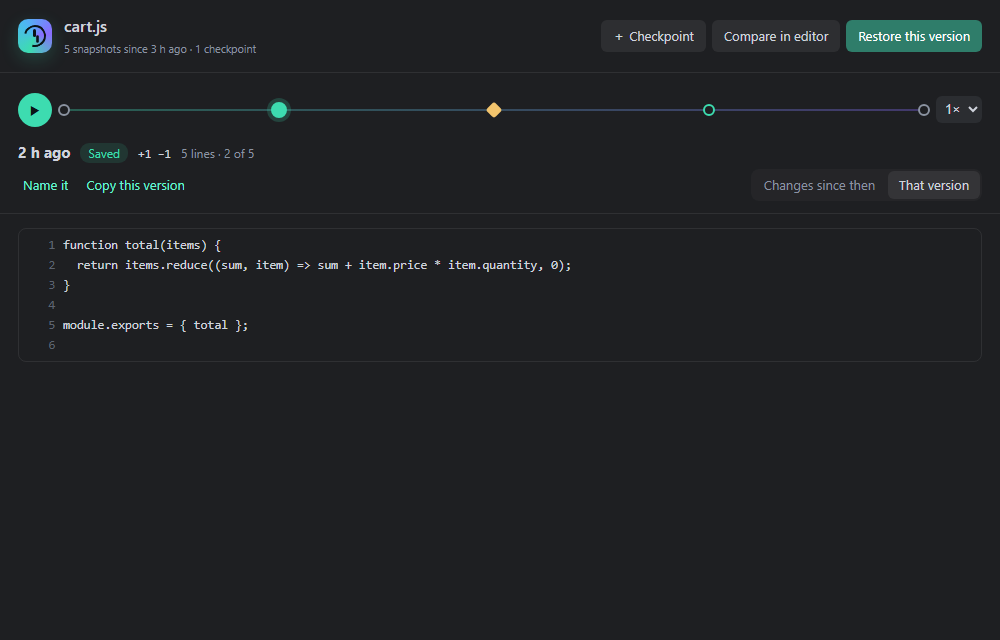
- That version shows the whole file as it was.
- Compare in editor opens VS Code's own diff editor, where the arrows revert single blocks.
- Restore this version puts it back as one edit, so Ctrl+Z undoes the restore.
When snapshots are taken
| Moment |
Kept |
| You open a file |
its starting point |
| You save |
always |
| You pause typing |
at most every 30 seconds (adjustable) |
| You take a checkpoint (Ctrl+Alt+S) |
always, with your name, forever |
| You delete or restore a file |
the version just before |
Unchanged text is never stored twice, and snapshots are compressed. Rewind keeps everything from the last 24 hours, then one per 10 minutes for a week, then one per hour, up to 30 days. Checkpoints never expire.
Commands
| Command |
What it does |
| Rewind This File |
Opens the timeline for the current file |
| Take a Checkpoint… |
Names the file as it is now |
| Find Deleted Code… |
Searches everything you ever deleted |
| Restore a Deleted File… |
Brings back a file that's gone |
| Compare With a Past Version… |
Opens the diff editor against any snapshot |
| Restore a Past Version… |
Picks a snapshot and restores it |
| Delete History for This File |
Removes its history and checkpoints |
| Show History Storage |
How much space history uses, and where |
Settings
| Setting |
Default |
|
veyraRewind.enabled |
true |
Keep history of the files you open, edit and save |
veyraRewind.captureInterval |
30 |
While typing, at most one snapshot per this many seconds |
veyraRewind.maxSnapshotsPerFile |
500 |
Checkpoints are always kept |
veyraRewind.maxAgeDays |
30 |
Older snapshots are cleaned up (not checkpoints) |
veyraRewind.maxFileSizeKB |
1024 |
Larger files aren't tracked |
veyraRewind.exclude |
[] |
Extra globs to leave alone, like **/*.log |
veyraRewind.statusBar |
true |
Show the snapshot count in the status bar |
Dependencies (node_modules), build output (dist, build, out, .next), .git, lock files, source maps, minified and binary files are never tracked.
Private by design
History is stored in VS Code's private storage for this extension, on your computer only. There's no account, no network access and no telemetry. Show History Storage opens the folder, and Delete History for This File removes a file's history.
Rewind and Git
Git keeps the versions you commit. Rewind keeps everything in between: the experiment you abandoned, the function you deleted before lunch, the file you never added. Use both.
Made with ♥ by Flight Coders. Free and open source under the MIT license. Found a bug or have an idea? Open an issue.

