Git Graph Veyra
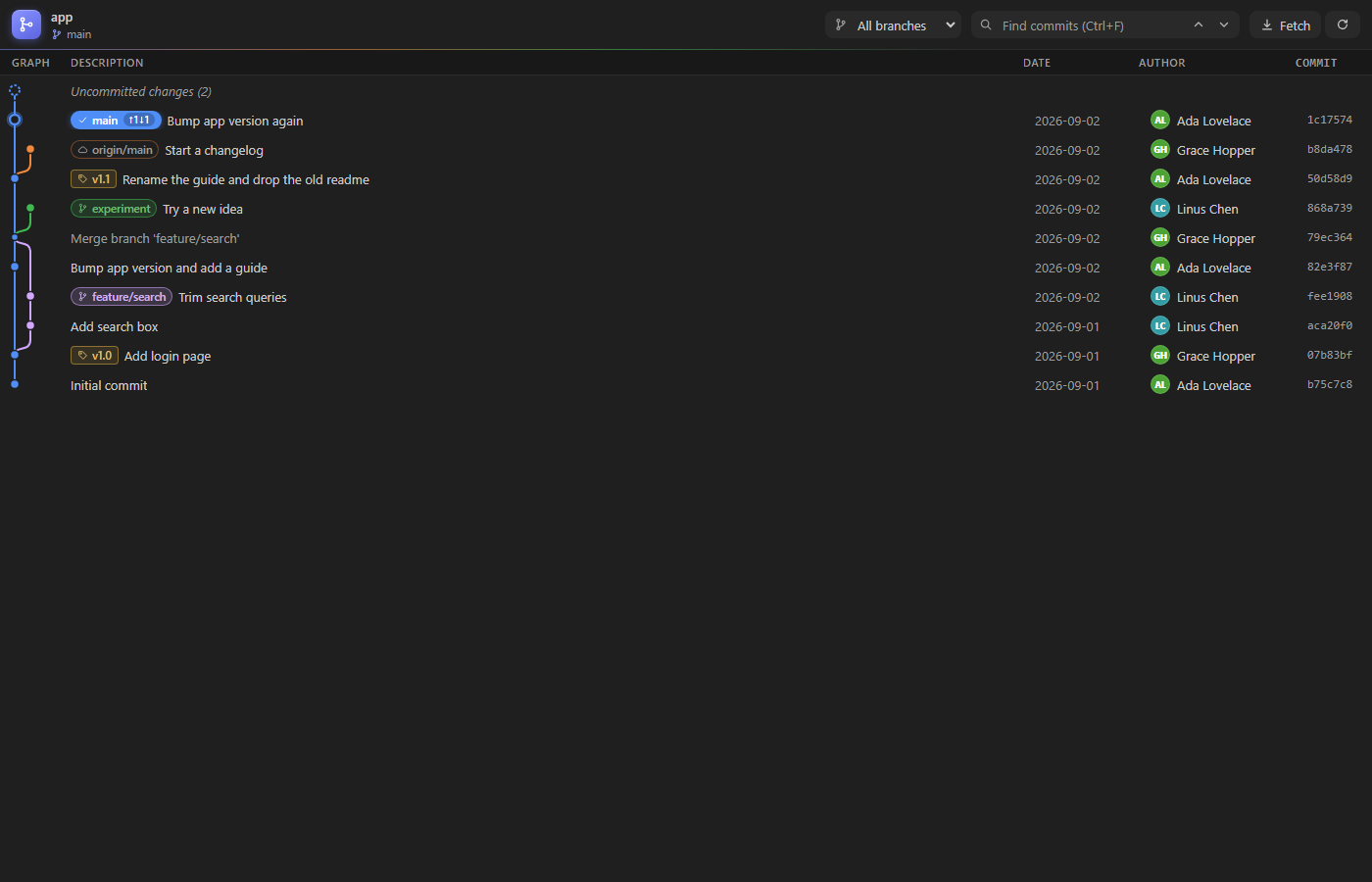
Your repository, as a graph.
See every branch, merge and tag at a glance. Click a commit to see what it changed, click a file to see the diff, and right-click to check out, cherry-pick, revert and more. Free, fast, and nothing leaves your computer. By the makers of Veyra Studio.
- 🌳 The whole history: every branch as a coloured lane, with merges, tags, remote branches and your uncommitted changes on top.
- ⬆️ Ahead and behind: branch labels show how many commits you have to push and pull.
- 🔍 Commit details: the full message, author, parents and every changed file with its
+ and − lines. Click a file for the diff.
- ⚖️ Compare any two commits: Ctrl+click a second commit.
- ⚡ One-click actions: check out, create a branch or tag, cherry-pick, revert, reset, merge, push, rename and delete. Anything risky asks first.
- 🔎 Find and filter: search messages, authors and hashes, or show a single branch.
Open it
- Click Git Graph in the status bar, or the graph button at the top of the Source Control view.
- Or press Ctrl+Alt+G (Cmd+Alt+G on a Mac), or run Git Graph Veyra: View Git Graph from the Command Palette.
With several repositories open, it asks which one, or uses the one your current file is in.
See what changed
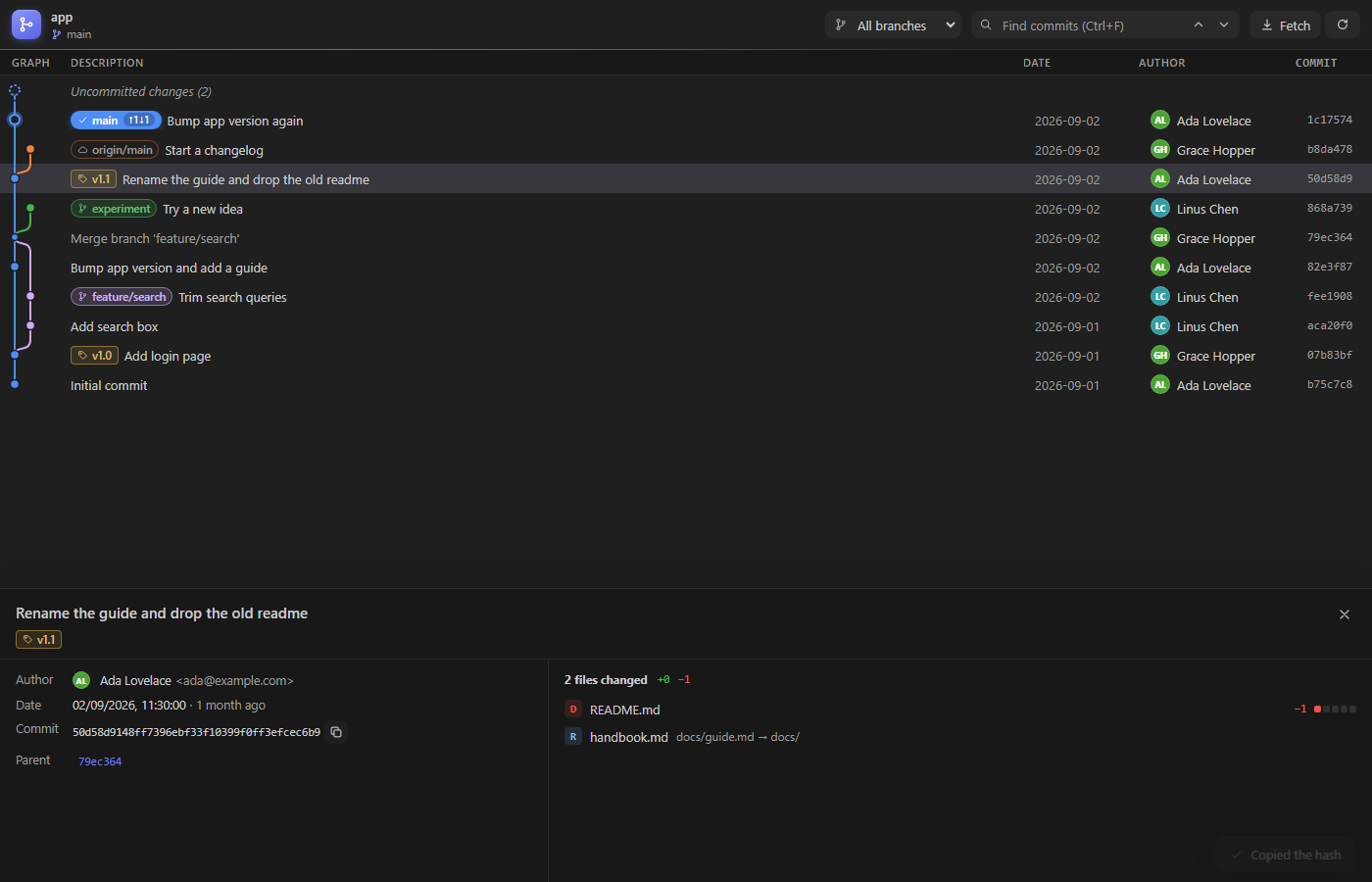
- Click a commit to open its details. Click it again, or press Esc, to close them.
- Each file shows whether it was added, modified, deleted or renamed, and how many lines changed. Click it to open the diff in VS Code.
- Ctrl+click (Cmd+click) another commit to compare the two.
- Up and Down move through the commits, and the details follow.
- Drag the line above the details to make them taller or shorter.
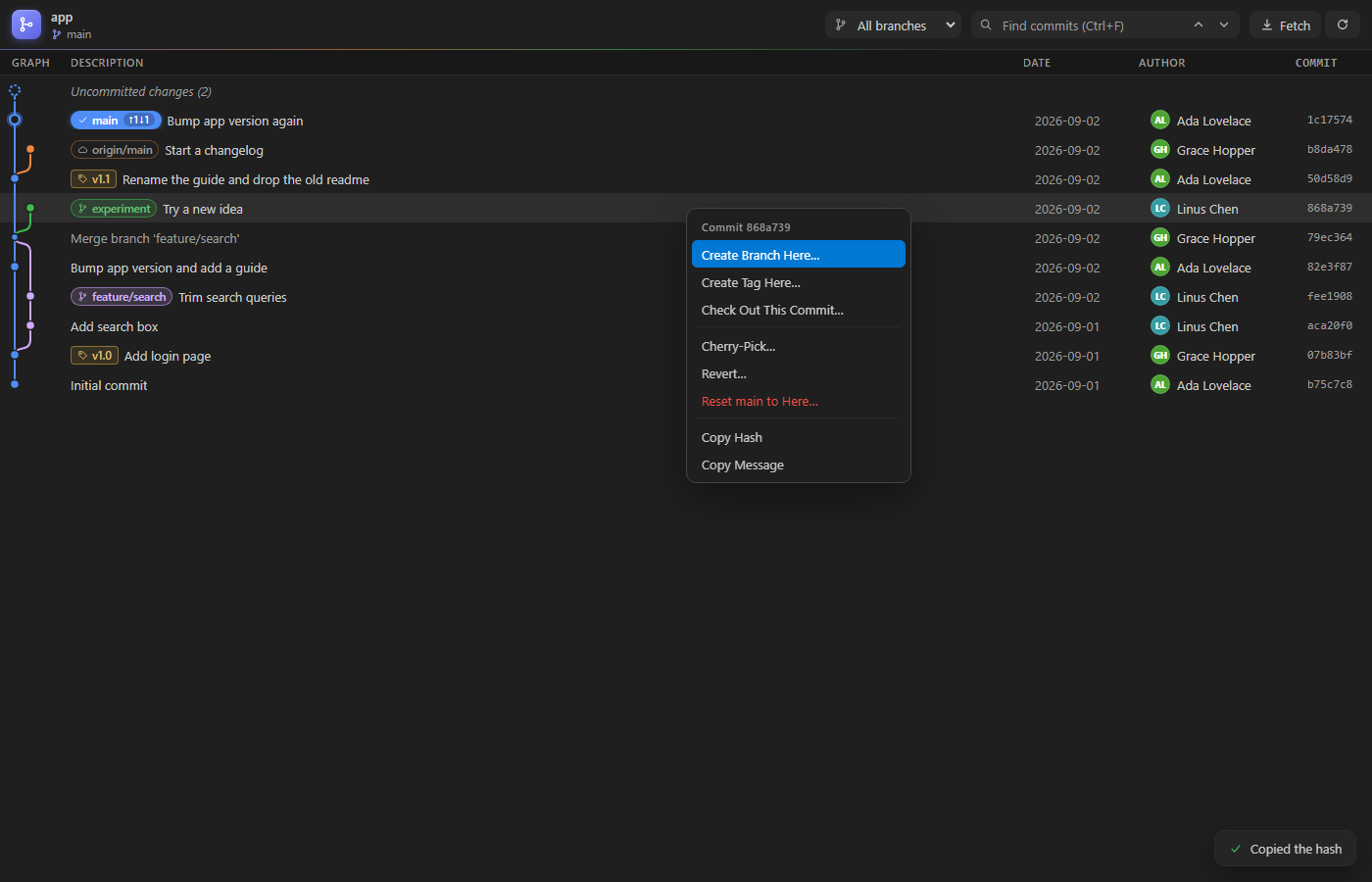
Do things with a right-click
| On |
You can |
| A commit |
Create a branch or tag there, check it out, cherry-pick, revert, reset the current branch to it, compare it, copy its hash or message |
| A branch label |
Check out (or double-click), merge into the current branch, push, rename, delete |
| A remote branch |
Check out as a local branch, merge, copy its name |
| A tag |
Push, delete, copy its name |
| Uncommitted changes |
Open Source Control, stash them |
Before anything that rewrites or discards work, like Reset Hard or deleting a branch that isn't merged, Git Graph Veyra explains what will happen and asks.
Settings
| Setting |
Default |
|
veyraGit.commitsToLoad |
400 |
Commits shown at first. More load as you scroll |
veyraGit.showRemoteBranches |
true |
Show branches like origin/main |
veyraGit.dateFormat |
relative |
relative (3 hours ago), date or dateTime |
veyraGit.showStatusBarItem |
true |
Show the Git Graph button in the status bar |
Good to know
- Uses the same git as VS Code. Nothing is sent anywhere: authors are shown with their initials, so no pictures are downloaded.
- Smooth with long histories: only the rows on screen are drawn.
- The graph refreshes by itself when you commit, switch branches or pull.
- Works in local folders and remote ones (SSH, WSL, containers). It needs a trusted workspace, because it runs git.
- Git Graph Veyra is an independent extension, written from scratch.
- Requires VS Code 1.85 or newer.
More from Veyra
Found a bug or have an idea? Open an issue. MIT licensed.
| |

