Error Lens Veyra
See every problem right where it is.
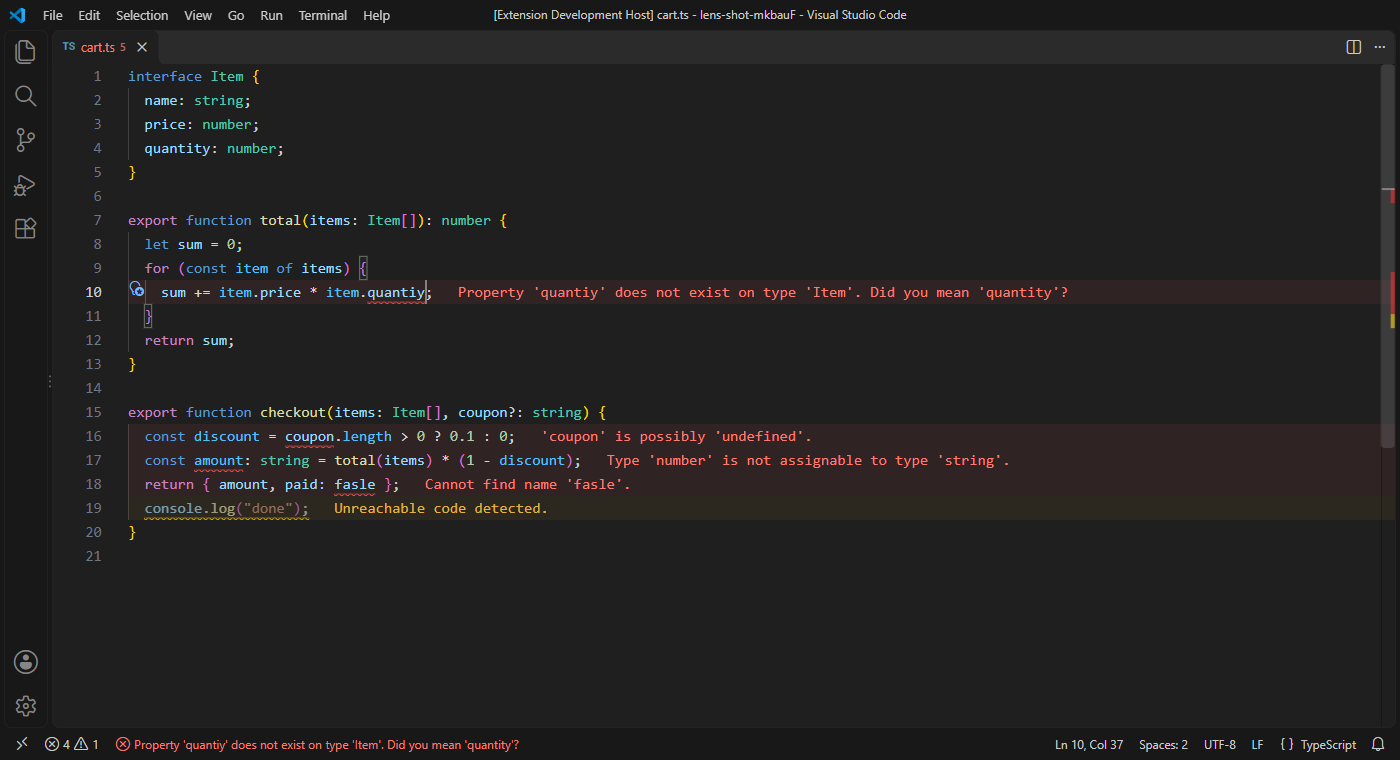
Error Lens Veyra puts each error and warning at the end of its line, tints the line, and shows the problem under your cursor in the status bar. No more hovering over squiggles or opening the Problems panel. Works with every language that VS Code checks: TypeScript, Python, ESLint, C#, Go, Rust, spelling and more. By the makers of Veyra Studio.
- 🔴 Messages at the end of the line, coloured by severity, with
(+2 more) when a line has several.
- 🎨 The line gently tinted, so problems stand out while you scroll.
- 📍 The cursor's problem in the status bar, with every problem on that line in its tooltip.
- ⌨️ Calm while you type: the line you're editing waits until you pause, so half-typed code doesn't flash errors.
- 🎯 Show only what you want: choose severities, hide noisy sources like spell checkers, or follow the cursor.
Light or dark, it fits your theme
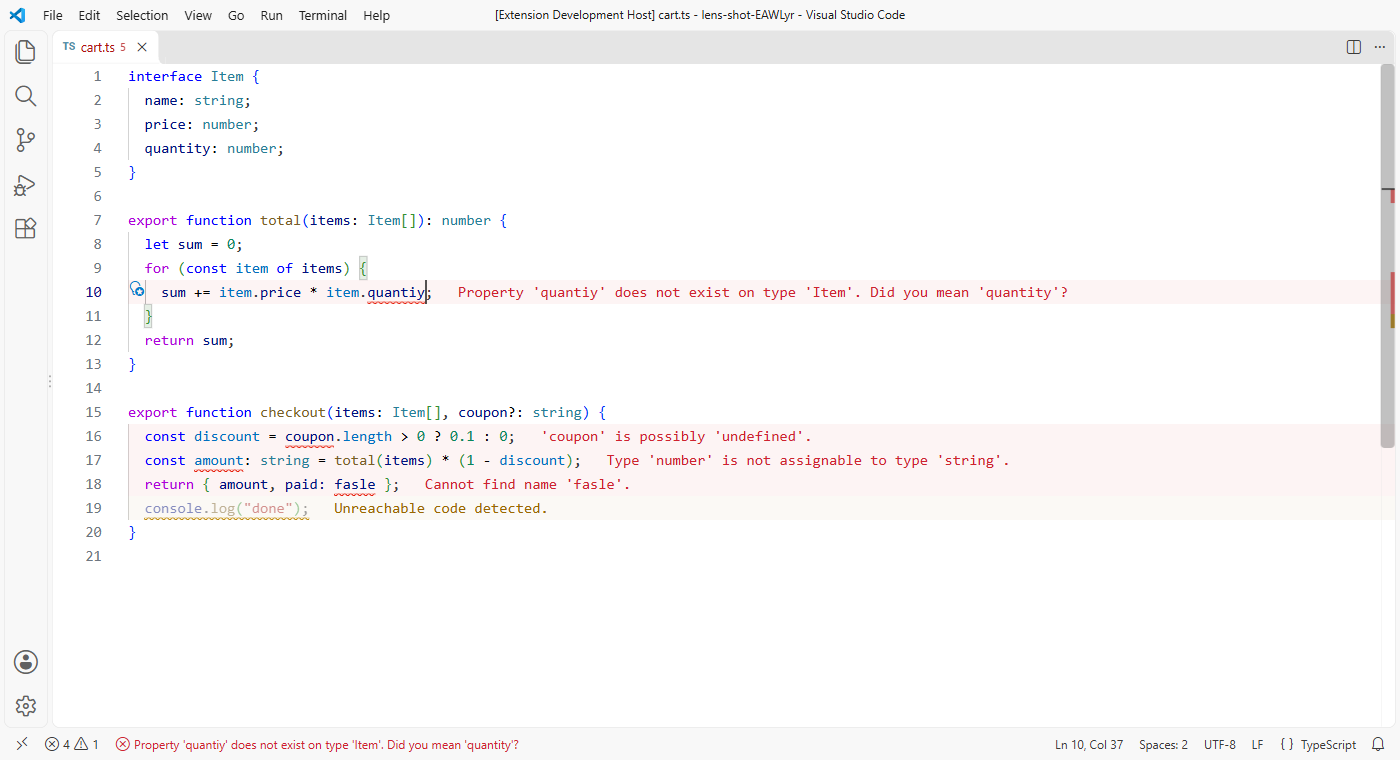
The colours come from your theme and can be changed like any other theme colour, under workbench.colorCustomizations:
"workbench.colorCustomizations": {
  "veyraLens.errorForeground": "#ff5f56",
  "veyraLens.errorBackground": "#ff5f5610"
}
The colours are veyraLens.errorForeground, warningForeground, infoForeground and hintForeground, and the matching …Background for the line.
Commands
| Command |
|
| Error Lens Veyra: Turn On or Off |
Show or hide all messages |
| Show or Hide Warnings |
Focus on errors only |
| Show or Hide Info and Hints |
Quieter or more detailed |
| Copy the Problem on This Line |
Every problem on the cursor's line, ready to paste. Also on the editor's right-click menu |
| Search the Web for the Problem on This Line |
Searches the message, without your file paths |
| Hide Problems from This Source… |
Pick a source, like cSpell, to stop showing it inline. It stays in the Problems panel |
Settings
| Setting |
Default |
|
veyraLens.severities |
errors, warnings, info |
Which kinds to show (hint is off by default) |
veyraLens.messageTemplate |
{message} |
Use {message}, {source}, {code}, {severity} and {count}, like {source}: {message} |
veyraLens.followCursor |
allLines |
activeLine shows only the cursor's line; closestProblem only the nearest problem |
veyraLens.whileTyping |
hideCurrentLine |
show updates at once; wait waits for a pause to update everything |
veyraLens.typingDelay |
600 |
How long a pause is, in milliseconds |
veyraLens.highlightLine |
true |
Tint lines with problems |
veyraLens.gutterIcons |
false |
A coloured dot in the gutter |
veyraLens.statusBar |
true |
The cursor's problem in the status bar |
veyraLens.maxMessageLength |
200 |
Longer messages end with … |
veyraLens.excludeSources |
[] |
Sources to leave out, like ["cSpell"] |
veyraLens.excludeMessages |
[] |
Regular expressions for messages to leave out |
veyraLens.excludeFiles |
["**/node_modules/**"] |
Files where messages aren't shown |
Good to know
- It shows the problems VS Code already knows about. It doesn't run any checks of its own, so it's fast and adds no load.
- Nothing is sent anywhere. Search the Web only opens your browser when you ask.
- Works in local, remote and virtual workspaces, and in Restricted Mode.
- Error Lens Veyra is an independent extension, written from scratch.
- Requires VS Code 1.85 or newer.
More from Veyra
Found a bug or have an idea? Open an issue. MIT licensed.
| |

