Veyra Env
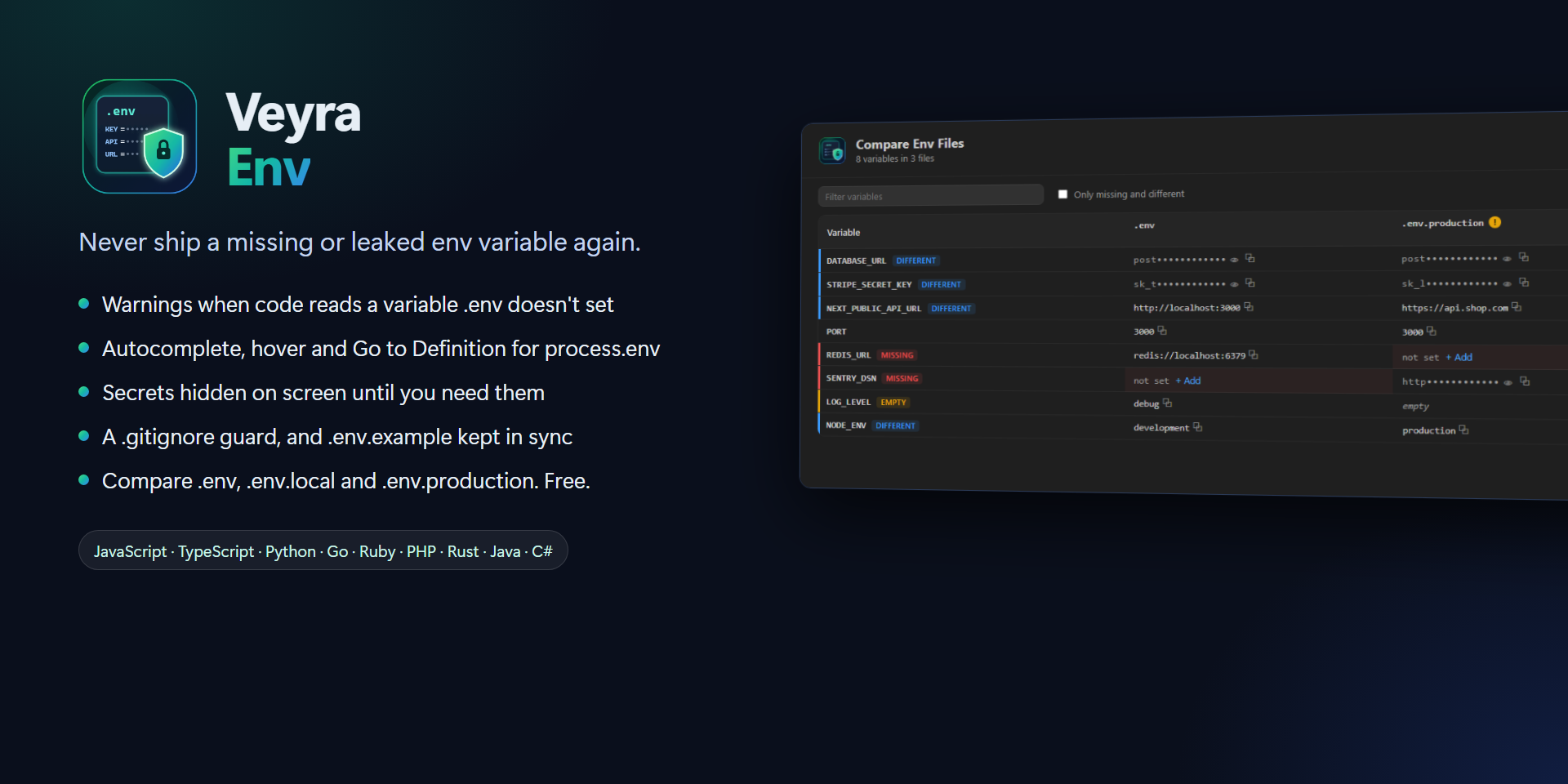
Never ship a missing or leaked env variable again.
Your app reads process.env.STRIPE_SECRET_KEY, but nobody added it to .env, so it crashes in production. A teammate commits .env by accident. You share your screen and your database password is right there. .env.example hasn't been updated in months.
Veyra Env takes care of all of that inside VS Code. Free, no account, nothing leaves your computer. By the makers of Veyra Studio.
- ⚠️ Missing-variable warnings: code that reads a variable no
.env file sets is underlined, with a fix that adds it.
- ⌨️ Autocomplete, hover and Go to Definition for
process.env, import.meta.env, os.getenv and more.
- 🙈 Secrets hidden on screen until you put the cursor on their line.
- 🔒 A
.gitignore guard: a warning when an env file isn't ignored or is already committed, with one-click fixes.
- 🔄
.env.example kept in sync: names only, never values.
- 🆚 Compare
.env, .env.local, .env.production and more, side by side.
- ✅ Checks for
.env files: duplicate keys, unclosed quotes, spaces around =, and syntax colours.
Quick start
Install it and open a project that has a .env file. That's all: there's nothing to set up.
- Open a code file: variables your
.env doesn't set are underlined. Press Ctrl+. to add them.
- Type
process.env. to see every variable you can use.
- Open
.env: secrets show as dots. Put the cursor on a line to see and edit its value.
- Look for Env Files in the Explorer sidebar to see all your env files and variables at a glance.
Catch missing variables before you run
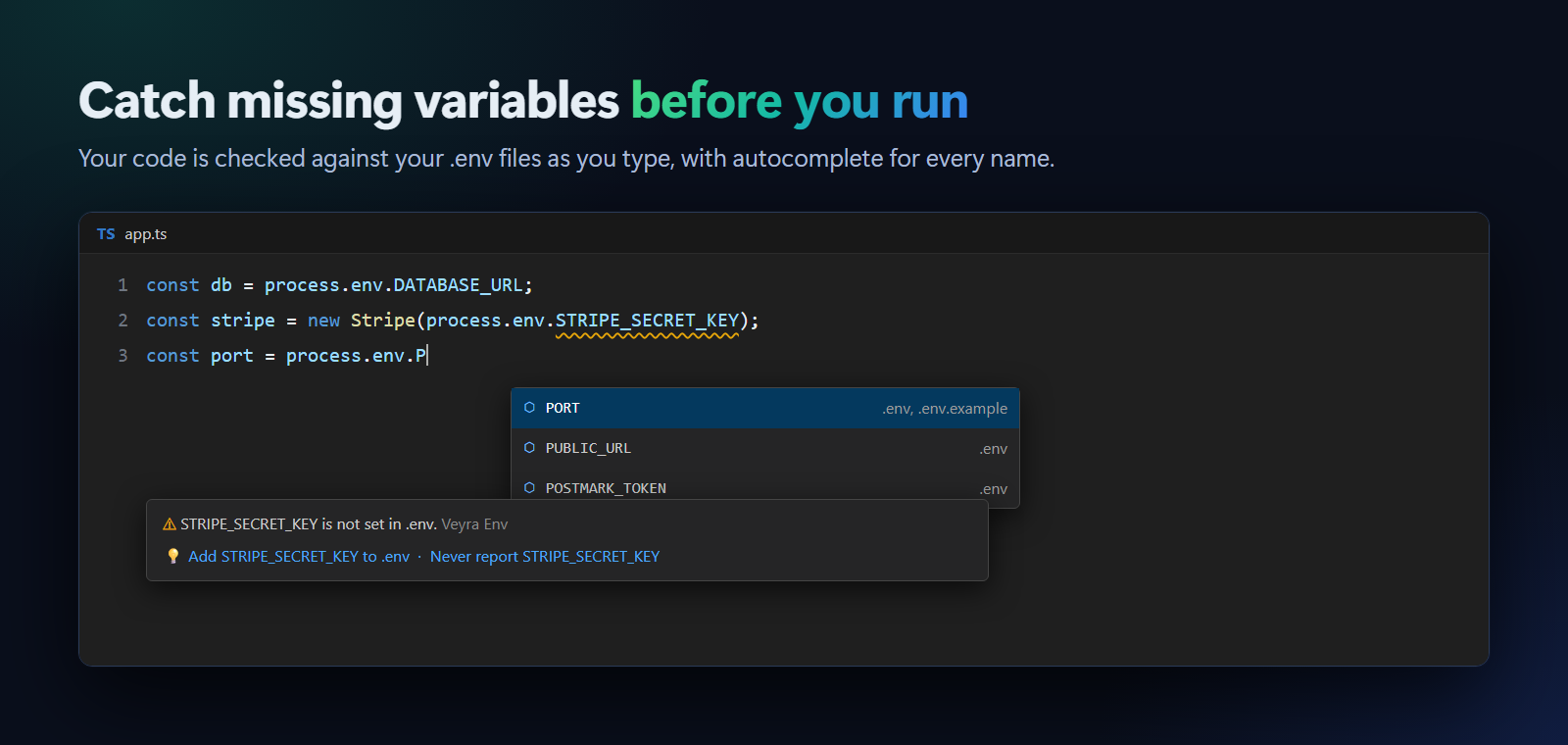
- Warnings when your code reads a variable that no
.env file sets: "STRIPE_SECRET_KEY is not set in .env." If .env.example lists it, you're told that too.
- Quick fix (Ctrl+.): Add STRIPE_SECRET_KEY to .env adds the line and puts your cursor there, ready for the value.
- Autocomplete after
process.env., inside os.getenv("…") and the like, showing which file sets each one.
- Hover a variable to see its value in each env file (secrets stay hidden), and F12 to jump to where it's set.
- Variables your system or platform sets (
NODE_ENV, PATH, CI, VERCEL_ENV, GITHUB_*…) are never reported. For others set elsewhere, like on your host, use the quick fix Never report….
- In a monorepo, each code file is checked against the
.env files in its own folder and the folders above it.
| Language |
Recognised |
| JavaScript, TypeScript, React, Vue, Svelte, Astro |
process.env.X, process.env["X"], import.meta.env.X, Bun.env.X, Deno.env.get("X") |
| Python |
os.environ["X"], os.environ.get("X"), os.getenv("X") |
| Go |
os.Getenv("X"), os.LookupEnv("X") |
| Ruby |
ENV["X"], ENV.fetch("X") |
| PHP |
getenv("X"), env("X"), $_ENV["X"], $_SERVER["X"] |
| Rust |
env::var("X") |
| Java, Kotlin |
System.getenv("X") |
| C# |
Environment.GetEnvironmentVariable("X") |
Secrets hidden, on screen
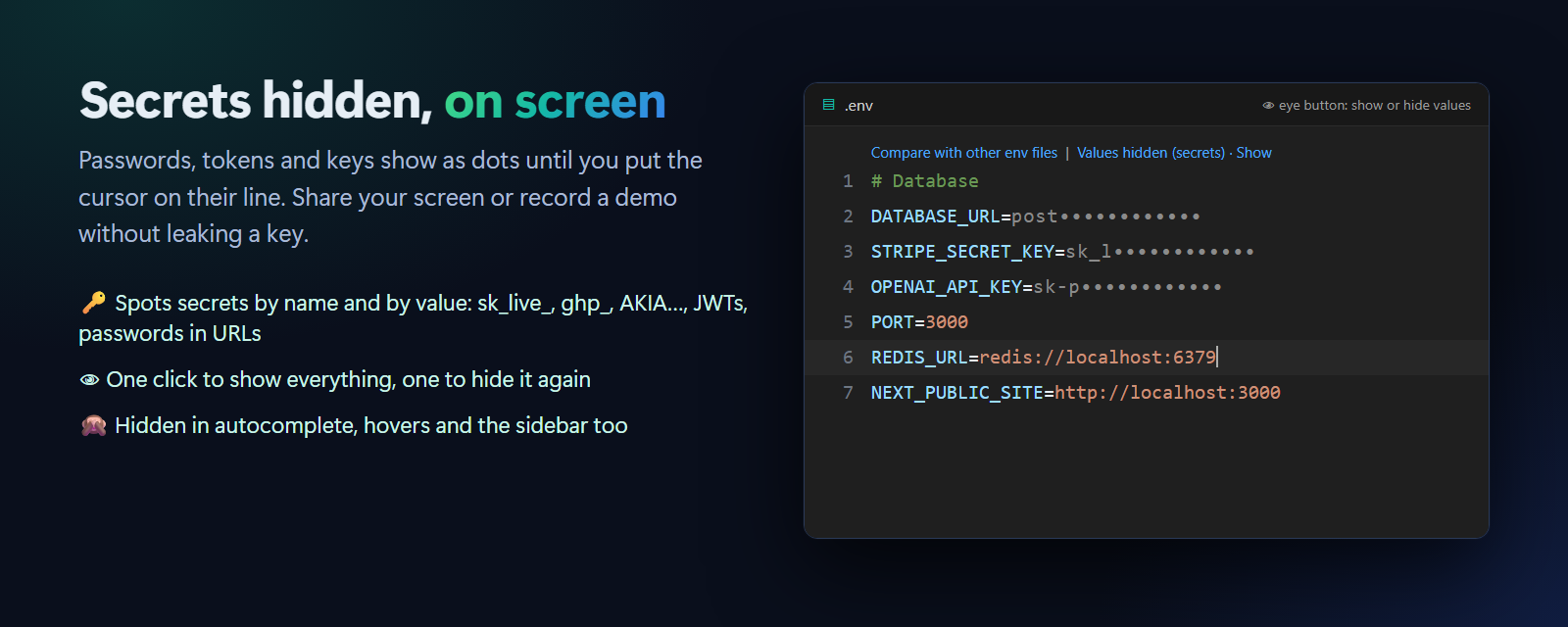
Passwords, tokens and keys show as dots, so you can share your screen, pair or record a demo without leaking anything. Put the cursor on a line to see and edit its value.
- Secrets are spotted by name (
…_SECRET, …_TOKEN, …_PASSWORD, API_KEY…) and by value (sk_live_…, ghp_…, AKIA…, JWTs, private keys, and URLs with a password like postgres://user:pass@…). Public values such as NEXT_PUBLIC_… stay visible.
- Click the eye in the editor title bar or the status bar to show everything, and again to hide it.
- Values stay hidden in autocomplete, hovers and the sidebar too.
- Want every value hidden, or none? Set
veyraEnv.hideValues to all or off.
Keep secrets out of git
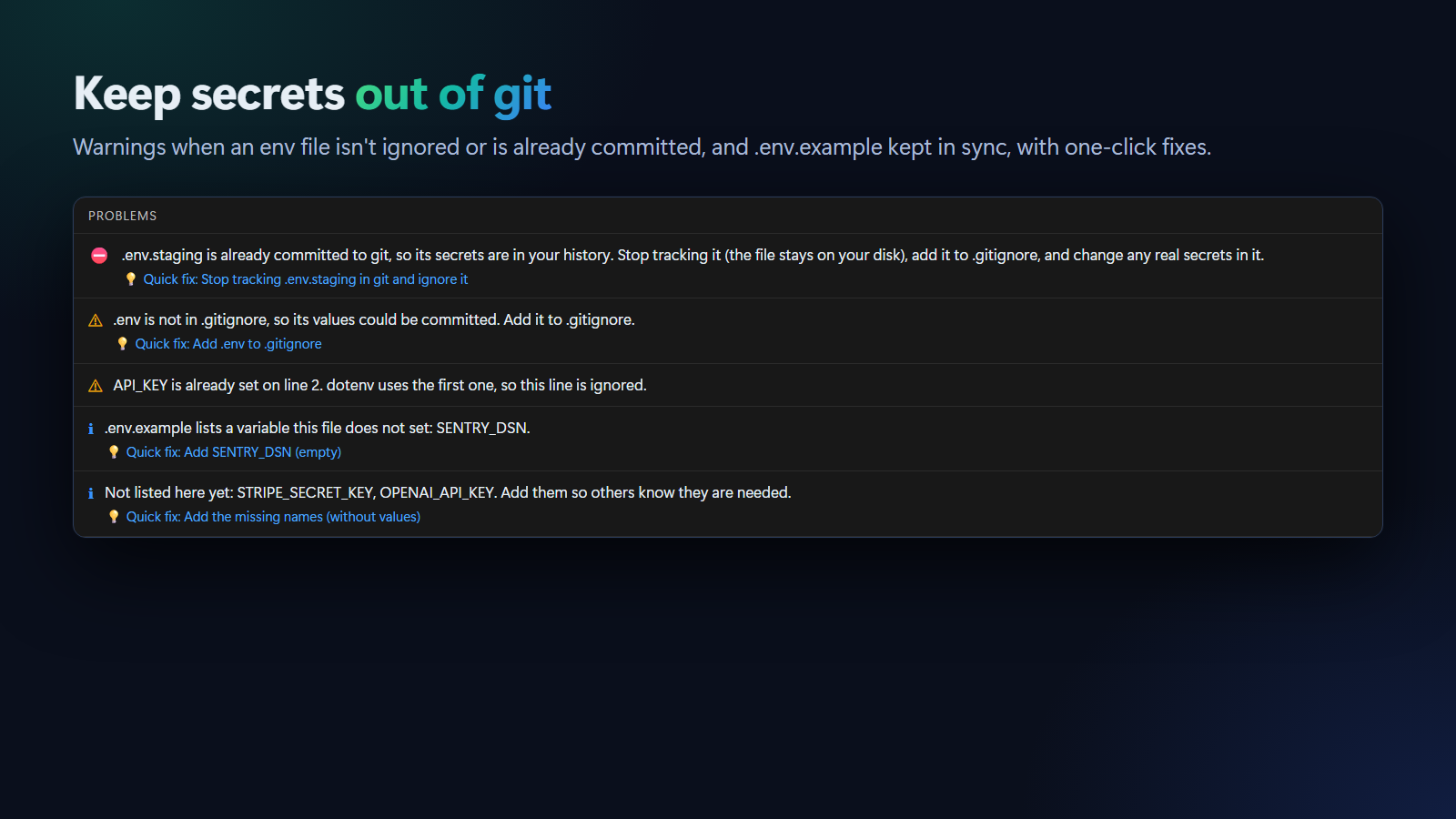
- Not in
.gitignore? You get a warning, and Add .env to .gitignore fixes it in one click.
- Already committed? That's an error, because the secrets are in your history. Stop tracking removes the file from git (
git rm --cached, the file stays on your disk) and ignores it. Remember to change real secrets that were committed.
- Uses git itself to check, so every
.gitignore rule works, including ones in sub-folders.
.env.example in sync
- When
.env has a variable that .env.example doesn't, the example gets a hint. Update .env.example adds the names, never the values, and brings along the comment above each one.
- When
.env.example lists a variable your .env doesn't set, you see which ones, and a fix adds them empty.
- No
.env yet? A Create .env from this file button sits above .env.example.
Compare env files side by side
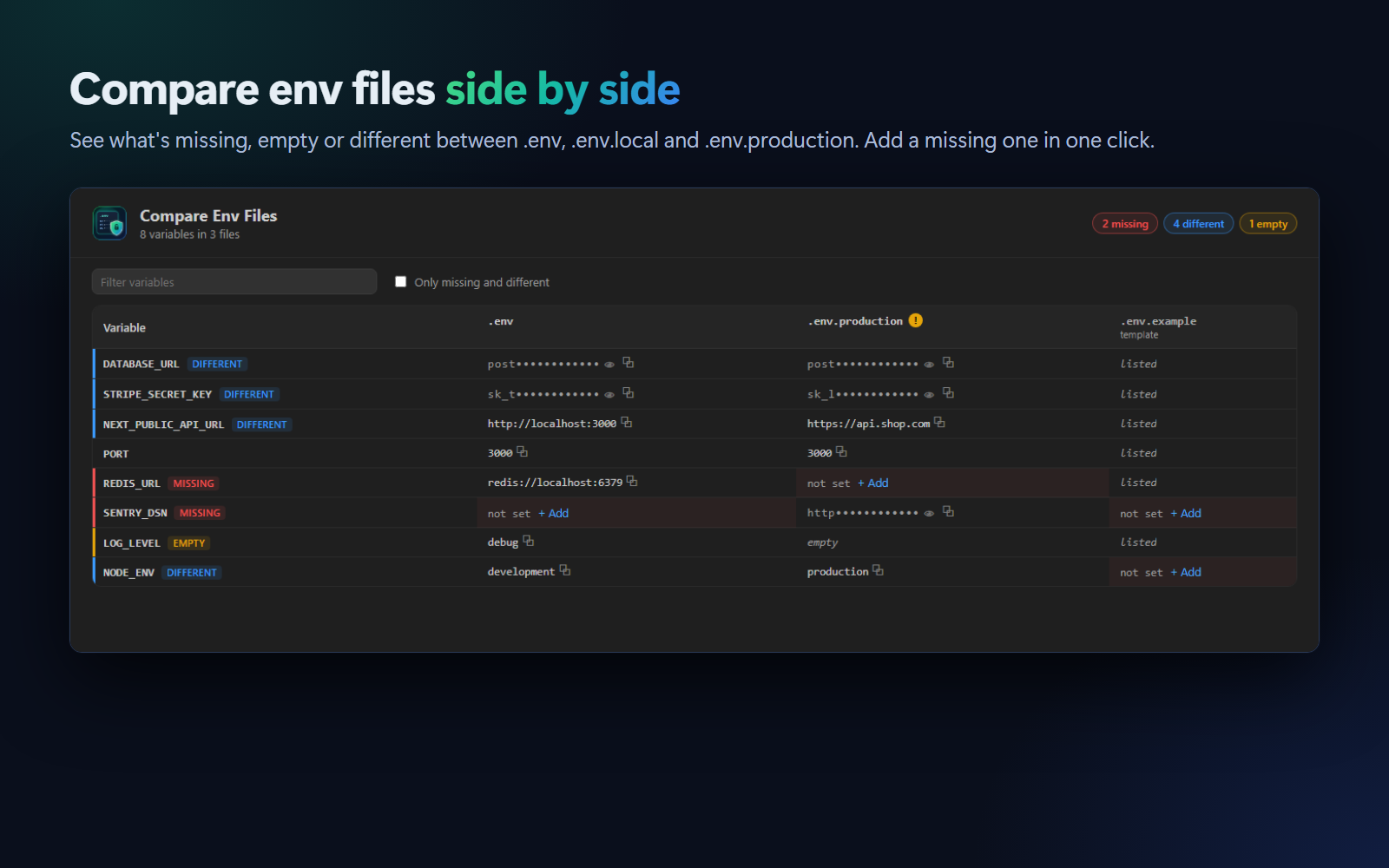
Env: Compare Env Files shows every variable in every env file in one table:
- Missing (red): a file doesn't set it. Click + Add.
- Different (blue): files set it to different values, which is normal for URLs and keys but useful to check.
- Empty (yellow): set but blank.
- Secrets are masked; click 👁 to see one. Click any value to jump to it in its file.
Checks for .env files
| Check |
Quick fix |
A line without = |
|
| The same key twice (dotenv uses the first one) |
|
| A quote that's never closed (it swallows the lines below) |
|
Spaces around = (work with dotenv, break Docker and shells) |
Remove them |
| A value with spaces and no quotes |
Add quotes |
An invalid name, like 1API |
|
| Text after a closing quote |
|
Plus syntax colours for .env files: names, values, comments, quotes and ${VARIABLES}.
Commands and settings
| Command |
|
| Env: Compare Env Files |
The side-by-side table |
| Env: Update .env.example |
Add the missing names, without values |
| Env: Show or Hide Values |
Show every value, or hide secrets again |
| Env: Create .env |
From .env.example if there is one |
| Setting |
Default |
|
veyraEnv.hideValues |
secrets |
secrets, all or off |
veyraEnv.missingVariables |
warning |
warning, information or off |
veyraEnv.ignore |
[] |
Names set somewhere else that should never be reported |
veyraEnv.gitignoreCheck |
true |
Warn about env files git could commit |
Good to know
- Veyra Env reads files and asks git; it never sends anything anywhere. No account, no telemetry.
- It works with
.env, .env.local, .env.development, .env.production, production.env and similar names. Templates like .env.example, .env.sample and .env.template are treated as lists of names.
- Hiding values is a screen-sharing aid: the file on disk is unchanged.
- Requires VS Code 1.85 or newer. The git checks need git on your PATH.
More from Veyra
Found a bug or have an idea? Open an issue. MIT licensed.
| |

