Auto Rename Tag Veyra
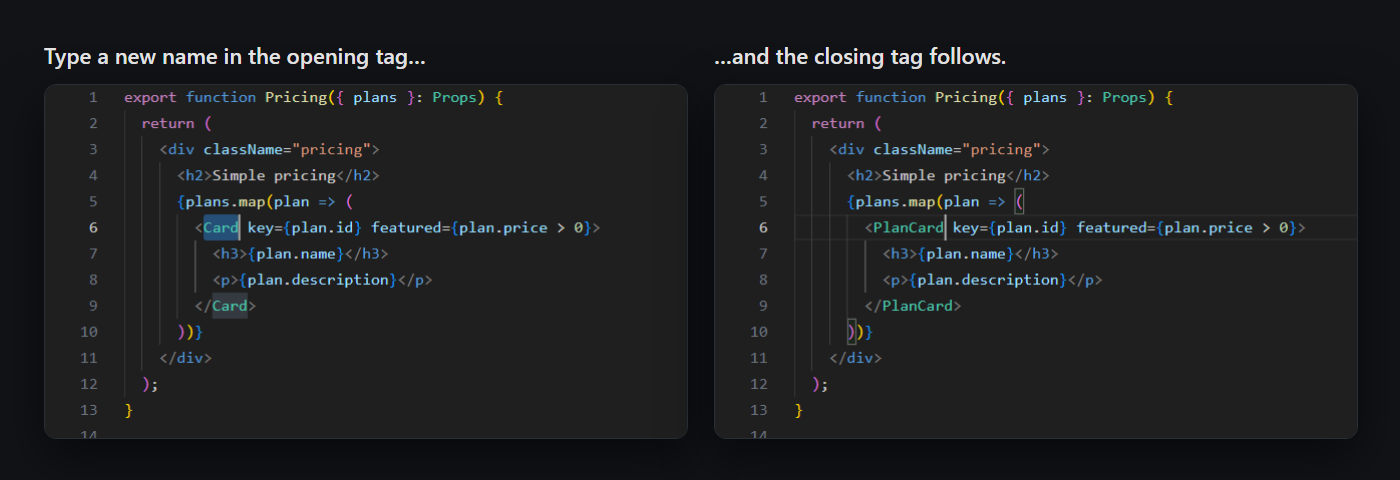
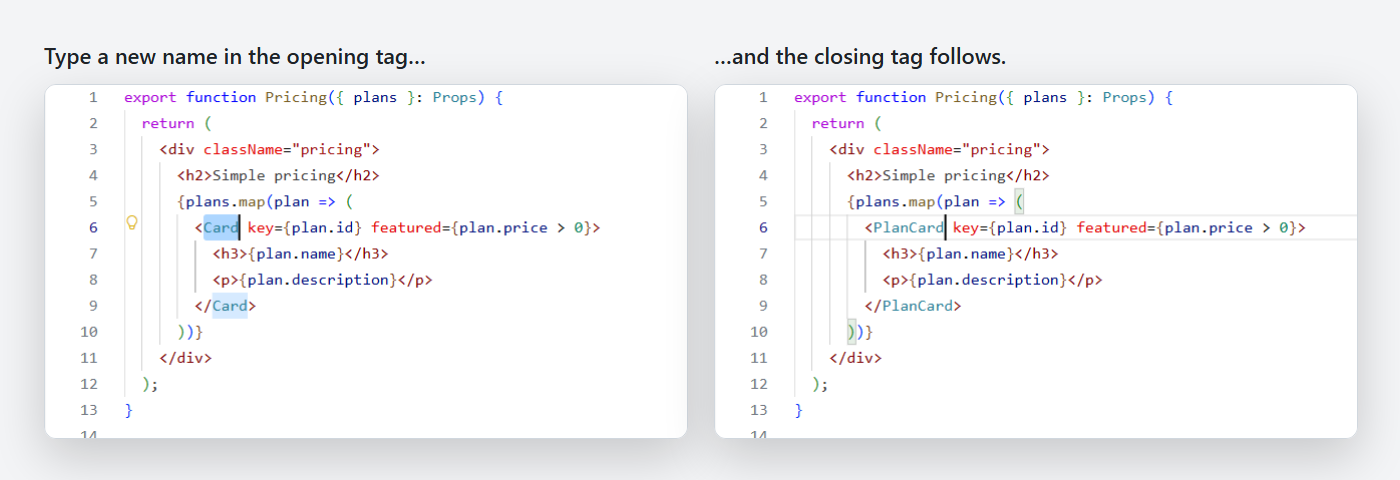
Rename one tag, and its pair follows.
Change <div> to <section> and the closing </div> becomes </section> as you type. It works from either end, in HTML, React (JSX and TSX), Vue, Svelte, Astro, XML, PHP and other templates. Free and instant, with nothing to set up. By the makers of Veyra Studio.
- ✍️ As you type: add, delete or replace letters in either tag, and the other one keeps up.
- 🧩 Understands real code: nested tags with the same name, components like
<Foo.Bar>, custom elements like <my-button>, attributes with > in them (onClick={() => a > b}), comments, <script> blocks and fragments (<> → <div>).
- ↩️ Undo keeps the pair together: each undo takes both tags back, so they never end up out of step.
- 🤝 Plays well with VS Code's own linked editing: if it's on, tags are renamed once, not twice.
Light or dark
What it leaves alone
- Attributes: typing a space after the name starts the attributes, and nothing else changes.
- Self-closing and void tags like
<Card /> and <br>, which have no pair.
- Invalid names: if the new name isn't a valid tag name, like
1a, the other tag isn't touched.
- Comparisons and generics in JavaScript and TypeScript, like
a < b or Array<string>.
- Multiple cursors: with several cursors, VS Code's own editing takes over.
Settings
| Setting |
Default |
|
veyraRename.enabled |
true |
Rename the matching tag as you type. Also Auto Rename Tag Veyra: Turn On or Off in the Command Palette |
veyraRename.languages |
HTML, XML, Vue, Svelte, Astro, React, PHP, templates… |
Language ids where tags are renamed. * for every language |
veyraRename.maxFileSize |
2000000 |
Skip files bigger than this many characters |
Good to know
- In HTML, tag names match whatever their case (
<DIV>…</div>). In JSX they must match exactly, as in React.
- Works in local, remote and web workspaces, and in Restricted Mode. Nothing is sent anywhere.
- Auto Rename Tag Veyra is an independent extension, written from scratch.
- Requires VS Code 1.85 or newer.
More from Veyra
Found a bug or have an idea? Open an issue. MIT licensed.
| |

