Skip to content
| Marketplace
Sign in
Visual Studio Code>Visualization>FinallyForms – WinForms DesignerNew to Visual Studio Code? Get it now.
FinallyForms – WinForms Designer

FinallyForms – WinForms Designer

FinallyForms

|
1 install
| (0) | Free
Open your WinForms forms in FinallyForms, a standalone visual designer for Windows Forms – right from the Explorer or your code.
Installation
Launch VS Code Quick Open (Ctrl+P), paste the following command, and press enter.
Copied to clipboard
More Info

FinallyForms for VS Code

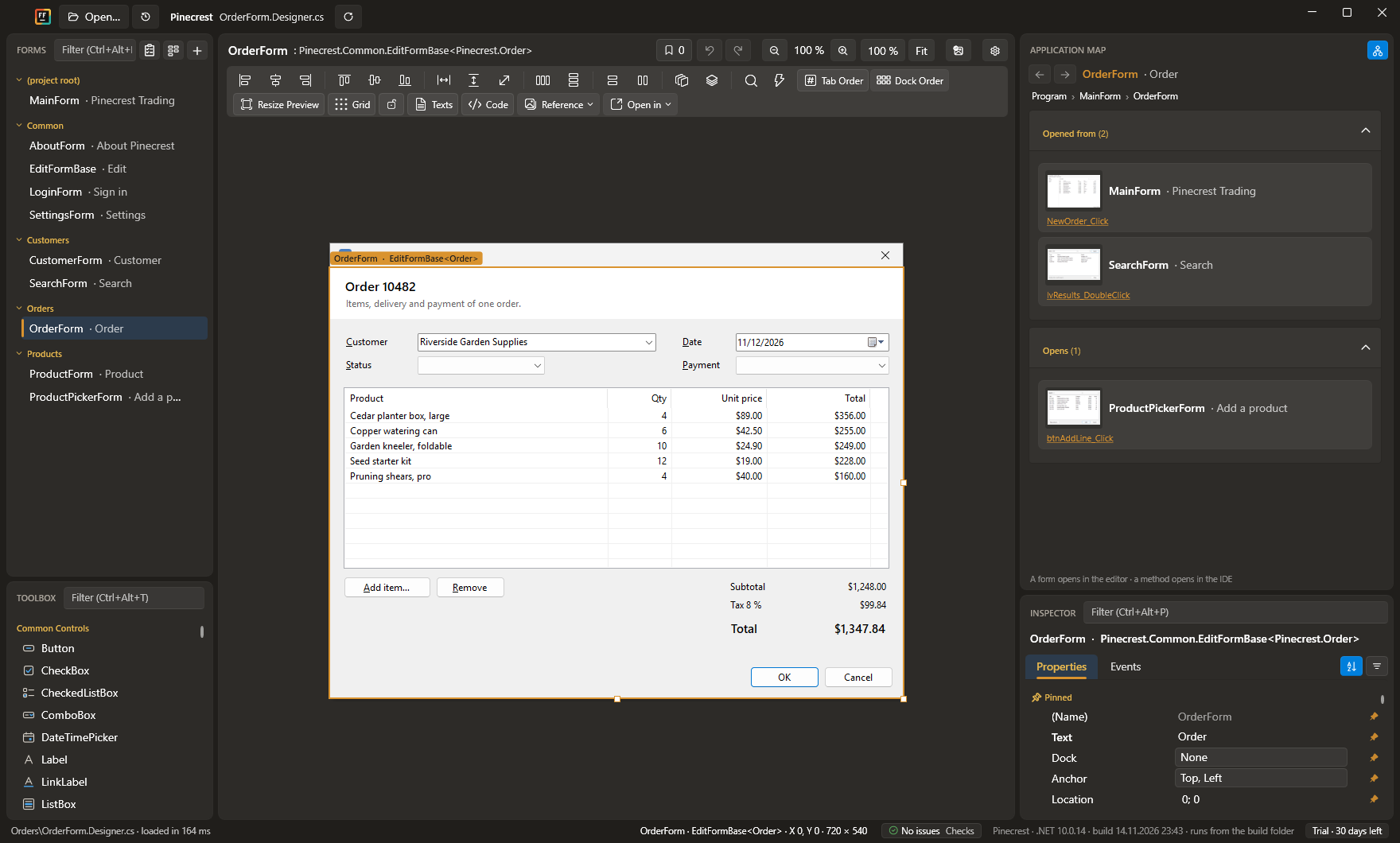
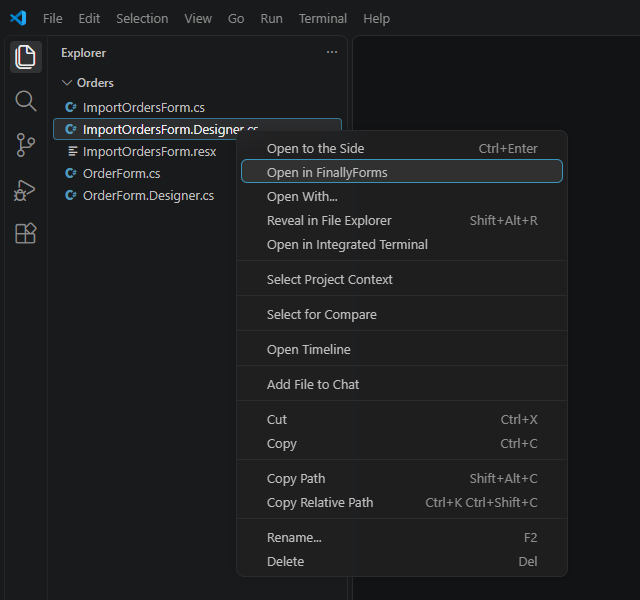
Design your WinForms forms visually while you write the code in VS Code: right-click a form in the Explorer, choose Open in FinallyForms, and it opens in FinallyForms – a standalone visual designer for Windows Forms – right next to your code, on the same files.

A form in FinallyForms

What the extension does

  • Open in FinallyForms on a form's .cs, .Designer.cs or .resx file (localized ones like Form1.de.resx too): in the Explorer's context menu and on the editor tab. The form opens right away.
  • From the code: right-click in a form's code (or use your shortcut) and the form opens with the control at the caret selected – a line like this.btnSave.Text = …, or the event handler you are in.
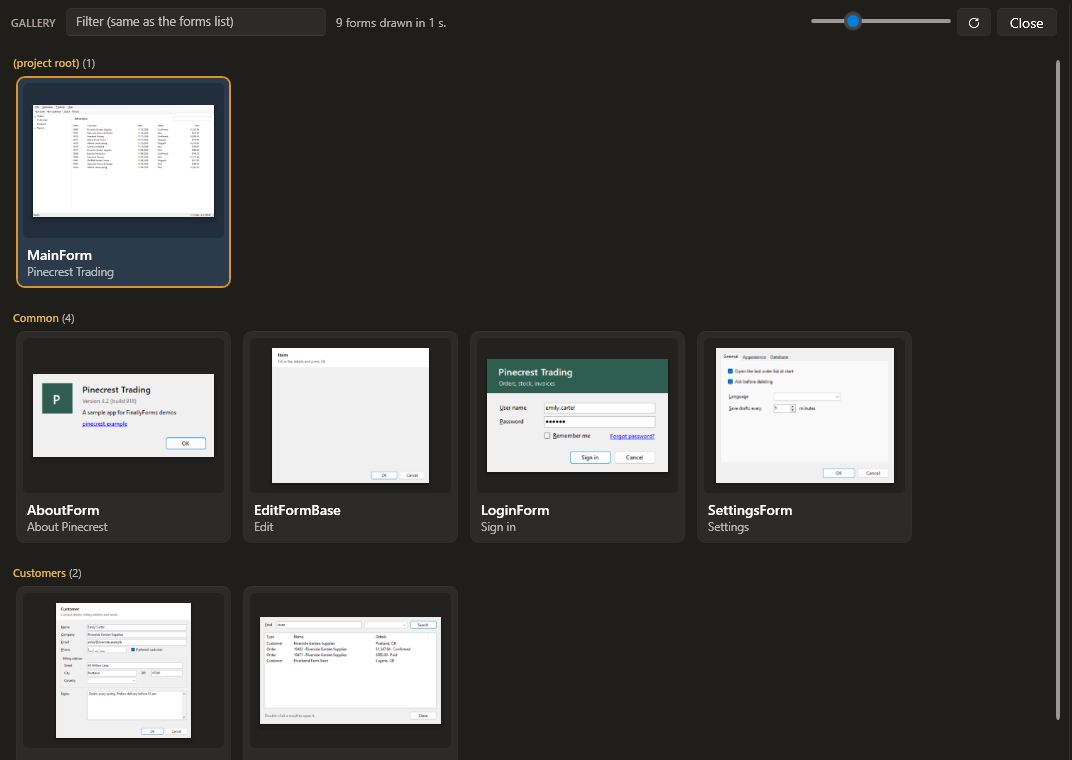
  • Open Project in FinallyForms on a WinForms project: all its forms as live thumbnails.
  • The menus show on forms and WinForms projects only.
  • Your open documents are saved first, so FinallyForms starts from your latest code. Switch back to VS Code and it picks up every change made in FinallyForms.
  • A form of a project that is already open in FinallyForms goes to that window.
  • Finds the installed FinallyForms on its own. A portable copy can be chosen in the settings (finallyforms.exePath), and Keyboard Shortcuts gives Open in FinallyForms your own shortcut (search for FinallyForms).

Open in FinallyForms in the Explorer's context menu

About FinallyForms

FinallyForms is a WinForms designer for Windows 10 and 11, for projects on .NET Framework 4.8 and .NET 8+. It works on the same files as VS Code and writes back only what you changed: move a button, and exactly one line of your .Designer.cs changes. Your whole project on one screen, an application map of which form opens which, checks for every form, and designer code you paste from anywhere – an AI chat included – turns into real controls. Everything it does: finallyforms.dev.

Your whole project on one screen

FinallyForms is a separate Windows application: get it at finallyforms.dev/download. Until it is installed, the extension shows a notification with the download link.

The extension is free. The FinallyForms public beta is free until version 1.0 is out, and for a month beyond. From 1.0, try everything free for 30 days. Details: finallyforms.dev.

Privacy

Everything stays on your computer: the extension simply starts FinallyForms with the file you choose.

Requirements

Windows 10 or 11 and FinallyForms. The extension works with local folders (not with remote or virtual workspaces) and in VS Code, Cursor, Windsurf, VSCodium and other editors built on VS Code 1.85 or later.

  • Contact us
  • Jobs
  • Privacy
  • Manage cookies
  • Terms of use
  • Trademarks
  • Your Privacy Choices
  • Consumer Health Privacy
© 2026 Microsoft