Live preview, gallery, theme studio and snippets for SeraPlot — high-performance
Rust/Python charts.
Screenshots
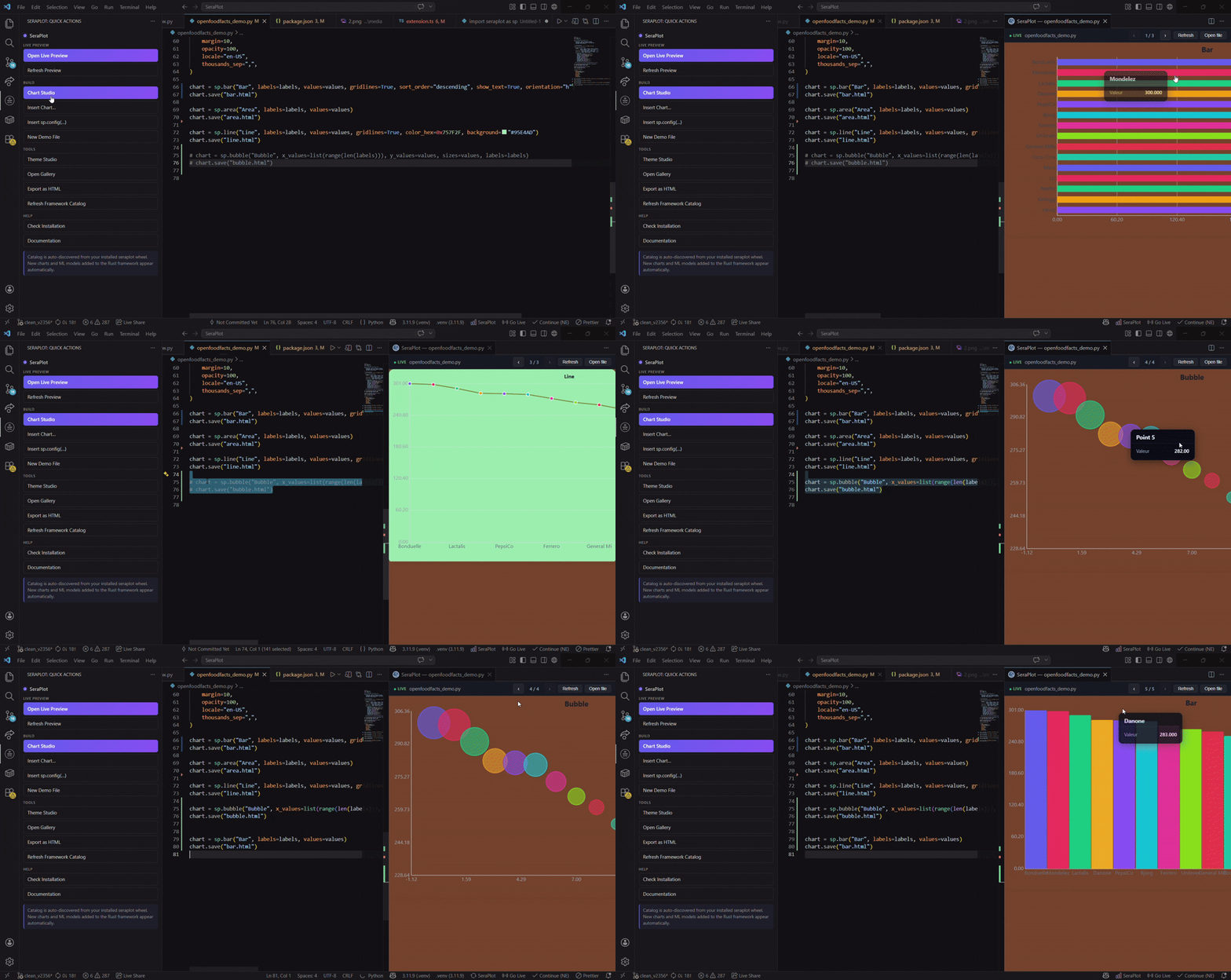
If you want to create charts live and get instant previews, this addon is made for you.
A bit of context: this tool is a companion to my original library called SeraPlot. I’ve been developing the framework for over a year now. It was created to address my own needs — a fully-featured, highly customizable data tool, a real all-in-one solution: data visualization, neural networks, machine learning, and more.
The goal is to avoid having a billion imports, be 2x to thousands of times faster and lighter, and remain portable across multiple languages. If you enjoy coding in C# (because honestly, it’s better), go for it — it’s available there as well. (Well, it exists, but you’ll have to message me for now — I’ll send you the package since it’s not yet published on NuGet. I’m waiting to release a more complete version.)
I work on this alone in my spare time, so progress can take a while. If you want more information, feel free to check out the documentation — it’s available in both English and French and goes into much more detail about the tool. I still try to update the extension once a week.
Documentation: : https://feur25.github.io/Sera/introduction.html
Highlights
- Activity bar panel — a SeraPlot icon in the left rail with quick actions, the full chart gallery and your recent previews
- Live Preview — render any Python file in a side panel, auto-reload on save
- Theme Studio — visual editor for every
sp.config(...) option (palette, fonts, sizes, animation, locale, gridlines, …) with one-click copy/insert
- Gallery — searchable cards for 50+ chart types (2D, 3D, statistical, maps, ML)
- Snippets —
sp… prefixes for every chart, plus AutoML, drift, pipelines, GridSearchCV
- Status bar — one-click Live Preview from anywhere
- Export — save the current chart as a standalone HTML file
Quick start
- Install
seraplot in your Python environment:
pip install seraplot
- Set
seraplot.pythonPath in settings to the interpreter where SeraPlot is installed.
- Click the SeraPlot icon in the activity bar → Live Preview (or use
Ctrl+Shift+P → SeraPlot: Live Preview).
Commands
| Command |
Description |
SeraPlot: Live Preview |
Render the active Python file in a webview |
SeraPlot: Refresh Preview |
Force re-render |
SeraPlot: Open Theme Studio |
Visual sp.config(...) editor |
SeraPlot: Open Gallery |
Browse and insert any chart |
SeraPlot: Insert Chart… |
Quick-pick a chart and insert at cursor |
SeraPlot: Insert sp.config(…) |
Insert a fully expanded config block |
SeraPlot: New Demo File |
Create a starter scratch file |
SeraPlot: Export Preview as HTML |
Save the rendered chart |
SeraPlot: Check Installation |
Verify Python + SeraPlot are reachable |
Settings
| Key |
Default |
Description |
seraplot.pythonPath |
python |
Interpreter used for previews |
seraplot.autoReload |
true |
Re-render on save |
seraplot.previewColumn |
beside |
Where to open the preview panel |
seraplot.previewOnOpen |
false |
Open preview when a .py file is opened |
seraplot.timeout |
30000 |
Preview script timeout (ms) |
seraplot.defaultPalette |
indigo / rose / emerald / amber / violet / cyan |
Theme Studio default palette |
seraplot.defaultBackground |
#0f172a |
Theme Studio default background |
seraplot.statusBar |
true |
Show the SeraPlot status-bar item |
Snippets (excerpt)
spi, spdemo, spconfig, spbar, sphbar, spline, spscatter, sphist, sppie, spdonut,
spheatmap, spbox, spviolin, spkde, spradar, spfunnel, spwaterfall, spcandle,
spscatter3d, spbar3d, spglobe, spmap, spchoro, spkmeans, spdbscan,
spauto, spdrift, spfacet, spgrid, sppipe, sptts, …
Logo design by SevenSoftware7.
Extension make it by : feur25
Documentation : https://feur25.github.io/Sera/introduction.html

License
MIT

