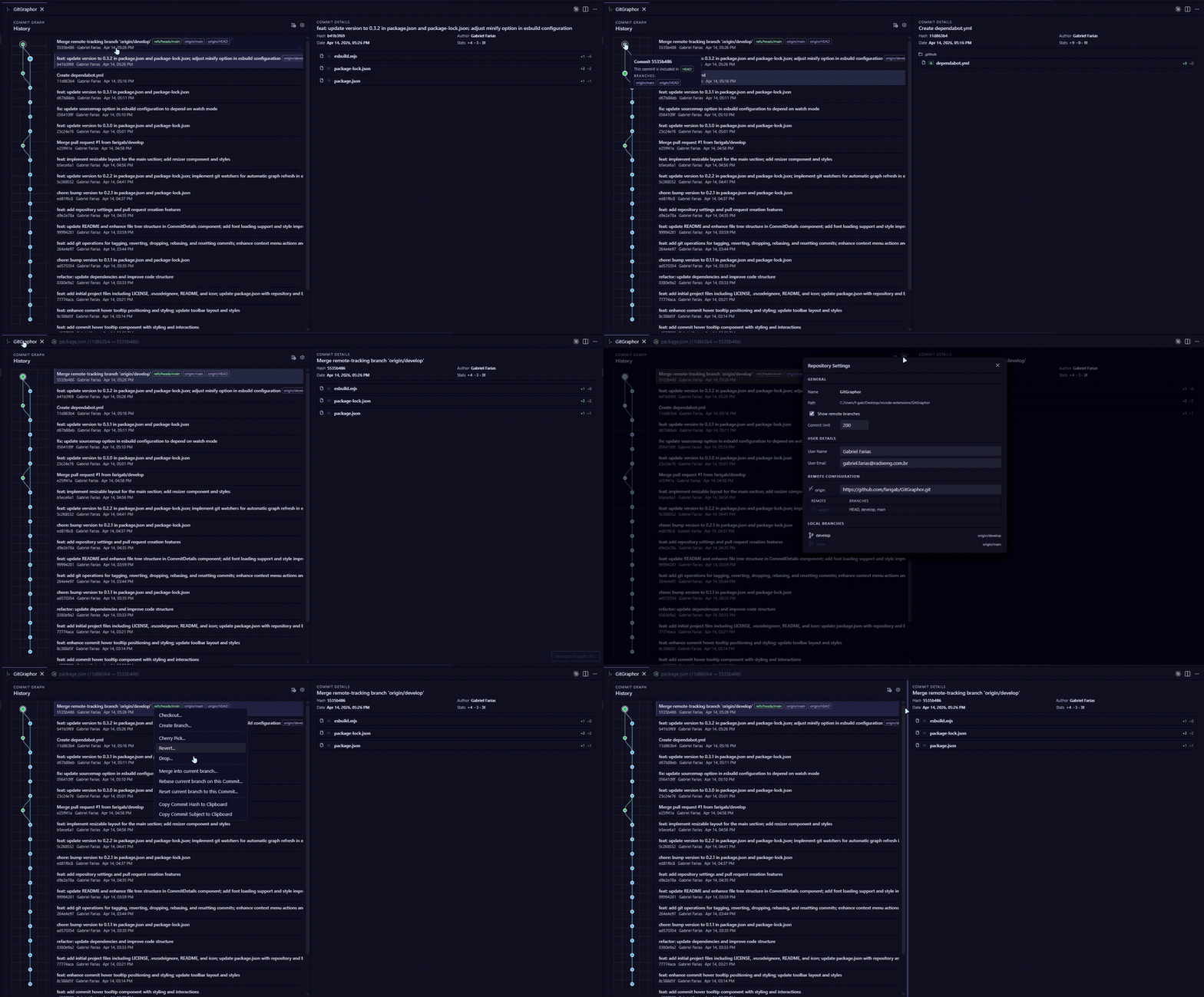
Git GraphorGit Graphor is a Visual Studio Code extension that brings an interactive Git history graph directly into your editor — with native diff integration and Git actions built in, so you never have to leave VS Code.
FeaturesInteractive Git GraphVisualize your entire commit history as a branching graph. Each node shows the commit hash, author, date and refs (local branches, remote branches and tags). Native Diff IntegrationClick any file in a commit to open a native VS Code diff tab, labeled as Commit DetailsSelect any commit to see a full breakdown: changed files, additions/deletions per file, total stats and the full commit message. Branch ManagementCreate, delete, checkout and merge branches directly from the graph — no terminal needed. Remote ActionsFetch, pull and push from the toolbar with a single click. Working Tree PanelStage, unstage and discard individual files. View staged, unstaged and conflicted files side by side. Commit with a message without leaving the panel. Search & FiltersFilter the graph by commit message, hash, author, branch or date range. Commit Context MenuRight-click any commit to: checkout, cherry-pick, create a branch from it, copy the hash or open it in the terminal. Requirements
Commands
All commands are also accessible from the Command Palette ( Getting Started
PrivacyGit Graphor uses the local Git CLI only. No data is sent to any remote service and no credentials are stored or read by the extension. |