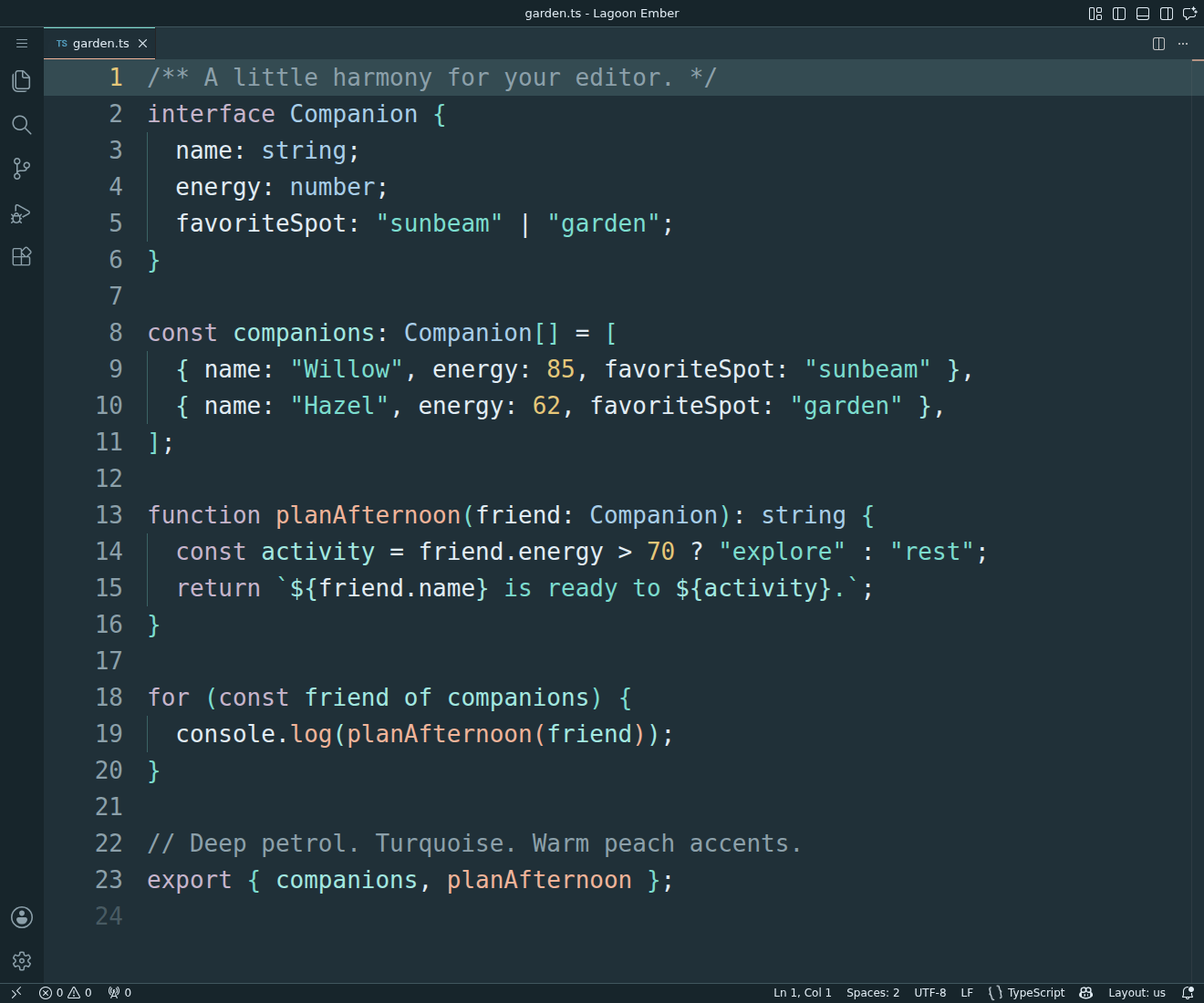
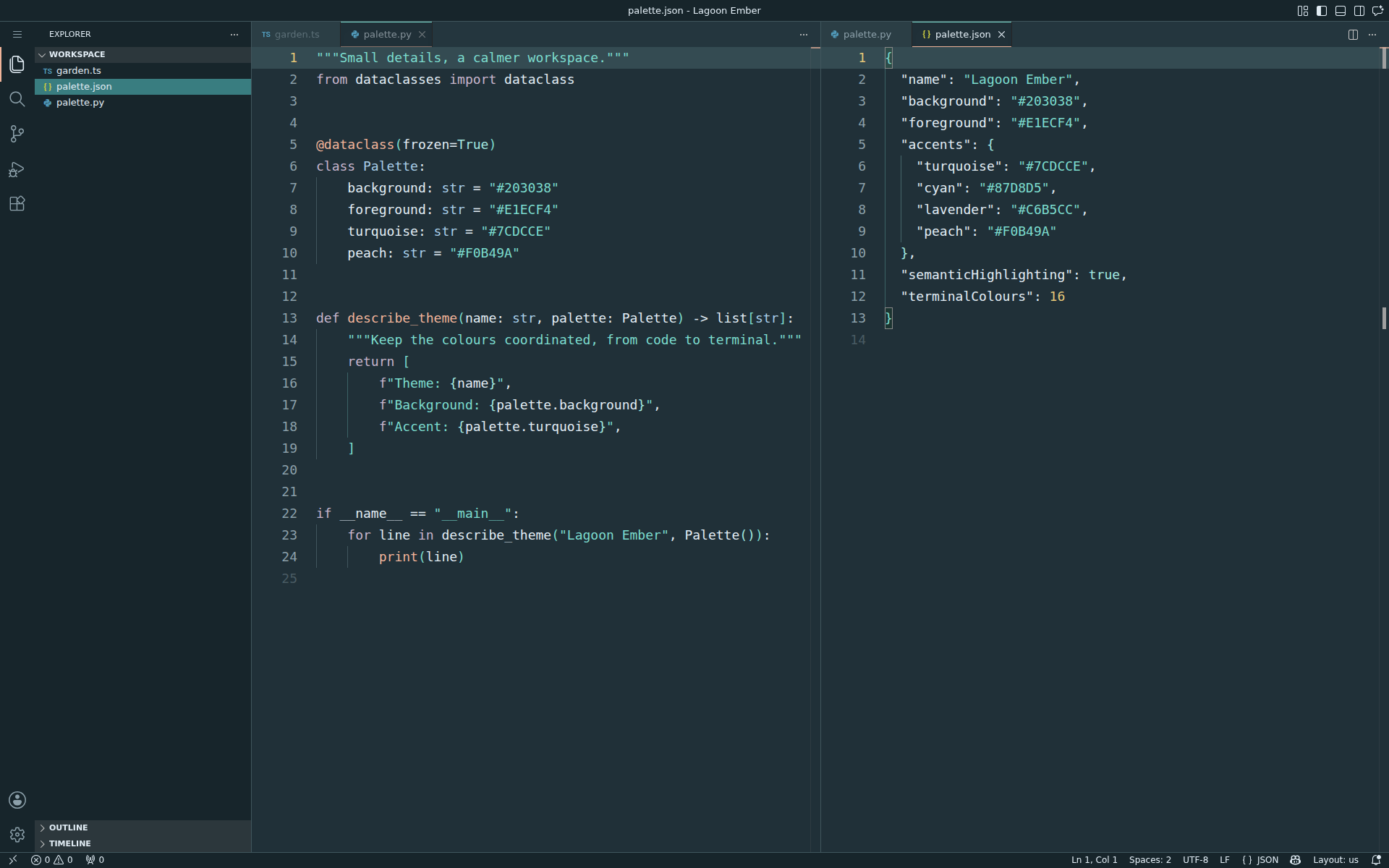
Lagoon EmberA calm deep-petrol theme with turquoise strings, soft blue types, peach functions and lavender keywords. Installation Launch VS Code Quick Open ( Ctrl+P), paste the following command, and press enter.Copied to clipboard |

Lagoon EmberA calm dark theme with deep petrol surfaces, turquoise strings, soft light-blue types, lavender keywords, peach functions and golden numbers. Muted comments keep the focus on your code.
Activate the theme
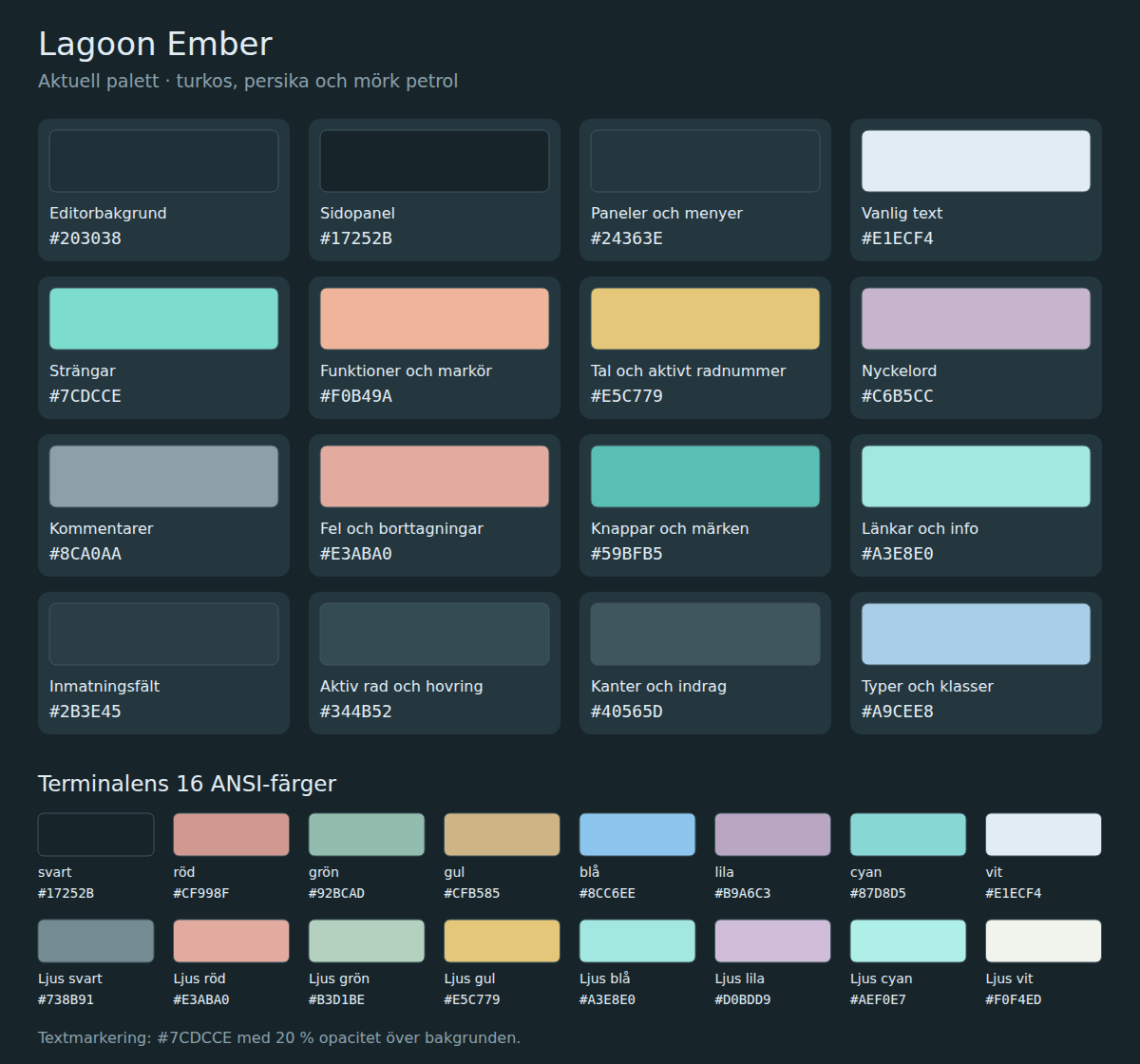
Colours that separate the code
All 79 explicit syntax and semantic foreground definitions meet a contrast ratio of at least 4.5:1 against the default editor background. Colours can vary with language extensions and your own editor customisations.
The workbench and all 16 terminal ANSI colours are coordinated with the palette. Screenshots show the theme in a real code-server editor.
Credits and licenceCreated by farapholch. MIT licensed.
Syntax scope rules derive from the MIT-licensed VS Code default dark themes;
see |