SoftgazeA calm window to stay with one Claude Code session while it works. Requires the free softgaze app. Installation Launch VS Code Quick Open ( Ctrl+P), paste the following command, and press enter.Copied to clipboard |

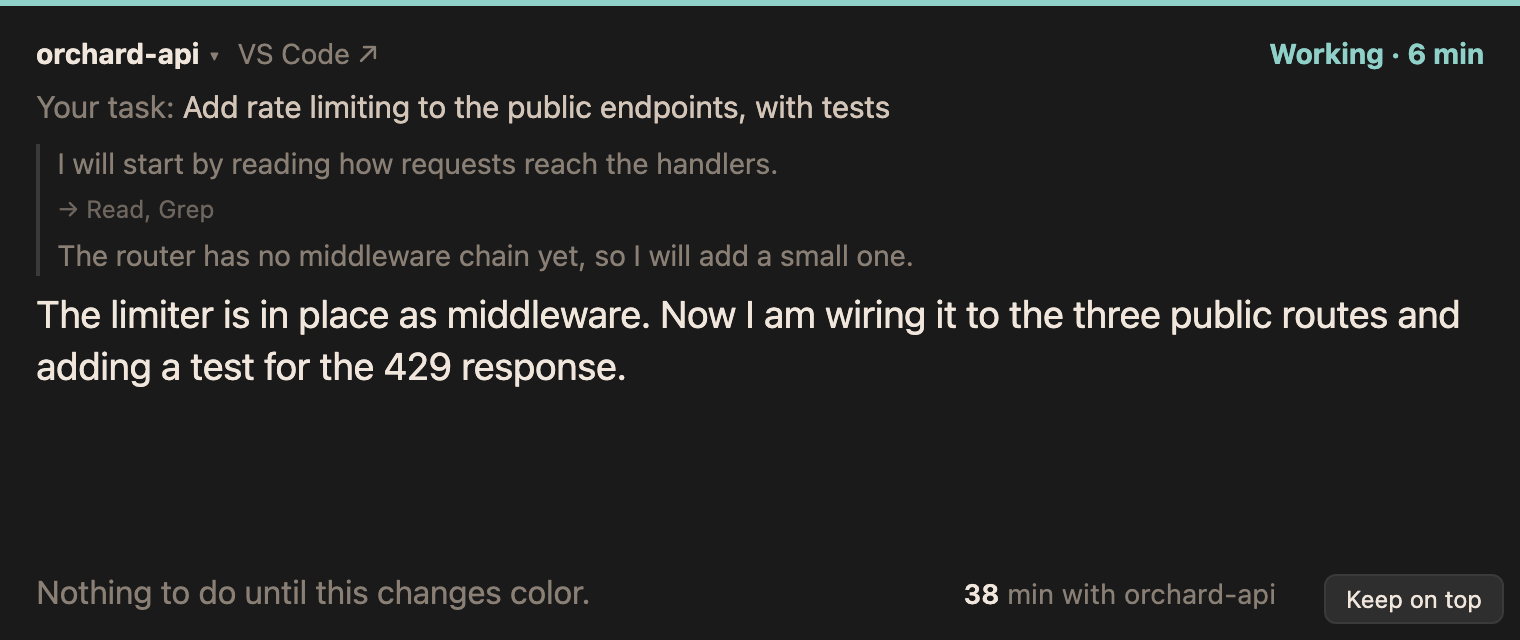
Softgaze for VS CodeA quiet window for staying with one Claude Code session while it works. It keeps your task in sight, shows what Claude says it is doing, and changes color once, when it is your turn. Nothing ticks, nothing scores you, and the window never jumps to another session on its own.
This extension opens the window in VS Code and moves between it and the session with one key. Requires the softgaze appThe extension is the VS Code side of softgaze, a free, open-source app that runs on your machine and reads Claude Code's transcripts. Install it and start it first: No Homebrew? Download a binary for macOS, Linux or Windows from the latest release. More in the install notes. Everything stays on your machine: the extension only talks to softgaze at
Commands
If Settings
What the extension reportsEach VS Code window tells the softgaze app on your machine whether it has the keyboard, which folders it has open and whether its Softgaze panel is active. macOS does not say which window of an app is in front, and this is how the minutes counter tells your project's window from any other. The reports are kept in memory, never logged, and never leave your machine. |