claumon for VS Code
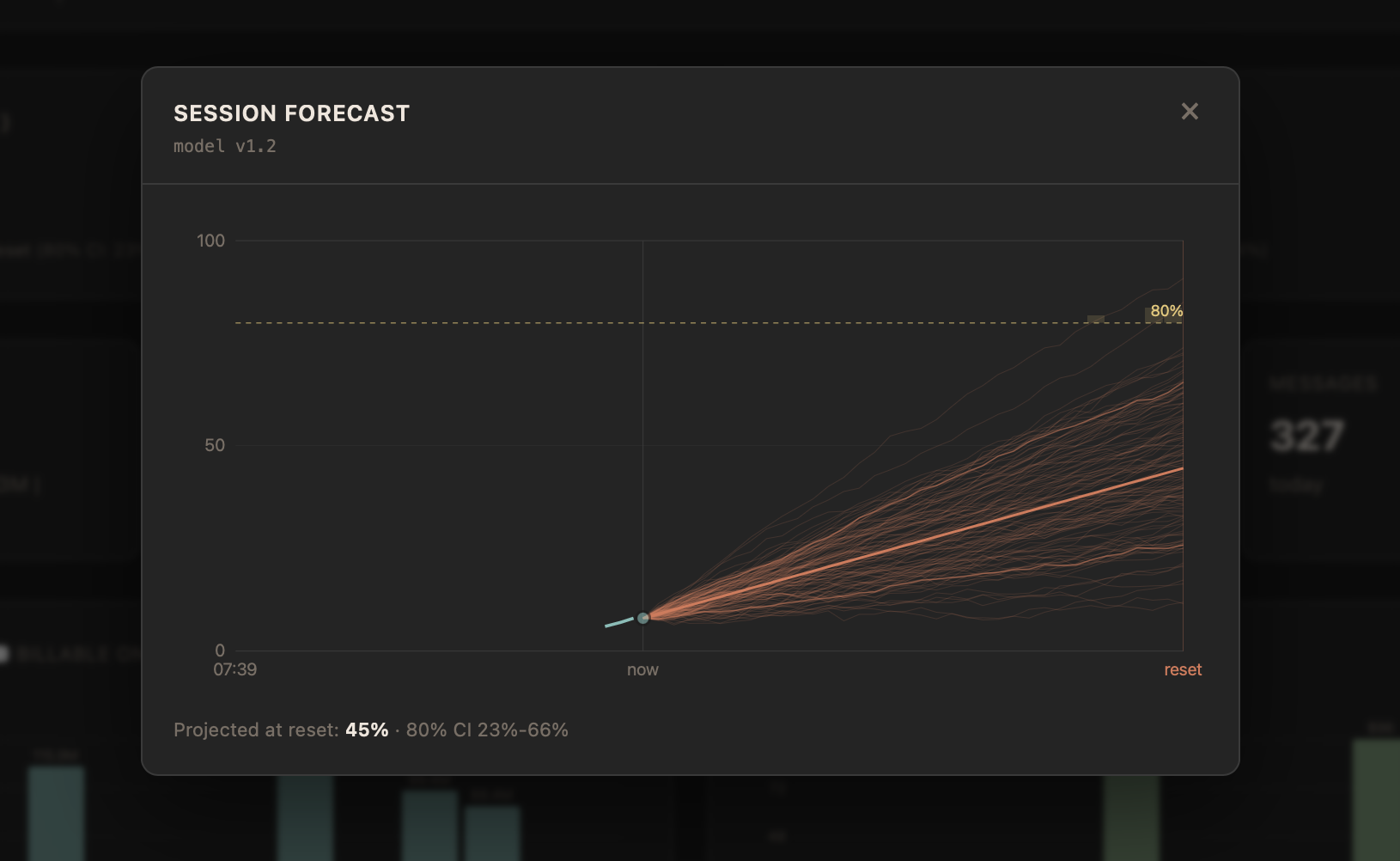
See where your Claude Code limits are headed before you hit them, without
leaving VS Code. claumon shows your live session and weekly usage in the status
bar, with a forecast of where you'll be when the window resets, and opens the
full claumon dashboard in an editor
panel.
Requires the claumon app
This extension is the VS Code front end for claumon, a free, open-source
app that runs on your machine and reads your usage. Install it and start it
first:
brew install fabioconcina/claumon/claumon
claumon
No Homebrew? Download a binary for macOS, Linux or Windows from the
latest release. To
keep claumon running in the background, run claumon service install once.
More options are in the quick start.
The extension connects to claumon at 127.0.0.1:3131 by default. It works with
any Claude plan you sign in to with claude /login.
Features
- Status bar item showing your current session (or weekly) usage percentage,
updated live. When a forecast is available it also shows the projected
percentage at reset (e.g.
45%->72% session). The tooltip breaks down
session and weekly (and per-model, e.g. Fable) percentages, reset times, the
forecast (projected % with its 80% confidence interval and threshold ETA),
and any auth or poll errors. It turns yellow at >= 75% and red at >= 90% of
current usage, and also turns yellow when the forecast projects you'll exceed
the limit before the window resets, showing a flame icon while you're still
on track to hit it.
- Dashboard panel (
claumon: Open Dashboard) embedding the live claumon
dashboard: forecasts, session costs, history and the memory browser. If
claumon isn't running, it shows how to start it and a Retry button.
- Resilient connection: auto-reconnect with backoff, graceful "offline" state,
and live response to settings changes.
Settings
| Setting |
Default |
Description |
claumon.host |
127.0.0.1 |
Hostname of the claumon server. |
claumon.port |
3131 |
Port of the claumon server. |
claumon.statusBar.metric |
session |
Which metric to show in the status bar (session or weekly). |
Commands
- claumon: Open Dashboard : open the embedded dashboard panel.
- claumon: Reconnect : force a reconnect to the SSE stream and refresh.
Requirements
- claumon running locally (per-model weekly limits need claumon v0.19.0+).
- VS Code 1.85 or newer.
Installing without the Marketplace
Each ext-v* release also
has the extension as a .vsix. Download it and run Extensions: Install from
VSIX... from the Command Palette, or code --install-extension claumon-*.vsix.
Development
npm ci               # clean, locked install (no install scripts; see .npmrc)
npm run compile      # tsc -> dist/*.js
npm run watch        # rebuild on change
npm run typecheck    # tsc --noEmit
Press F5 in this folder to launch the Extension Development Host.
Start claumon first so there is something to connect to.
This lives as a subfolder of the claumon repo so server and client changes stay
atomic, but it has an isolated Node toolchain and its own version. It is compiled
with tsc and has zero runtime dependencies (Node 18+ fetch powers the SSE
client), so an install pulls only the TypeScript toolchain and type stubs.

