Binary Preview for VS Code
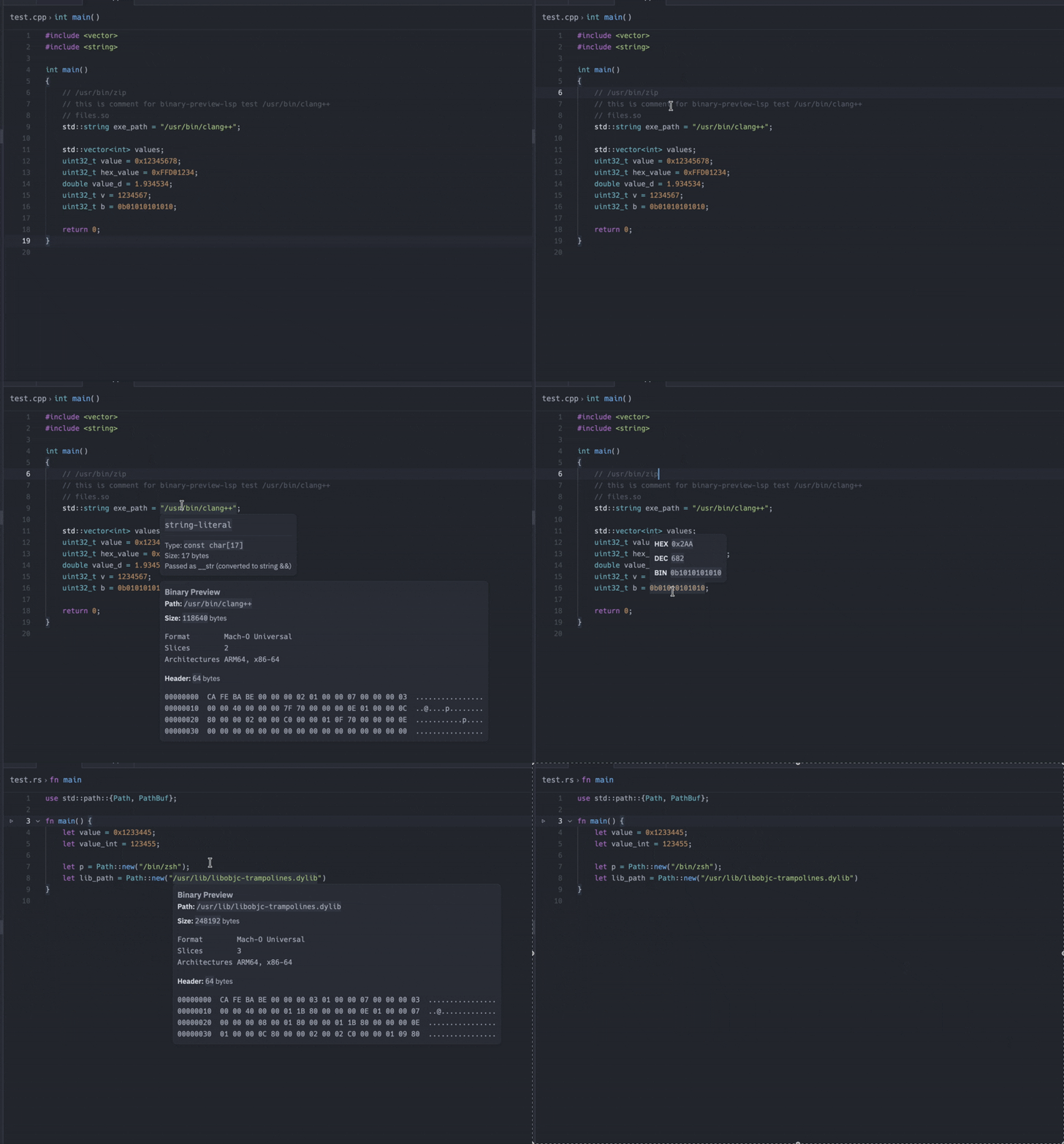
Binary Preview adds hover information for numeric literals and binary file paths
in C, C++, Rust, and Python source files.
Features
- Decimal, hexadecimal (
0x), and binary (0b) integer literals
- Decimal floating-point and scientific notation
- Binary file paths in quoted and unquoted source text
- PE, ELF, Mach-O, Universal Mach-O, and archive summaries
- File size and a hex dump of the first 64 bytes
Hover over a supported numeric literal or a binary file path to see its
analysis. File paths are resolved relative to the source file.
Language server installation
The extension automatically downloads the appropriate binary-preview-lsp
executable from the latest
GitHub release. The
downloaded server is stored in VS Code's extension global storage and reused on
subsequent starts.
When GitHub cannot be reached or a new server download fails, the extension
falls back to the most recently downloaded server in its local cache. An error
is shown only when no cached server is available.
The officially tested and supported platforms are Windows x86_64 and macOS
Apple Silicon.
Settings
binaryPreview.server.path
An absolute path to a local binary-preview-lsp executable. Leave this setting
empty to use automatic downloads.
After changing the path, run Binary Preview: Restart Language Server from
the Command Palette.
Local installation
To build a VSIX from the repository:
cd vscode-extension
npm install
npm run package
In VS Code, run Extensions: Install from VSIX... and select the generated
.vsix file.
Development
Build the language server:
cargo build --manifest-path binary-preview-lsp/Cargo.toml
Build the extension:
cd vscode-extension
npm install
npm run compile
Set binaryPreview.server.path to the local server executable, then restart the
language server from the Command Palette.
Known limitations
- Numeric literal parsing supports a common subset of C-like syntax.
- Unary signs are not included in numeric literal analysis.
- String escape sequences are not decoded when resolving file paths.
- Binary files are inspected through hover information rather than a dedicated
binary editor.
Source and issues
Source code and issue tracking are available in the
Binary Preview repository.
License
MIT

