Kill Port is a convenient VS Code extension designed to help developers quickly terminate processes occupying specific ports. Supports multiple languages, VSCode versions, and provides a desktop application.
Build process didn't exit? Port already in use?
Always forget the command line to kill a port!
🚀 Usage Guide
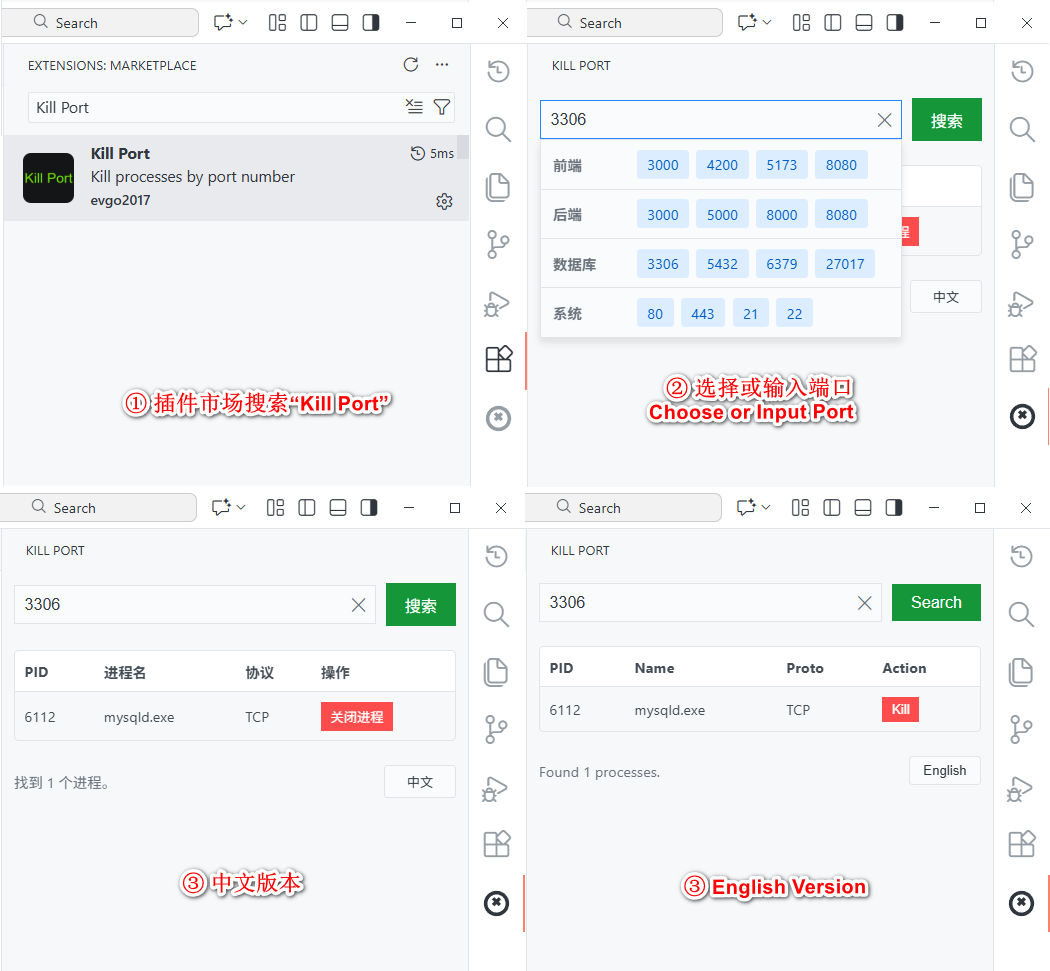
Open VS Code, go to the Extensions view (Ctrl+Shift+X). Search for "Kill Port" and click Install.
Open Sidebar: Click the new "Kill Port" icon in the VS Code Activity Bar (icon sidebar).
Check Port: Select or enter a port number in the input box, and the corresponding process information will be displayed below.
Kill Process: Click the Close Process button next to the port and confirm to close.