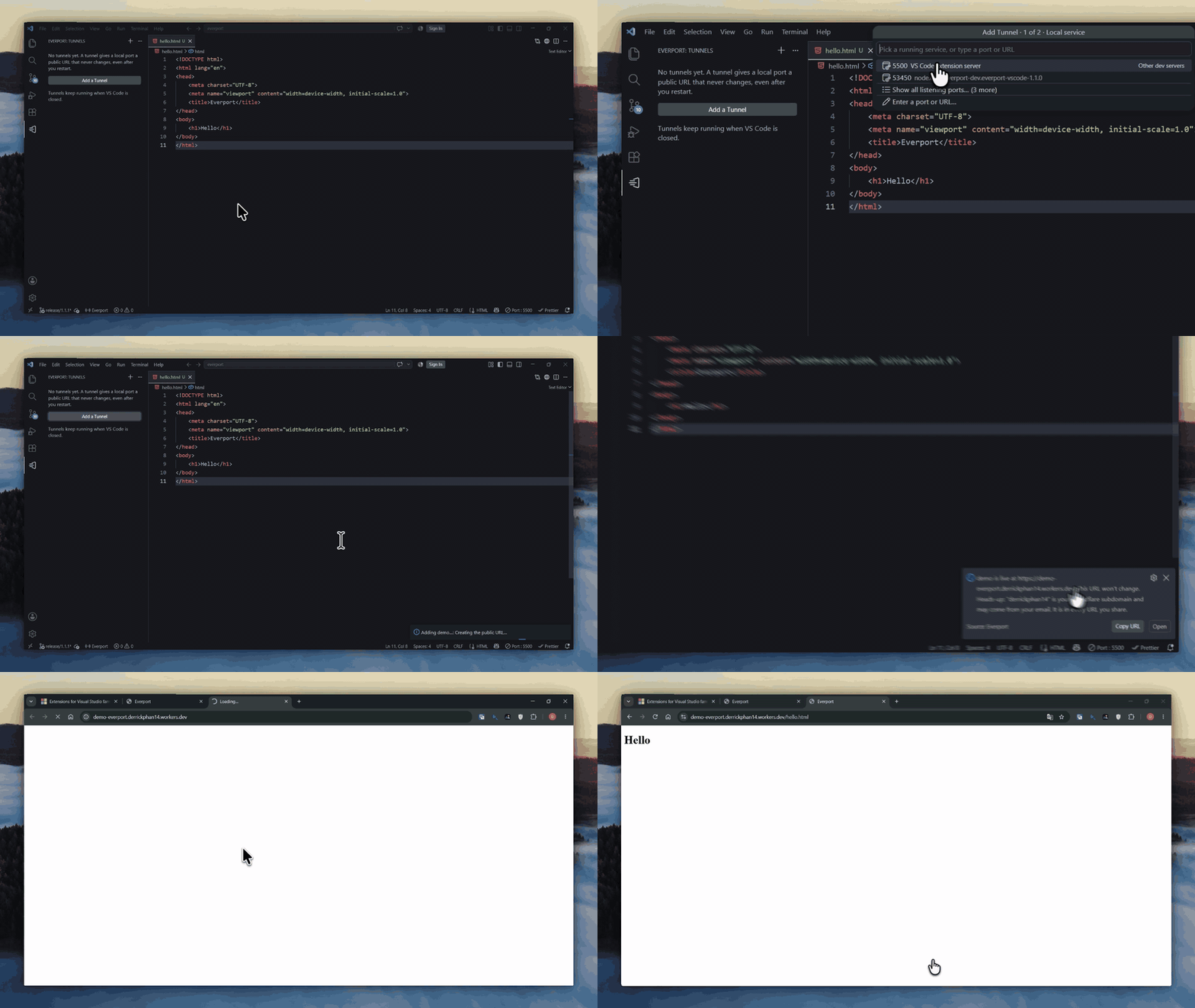
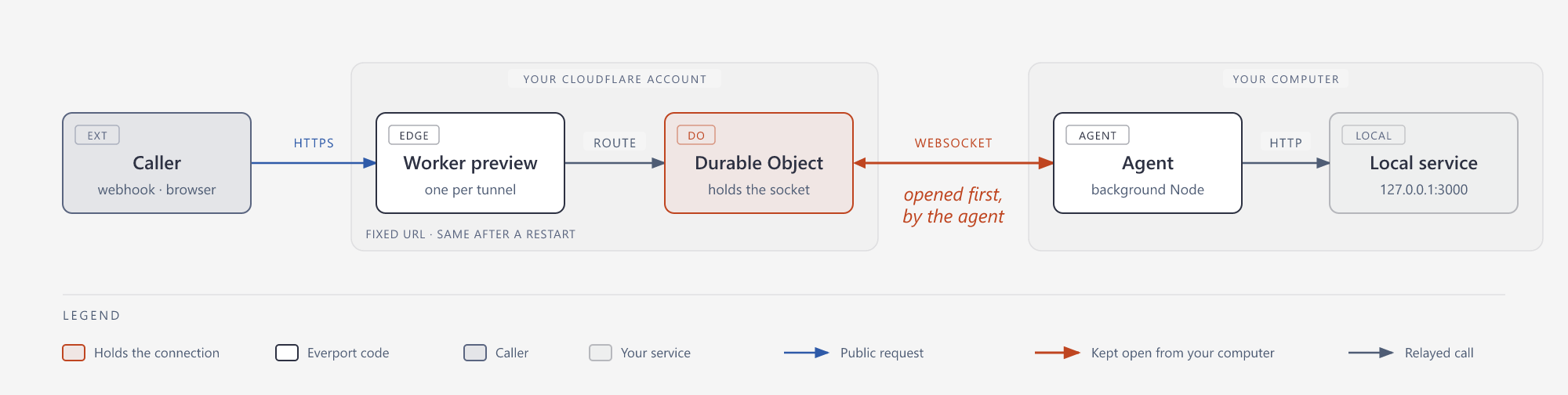
Give each local service a public URL that never changes, from the VS Code sidebar. The URL lives on a small relay in your own Cloudflare account, and the tunnels keep running after you close VS Code.
Built for developers who register local services with outside platforms: webhooks, OAuth callbacks, AI connectors (tested with an app in ChatGPT). Register the URL once, never paste it again.
Get started
Open the Everport view in the Activity Bar and run Log in to Cloudflare. Cloudflare's own tool opens your browser; Everport never sees your login. You need a Cloudflare account (free to create).
Run Add Tunnel, pick a running port, and copy the URL. The first tunnel also creates the relay in your account and can take a little while.
The same tunnels are available from a terminal with the everport command (alias ep).
What to know
Everport needs Node.js 22.12 or newer on your computer (it runs the background agent and Cloudflare's tool). If VS Code cannot see it Everport looks on your PATH and in the folders of fnm, nvm and Volta, and picks the newest version it can use. To choose another one, run Everport: Select Node.js.
Your public addresses contain your Cloudflare workers.dev subdomain, which Cloudflare may have taken from your email address. Everport says so when you add your first tunnel.
Starting tunnels makes your local services public. Tunnels do not start when VS Code opens unless you turn on everport.startOnOpen.
After a restart your tunnels show Offline: click Start All (their URLs stay the same), or turn on everport.startOnOpen.
If your app is not running yet when you add or start a tunnel, Everport says so once: the tunnel is ready, and requests reach the app as soon as you start it.
Removing a tunnel deletes its URL from Cloudflare. To pause it and keep the URL, use Stop. If Cloudflare cannot be reached, Everport offers Remove from List Only.
Everport's own code sends no usage data. Cloudflare's wrangler, which Everport runs, has its own setting for that: see Privacy and security.
Run Everport: Run Doctor if something does not work. Show Log opens the Everport output channel, where each error comes with a fix.