Mentat for VS CodeMentat detects code patterns that can amplify CPU, I/O, and memory usage as applications scale. It analyzes Go, JavaScript, TypeScript, and Java and surfaces findings directly in VS Code with a Resource Waste Score (RWS), confidence level, supporting evidence, and suggested review steps. Findings appear in the Problems panel and directly at their source locations, so potentially wasteful repeated work can be reviewed without leaving the editor. Features
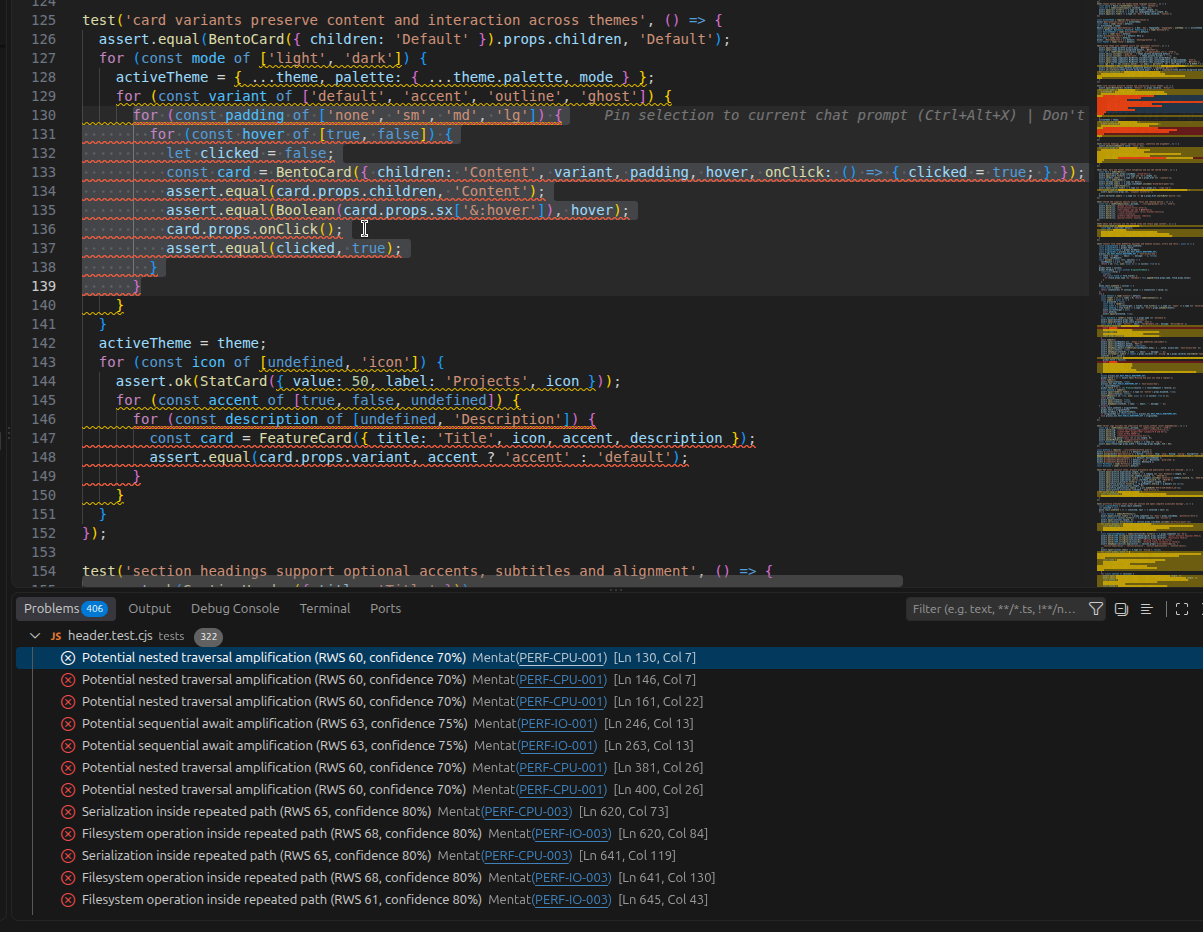
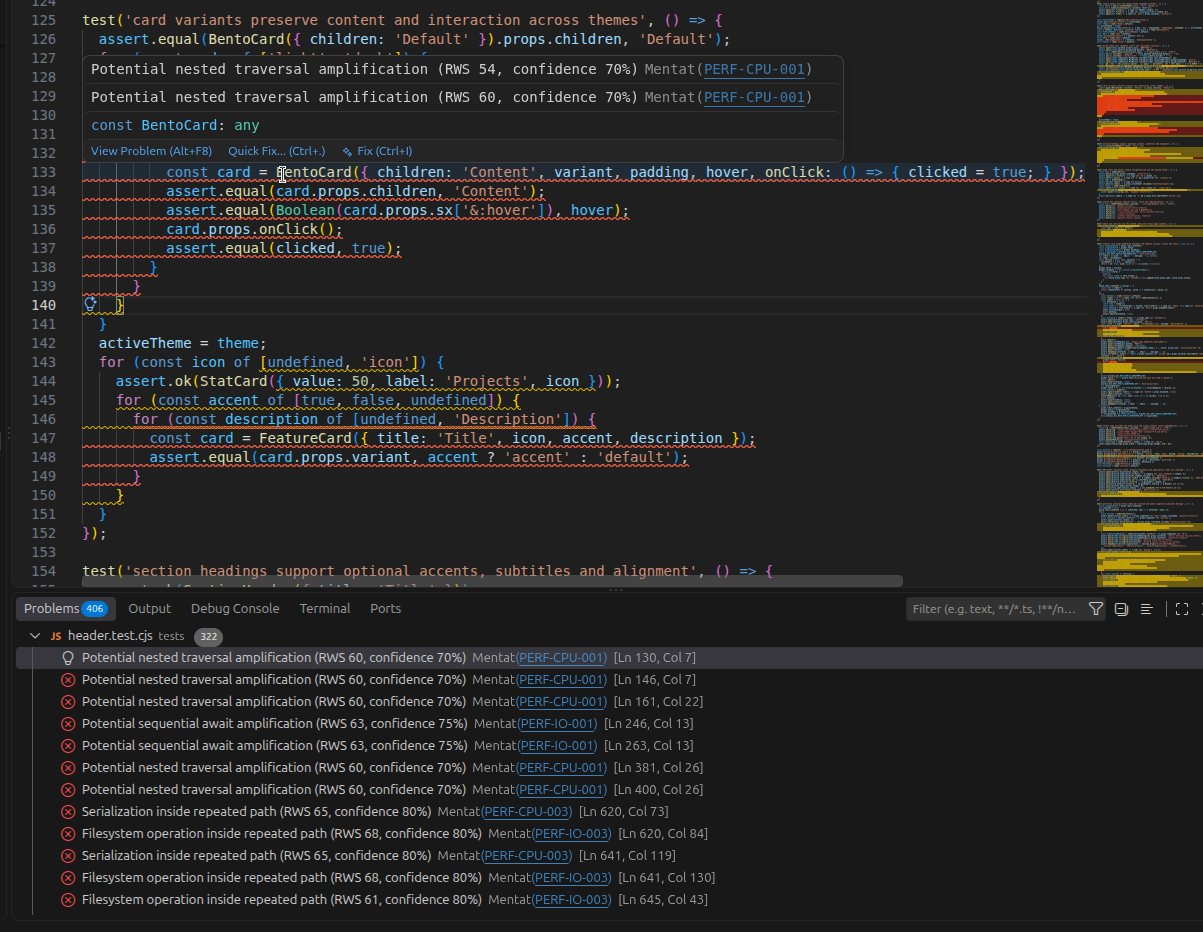
See Mentat in ActionMentat integrates directly with VS Code diagnostics, so performance findings appear alongside the rest of your development workflow. Workspace AnalysisRun Mentat: Analyze Workspace to inspect supported files across the project. Findings are reported in the Problems panel with their Resource Waste Score, confidence, rule identifier, and source location.
Inline DiagnosticsMentat highlights suspicious patterns directly where they occur.
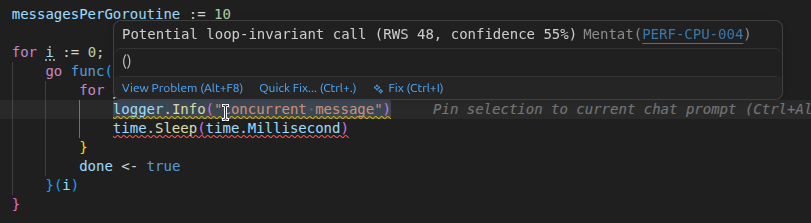
Example: Detect Loop-Invariant WorkMentat can highlight operations that may be unnecessarily repeated inside loops.
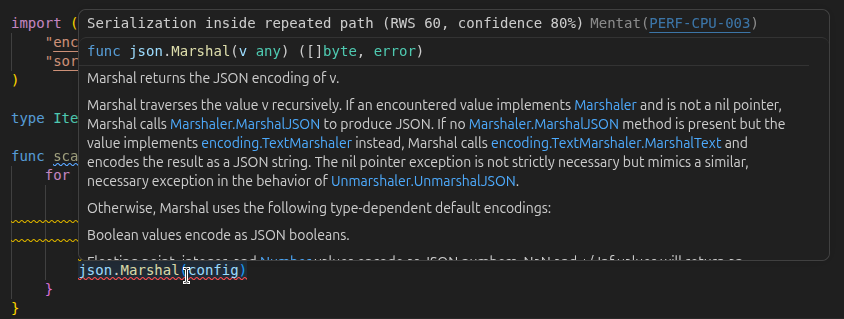
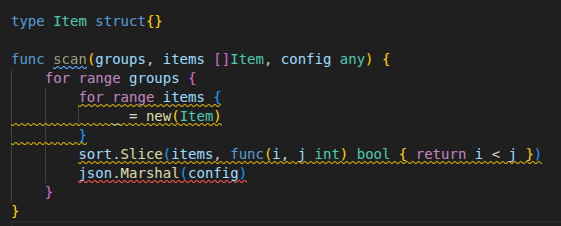
Example: Detect Repeated Expensive OperationsMentat can identify operations such as serialization being performed repeatedly inside loops.
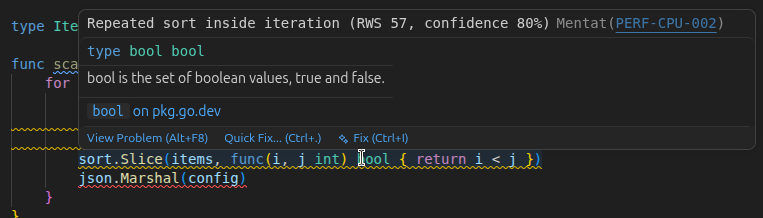
Example: Detect Repeated SortingSorting collections repeatedly during iteration can amplify CPU usage as the data set grows.
Example: Additional Examples
Understanding a FindingA Mentat diagnostic can look like this: Resource Waste Score (RWS) Confidence Rule ID The diagnostic location points directly to the operation that triggered the finding. Explain a findingClick the rule ID in the Problems panel or on the inline hover, or use the Explain PERF-… quick fix (Ctrl+./Cmd+.) on a highlighted finding. Mentat opens an explanation panel beside the editor with:
UsageOpen a supported project in VS Code and run: Mentat: Analyze Workspace Mentat will analyze the workspace and publish its findings as VS Code diagnostics. You can inspect them from: View → Problems or directly from the highlighted source code. Silence a warningRight-click a Mentat warning in the editor and select Mentat: Silence Warning at Cursor, or use the Silence … at this line quick fix on the diagnostic. The extension writes an exact suppression to
The first entry suppresses one warning, the second uses wildcards for matching files, and the third suppresses that rule throughout the workspace. A bare file or folder path suppresses every Mentat warning in that file or folder. You can also right-click a file or folder in Explorer and select Mentat: Ignore File or Folder. Remove an entry to show the warning again. Automatic AnalysisBy default, Mentat analyzes supported files after they are saved. This behavior can be configured using:
Mentat currently analyzes the saved version of workspace files.
ConfigurationMentat exposes the following VS Code settings:
Example: Current LimitationsThe current version has a few known limitations:
Supported Languages
Additional language analyzers may be added in future versions. TroubleshootingMentat executable not foundIf the extension cannot locate Mentat, configure: Make sure the binary is executable. On Linux or macOS: No findings appearCheck that:
You can also manually run: from the Command Palette. How Mentat Fits Into DevelopmentMentat is intended to complement existing developer tooling such as: Rather than focusing only on correctness or style, Mentat focuses on patterns that may represent unnecessary repeated computation or resource usage. Feedback and ContributionsBug reports, feature requests, analyzer improvements, and language support contributions are welcome. If you encounter an unexpected diagnostic, including a minimal reproducible example in the issue can help improve Mentat's analysis. LicenseSee the repository license for details. |