Edit Tabletop Simulator scripts and XML UI in VS Code or Cursor, using TTS's External Editor API.
Unofficial; not affiliated with or endorsed by Berserk Games.
Fork notice: This is a community-maintained fork of Sebastian Stern's TTS Editor (sebaestschjin.tts-editor).
It adds the changes listed under Differences from the original and keeps a one-click switch back to the original behavior.
Install only one of the two extensions at a time: both use the same TTS editor port and the same command IDs.
Documentation: https://eunomiac.github.io/tts-tools/editor/latest/
Getting started
- Start Tabletop Simulator and load a game.
- Open a folder in VS Code or Cursor. The extension writes the game's scripts into a
.tts folder there.
- Run TTS Editor: Get Objects from the Command Palette. Scripts and XML UI for every object appear in the TTS Objects view and in
.tts.
- Edit the scripts, then run TTS Editor: Save and Play to send them back to TTS and reload the game.
- Run TTS Editor: Show Output to see
print and log messages from TTS.
Features
- Get scripts and XML UI from TTS
- Send scripts and XML UI back to TTS (while also bundling
require() and <Include>)
- Execute Lua from an open file in the running game
- Get the current UI of an object as a file
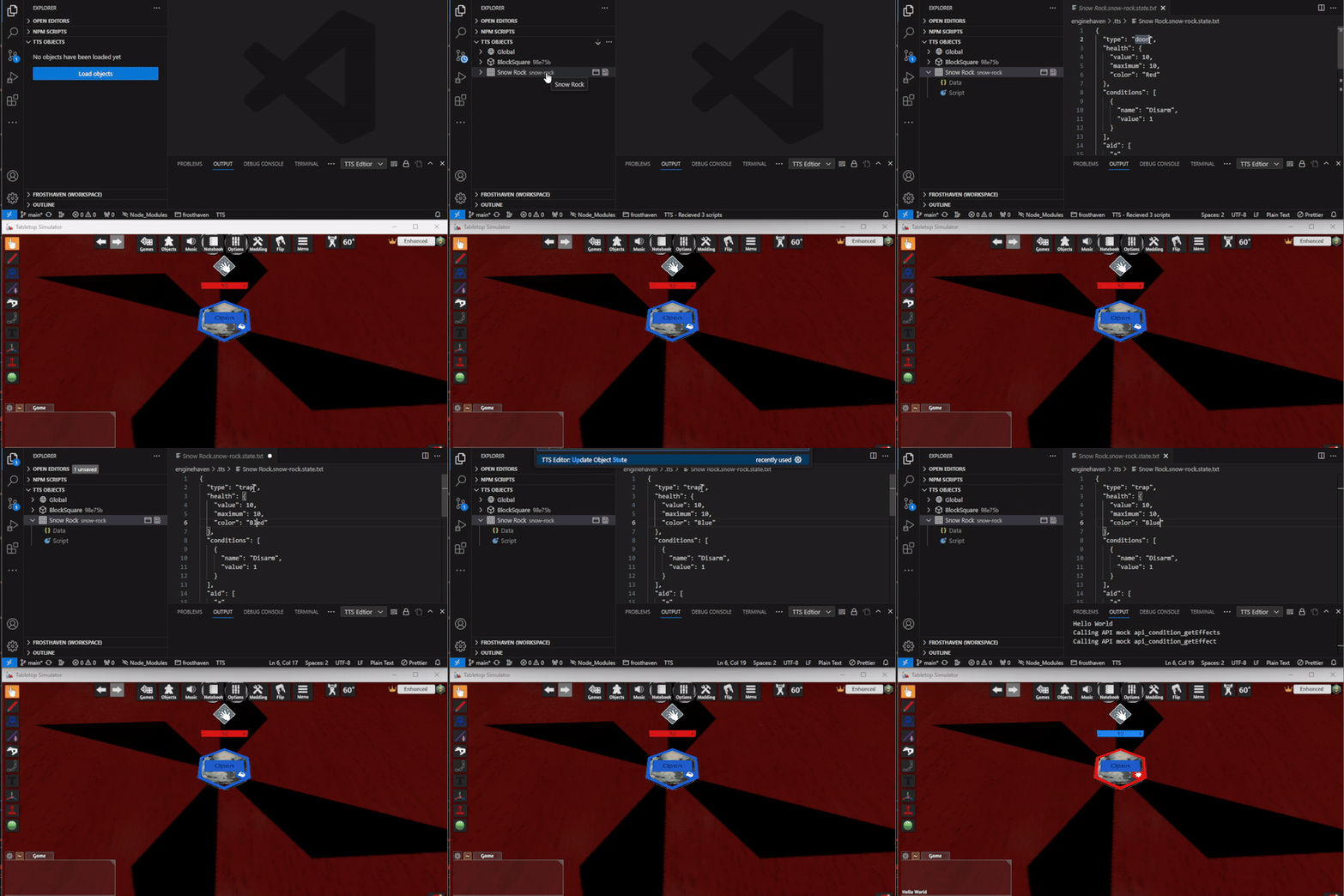
- Get and update the script state of an object
- Update a single object without reloading the whole game (including bundling the scripts of nested objects in containers)
- Locate an object on the table
.ttslua files are treated as Lua
Differences from the original
- Faster loads and Save & Play on large saves: scripts are refreshed from TTS's load message instead of re-reading every object (a full resync is still available).
- Update Object keeps changes made in TTS: it reads the object from the running game before respawning it.
- Cleans up after other mods: files for objects that are not in the loaded game are removed, so one folder can serve several mods.
- Shared TTS connection: a small helper holds the TTS editor port so other local tools can use it at the same time. It runs on the editor's own runtime, so no Node.js install is needed.
- MCP server for AI agents (
tts-tools), registered automatically in VS Code 1.101+ and Cursor, so agents can run Lua in TTS while the extension keeps working.
- Claim / Release in the status bar hands the TTS port to another tool without restarting the editor.
- Lua return values are matched to the request that asked for them, so overlapping requests no longer mix up results.
- Bug fixes, including Update Object State on macOS and Linux and with script states that contain
]], and Save and Play no longer clearing a script whose file is missing.
Full list: Differences from the original extension.
Prefer the original behavior?
Every behavior change above has a switch in the settings group Compatibility with the original extension (search the settings for ttsEditor).
Turn on Compatibility: Behave Like Original to get the original extension's behavior back in one click (direct connection, full re-read on every load, wipe .tts on load, Update Object from data.json, no MCP server) while keeping the bug fixes.
Tested on Windows with Tabletop Simulator from Steam. The build and automated checks also run on macOS and Linux, but the connection to TTS has not been tested there yet. If you use TTS on macOS or Linux, please report whether it works.
Preview
Updating the script state of an object:
Credits and license
Report problems with this fork on its issue tracker. If a problem also happens with the original extension, it may belong on the upstream issue tracker as well.
Attributions (icons)
The object-type icons in the TTS Objects view are from Flaticon, made by:

