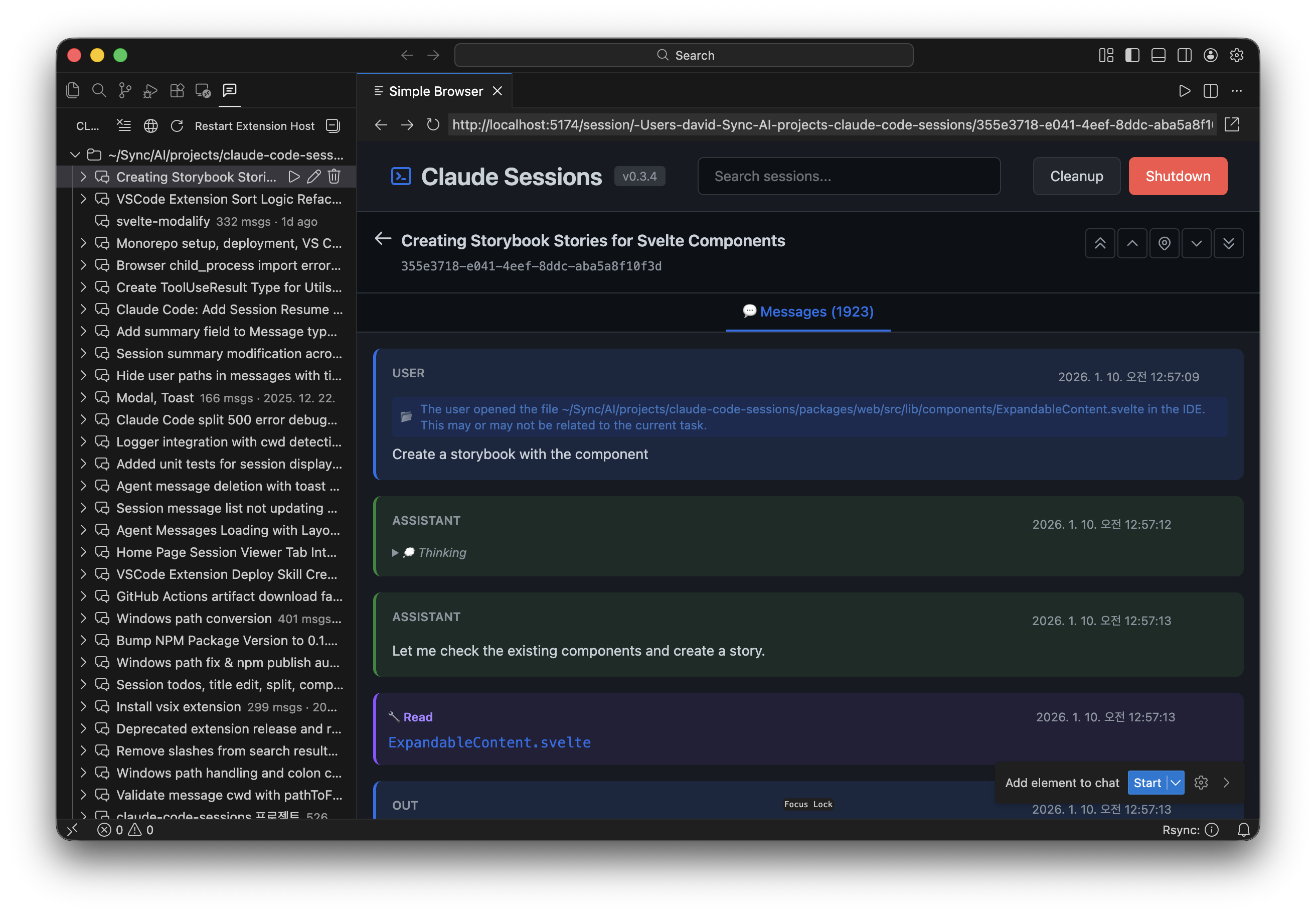
Manage Claude Code sessions directly from VS Code sidebar.
Screenshot
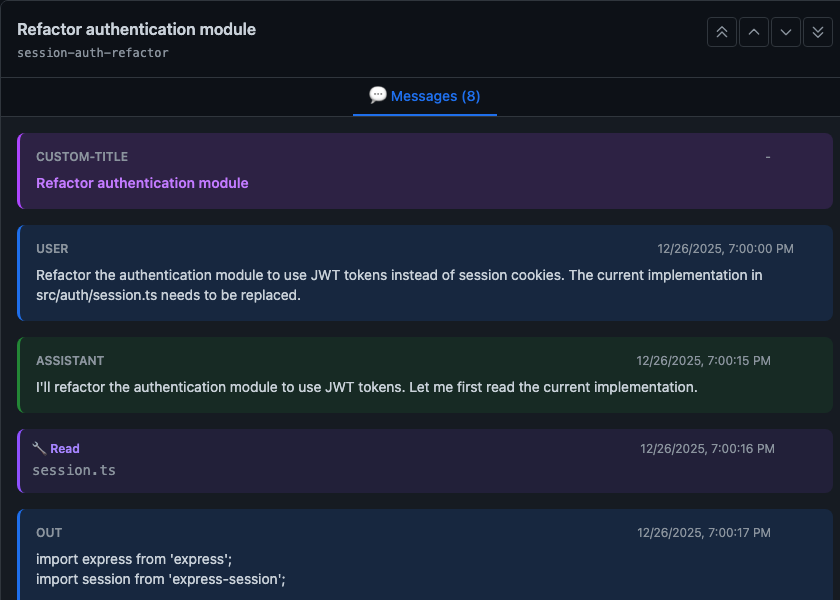
Message Viewer
View messages with tab interface. Inspect user/assistant turns, tool calls, and thinking blocks.
Features
Session Browser: View all Claude Code projects and sessions in a tree view
Web UI Integration: View messages, delete messages, split sessions
Resume Session: Continue any session in a terminal or inside the official Claude Code extension
Session Management: Rename, delete, and move sessions between projects
Cleanup: Remove empty and invalid sessions in bulk
Drag & Drop: Move sessions between projects
Installation
From VSIX (Local)
# Build the extension
cd packages/vscode-extension
pnpm install
pnpm build
pnpm package

# Install the .vsix file in VS Code
code --install-extension claude-sessions-vscode-0.1.0.vsix
From Marketplace (Coming Soon)
Search for "Claude Code Sessions" in VS Code Extensions.
Usage
Click the Claude Code Sessions icon in the Activity Bar (left sidebar)
Browse your projects and sessions
Click a session to view its messages
Right-click for rename/delete options
Use the toolbar buttons to refresh, open web UI, or cleanup
Commands
Command
Description
Claude Code Sessions: Refresh
Refresh the session tree
Claude Code Sessions: Open Web UI
Open the web interface
Claude Code Sessions: Cleanup
Remove empty/invalid sessions
Claude Code Sessions: Resume Session
Resume session (terminal or Claude Code extension)
Resume modes (claudeSessions.defaultTerminalMode)
Resume Session supports three destinations, controlled by the claudeSessions.defaultTerminalMode setting:
ask (default) — shows a picker on every resume. When the session belongs to the current workspace, the picker offers all three destinations (Internal Terminal / External Terminal / Claude Code Extension); for a session from another workspace, the Claude Code Extension entry is hidden because the official extension can only resolve sessions of the open workspace.
internal — skips the picker and always resumes in the VSCode integrated terminal.
external — skips the picker and always resumes in the system default terminal.
anthropic — skips the picker and opens the session inside the official Claude Code extension (installs it on demand). If the session belongs to a different workspace, a fallback picker with the two terminal options appears instead.
Open Terminal Here and Start Claude in Folder are terminal launchers, so they intentionally offer only the two terminal destinations regardless of this setting.