
EntityScope — explore JPA and Hibernate XML domain models as an interactive graph.
Published for VS Code Marketplace and Open VSX (Cursor and compatible editors).
EntityScope scans Java projects, discovers entities and their relationships, and renders an interactive graph for domain exploration — not UML generation.
Demo
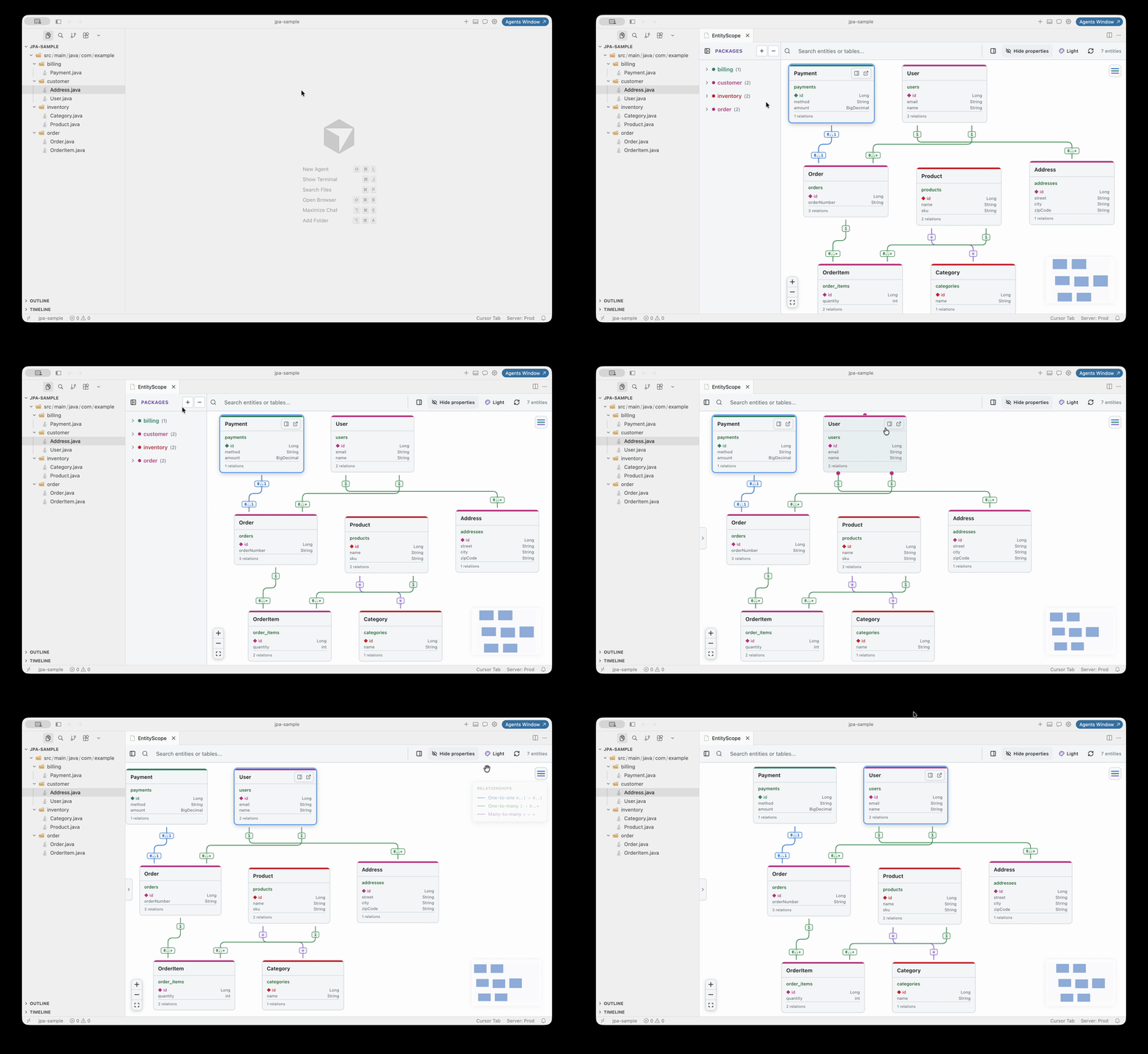
JPA entities (@Entity annotations):
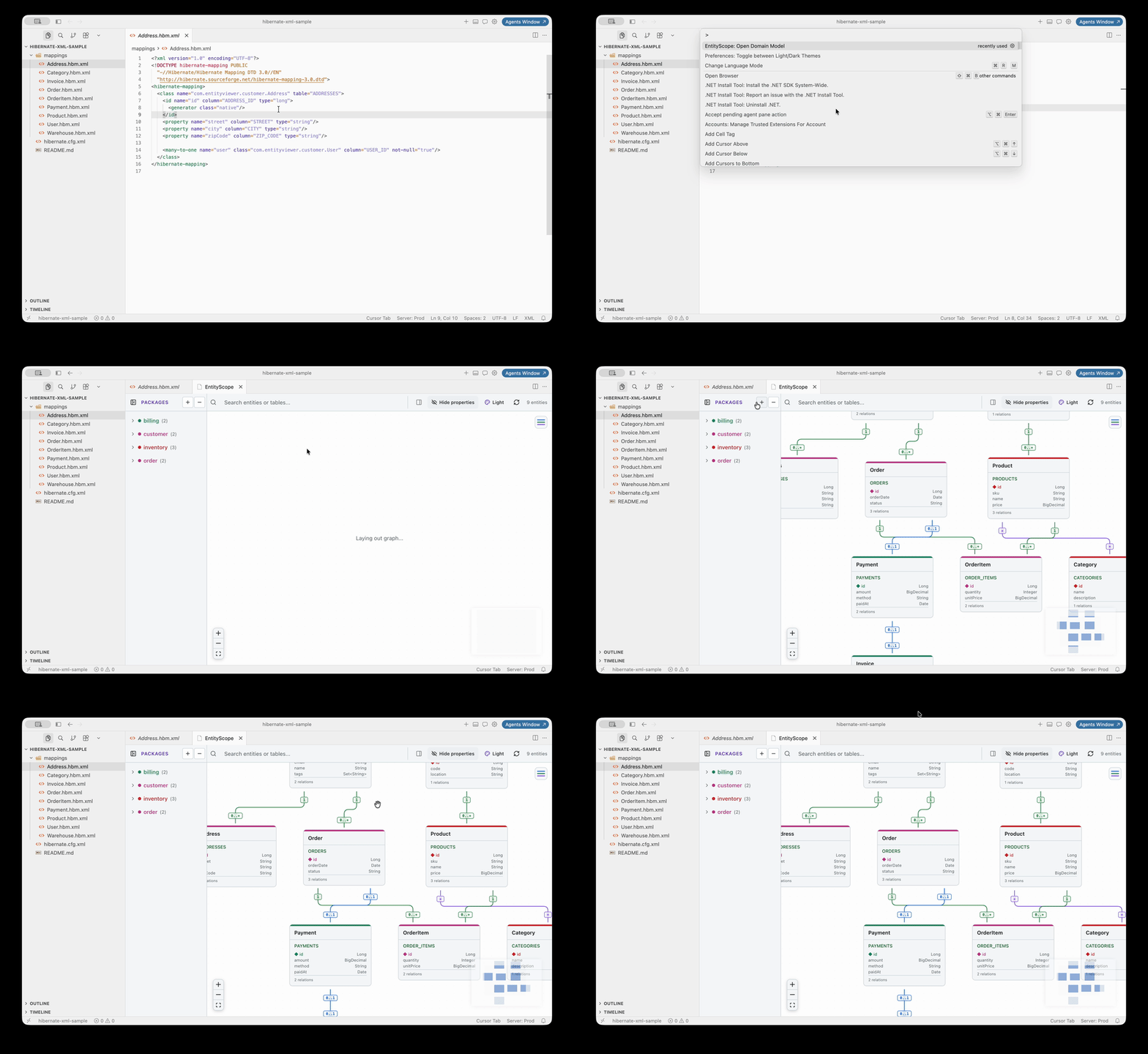
Hibernate XML (*.hbm.xml mappings):
Features
- JPA entity discovery — scans
@Entity classes with relationship annotations
- Hibernate XML mapping — scans
*.hbm.xml for legacy Hibernate 3.x mappings
- Interactive graph — React Flow + ELK automatic layout
- Package navigation — sidebar tree, collapse, and filter by package
- Relationship legend — color-coded edge types with cardinality (hover to expand)
- Search — filter by entity name or table name
- Details panel — properties, relations, and metadata (on demand)
- Source navigation — open entity mapping from the graph or context menu
How to open the graph
| Entry point |
Action |
| Activity Bar |
EntityScope icon → Open Graph or click an entity |
Command Palette (Ctrl+Shift+P / Cmd+Shift+P) |
EntityScope: Open Domain Model |
| Explorer / editor |
Right-click a .java or .hbm.xml file |
Commands
| Command |
Description |
EntityScope: Open Domain Model |
Scan workspace and open the graph |
EntityScope: Refresh Model |
Re-scan entities (sidebar + open graph) |
EntityScope: Select Current Entity |
Open graph and select the entity in the active editor |
Command IDs remain entityViewer.* internally for compatibility; titles show EntityScope in the palette.
Supported JPA annotations
- Entity:
@Entity, @Table, @Id, @EmbeddedId, @Embeddable, @MappedSuperclass
- Relations:
@OneToOne, @OneToMany, @ManyToOne, @ManyToMany
- Metadata:
cascade, fetch, orphanRemoval, mappedBy
Supported Hibernate XML
- Elements:
class, id, property, many-to-one, one-to-many, many-to-many, one-to-one
- Collections:
set, list, bag with one-to-many / many-to-many or element (primitive collections)
- Fully qualified class names on
<class name="com.example.Entity">
Development
Prerequisites
- Node.js 18+
- VS Code or Cursor 1.85+
Install & build
npm run install:all
npm run build
Press F5 to launch the Extension Development Host with a sample project.
Sample projects
| Path |
Description |
sample-projects/jpa-sample/ |
JPA annotations (7 entities) |
sample-projects/hibernate-xml-sample/ |
Hibernate XML (9 entities) |
npm run validate:hibernate-sample
Architecture
Java / HBM Project → ModelScanner → DomainModel → JSON → React WebView
Packaging (VS Code & Cursor)
Same .vsix works in both editors. Build before packaging so the webview bundle is included:
npm run build
npm run verify:package   # ensures webview-ui/dist is in the VSIX manifest
npx @vscode/vsce package
Install the generated .vsix via Extensions: Install from VSIX… in either editor.
Install
After install, look for the EntityScope icon in the Activity Bar (entity diagram with magnifying glass).
Changelog
See CHANGELOG.md for release notes and the full feature list.
License
Apache-2.0

