Treeline — Git Graph
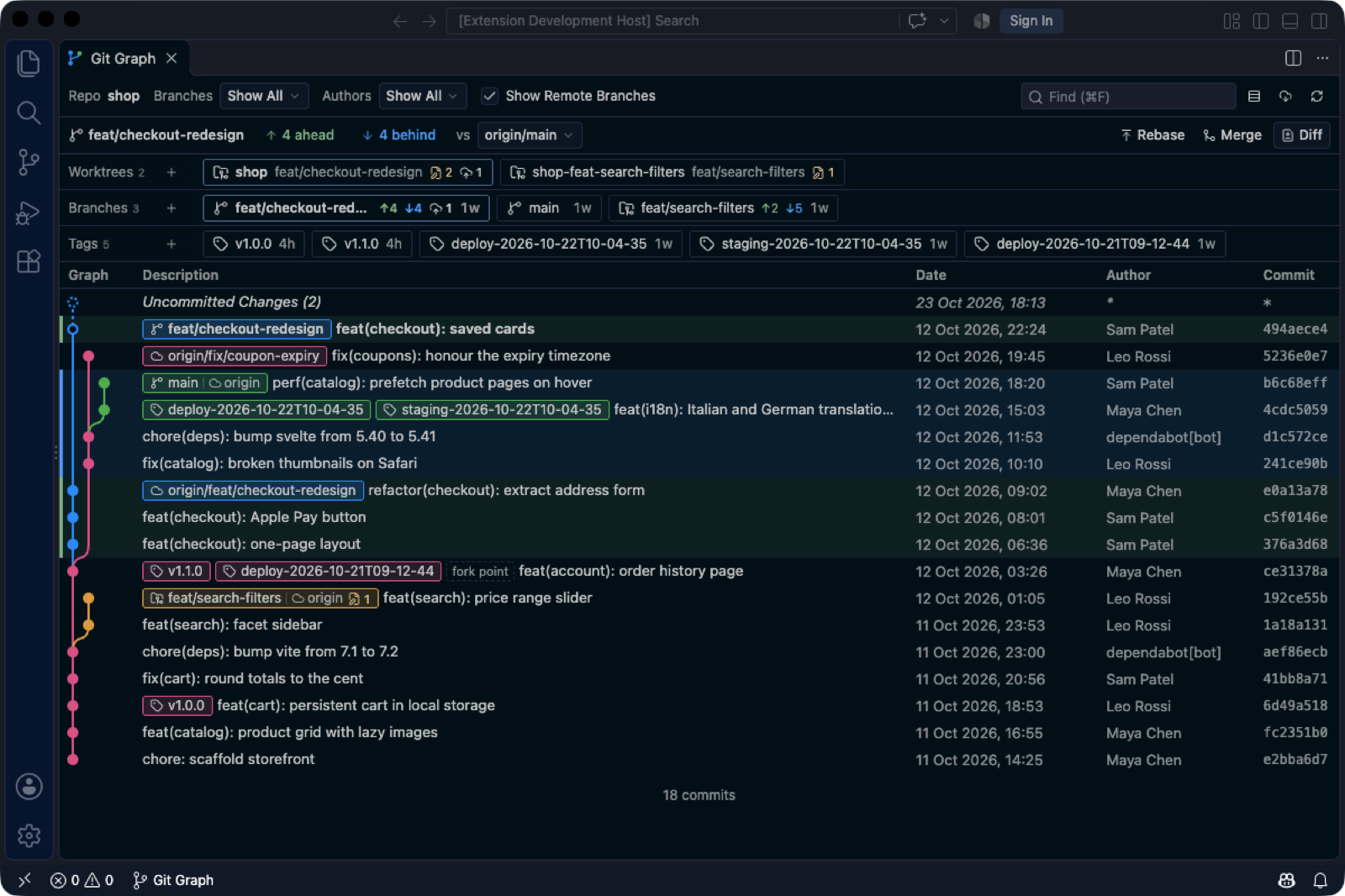
Git Graph, rebuilt for how you work today: feature branches, rebased PRs, worktrees.
Why Treeline
- 🌿 Your branch vs main, always on top. ↑ahead ↓behind are filters: one click shows just those commits.
Commits that landed through "Rebase and merge" or a cherry-pick count as merged, and a rewritten history
gets a warning instead of thousands of bogus ↑↓. Rebase, Merge and Diff are one click away.
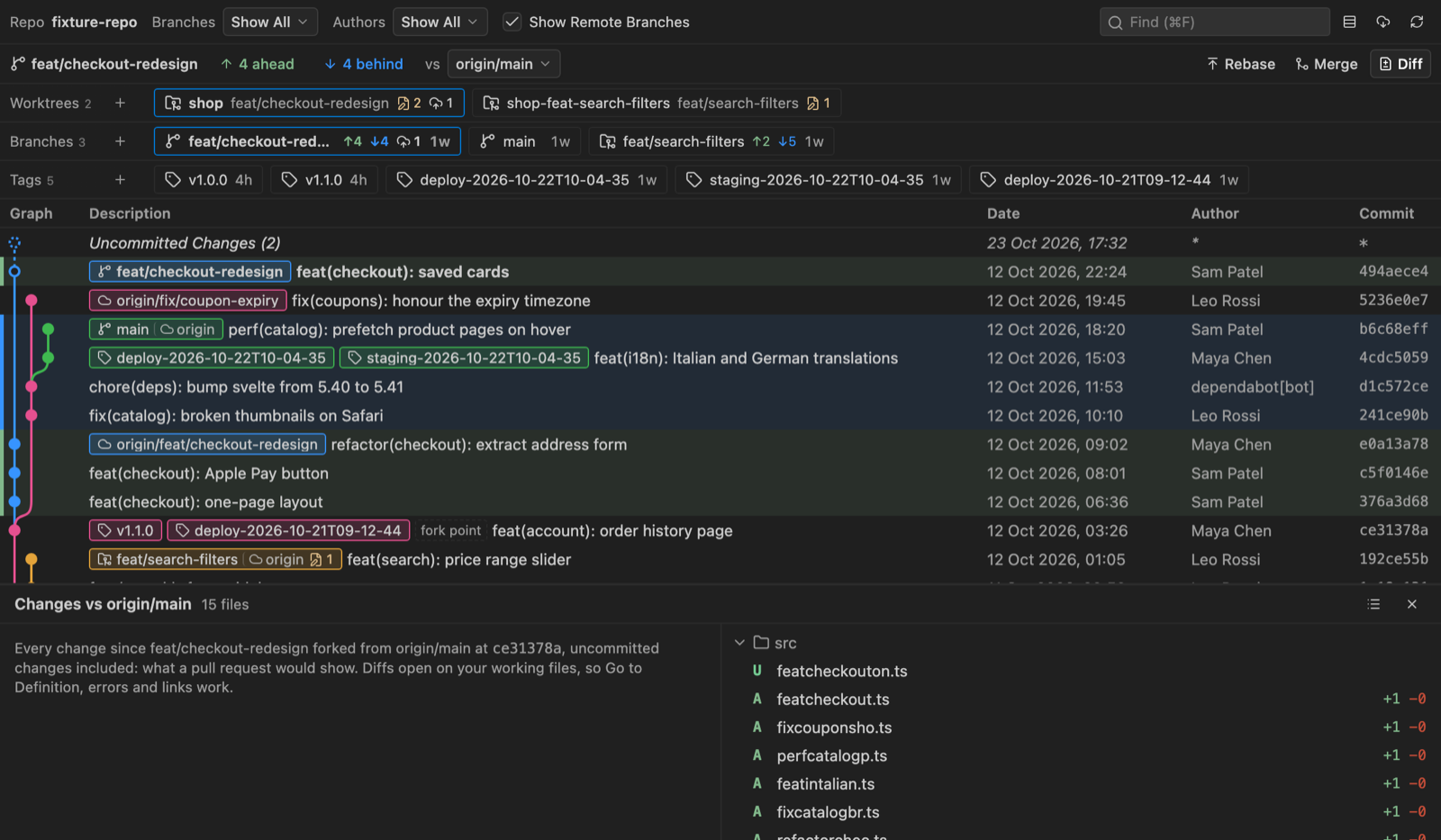
- 📋 Review before the PR does. Diff lists every file changed since the fork, uncommitted work
included, as a list or a folder tree. Diffs open on your real files, so Go to Definition, errors and links
just work.
- 🗂️ Worktrees, branches and tags at a glance. One row each, pinned under the compare bar: status,
ahead/behind main, what to push or pull. Hover for the full card, click to jump to the commit, + to
create (worktree picker, next semver tag).
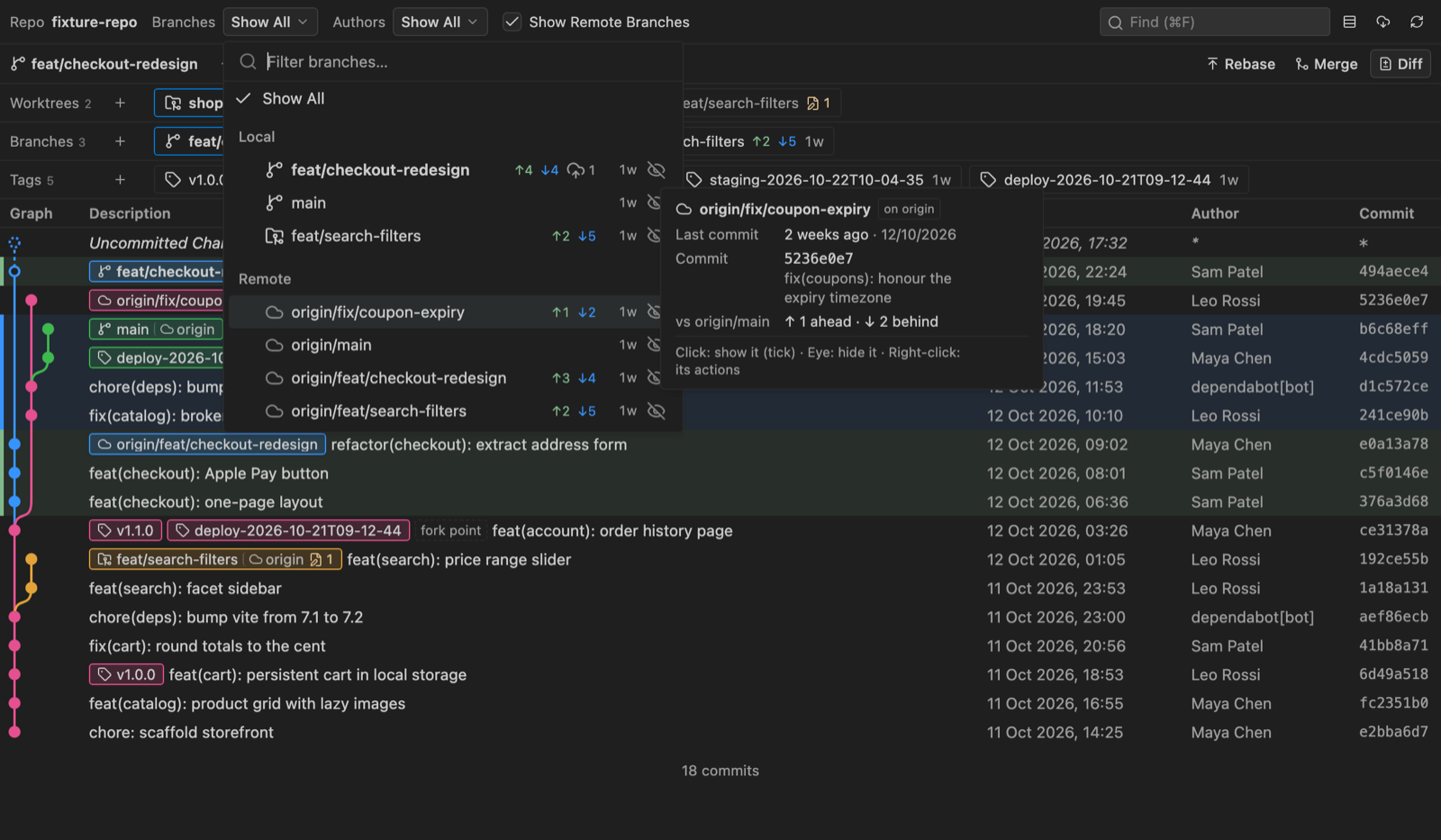
- 🎯 See only what matters. Show only some branches, or hide the noisy ones, from the branch dropdown or
any branch's right-click menu. Local and remote branches, with their age and state, in one searchable list.
- ✨ Commit messages by Claude. The ✨ button in the Source Control title bar uses your local
Claude Code CLI (
claude on your PATH), or any model your editor
provides, and writes in your repository's style.
- 🙅 Fewer dialogs, no guessing. Treeline asks only when something would be lost. Every button and menu
item explains itself on hover, and whatever is running shows a spinner.
- 📜 Everything you loved in Git Graph. Infinite history, author filter, find (Cmd/Ctrl+F), compare any
two commits (Cmd/Ctrl+click), resizable columns, and menus for checkout, merge, rebase, cherry-pick,
revert, reset, tag, push, pull, stash and more.
Getting started
Run Treeline: View Git Graph, click Git Graph in the status bar, or use the button in the Source
Control title bar. Treeline uses the editor's built-in Git extension to find repositories and to refresh
when they change.
Feedback
Treeline is open source (MIT). Issues and ideas:
github.com/epavanello/treeline.
| |

