Lang Chat
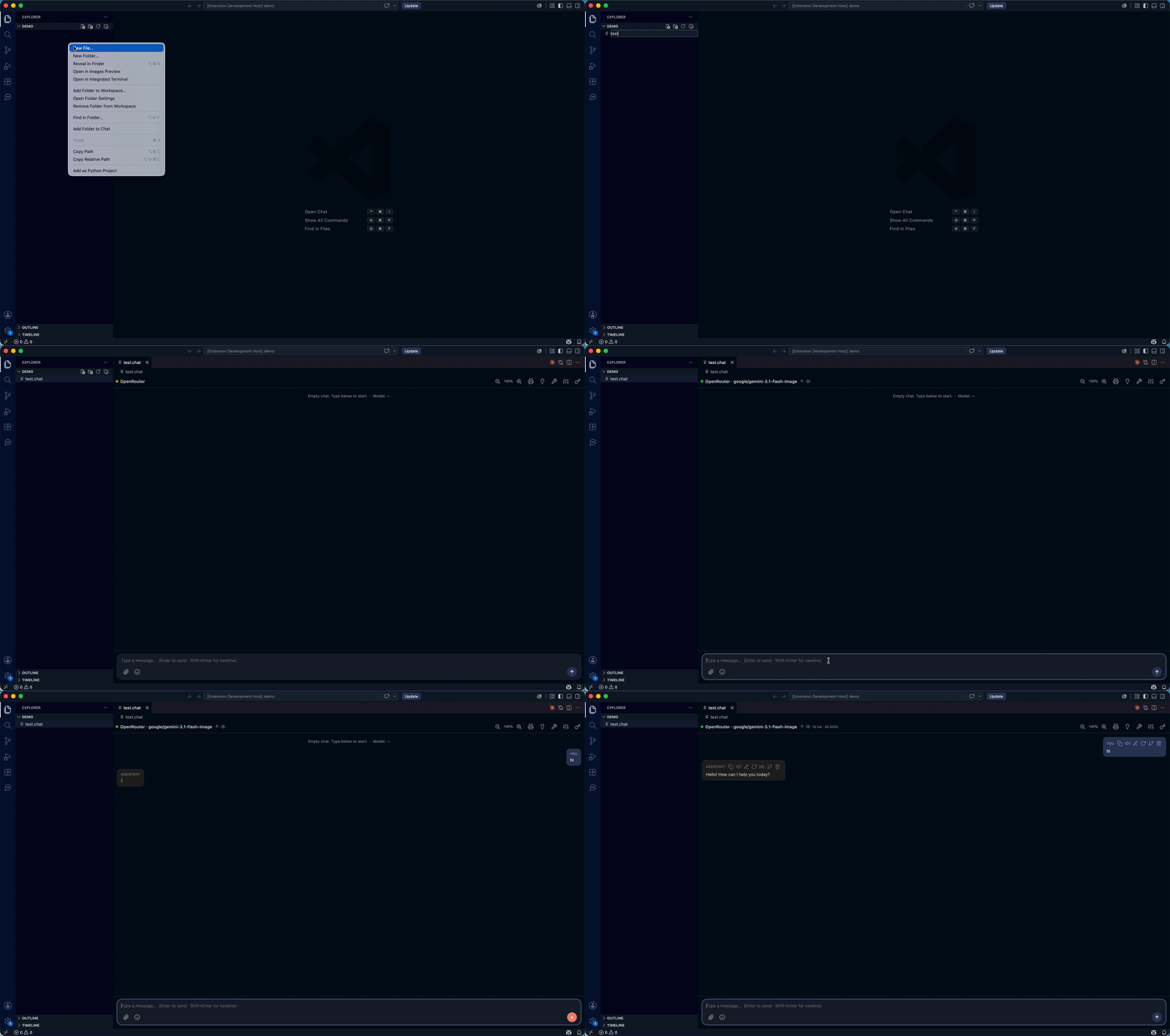
Chat with local (and remote) LLMs right inside VS Code — LM Studio style. Bring your own
models and keys, keep every conversation as a versionable file, and use tools, embedded model
management and neural text‑to‑speech without leaving the editor.
Why Lang Chat
- 🔒 Local‑first & private — runs against your own LLM (LM Studio, Ollama…), your keys live in
VS Code SecretStorage, the managed server binds to
127.0.0.1, and there is no telemetry.
- 🧩 Five backends, one UI — OpenAI‑compatible, Ollama, OpenRouter, Google Gemini and
Anthropic Claude, switchable per conversation.
- 📄 Conversations as files — each chat is a human‑readable
.chat (config + history) you can
diff, version and share.
- 🦙 Models, batteries included — manage an embedded Ollama and browse/download GGUF models
from Hugging Face without installing anything.
- 🔧 Agentic tools — workspace filesystem + MCP servers (function calling) on every backend.
- 🗣️ Read aloud — system voices or self‑contained neural Piper TTS.
Features
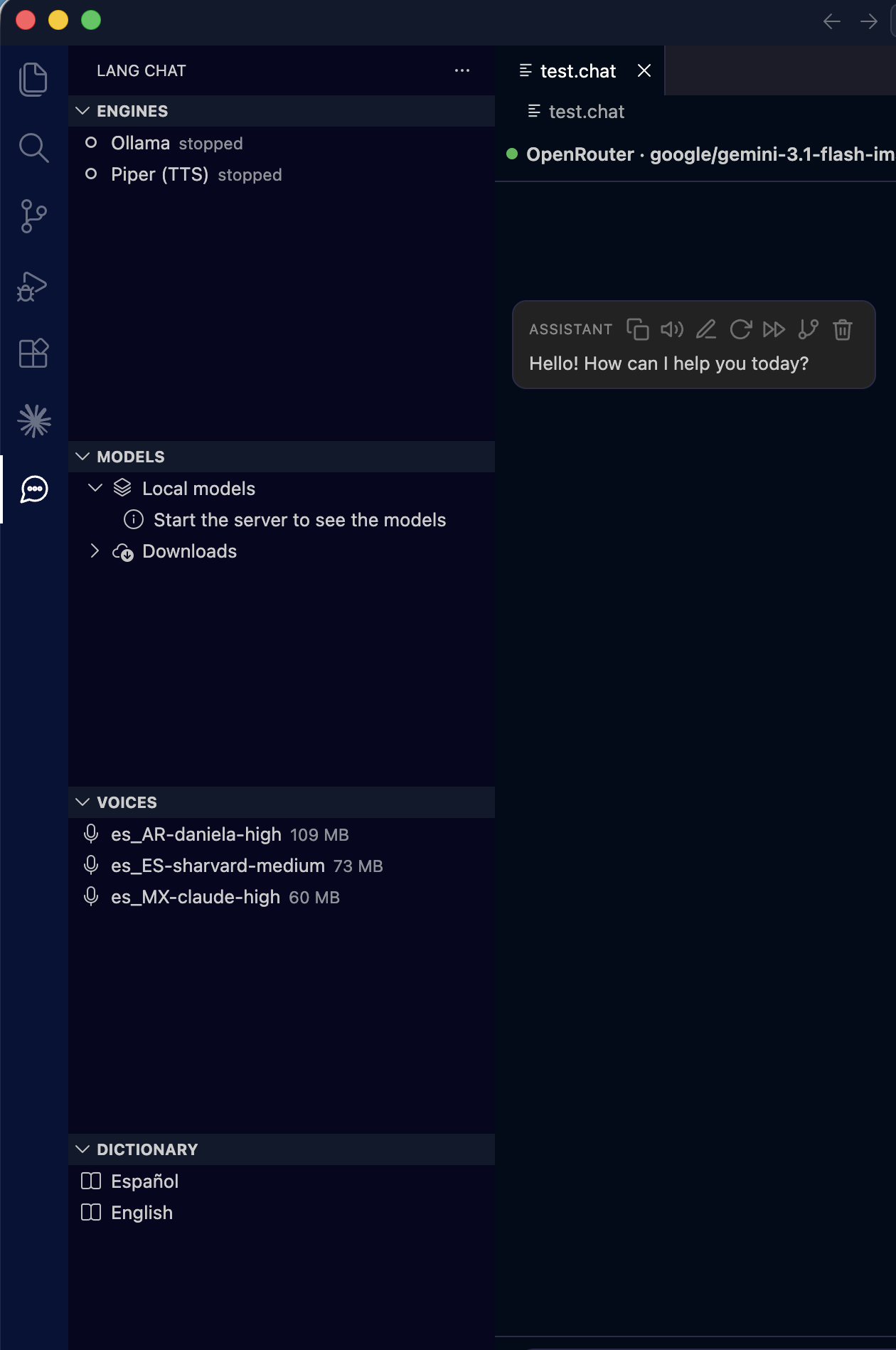
Sidebar — Engines · Models · Voices · Dictionary, with a .chat open |
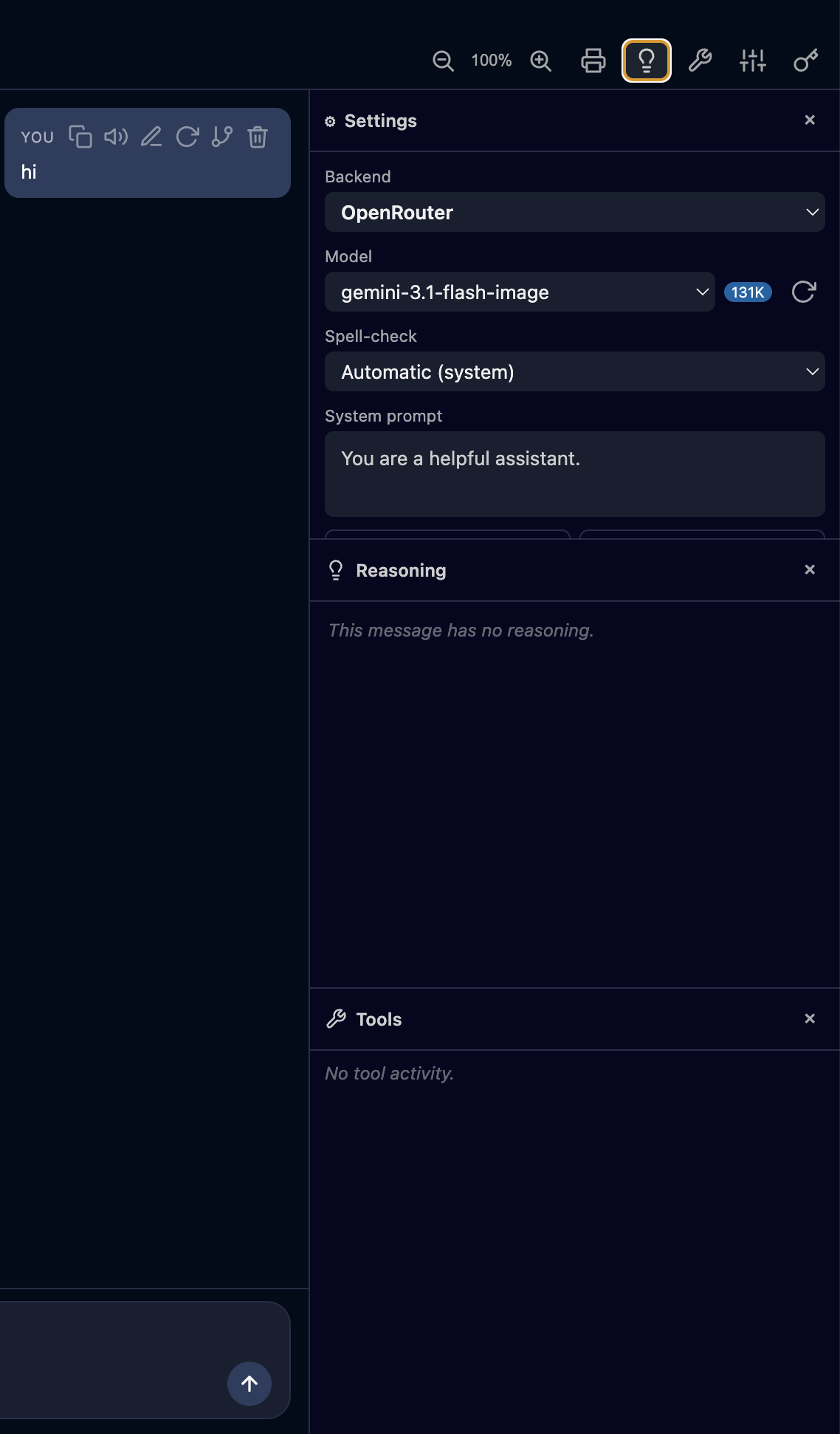
Chat with the Reasoning & Tools panels |
 |
 |
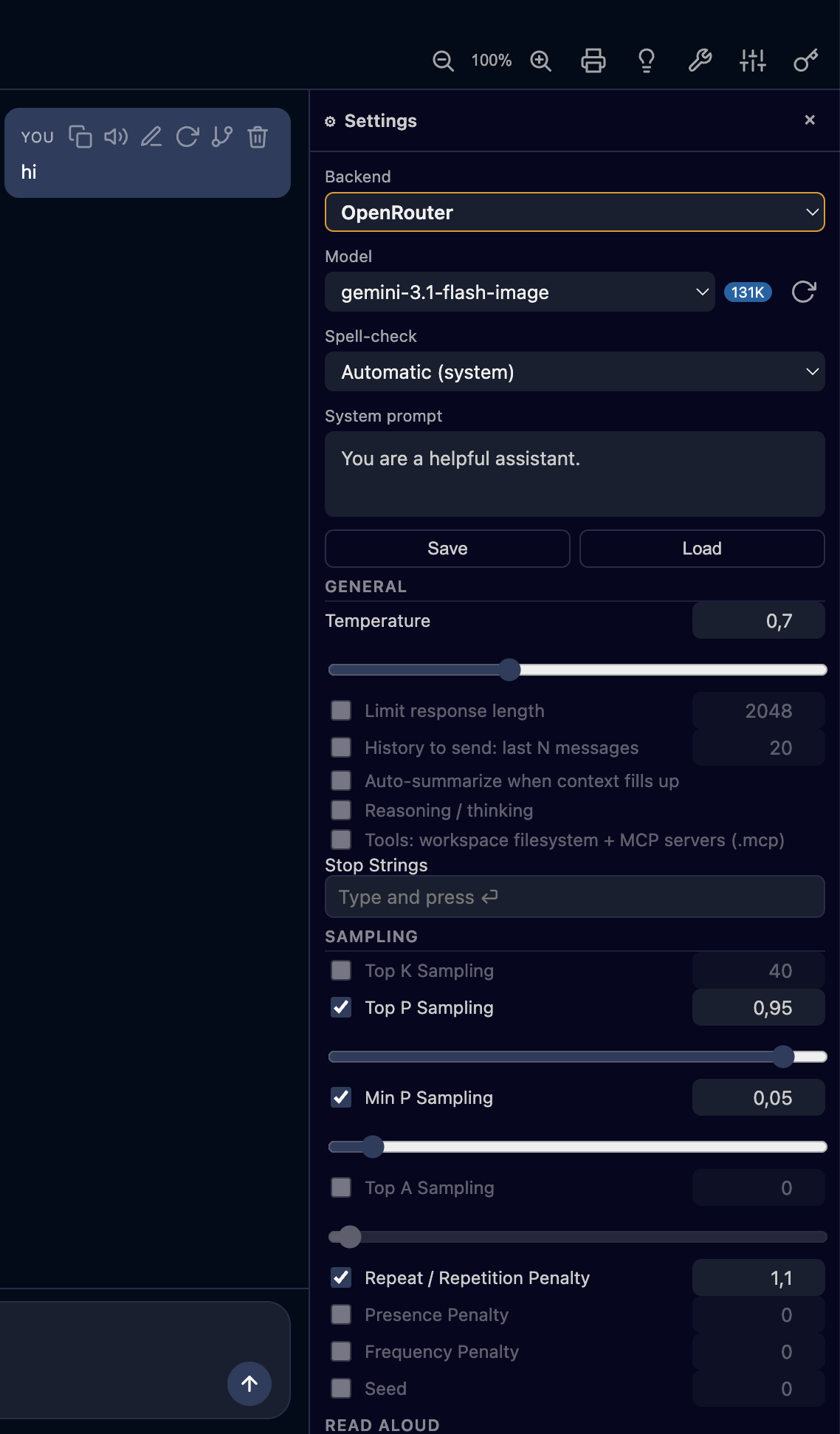
| Per‑conversation settings (⚙) — backend, model, sampling, read‑aloud |
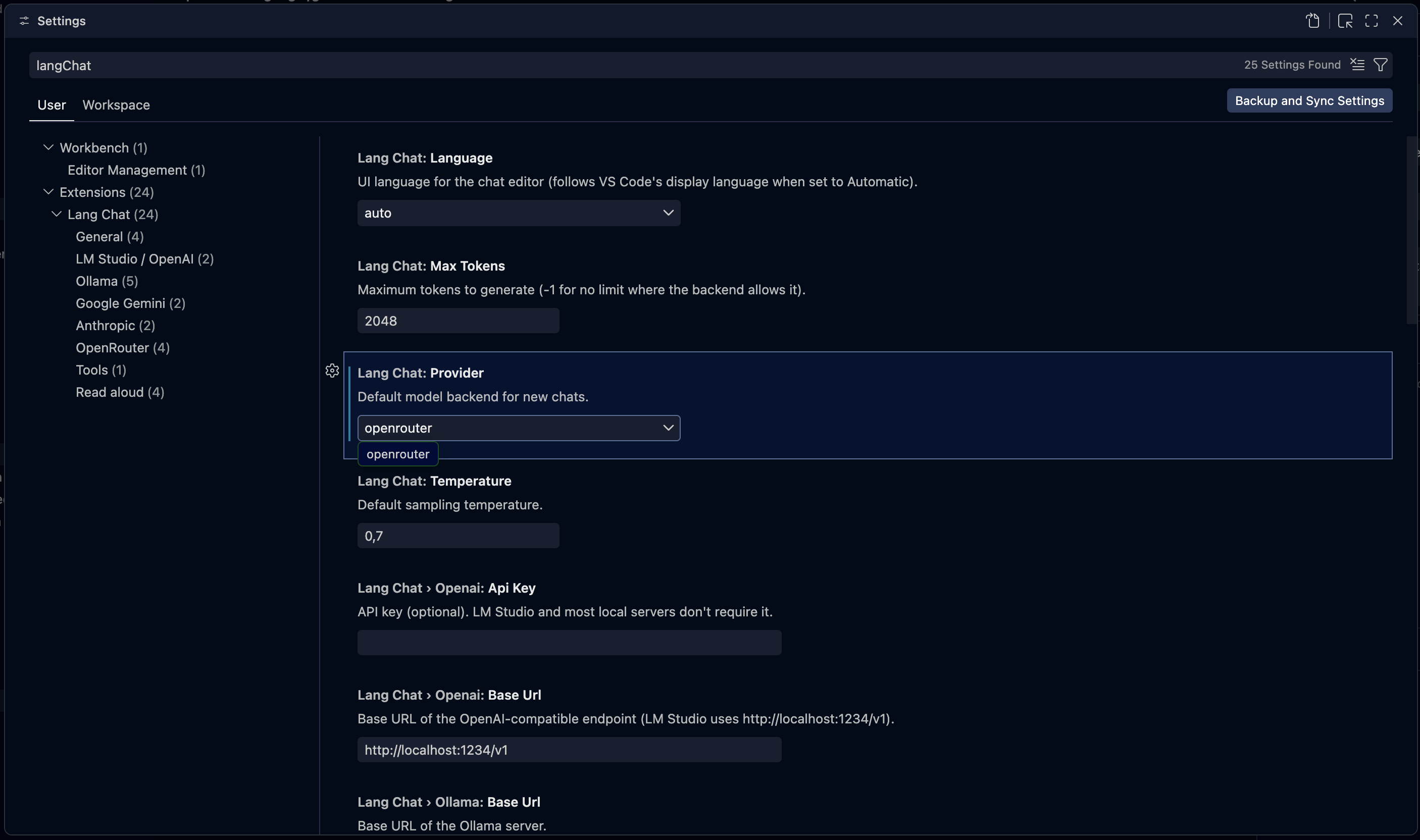
Lang Chat settings in VS Code |
 |
 |
- 💬 Streaming responses, token by token, with a Stop button and auto‑save after each turn.
- 🧠 Reasoning / thinking panel for models that expose it.
- 🦙 Embedded Ollama + Hugging Face GGUF explorer: capability badges, quantization options
and downloads with progress (shows size and free disk space first; retry/cancel).
- 🔧 Tools (function calling): native workspace filesystem + MCP servers — agentic loop.
- 🗣️ Read aloud (TTS): system voices (Web Speech) or neural Piper (local, managed daemon).
- 🔎 Search in chat (
Ctrl/Cmd+F), 🔍 zoom (Alt/Option + wheel), 🌳 fork,
🕓 compare versions, ♻️ regenerate / continue / merge / edit / delete messages.
- 🖼️ Attachments (images & documents), 🧾 export to standalone HTML / PDF.
- 🧮 Context management: auto‑summarize when context fills up, or send only the last N
messages — both shown visually in the chat.
- 🔤 Spell‑check with a personal dictionary, and internationalization (English / Spanish).
Backends
Configure any of these per conversation (in the ⚙ panel) or as the default in Settings:
| Backend |
Endpoint / notes |
| OpenAI‑compatible |
LM Studio, llama.cpp server, vLLM, LocalAI… (default http://localhost:1234/v1) |
| Ollama |
A local Ollama server (http://localhost:11434) or the extension's own managed server |
| OpenRouter |
Hosted models via https://openrouter.ai/api/v1 |
| Google Gemini |
Generative Language API |
| Anthropic Claude |
Messages API |
Quick start
- Install Lang Chat from the Marketplace.
- Command palette (
Cmd/Ctrl+Shift+P) → “Lang Chat: New chat” → choose where to save the
.chat file.
- Pick a backend in the ⚙ panel and start chatting.
Have LM Studio (local server enabled) or Ollama running first — or use a hosted backend
(OpenRouter / Gemini / Anthropic) with an API key.
API keys are best stored securely: run “Lang Chat: Set API Key (secure)” to keep them in VS
Code SecretStorage instead of plain settings.
Local models (embedded Ollama)
Lang Chat can manage its own Ollama server without you installing anything:
- The Lang Chat sidebar groups everything into sections: Engines (Ollama / Piper, with
run/stop/install), Models (local models + downloads), Voices and Dictionary.
- The + button opens an LM Studio‑style explorer: searches GGUF models on Hugging
Face, shows capability badges and quantization options, and downloads with progress.
- On first use it downloads the Ollama binary (SHA256‑verified, fail‑closed) into your global
storage; the server runs only on
127.0.0.1. Configure under Settings → Lang Chat → Ollama.
.chat files
Each conversation is a .chat file (human‑readable JSON) storing the inference config + full
history. Opening it shows the chat UI; everything is persisted in the file, so it is
git‑versionable. A .chat may reference its system prompt from an external .md file
(systemPromptFile, confined to the .chat's directory).
With Tools on (⚙, available on every backend), the model can call tools in an agentic loop:
- Workspace filesystem (native, no setup):
fs_list, fs_read, fs_write, scoped to the
workspace folder.
- MCP servers: define them in a
.mcp/ folder (one *.json per server) or a .mcp.json
at the workspace root. Each server's tools are exposed as server__tool.
MCP servers and fs_write only run in a trusted workspace.
Privacy
- Your API keys can be stored in VS Code SecretStorage (not plain settings).
- The managed Ollama server and the Piper TTS daemon bind to
127.0.0.1 only.
- No telemetry — Lang Chat does not phone home. Network traffic goes only to the LLM backend
you configure and, on demand, to Hugging Face / PyPI to download models and the TTS engine.
Configuration
Settings under Settings → Lang Chat:
| Setting |
Default |
Description |
langChat.provider |
openai |
Default backend: openai, ollama, openrouter, gemini or anthropic |
langChat.openai.baseUrl |
http://localhost:1234/v1 |
OpenAI‑compatible endpoint |
langChat.openai.apiKey |
(empty) |
Optional API key |
langChat.ollama.baseUrl |
http://localhost:11434 |
Ollama server URL (used when managed is off) |
langChat.ollama.managed |
true |
Use the extension's own downloaded Ollama server |
langChat.ollama.port |
0 |
Managed server port (0 = pick a free one) |
langChat.ollama.modelsPath |
(empty) |
Optional OLLAMA_MODELS path |
langChat.ollama.maxConcurrentDownloads |
2 |
Parallel model downloads |
langChat.openrouter.baseUrl |
https://openrouter.ai/api/v1 |
OpenRouter endpoint |
langChat.openrouter.apiKey |
(empty) |
OpenRouter API key |
langChat.gemini.apiKey |
(empty) |
Google Gemini API key (Google AI Studio) |
langChat.gemini.baseUrl |
https://generativelanguage.googleapis.com/v1beta |
Generative Language API endpoint |
langChat.anthropic.apiKey |
(empty) |
Anthropic Claude API key (console.anthropic.com) |
langChat.anthropic.baseUrl |
https://api.anthropic.com/v1 |
Anthropic Messages API endpoint |
langChat.temperature |
0.7 |
Sampling temperature |
langChat.maxTokens |
2048 |
Max tokens (-1 = unlimited) |
Third‑party components & licenses
Lang Chat is MIT licensed. It bundles or downloads third‑party components under their own terms:
| Component |
When |
License |
Spanish Hunspell dictionary (media/dict/es.*) |
bundled |
tri‑licensed; used here under MPL 1.1+ (see media/dict/es.LICENSE) |
English Hunspell dictionary (media/dict/en.*) |
bundled |
Hunspell dictionary license (see media/dict/en.LICENSE) |
nspell |
bundled (spell engine) |
MIT |
Piper (piper-tts) |
downloaded at runtime for neural TTS |
GPL |
| Ollama |
downloaded at runtime (managed server) |
MIT |
| Python (astral‑sh build‑standalone) |
downloaded at runtime (for Piper) |
PSF / per upstream |
The neural TTS engine (Piper) is GPL and is fetched on demand from PyPI; it is not shipped
inside the extension package.
License
Released under the MIT License.
| |

