Copilot UsageA **local-first** analytics dashboard that parses your VS Code Copilot chat session data and visualises token usage, premium request estimates, and model distribution — all without sending any data externally. Installation Launch VS Code Quick Open ( Ctrl+P), paste the following command, and press enter.Copied to clipboard |

Copilot UsageLocal-first analytics for your GitHub Copilot Chat token usage in VS Code. All processing happens on your machine — no data is sent externally. Features
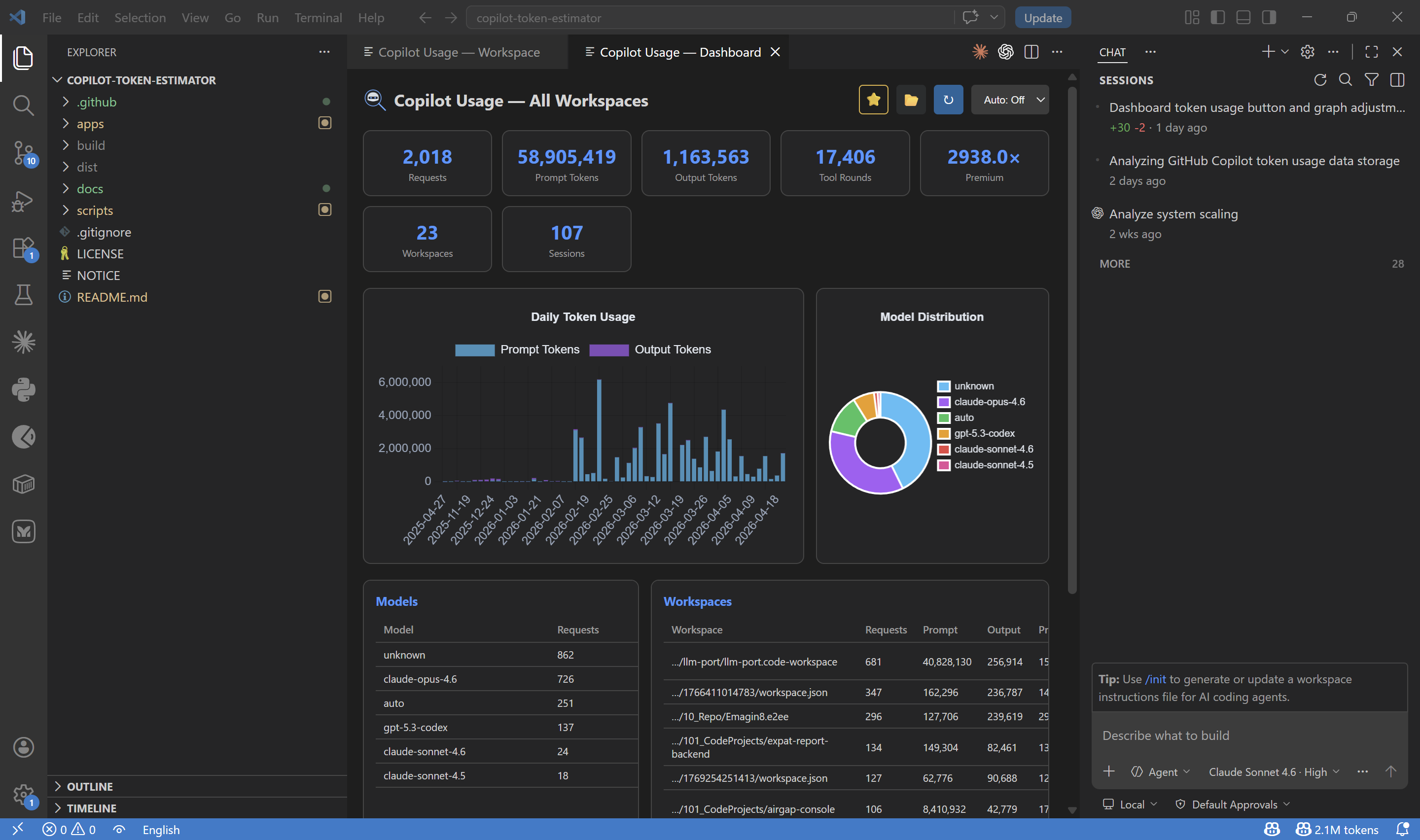
ScreenshotsGlobal DashboardKPIs, daily token usage chart, model distribution, and per-workspace breakdown across all your projects.
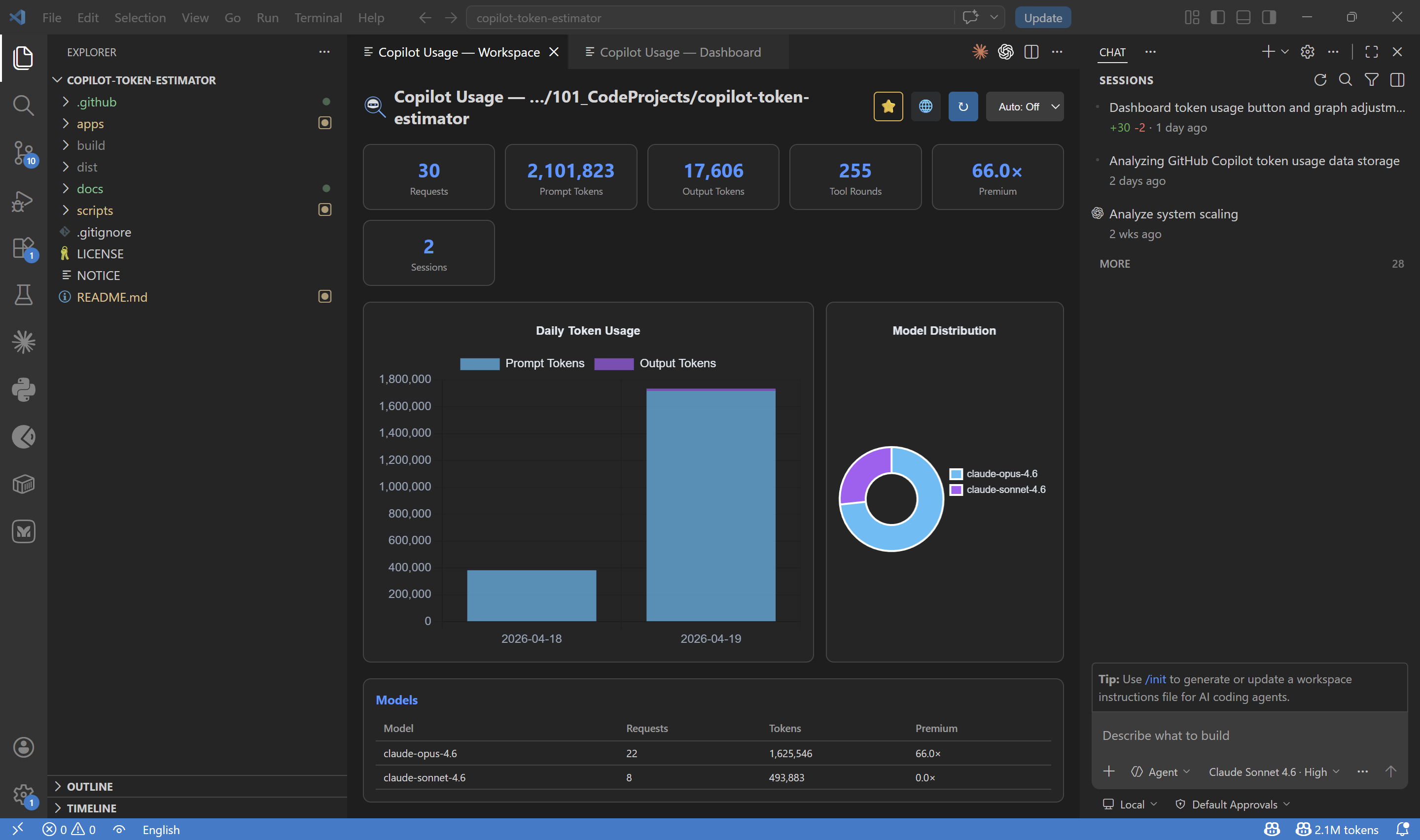
Workspace ViewFocused analysis for the current workspace — token usage, daily trends, and model stats.
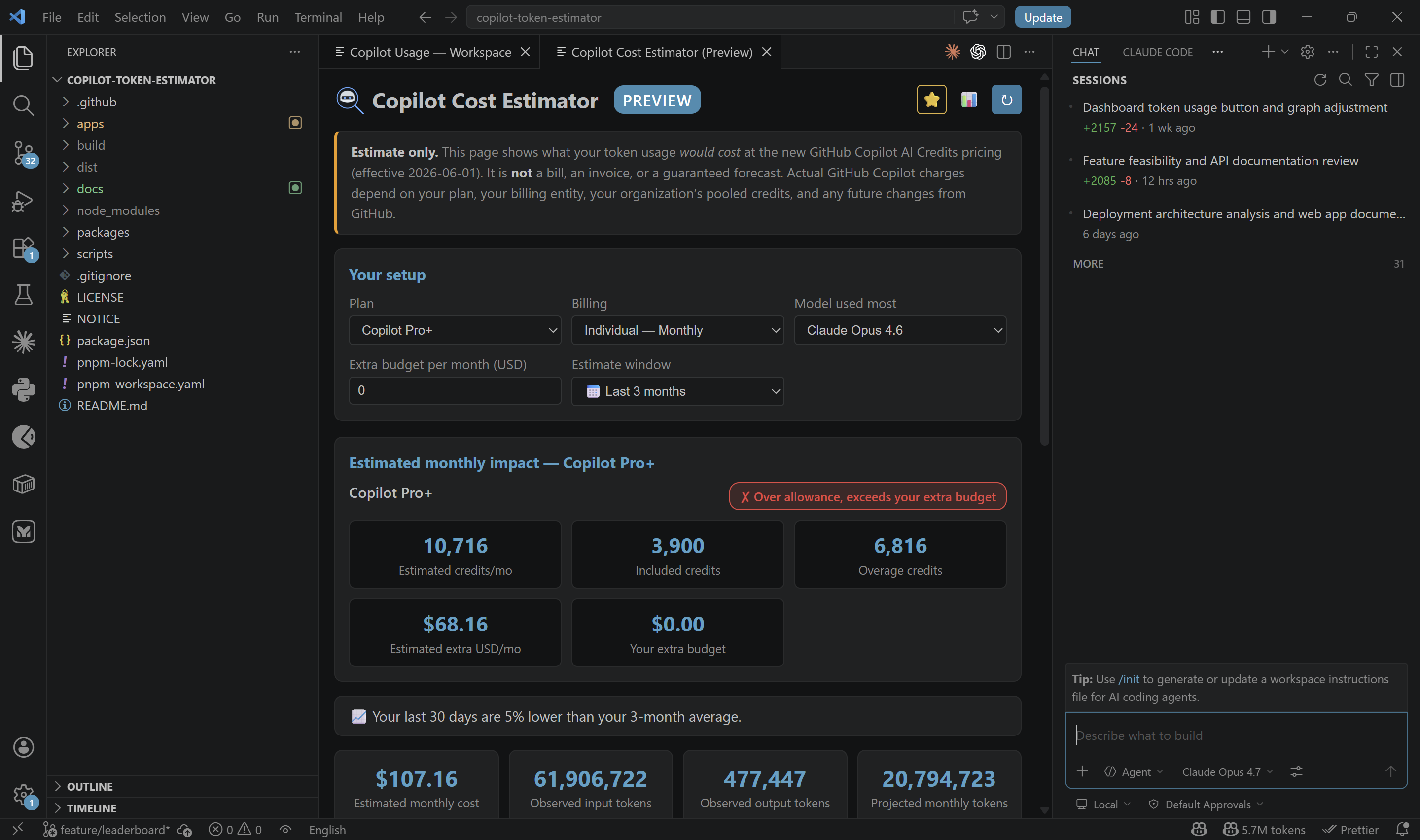
Cost Estimator (Overview)Estimated monthly impact based on your observed usage window, selected plan, and selected model.
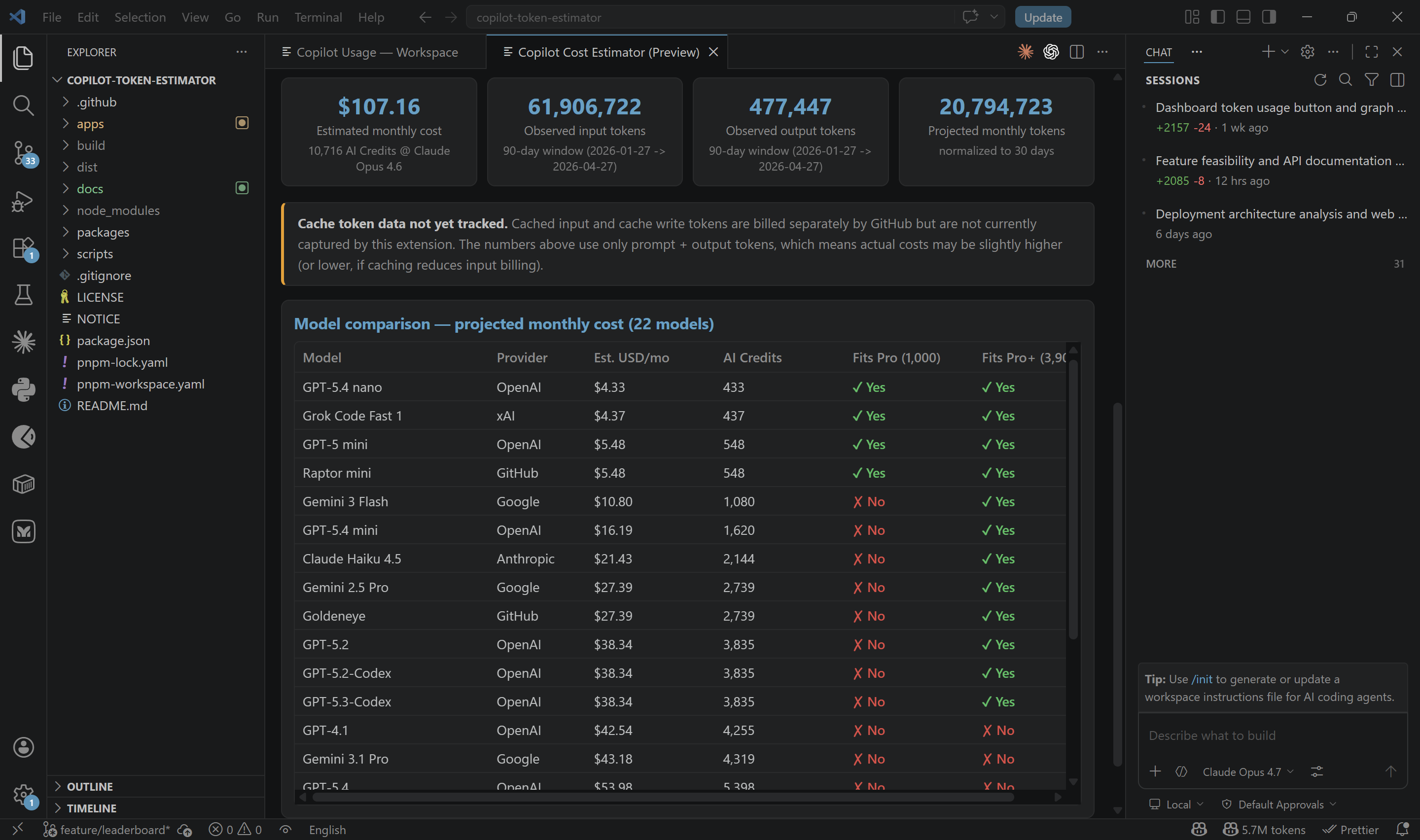
Cost Estimator (Model Comparison)Compare projected monthly cost and AI Credits across available models.
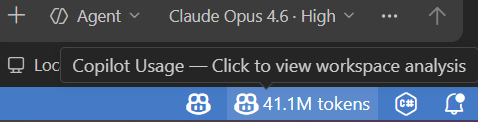
Status BarAlways-visible token count in the status bar. Click to open the workspace analysis panel.
Commands
How It WorksParses JSONL and legacy JSON chat session files from VS Code's workspace storage directory ( LinksEnjoy! |