CLAMPS – Audio-aware Lisp IDE
A Common Lisp IDE for VS Code with tools for spectral analysis, DSP and
computer music.
CLAMPS for VS Code brings Common Lisp development, interactive evaluation and
audio work into one editor. Alongside the usual SLIME-style tooling —
completion, autodoc, macroexpansion, debugger, XREF — it adds a set of views
built for working with sound: a frequency scope, a live spectrogram, a
waveform display, an ATS partial browser, a sample browser and a MIDI monitor.
It is designed for use with CLAMPS and
Incudine.
Independent, unaffiliated, unsupported.
This extension is an independent third-party project. It is not
developed, endorsed or supported by Orm Finnendahl, the author of CLAMPS,
nor by Tito Latini, the author of Incudine. Neither of them is involved in
it, and neither should be asked for help with it. CLAMPS itself is designed
for Emacs with Sly; this extension takes a different route and is maintained
separately. Please report problems with the extension in its own
issue tracker —
not to the CLAMPS or Incudine projects.
Audio views
These are what distinguish this extension from a general-purpose Lisp
environment. Each analyses in the Lisp image and transfers only what is drawn,
so a long recording or a dense stream costs the same as a short one.
Frequency scope
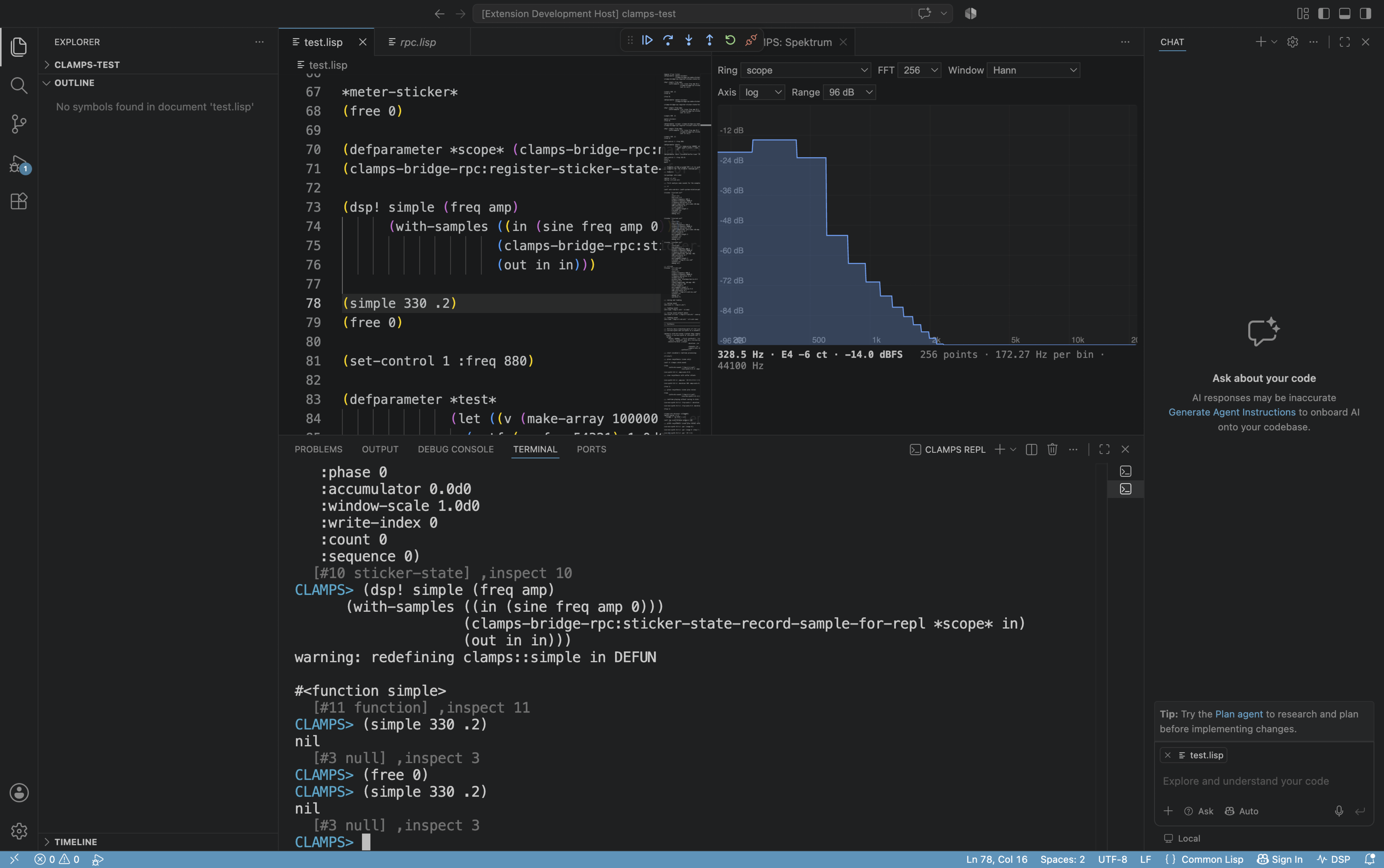
CLAMPS: Show Spectrum — a real-time spectrum of a sticker ring, with a
logarithmic or linear frequency axis, peak hold, and a cursor readout in hertz
with the nearest note name and cent deviation. The peak is interpolated across
neighbouring bins, so a partial between two bins is reported at its true
frequency and level rather than snapped to the analysis grid.
Live spectrogram
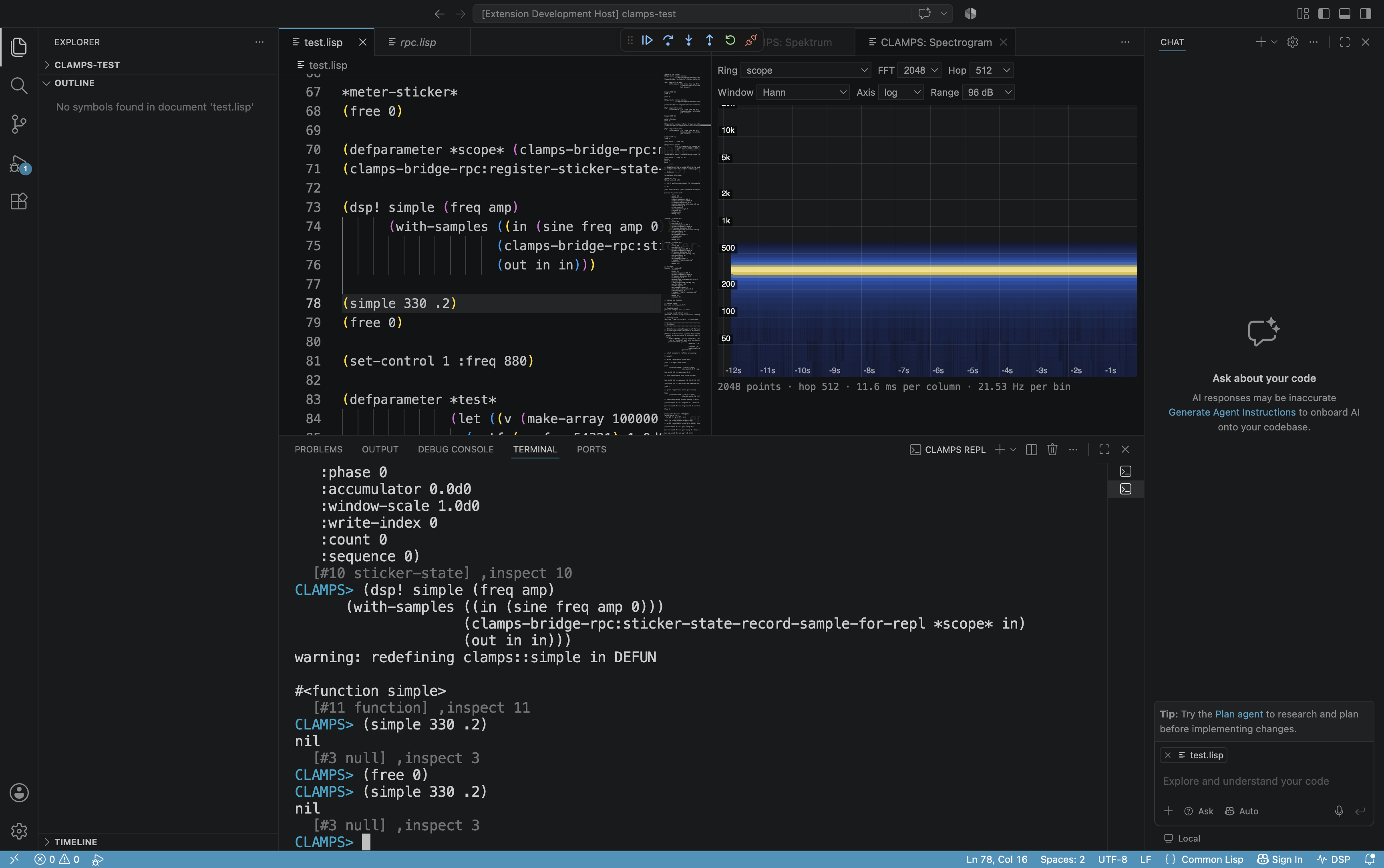
CLAMPS: Show Spectrogram — frequency vertically, time scrolling to the left,
level as colour, with labelled axes in hertz and seconds. The analysis frames
sit on an absolute grid, so one column is exactly one hop of samples and the
time axis carries a unit; frames that could not be delivered are reported
rather than leaving an invisible gap.
ATS browser
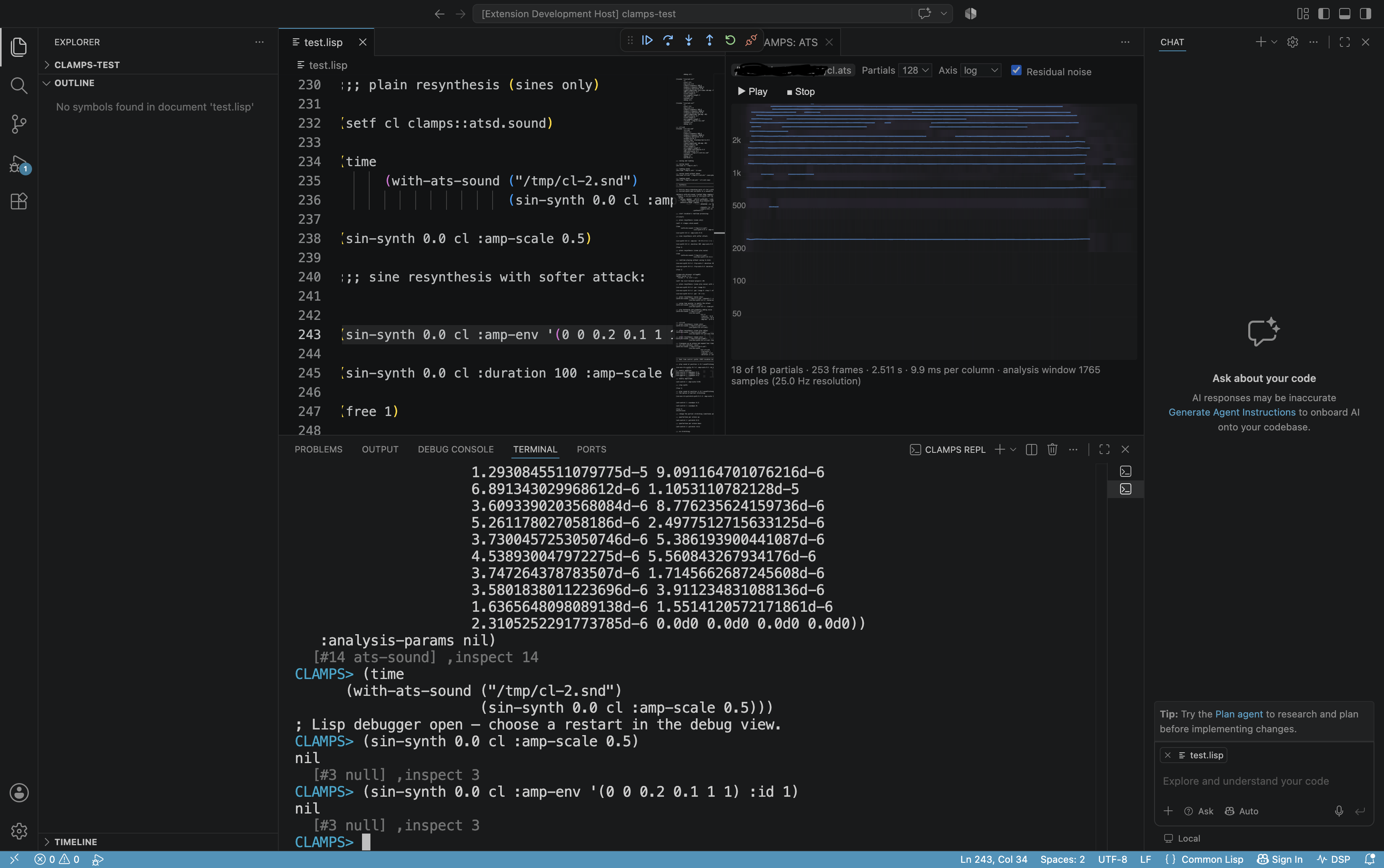
CLAMPS: Show ATS Analysis — the tracked partials of an
ATS analysis over time, each as its own
line, with residual noise in its critical bands underneath. Hovering singles
out the nearest partial and gives its number, frequency, note name and level.
The analysis can be played back through the image's resynthesis.
Where a spectrogram shows a grid of bins and leaves the partials to the eye,
an ATS file already knows them — so a single partial can be followed and read
off. A gap in a partial stays a gap: where the tracker had none, no line is
drawn.
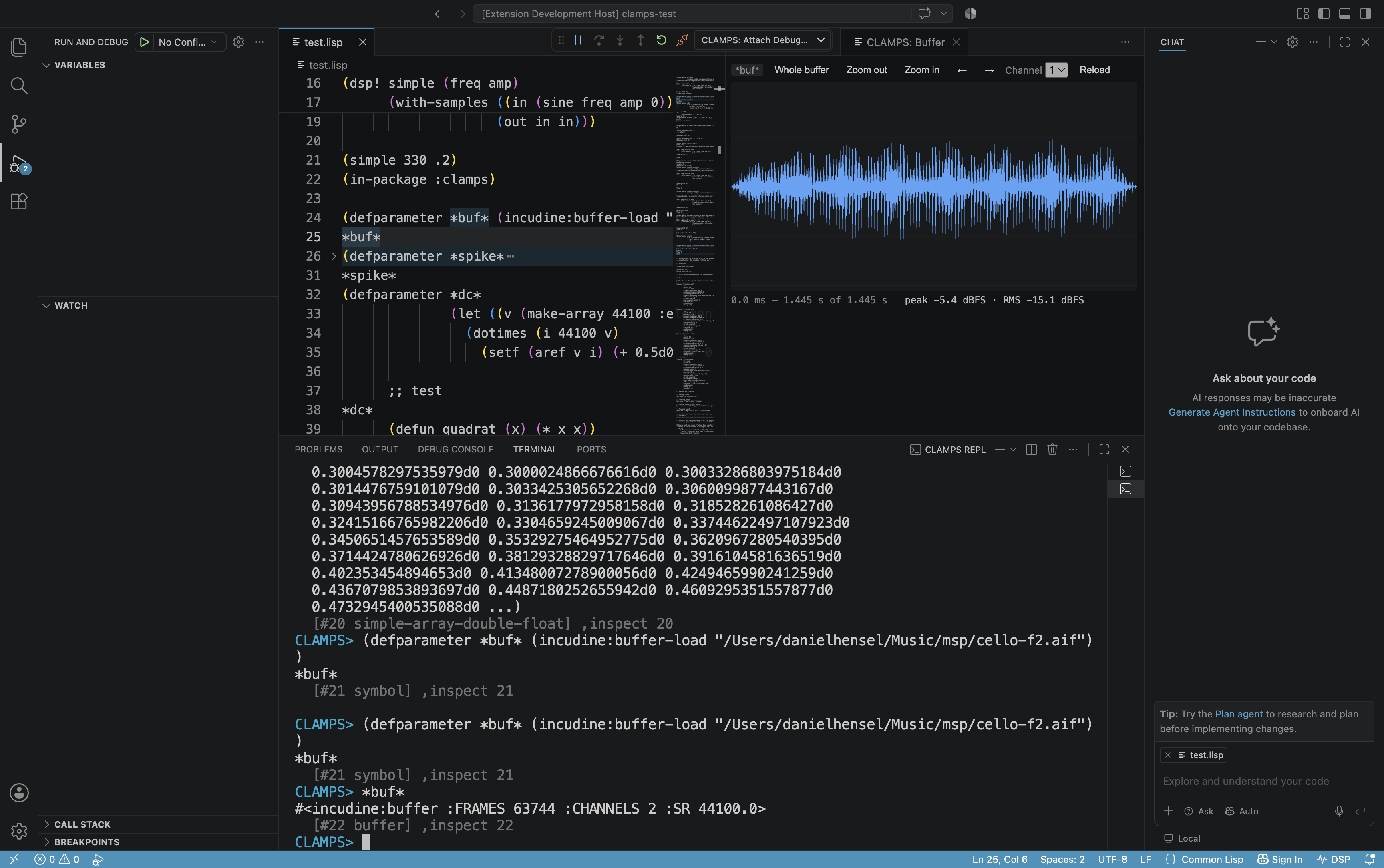
CLAMPS: Show Buffer Waveform — the waveform of an Incudine buffer with zoom,
scroll and per-channel display. Each column carries minimum, maximum and RMS,
so clipping and DC offset stay visible and the gap between envelope and body
shows the dynamic range. Every sample is examined rather than stepped over, so
a single clipped sample among millions is not lost.
Sample browser
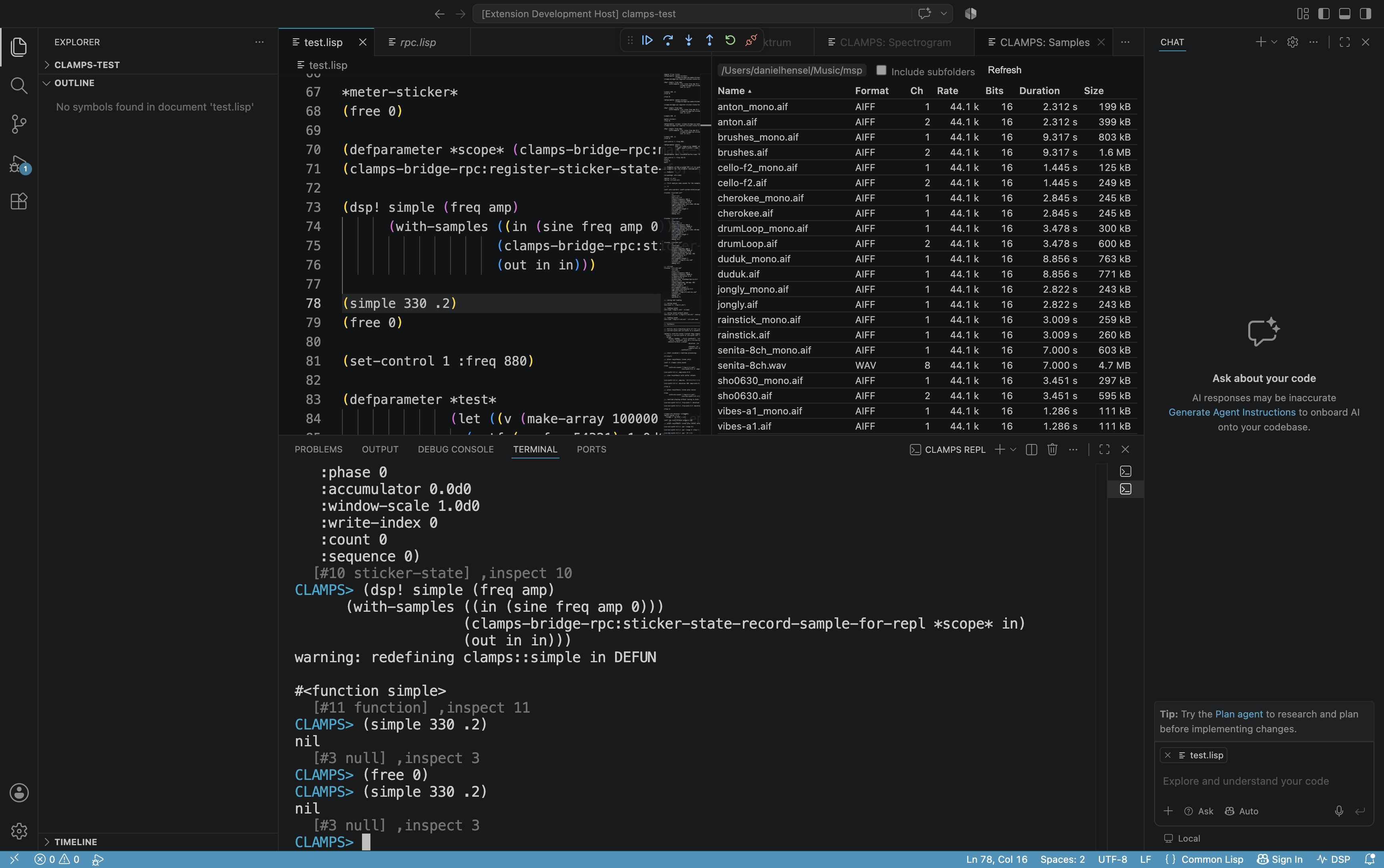
CLAMPS: Browse Samples — the sound files of a folder with format, channels,
sample rate, bit depth, duration and size, sortable by any column. A click
opens the waveform. Only headers are read, so a folder of gigabytes opens
instantly. WAV and AIFF are read exactly, including AIFF's 80-bit extended
sample rate.
MIDI monitor
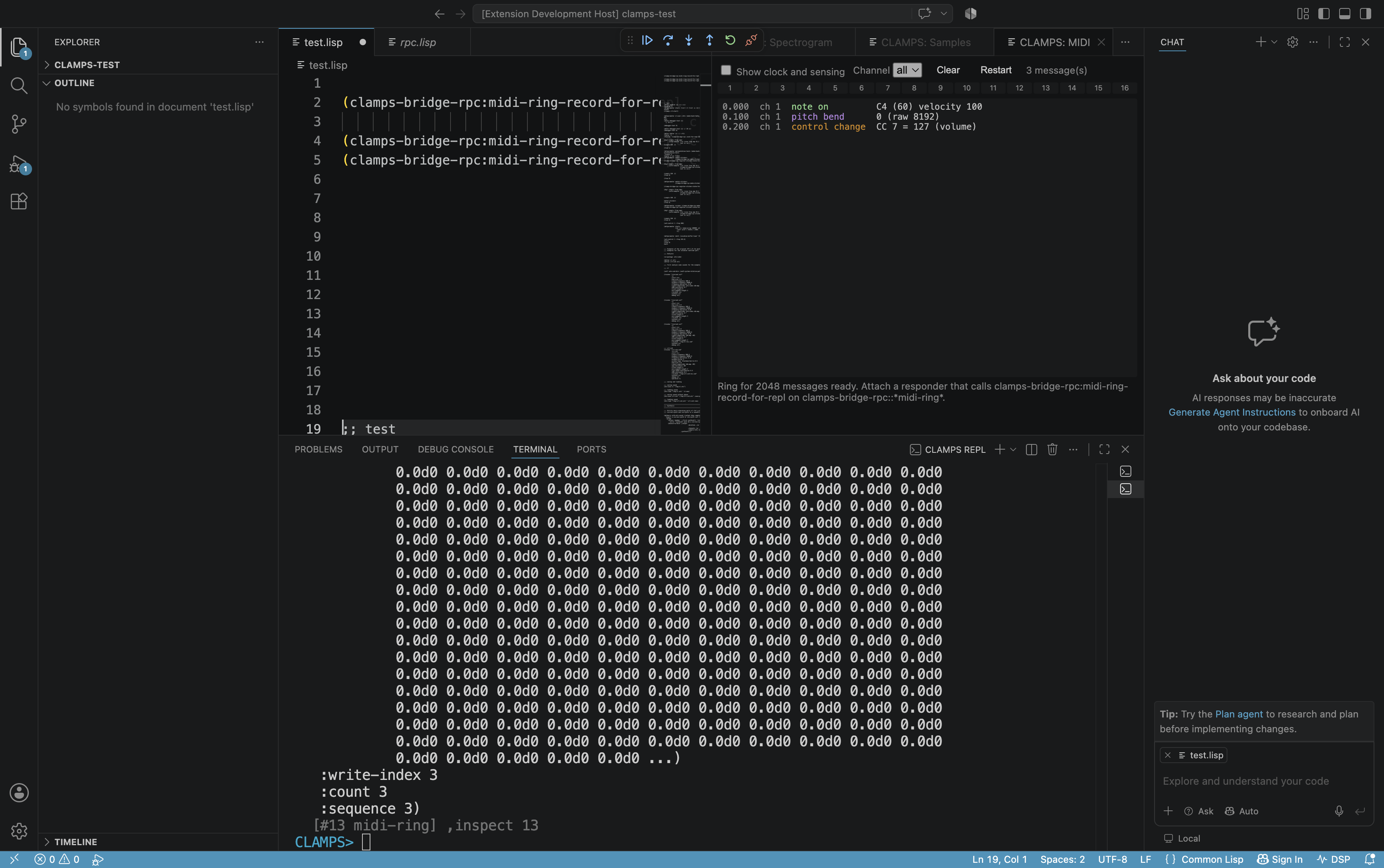
CLAMPS: Show MIDI Monitor — incoming messages decoded, with timestamps, a
per-channel activity strip and a filter for clock and active sensing. It
attaches to Incudine's raw reception, so it sees pitch bend, program change
and system messages as well as notes and controllers. Registered cl-midictl
controllers are unaffected.
OSC monitor
CLAMPS: Show OSC Monitor — incoming OSC messages with address, type tag and
values, each value shown with its own type, plus an address filter and a
settable port. The types matter: an integer 1 and a float 1.0 print alike and
are not alike, and a receiver expecting one that gets the other fails
silently.
Scheduler status
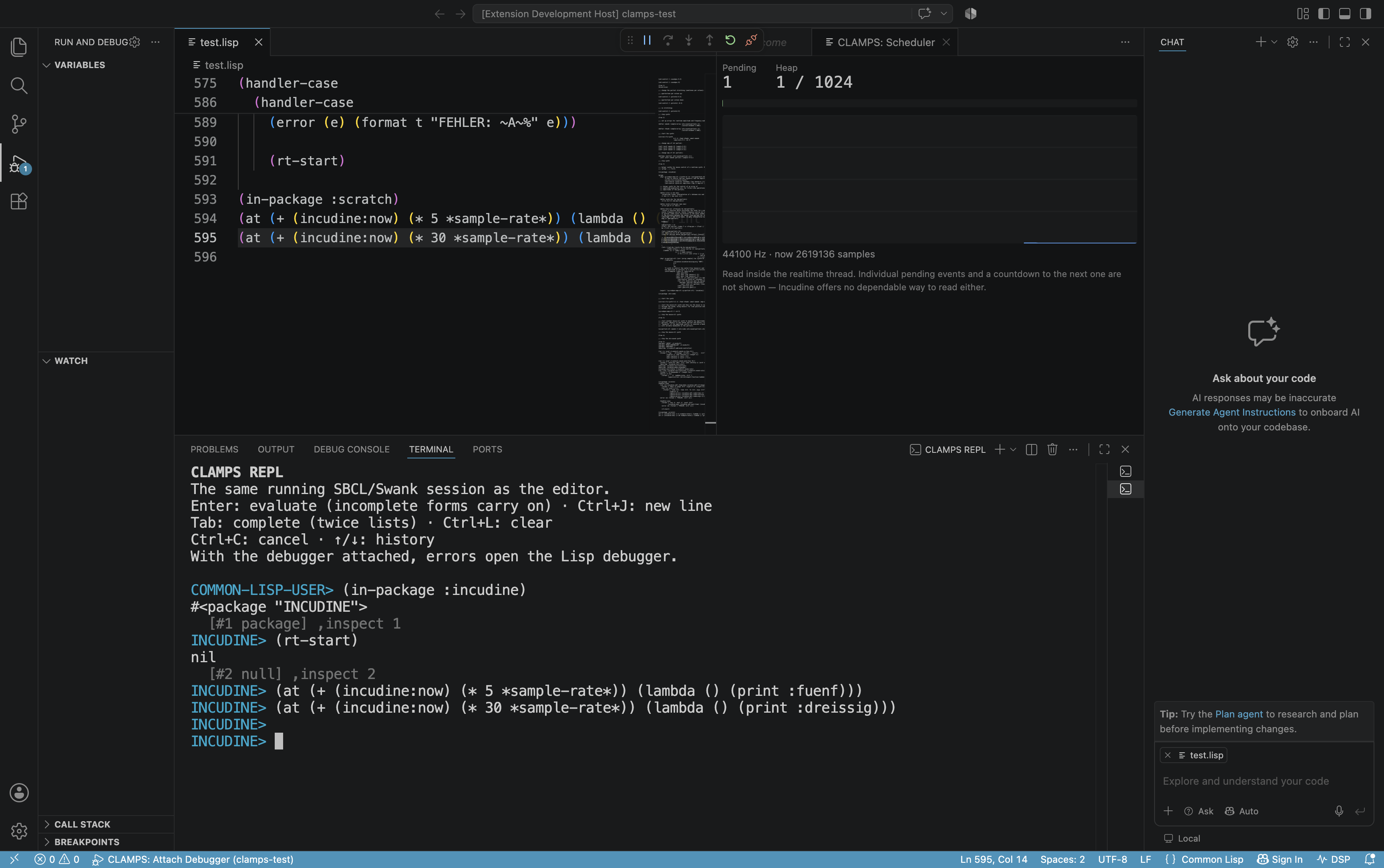
CLAMPS: Show Scheduler Status — how many events are pending and how full the
EDF heap is, with the queue depth plotted over time. The heap figure decides
whether a piece can be scheduled at all: a score with more events than the
heap holds fails silently.
Level meters and node browser
Real-time levels in dBFS from allocation-free rings written by the audio
thread, and a read-only view of the Incudine node tree with DSP status in the
status bar.
- Start, stop and restart an SBCL/CLAMPS session from the editor
- Integrated REPL with multi-line input, history and tab completion
- Evaluation of selections, files, top-level forms and the preceding expression
- Completion with fuzzy matching, lexical scope and
&key parameters of the
enclosing form
- Autodoc: the lambda list as signature help while typing, with the active
parameter marked
- Debugger with conditions, restarts, stack navigation, variable inspection
and inline values
- Object inspector with a browsable history and recursive expansion
- XREF for definitions, callers, callees, references, bindings, setters and
macroexpansions, with jump history
- Macroexpansion, disassembly, tracing and function breakpoints
- Structural editing: slurp, barf, raise, splice, wrap, and paren balancing
- Indentation rules read from the running image
- Compiler diagnostics in the problems view on save
- Browsers for packages, classes, threads and traced functions
Requirements
- Visual Studio Code 1.85 or newer
- SBCL
- A working CLAMPS installation for the CLAMPS-specific workflow
- Incudine and its native audio dependencies for the audio views
Platform-specific audio backends and native libraries must be installed
according to the CLAMPS and Incudine documentation.
Getting started
- Open a Common Lisp or ASDF project in VS Code.
- Run CLAMPS: Start from the Command Palette.
- Open the REPL with CLAMPS: Open REPL.
- Evaluate the current selection or line with CLAMPS: Evaluate Selection or Line.
The CLAMPS activity-bar view exposes XREF results, Incudine nodes, packages,
classes, threads and tracing tools.
Using the audio views
The frequency scope, spectrogram and level meters read from a sticker ring —
an allocation-free buffer the audio thread writes into. Create one and record
into it unconditionally in the DSP body:
(defparameter *scope*
  (clamps-bridge-rpc:make-sticker-sample-state-for-repl 8192 1))
(clamps-bridge-rpc:register-sticker-state-for-repl "scope" *scope*)

(dsp! simple (freq amp)
  (with-samples ((in (sine freq amp 0)))
    (clamps-bridge-rpc:sticker-state-record-sample-for-repl *scope* in)
    (out in in)))
The ring must be undecimated and hold at least the FFT length — twice that for
the spectrogram. Rings that cannot carry a spectrum are marked with the reason
in the selector.
The buffer waveform, sample browser, ATS browser and MIDI monitor need no
setup.
Building from source
npm ci
npm run compile
npm run gates
npm run gates runs the full check: TypeScript compilation, the JavaScript
test suite, and Lisp tests executed against a real SBCL.
License
GPL-3.0-or-later. See LICENSE.

