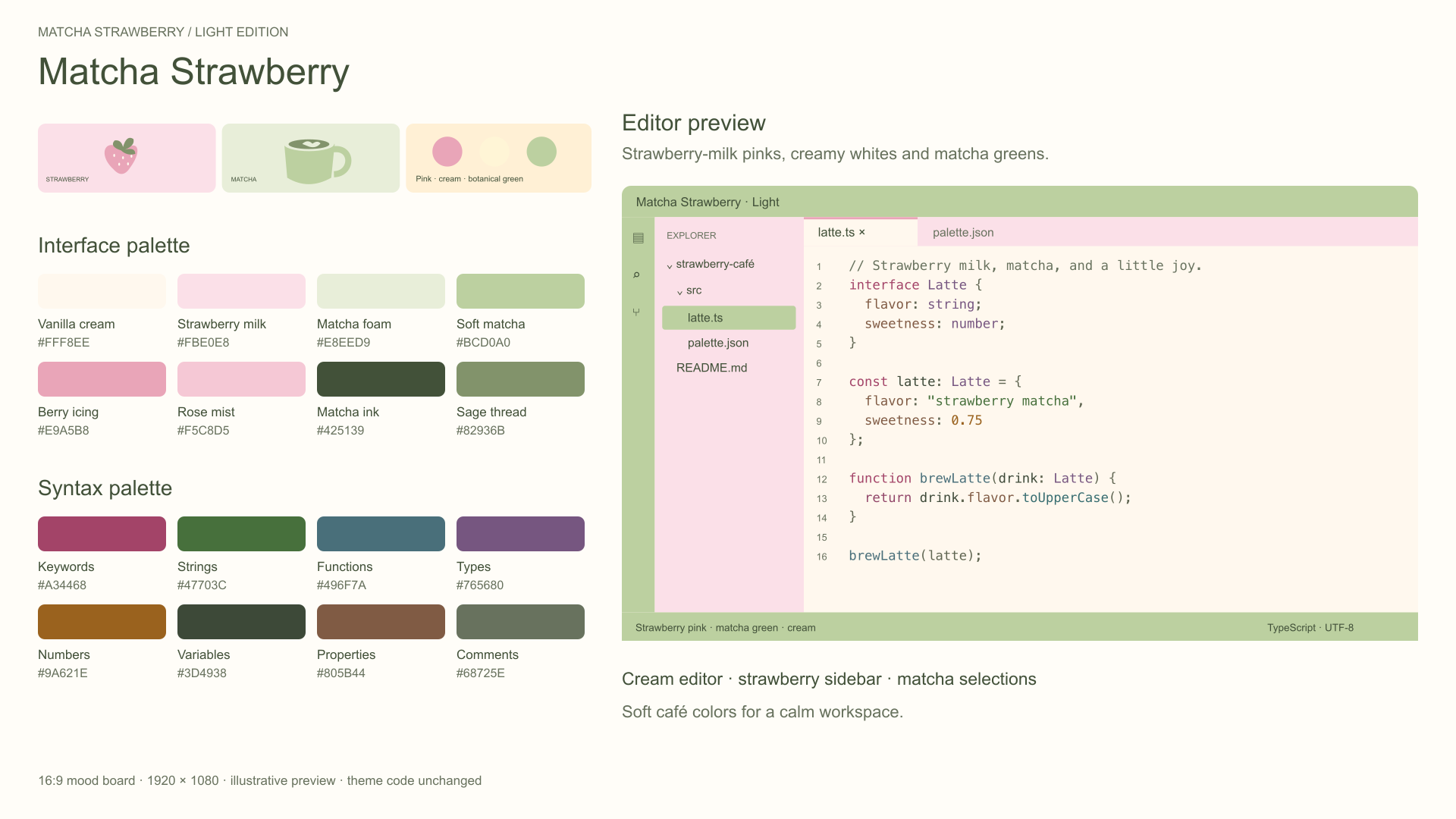
Matcha Strawberry 🍓🍵Fresh matcha, strawberry-milk pinks, and a little everyday sweetness. Two coordinated themes for a light workspace or berry-dark evenings, with colorful code in both. Matcha Strawberry CreamA soft light theme with a vanilla-cream editor, strawberry-pink sidebar, botanical matcha accents, and rich syntax colors.
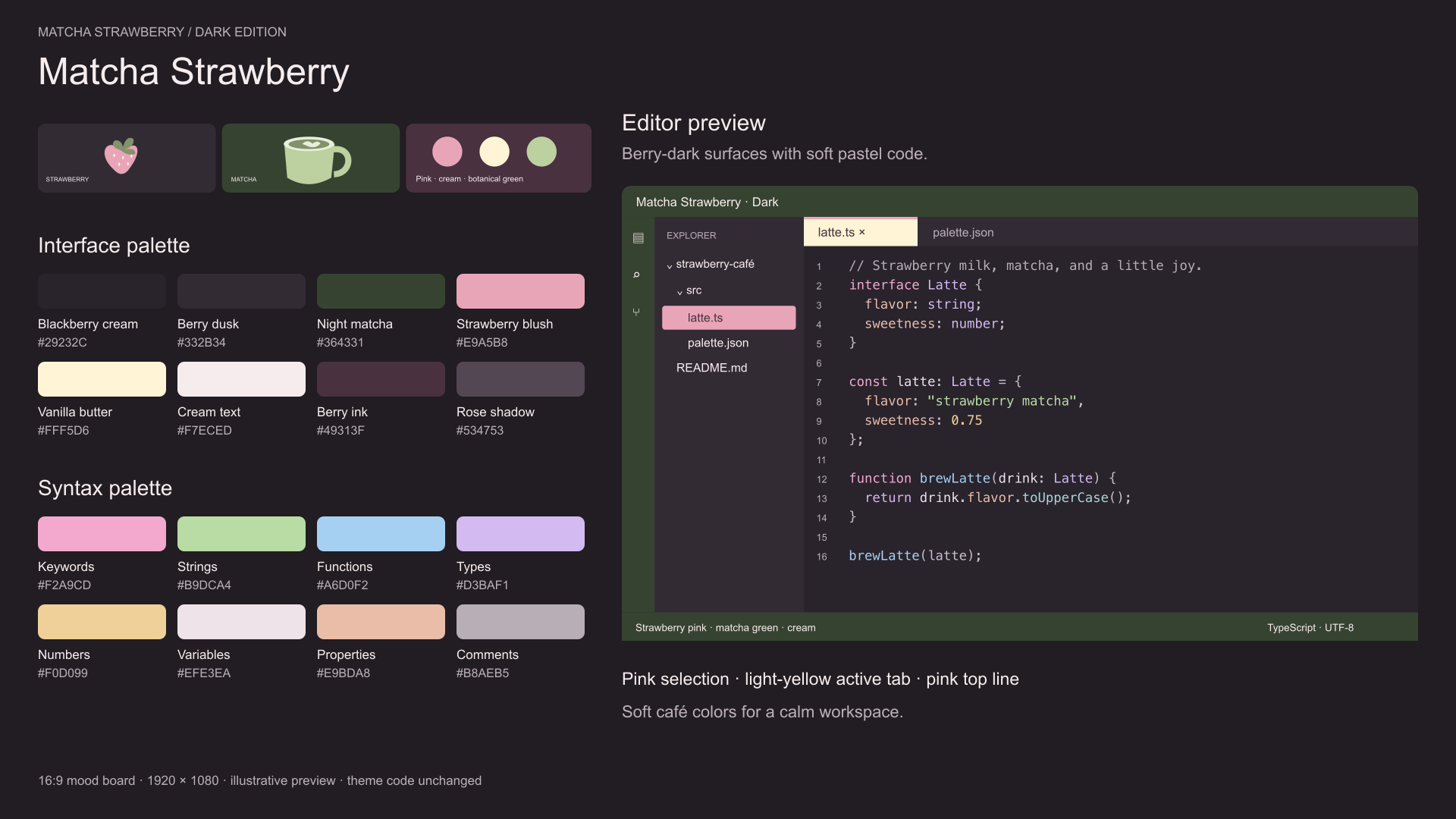
Dark Matcha and StrawberryDeep blackberry and berry-dusk backgrounds, a night-matcha header, and bright pastel syntax. Selected files and folders are strawberry pink; the active tab is light yellow with a pink top line.
Colorful codeCoordinated pinks, greens, blues, purples and warm accents help separate keywords, strings, functions, types and values. Includes TextMate and semantic-token rules for HTML, CSS/SCSS, JavaScript/jQuery, Dart/Flutter and other supported languages. The images are illustrative mood boards. Actual highlighting depends on language extensions and personal color overrides. Pair either version with Cute Pastel Scrapbook Icons for a little extra cuteness. Choose your theme
After updating from the original release, choose your preferred theme again because the picker names have changed. Follow your system appearanceAdd these settings to your user Settings JSON: Keep your favorite File Icon Theme selected separately. Dart/Flutter language features require the corresponding language extensions. jQuery uses JavaScript highlighting; selector strings may retain normal string colors when the grammar does not distinguish them. CustomizeEdit This is a declarative theme with no executable extension code or network requests. Preview images are hosted on GitHub and loaded when viewing this description. |