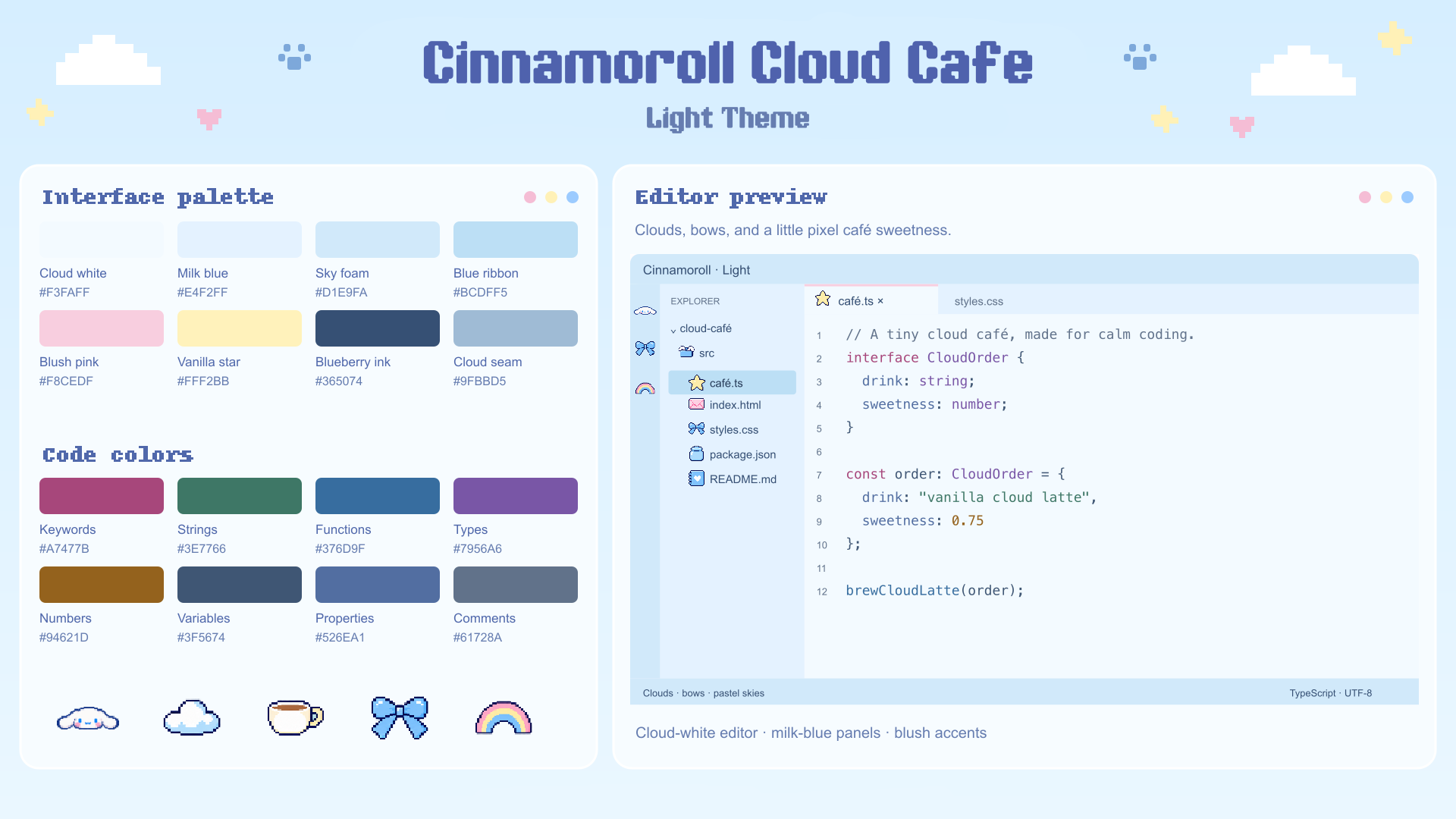
Cinnamoroll Pixel Theme ☁️Cloud whites, milk blues, blush accents, and a little café sweetness. Two coordinated color themes for your light and dark coding hours. Cinnamoroll Cloud CaféA soft light workspace with cloud-white editor backgrounds, milk-blue panels, pastel-blue selections, and blush-pink accents.
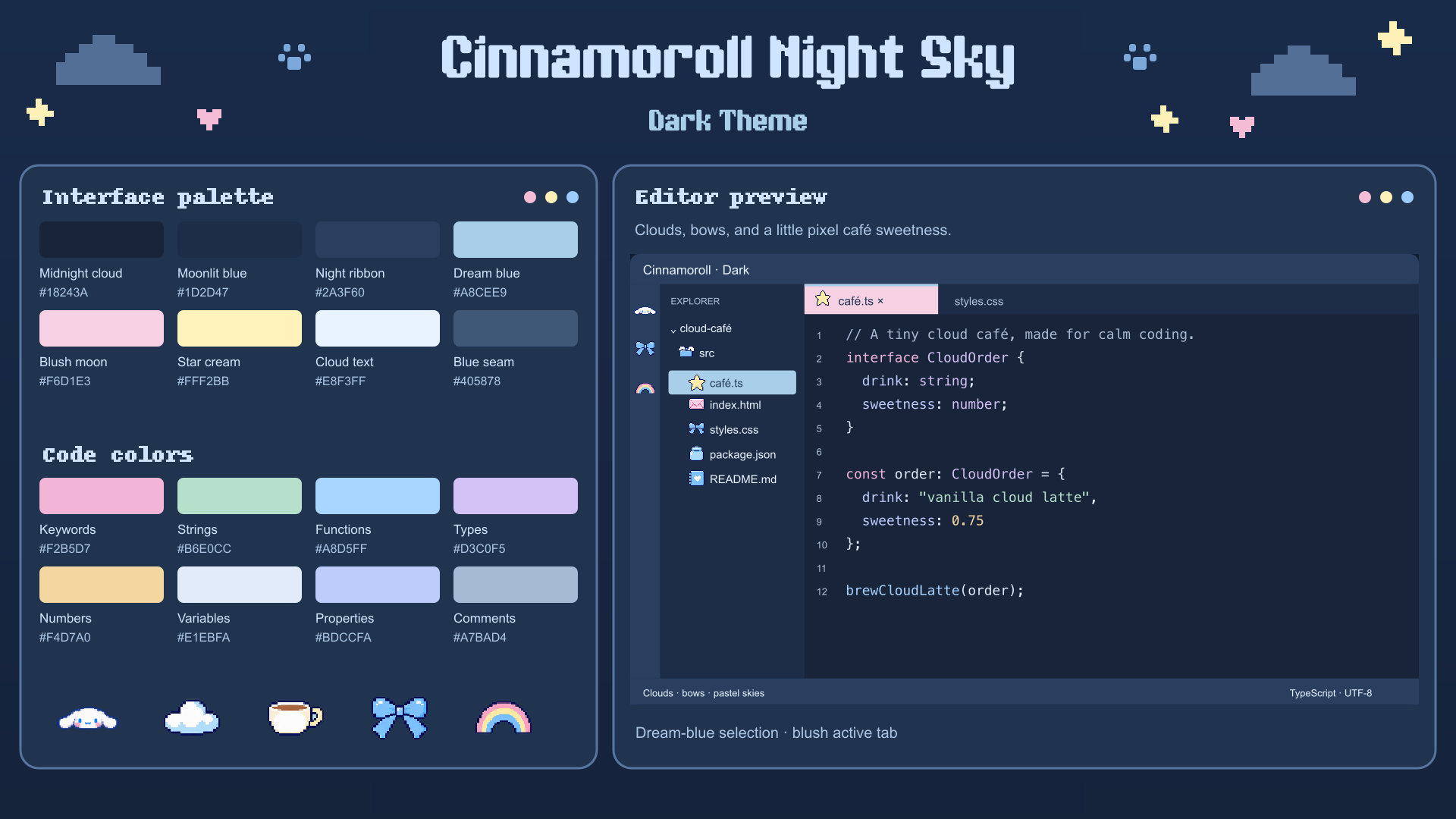
Cinnamoroll Night SkyDeep midnight-blue editor backgrounds, moonlit panels, pastel-blue file selections, a blush active tab, and bright pastel syntax.
Install and choose
Pair either color theme with Cinnamoroll Pixel Icons using Preferences: File Icon Theme. The pixel lettering and decorations in the mood boards are presentation artwork; this color theme does not change editor fonts or add character art to the interface. Colorful codePink keywords, botanical-green strings, blue functions, lavender types, honey-gold numbers, and readable blue-gray comments. Includes TextMate and semantic-token rules for HTML, CSS/SCSS, JavaScript/jQuery, Dart/Flutter, and other supported languages. All approved syntax colors meet 4.5:1 against their editor background. Actual token colors depend on your language extensions and personal overrides. Dart/Flutter language features require their language extensions. jQuery selector strings may keep regular string coloring when the grammar does not distinguish them. Follow your system appearanceAdd to your user Settings JSON: CustomizeEdit the JSON files in Cinnamoroll is a Sanrio character. This is an unofficial fan-made theme and is not affiliated with or endorsed by Sanrio. |