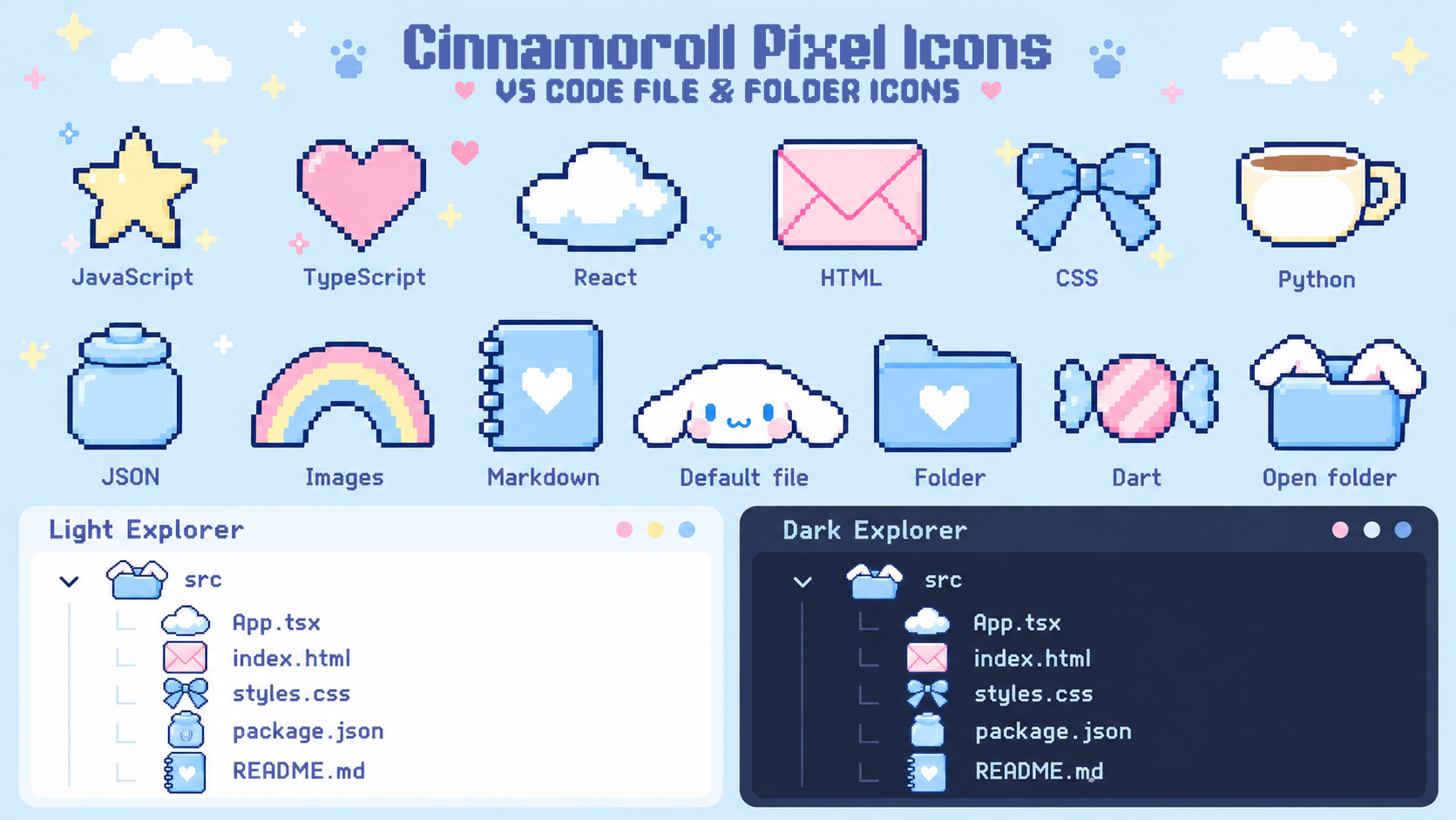
Simple pixel shapes, soft blue and pink, and a little floppy-eared charm for your VS Code Explorer. Works alongside your favorite light or dark color theme.
Preview
What's new in 1.1.0
Simpler silhouettes and fewer tiny details for easier reading at small Explorer sizes. The rainbow has no clouds, Dart uses a candy, and expanded folders have just two puppy ears.
Icons
Files
Design
JavaScript
Yellow star
TypeScript
Pink heart
React / Vue / Svelte
Blue-and-white cloud
HTML / XML
Plain pink envelope
CSS / Sass / Less
Blue ribbon bow
Python and other programming files
Plain coffee cup
JSON / configuration / data
Plain blue jar
Images / media
Rainbow without clouds
Markdown / documents / scripts
Blue heart notebook
Dart
Pink candy with blue wrappers
Other files
Cinnamoroll face
Folders
Blue heart folder
Expanded folders
Blue folder with two floppy ears
Some file types share designs. Transparent PNG sprites work on both light and dark backgrounds. Folder expansion arrows remain visible.
Install
Open the Command Palette and run Extensions: Install from VSIX….
Select the downloaded package.
Run Preferences: File Icon Theme and choose Cinnamoroll Pixel Icons.
If updating from an older version, run Developer: Reload Window if cached icons remain. Your Color Theme stays separate.
Customize
Edit cinnamoroll-pixel-icon-theme.json to change associations. PNG artwork is in icons/. No executable extension code or network requests. The README preview loads from GitHub.
Cinnamoroll is a Sanrio character. This is an unofficial fan-made theme and is not affiliated with or endorsed by Sanrio.