Elite
Elite branded VS Code color themes, built on top of Ayu Dark.
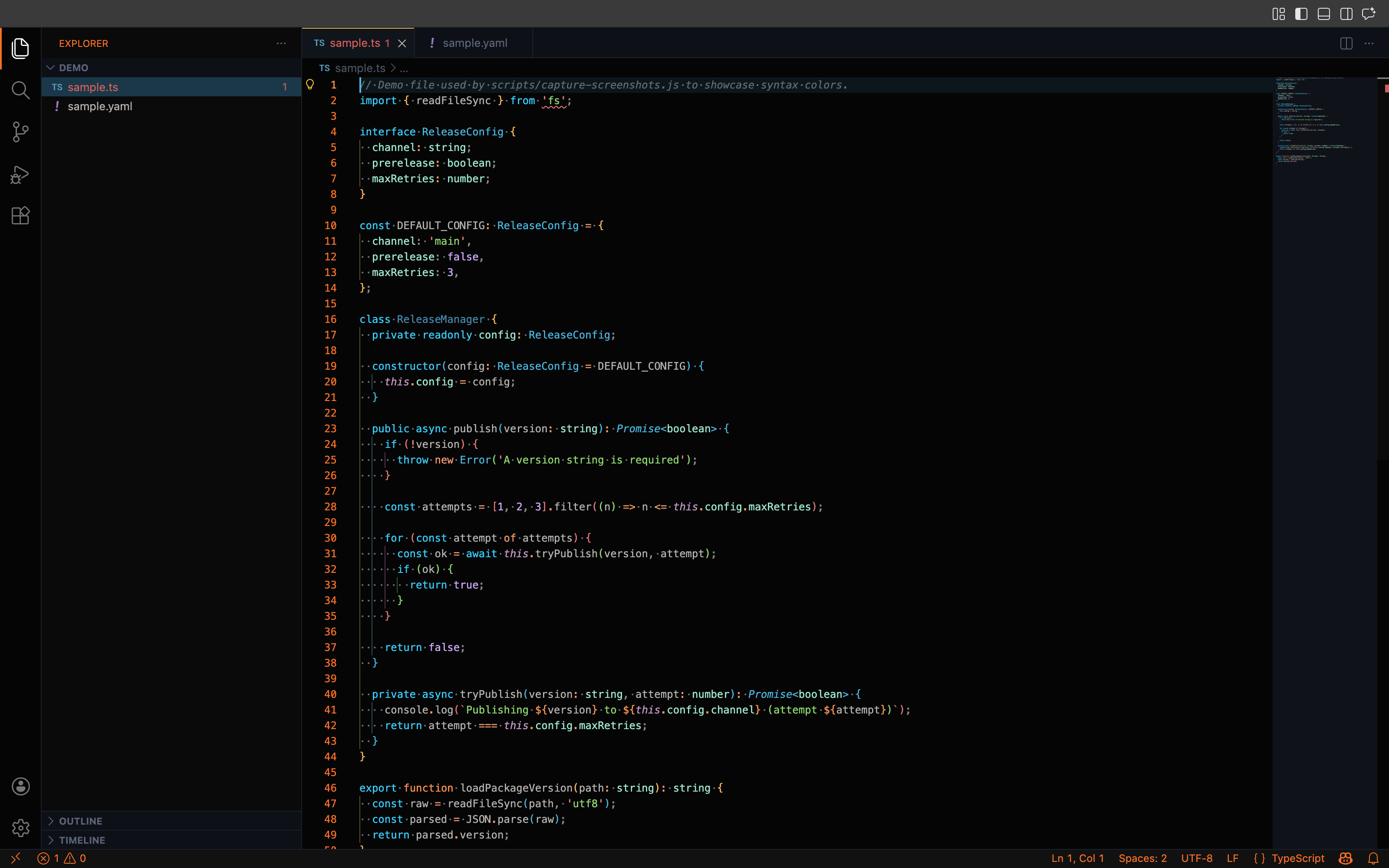
Themes
- Elite Ayu Dark — a near-black Ayu Dark variant with Blaze Orange (
#FF6700) as the Elite accent color: line numbers, the active status bar, the active Activity Bar indicator, and active indentation/bracket-pair guides. Syntax highlighting keeps the familiar Ayu Dark palette (cyan keywords, green strings, muted gray identifiers), with whitespace and indentation made visible via dots/arrows and a 6-level color-coded guide palette for nested indentation and bracket pairs.
- Elite Light — the light counterpart, on a muted gray-blue background (
#C4C9CC) rather than pure white. Same Blaze Orange accent and syntax-color philosophy as Elite Ayu Dark (cyan keywords, green strings, purple numbers, magenta punctuation, teal types), translated to darker, higher-contrast shades for readability on a light background.
Installation
Install the .vsix from the Releases/Marketplace listing, or build one locally:
npm install
npm run vsce:package
Then in VS Code: Extensions view → ... menu → Install from VSIX...
Development
npm install          # install dependencies
npm run lint          # eslint over scripts/ and test/
npm run unittest      # validates every theme's colors are well-formed
npm run build         # sanity-checks the shipped theme JSON parses
npm run vsce:package  # produces a local .vsix
npm run screenshots   # launches an isolated dev VS Code per theme and
                       # captures a PNG of demo/ under it, written to media/
To try the theme itself while editing it, open this folder in VS Code and press F5 (or run Run Elite Theme from the Run panel) to launch an Extension Development Host with the theme loaded.
CI
.gitlab-ci.yml runs lint, unit tests, a build check, .vsix packaging, and a best-effort automated screenshot job on every merge request and commit to a branch.
License
MIT — see LICENSE.

